The HK Gaming Naos M is one of those mice that instantly makes sense the second you pick it up. At 59 grams, it is seriously light. Not marketing-light. Actually light. The kind of light where it almost disappears in your hand, which is exactly the point if you want fast movement, less fatigue, and a mouse that feels effortless during gaming or everyday use.
What gives it that low weight is the honeycomb shell. Those hexagon cutouts are not there just for looks. They shave off weight while keeping the shell rigid enough to still feel solid. Add in RGB lighting, a flexible paracord-style cable, PTFE feet, and a shape that works well for average-sized hands, and the Naos M ends up being a pretty compelling option in the lightweight gaming mouse category.
If you spend a lot of time comparing specs, shape, glide, and comfort across different mice, it also helps to browse a wider collection of mouse reviews and comparisons to get a better feel for where something like the Naos M fits.
Table of Contents
- What comes in the box
- Color options and first impressions
- Build, materials, and overall construction
- The biggest feature: 59 grams
- Cable and glide
- Sensor and core specs
- Buttons, DPI, and lighting controls
- Shape, size, and who it fits best
- Grip styles: palm, claw, and fingertip
- How the clicks feel
- RGB and visual design details
- Pros and cons
- Naos M vs budget alternatives
- Is the HK Gaming Naos M worth it?
- Final verdict
- FAQ
What comes in the box
HK Gaming includes more than just the mouse itself, which I always appreciate. The package comes with:
- The Naos M mouse
- Anti-slip grip stickers for the front and sides
- Extra skates for the bottom
- A quick start guide
The grip stickers are useful if you want a little more control and do not want the shell to feel slick in fast movement. The extra skates are also a nice addition because mouse feet are one of the first parts to wear over time, especially if the mouse sees a lot of use on rougher surfaces.
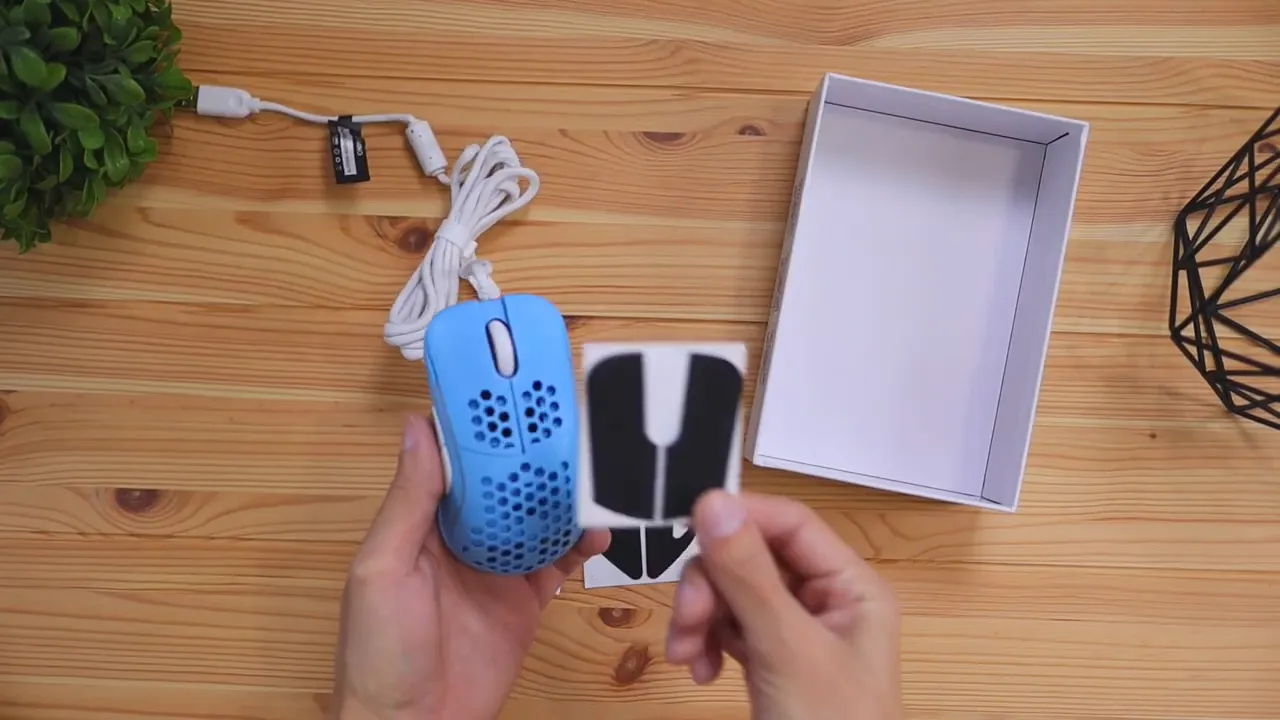
The quick start guide covers the basics, especially things like DPI levels and lighting behavior. For a plug-and-play mouse, that is really all most people need to get going.
Color options and first impressions
HK Gaming offers the Naos M in four colors: black, white, Malibu blue, and prism pink. The Malibu version stands out immediately. It gives the mouse a more playful look than the usual blacked-out gaming gear, and it pairs surprisingly well with the RGB strips along the shell.
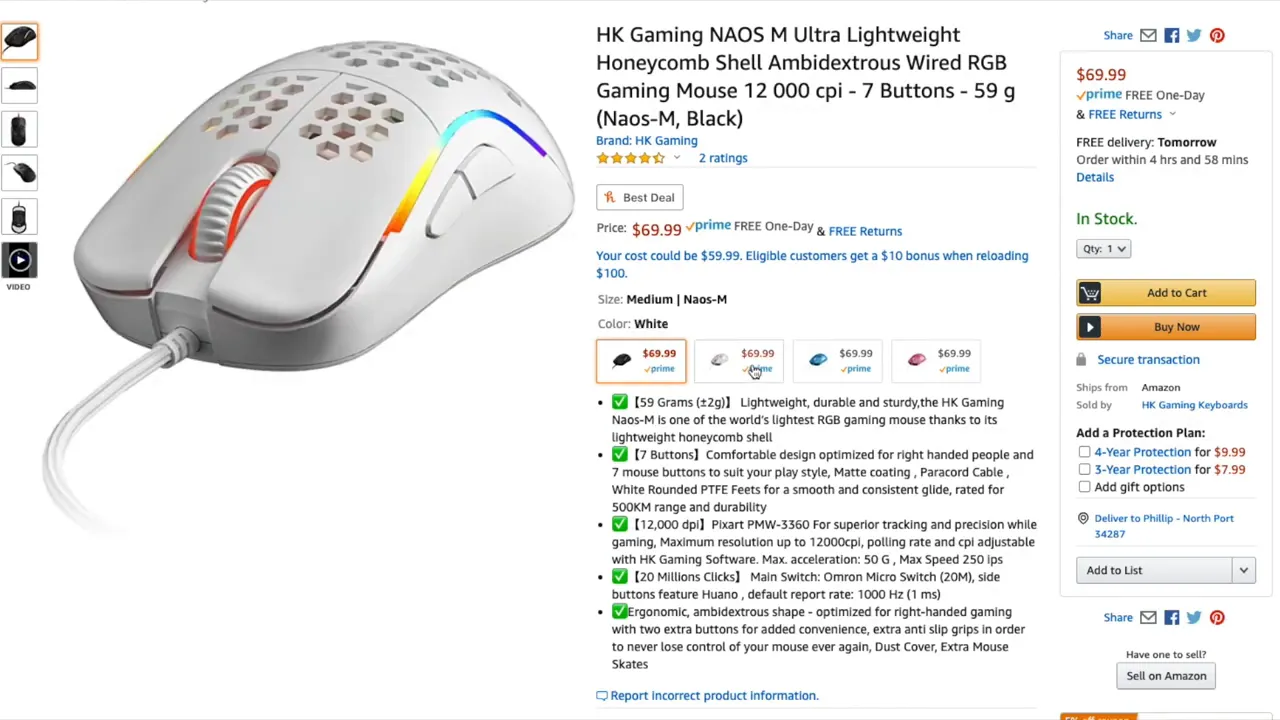
The design is fairly clean overall. Yes, it has the honeycomb cutouts, but it still feels minimal rather than loud. That balance matters. Some lightweight mice lean so hard into the gaming aesthetic that they start to feel gimmicky. This one keeps things simple.
Build, materials, and overall construction
The Naos M is primarily plastic across the top shell, sides, and bottom. The side buttons are plastic too. The only obvious material changes are the rubberized scroll wheel and the cable.
The scroll wheel has a textured surface that gives you a good amount of grip. It is easy to control without feeling too loose or too stiff. Small detail, but it matters, especially if you use the wheel often in games or while browsing.
Construction is solid for such a light mouse. There is a tiny bit of rattle when you shake it, mostly from the scroll wheel shifting side to side, but in normal use it is not a problem. The main thing is that the clicks do not feel mushy or cheap, and the shell does not come across as flimsy.
The biggest feature: 59 grams
The weight is the story here.
At 59 grams, the Naos M sits in the truly lightweight class. Many standard mice still push well past 100 grams, and wireless models with batteries can go much higher. That difference is easy to feel. A lighter mouse takes less effort to start moving, stop moving, and reposition.
If you play fast shooters, that can help with flicks and quick tracking. If you are just using a computer for long stretches, it can also simply reduce hand fatigue. That is one reason ultra-light mice became so popular in the first place. They are not just about esports. They can also just feel better.
Cable and glide
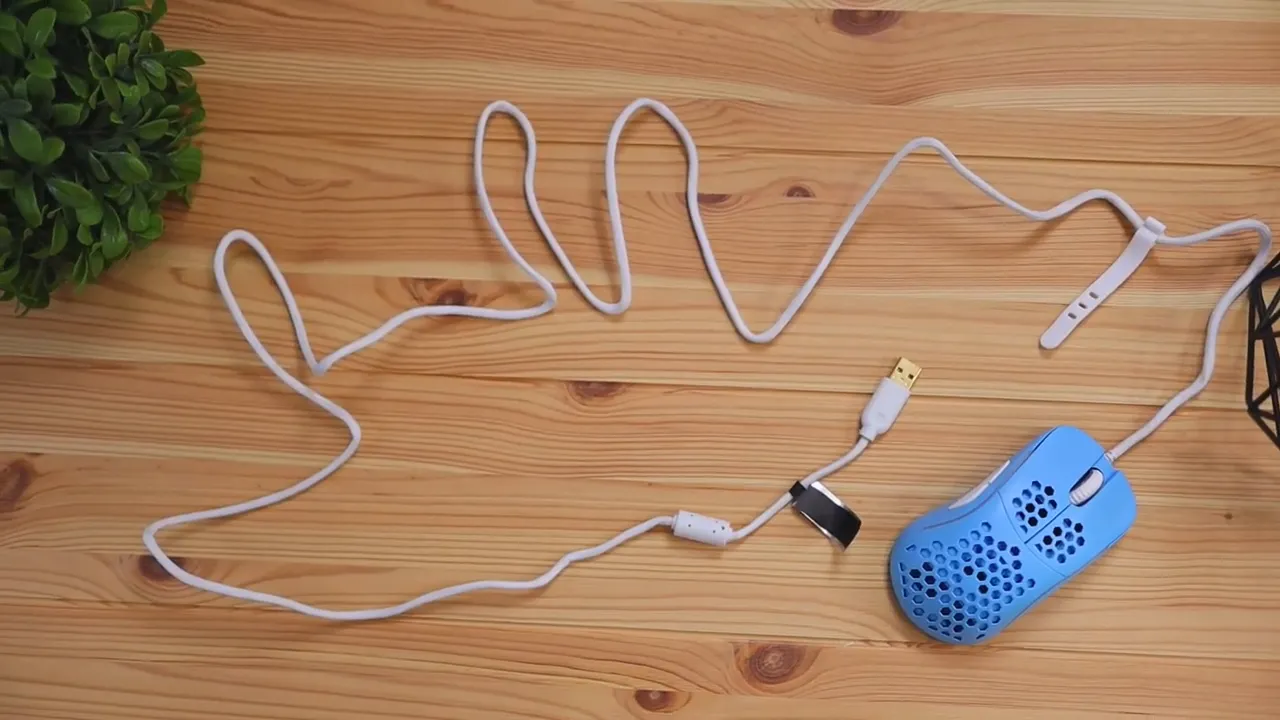
The cable is worth mentioning because it does not feel like the typical stiff wired mouse cable. HK Gaming uses what it calls a paracord-style cable. It may look braided at first glance, but it is lighter and softer than a standard braided cable.
That flexibility helps reduce drag across the desk. A bad cable can make a wired mouse feel heavier than it really is because you are constantly fighting tension and resistance. The Naos M avoids that issue pretty well.
Underneath, you get rounded PTFE feet designed for a smooth glide. Combined with the low weight, the mouse moves very easily. If cable drag is a big concern for you, a bungee still helps, but the stock setup is already pretty friendly.
Sensor and core specs
Under the hood, the Naos M uses the Pixart PMW-3360 sensor with up to 12,000 DPI. That is a well-known sensor for gaming and is more than enough for precise tracking. HK Gaming also lists a 1000 Hz polling rate, up to 50G acceleration, and 250 IPS tracking speed.
Those specs put it right where you would expect a serious wired gaming mouse to be. Nothing strange, nothing compromised, and nothing that feels out of place for the price class.
If you are into software-heavy customization and button remapping, something like this Corsair Scimitar Elite iCUE guide shows how deep mouse configuration can go on more feature-packed models. The Naos M takes a much simpler approach.
Buttons, DPI, and lighting controls
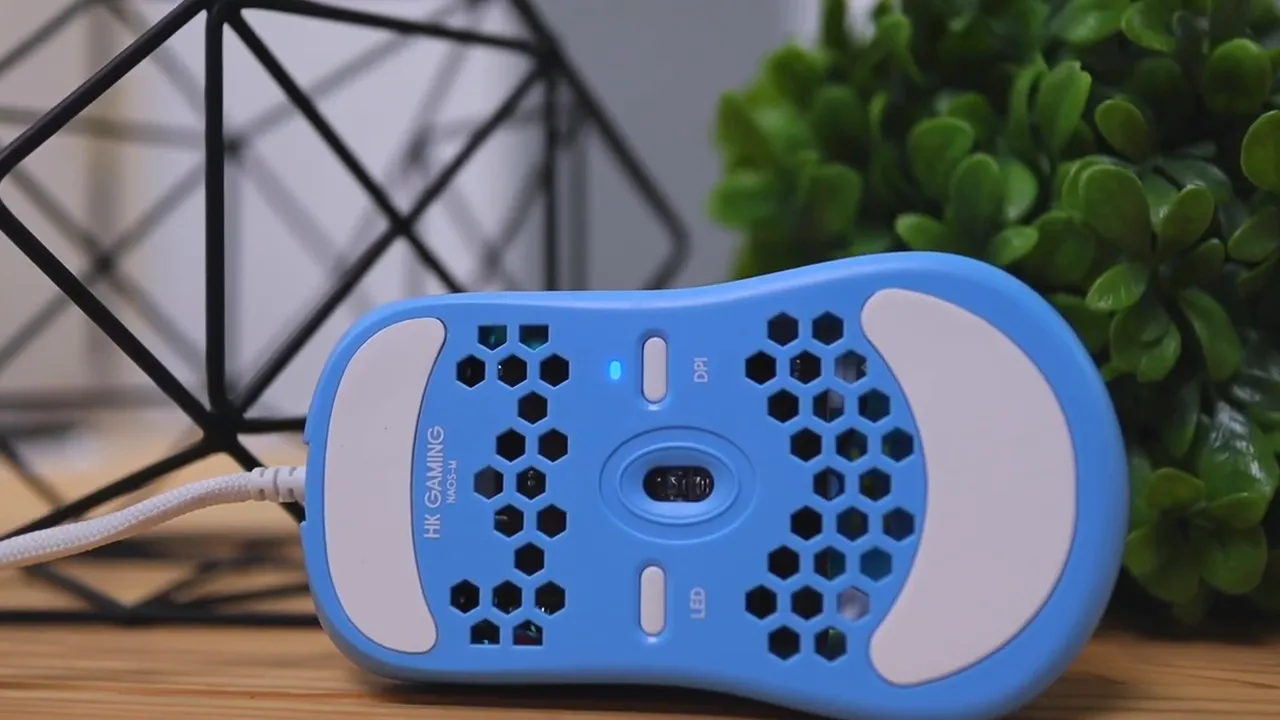
The Naos M has seven buttons in total. You get the usual left and right click, the scroll wheel click, two side buttons, and two buttons on the bottom that control DPI and lighting.
The side buttons are a nice improvement over smaller ones found on similar designs. They are large enough to find easily and press confidently without fumbling around. For anyone using side buttons regularly in games, that matters more than it might sound.
By default, the mouse has six DPI settings. Those levels control cursor speed and can be cycled with the DPI button. The mouse also includes nine LED lighting modes, plus the option to turn lighting off completely if you want a cleaner look.
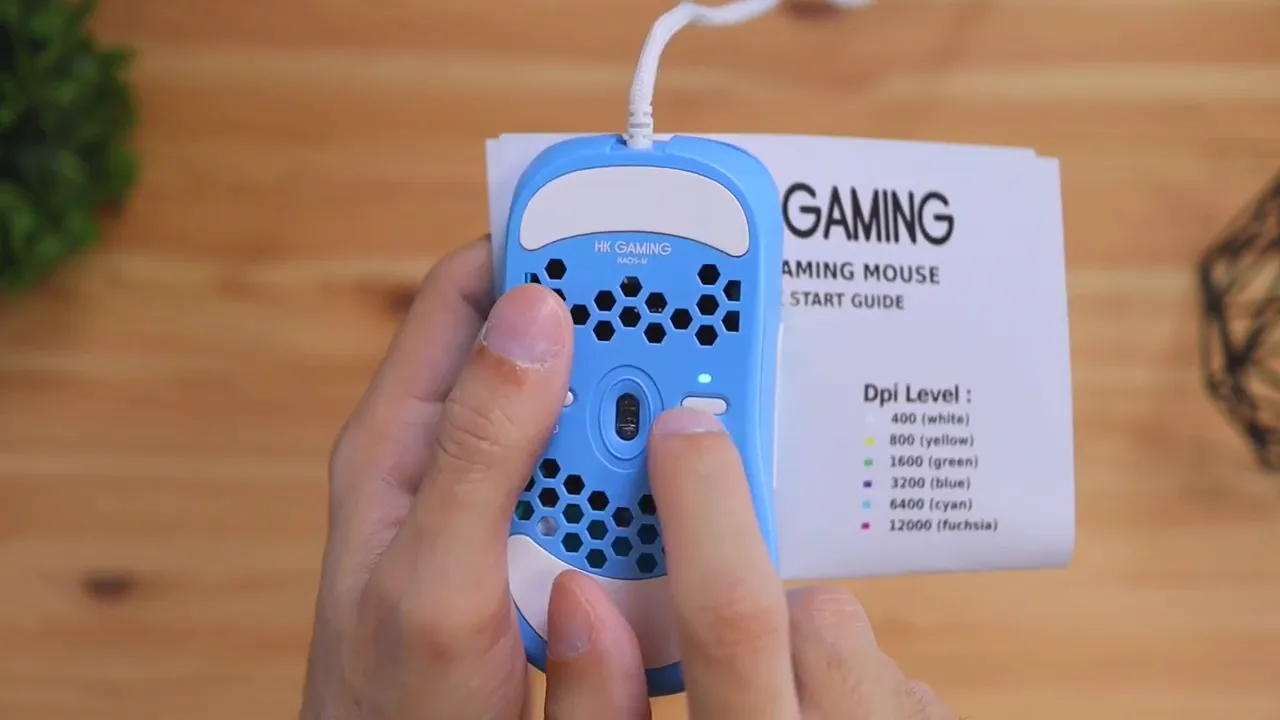
Customization software is available, but only on Windows. The mouse will work on other computers as a standard plug-and-play device, but deeper software settings are limited to Windows systems.
Shape, size, and who it fits best
I would classify the Naos M as a medium-sized mouse. That makes it a comfortable fit for a lot of people with average hand sizes. The shape is ergonomic for right-handed use, and it is easy to settle into quickly.
That said, I would not call it ideal for small hands or younger users. There is one specific reason for that. The front click buttons are easier to actuate closer to the tips, but if you press farther back toward the center area, they require more force. For someone with smaller hands who naturally rests a bit farther back, that can make clicking feel less comfortable.
So if you have medium hands, the shape is easy to recommend. If your hands are small, this is one of those cases where shape and click position matter more than the raw dimensions on a spec sheet.
Grip styles: palm, claw, and fingertip
The Naos M works with all three major grip styles, but not equally.
Palm grip
This is the strongest fit. With your palm resting naturally on the back of the mouse, everything lines up well. The buttons are easy to reach, the shell shape feels natural, and control is effortless. If you are a palm grip user, this mouse makes a great first impression.
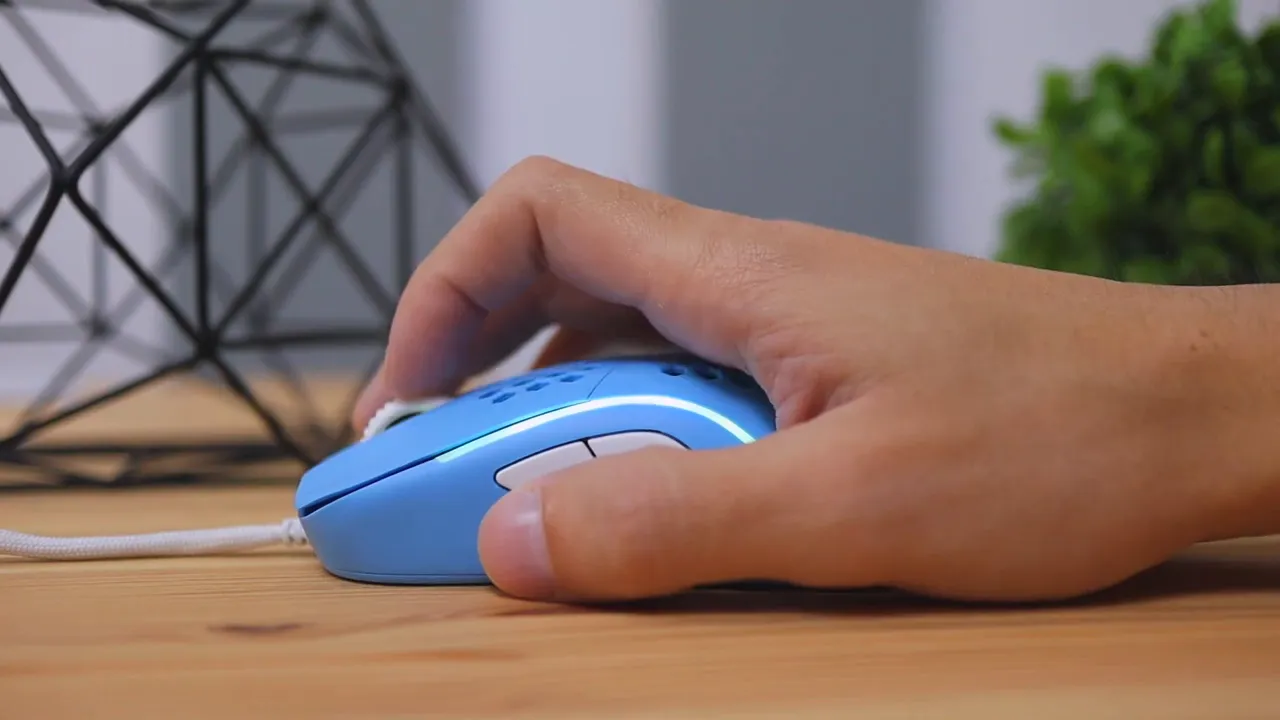
Claw grip
Claw grip also works fairly well. Even if that is not my personal favorite style, the shape still supports it comfortably enough. The mouse remains stable, and the buttons are accessible without awkward finger positioning.
Fingertip grip
This is where the lightweight design really helps. Fingertip grip can be tiring on heavier mice because your fingers have to do more work moving the entire shell around. At 59 grams, the Naos M stays agile and comfortable enough to make fingertip grip a realistic option.
That low weight is not just a spec line. It directly changes how easy the mouse is to control in this grip style.
How the clicks feel
The main left and right clicks feel smooth and fluid. They do not feel mushy, loose, or hollow. That is important because a lot of lightweight mice nail the weight target but feel less refined once you start pressing buttons. This one avoids that problem pretty well.
The side buttons are also easy to press and large enough to hit accurately. Overall click feel is a positive here.
HK Gaming rates the main switches for 20 million clicks, which is pretty standard and reassuring enough for regular long-term use.
RGB and visual design details
The lighting is subtle enough to add personality without turning the mouse into a neon showpiece. The RGB strip on the side and lighting around the scroll area work especially well with the Malibu blue shell.
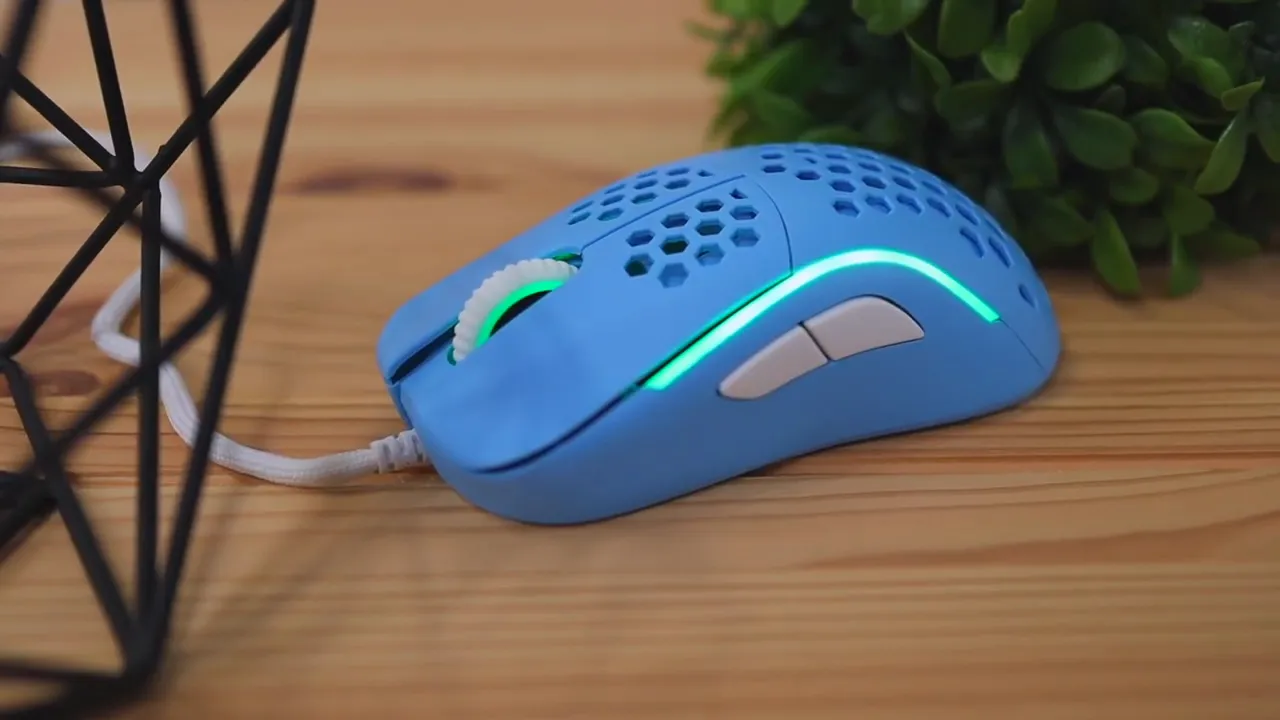
If you like a bit of visual flair, the nine built-in modes give you options. If not, you can shut the lights off and keep the look simple.
Pros and cons
What I like
- Extremely light at 59 grams
- Comfortable medium-size shape for average hands
- Palm grip feels especially good
- Flexible paracord-style cable reduces drag
- Large side buttons are easy to use
- Clean design with useful accessories included
- Solid click feel without mushiness
What could be better
- Not ideal for smaller hands or kids
- Front click actuation feels stiffer toward the middle
- Software customization is Windows-only
- There is a slight bit of scroll wheel rattle when shaken
Naos M vs budget alternatives
The main comparison here is HK Gaming's more budget-oriented Mira line. The lower-priced option comes in cheaper, but the Naos M justifies its higher cost with a lighter body and some refinements. If your priority is simply spending less, the cheaper route may be enough. If your priority is weight and an upgraded feel, the Naos M makes a stronger case.
And if you are comparing mice across categories, it can also be useful to look at completely different styles, like compact productivity-focused options in this Logitech MX Anywhere 3 vs 3S comparison. It helps show how much gaming mice prioritize speed and weight over everything else.
Is the HK Gaming Naos M worth it?
Yes, especially if you are specifically shopping for a lightweight wired gaming mouse.
The Naos M gets the important stuff right. It is light without feeling cheap. It glides well. The cable is flexible. The clicks feel solid. The side buttons are usable. And the shape works especially well for palm grip users with average-sized hands.
It is not perfect for everyone. Small-handed users may want something easier to click from farther back, and anyone who depends on cross-platform software support will notice the Windows limitation. But outside of that, there is very little here to complain about.
If you want to check current pricing or availability, the Naos M product listing is the relevant place to look.
Final verdict
The HK Gaming Naos M is a very easy mouse to like. It keeps the design simple, puts the focus where it matters, and delivers the kind of featherlight feel that makes a real difference in day-to-day use.
For medium hands, especially with a palm grip, it is a comfortable and capable option. For anyone chasing low weight without giving up build quality or practical extras like grip tape and spare skates, this one absolutely deserves a look.
FAQ
How much does the HK Gaming Naos M weigh?
The Naos M weighs 59 grams, give or take a couple of grams. That puts it firmly in the ultra-light gaming mouse category.
Is the HK Gaming Naos M good for palm grip?
Yes. Palm grip is the best fit for this mouse. The shape feels natural, button reach is easy, and the shell gives good support for average-sized hands.
Does the Naos M work for small hands?
It is less ideal for small hands. The click buttons take more pressure to actuate if your fingers rest farther back, which can make it less comfortable for smaller users or kids.
Can you customize the HK Gaming Naos M on Mac?
The mouse will work as a normal mouse on any computer, but the customization software is only available on Windows.
What comes with the HK Gaming Naos M?
In the box you get the mouse, anti-slip grip stickers, extra skates, and a quick start guide.
Does the HK Gaming Naos M have RGB lighting?
Yes. It includes nine built-in lighting settings, and you can also turn the lights off completely.


