The Roccat Vulcan TKL Pro is one of those keyboards that immediately stands out the second it lands on your desk. Not because it is loud or oversized, but because it goes in the opposite direction. It looks lean, low, modern, and clean. That sleek low profile design is easily the first thing that grabbed me, and after spending time with it, that design ends up being one of its biggest strengths.
This is Roccat's first tenkeyless entry in the Vulcan lineup, and it takes the design language of the larger Vulcan boards and trims it down into a more compact format. If you want more mouse space, a cleaner setup, and a premium mechanical keyboard that still feels special, this board makes a very strong case for itself.
There are a few tradeoffs, and I will get into those, but overall this is a keyboard that feels intentionally built for people who care about both performance and aesthetics.
Table of Contents
- What comes in the box
- Design that makes the keyboard feel different
- Tenkeyless layout and desk space
- Adjustability and comfort
- Thin keycaps and fingertip shaped tops
- Media controls that are actually useful
- Detachable cable and travel readiness
- Switches and typing experience
- How it sounds
- RGB lighting and onboard controls
- Software limitations you should know about
- Build quality feels premium because it is premium priced
- The main downside
- Who this keyboard is best for
- Final thoughts
- FAQ
What comes in the box
The unboxing experience is simple and straight to the point. Inside, you get:
- The Roccat Vulcan TKL Pro keyboard
- A detachable USB C to USB A braided cable
- A quick start guide for basic functions
The included cable is about six feet long, and because it is detachable, you are not locked into using it forever. If you are into cable swaps or want a custom coiled cable to match your setup, that is an easy change to make.
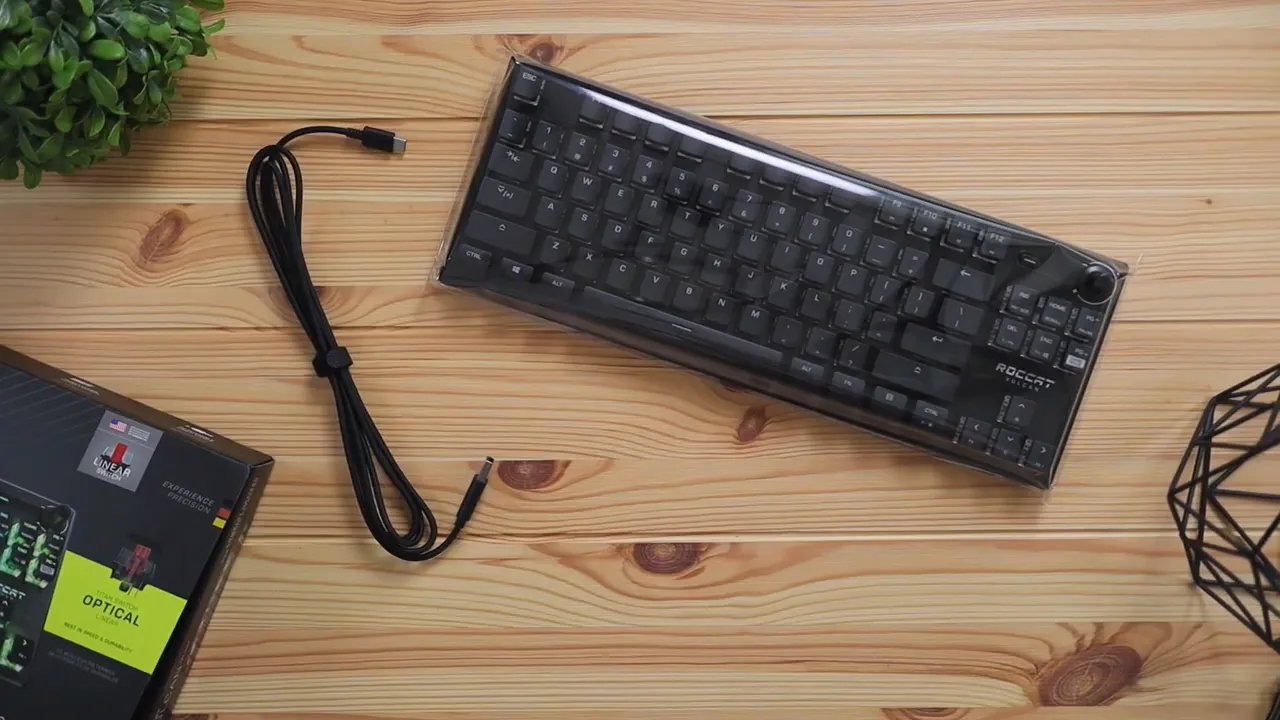
The quick start guide focuses on the practical basics, especially lighting controls and Windows lock mode. That is helpful because you can actually use several features right away without installing anything.
Design that makes the keyboard feel different
The Vulcan series has been around for a while, but this TKL version keeps the same identity that made the line recognizable in the first place. The overall profile is very low, and that gives it a sharper, more modern look than a lot of chunkier mechanical keyboards.
Roccat only offers this TKL model in black, so there is no white option here. Personally, the black finish works well with the exposed switch look and RGB lighting, but if your setup leans toward lighter colors, you should know that your options are limited.
The top plate is aluminum with a brushed texture, and it feels cold to the touch in a way that instantly reads premium. That top plate does a lot of the heavy lifting visually. It gives the board structure, makes the RGB pop, and keeps everything looking refined instead of flashy.
The underside is plastic, but it does not feel cheap or rough. Roccat did a nice job keeping the bottom shell clean and durable without making it look budget.
Tenkeyless layout and desk space
Going TKL means losing the number pad, and for a lot of setups that is a win. You free up room for wider mouse movement, which is especially nice for gaming or just keeping your desk from feeling crowded.
If you are comparing compact layouts and trying to figure out what works best for your setup, it can help to look through other keyboard reviews and comparisons to see how different form factors stack up in real use.
The Vulcan TKL Pro still keeps dedicated navigation keys and media functions, so it does not feel stripped down. It is smaller, but not cramped.
Adjustability and comfort
One of the underrated parts of this keyboard is how comfortable the low profile design can be in daily use. Because the board sits lower, your hands naturally stay flatter. That can reduce fatigue, especially during long typing sessions.
You also get two flip out rear legs with rubber grips, so if you want to angle the board upward for a more ergonomic typing position, you can.
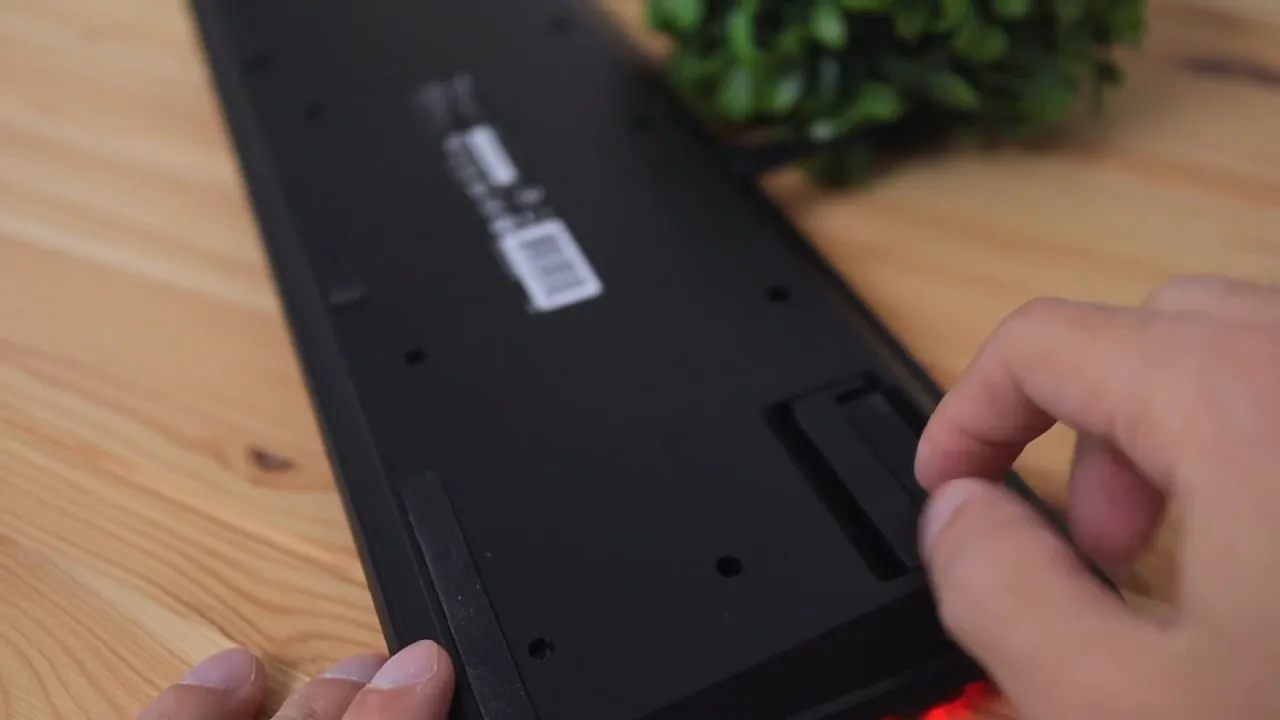
A lot of larger mechanical keyboards ship with a wrist rest because the case height almost demands it. Here, I do not think a wrist rest is necessary for most people. Since the keyboard is so low, reaching the keys feels natural without forcing your wrists upward.
Thin keycaps and fingertip shaped tops
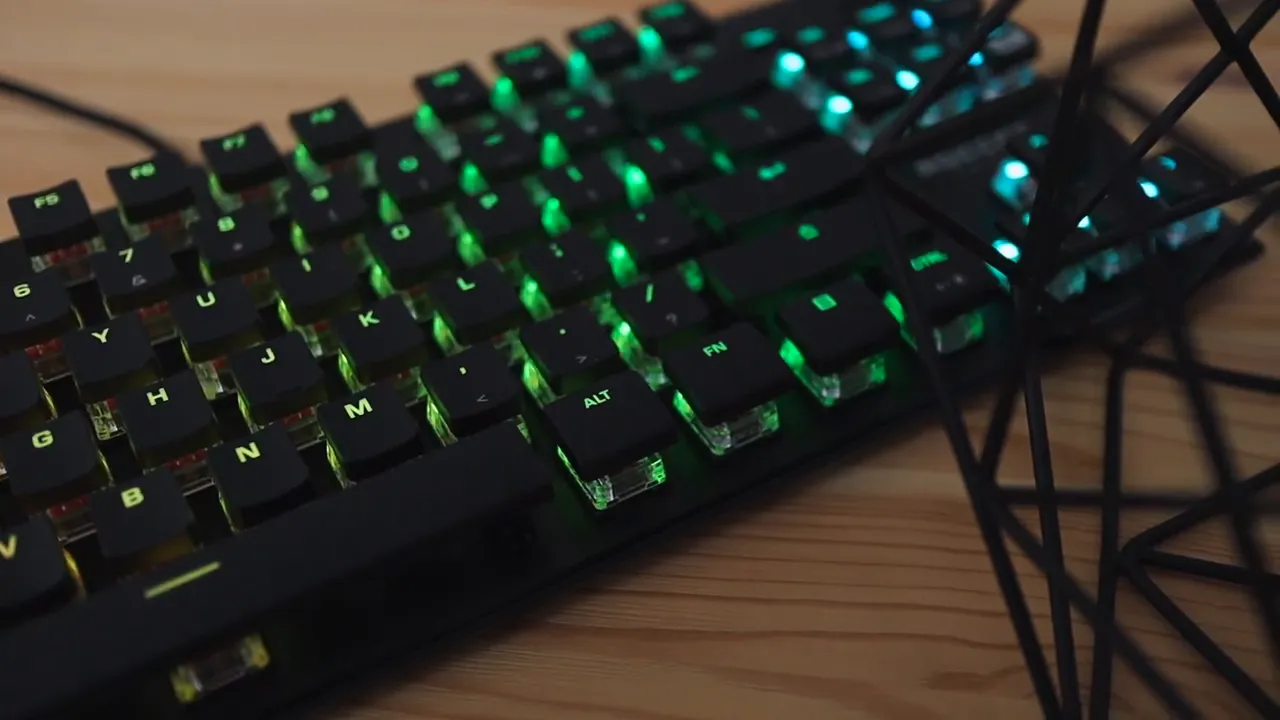
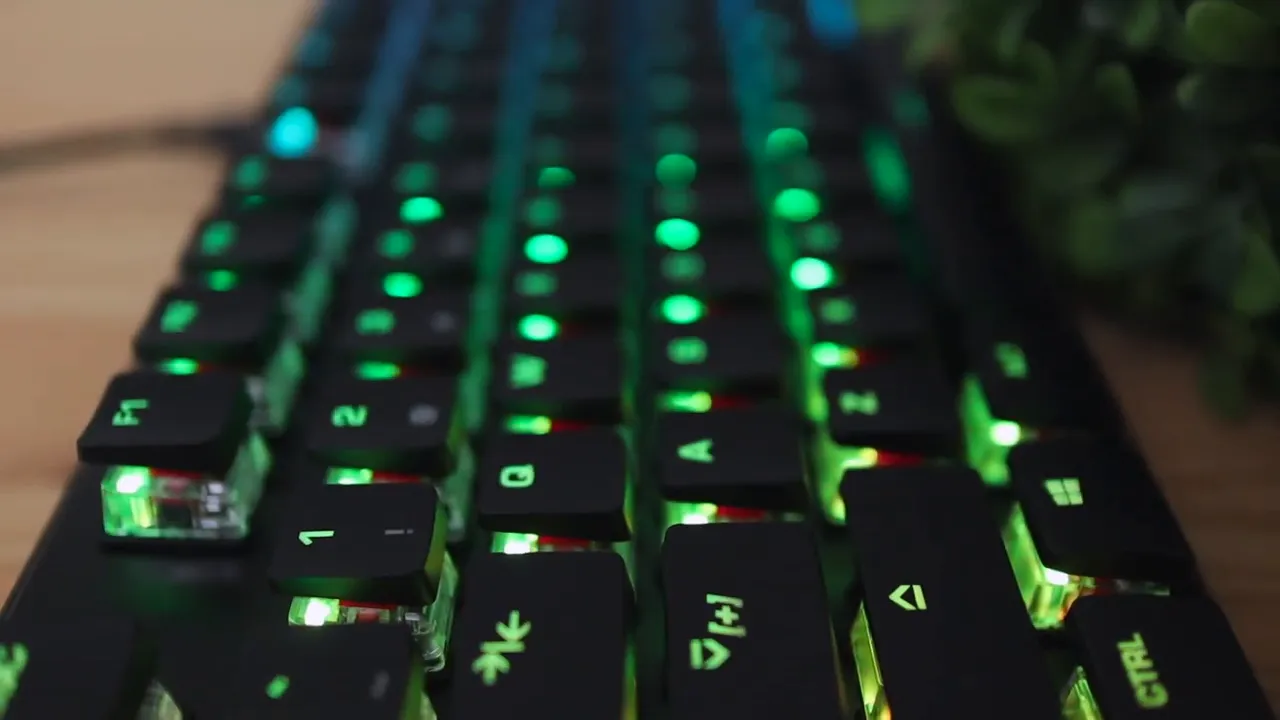
The keycaps are thin and slim, and that is a major part of the board's visual identity. They expose more of the switch housing, which helps the RGB shine through and gives the keyboard that floating key look.
There is also a subtle concave shape on top of the keys. Roccat describes these as fingertip shaped keys, and in practice that just means your fingers settle into them a little more naturally. It is a small detail, but it helps with accuracy and makes the keyboard feel more controlled while typing.
Media controls that are actually useful
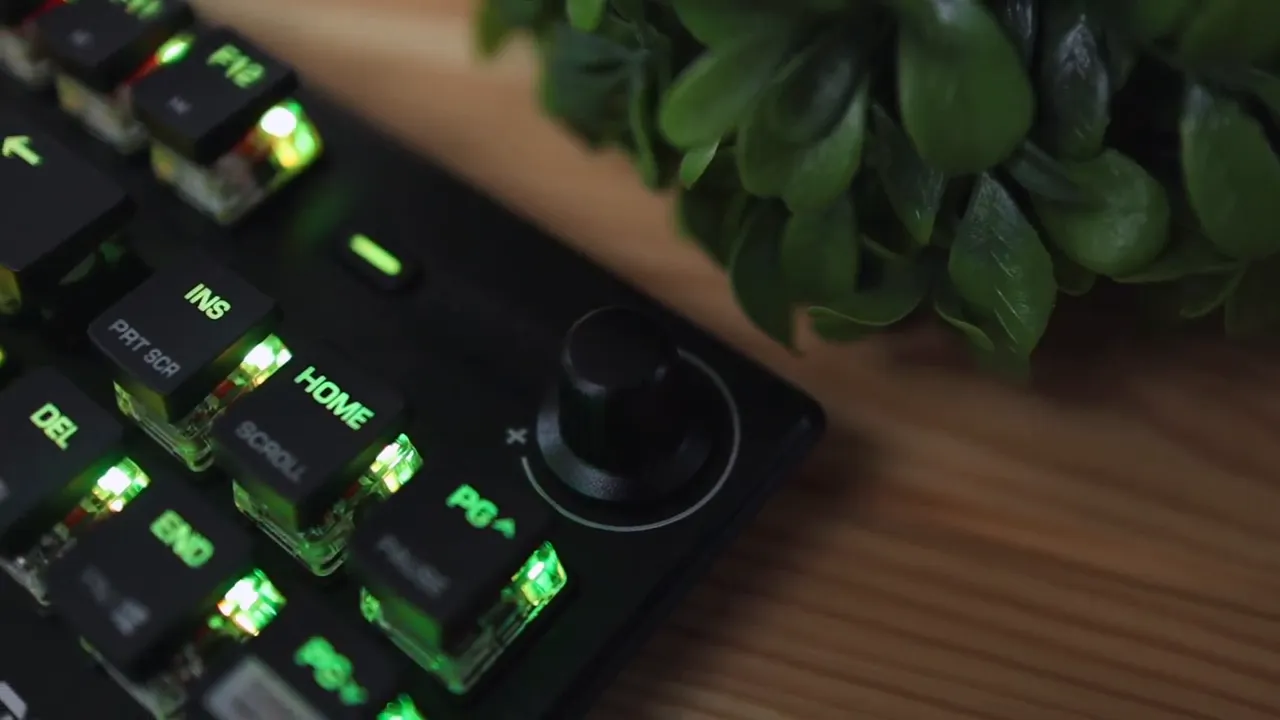
One feature I really like here is the dedicated media area. On the top right, Roccat includes a volume knob and a mixer style audio control button. The knob is plastic, and it rotates left and right, but it does not press down as a clickable button.
That might disappoint anyone who expects a push to mute function, but even without that click action, having a physical volume control on a TKL board is still convenient.
The additional audio button is a more unique touch. Roccat leans into extra control options here, and if you are the kind of person who likes hardware shortcuts rather than digging through menus, it fits the premium positioning of the board well.
Detachable cable and travel readiness
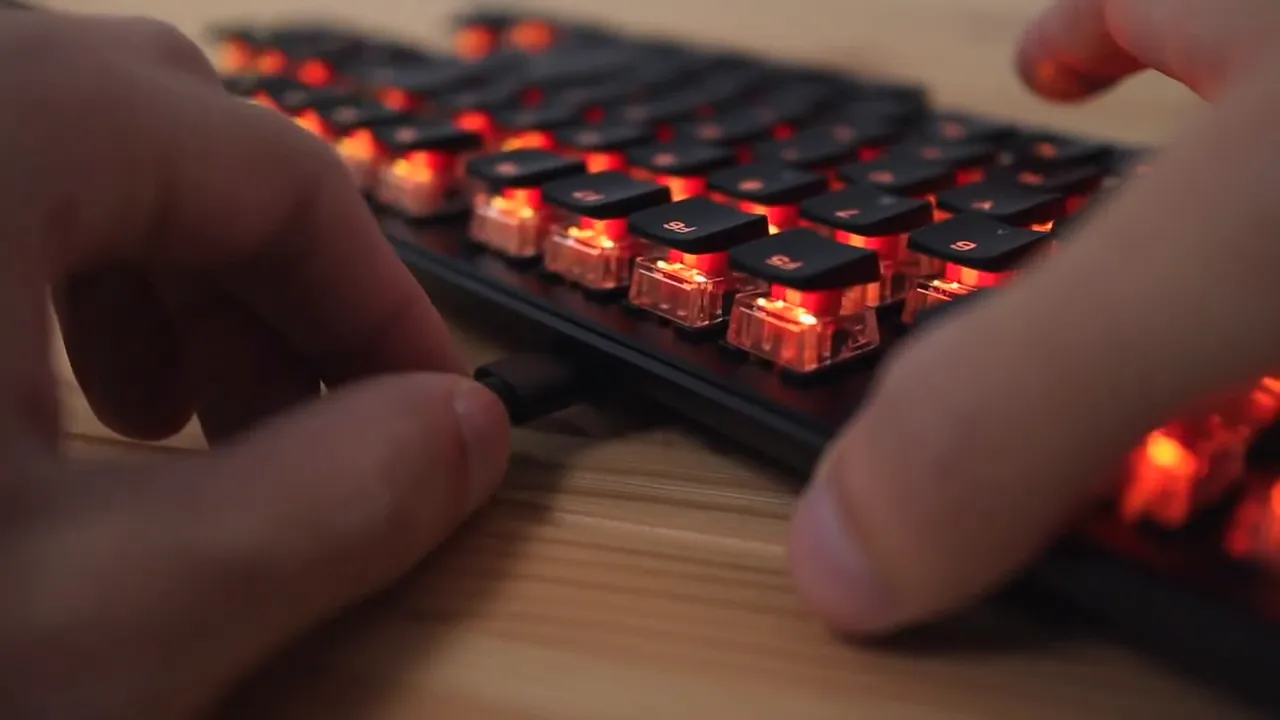
Because the cable is removable, the keyboard is easier to transport and easier to customize. That matters more than it sounds. A detachable cable means less stress on the port when packing it up, less clutter if you are managing cables tightly, and a better path for personalization if that matters to you.
If you want the current retail listing, the Roccat Vulcan TKL Pro product page is where you can check pricing and availability.
Switches and typing experience
This keyboard uses Roccat Titan switches, and on this particular model you only get the red linear option by default. That is important, because switch preference is personal, and some people strongly prefer tactile browns or clicky blues.
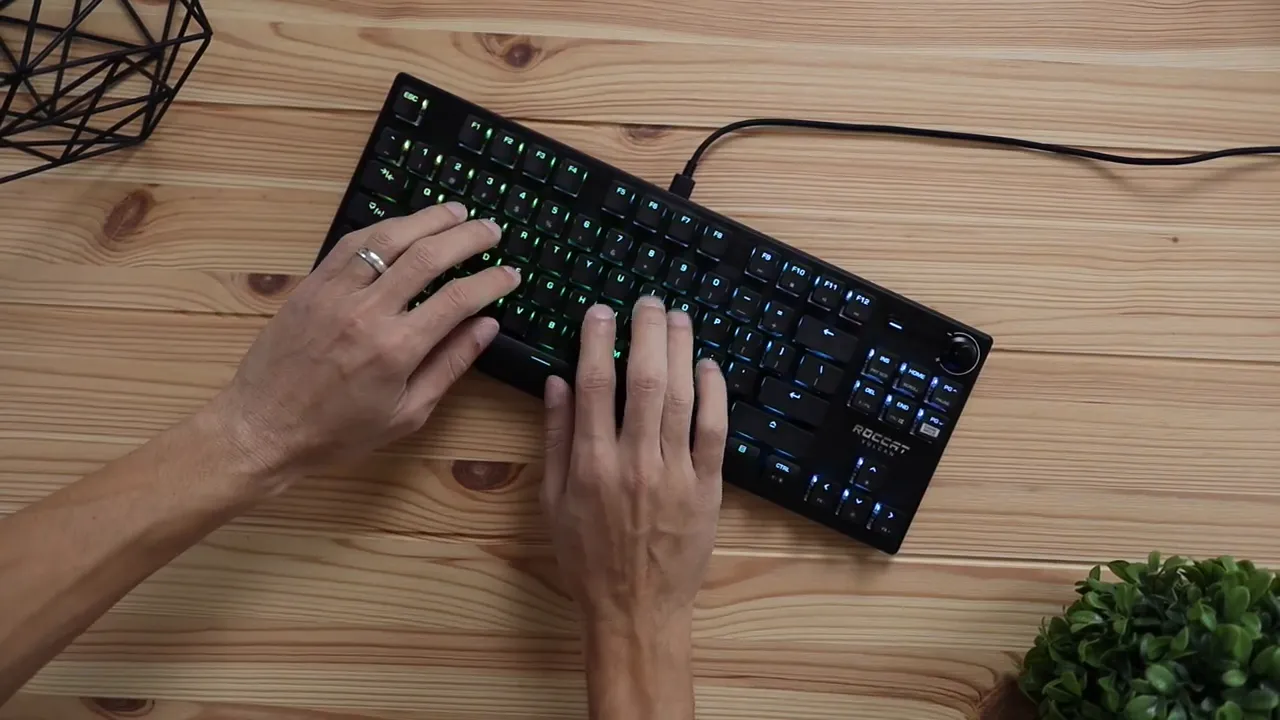
With the red linears, the typing feel is smooth and clean. The keypresses feel tight, with very little wobble. That is one of the things I noticed quickly. A lot of mechanical keyboards, even expensive ones, can have loose larger keys or a rattly spacebar. That really was not the case here.
The spacebar stays controlled, the larger keys feel stable, and the whole keyboard comes across as well assembled. The end result is a typing experience that feels more refined than sloppy.
If you are into quiet productivity focused boards, something like the Logitech MX Keys S goes in a very different direction. But if you want the mechanical feel with a premium low profile look, the Vulcan TKL Pro is in its own lane.
How it sounds
The sound profile matches the feel. These reds are not trying to be clicky or dramatic. Instead, the board sounds controlled and consistent. Because the keys do not wobble much and the stabilizers feel reasonably tight, you avoid the kind of hollow mess that can ruin an otherwise good keyboard.
For a factory mechanical keyboard, that matters a lot. You should not have to mod a board immediately just to make it feel solid.
RGB lighting and onboard controls
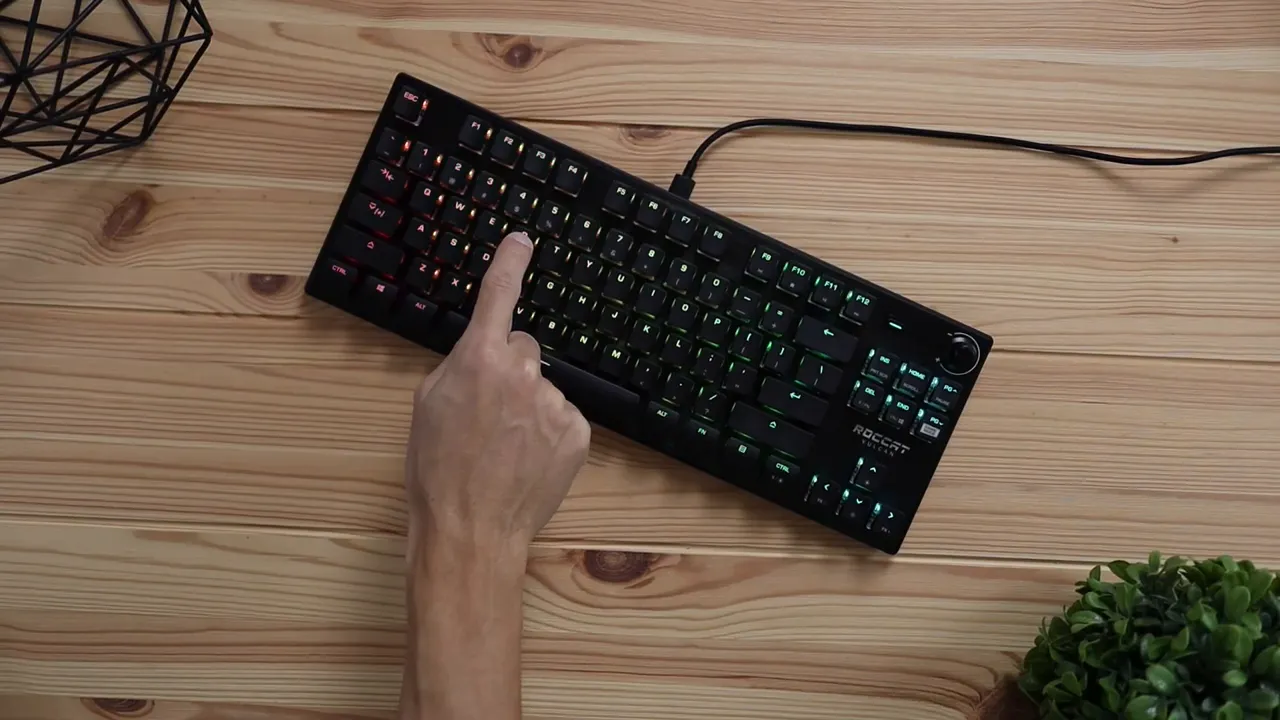
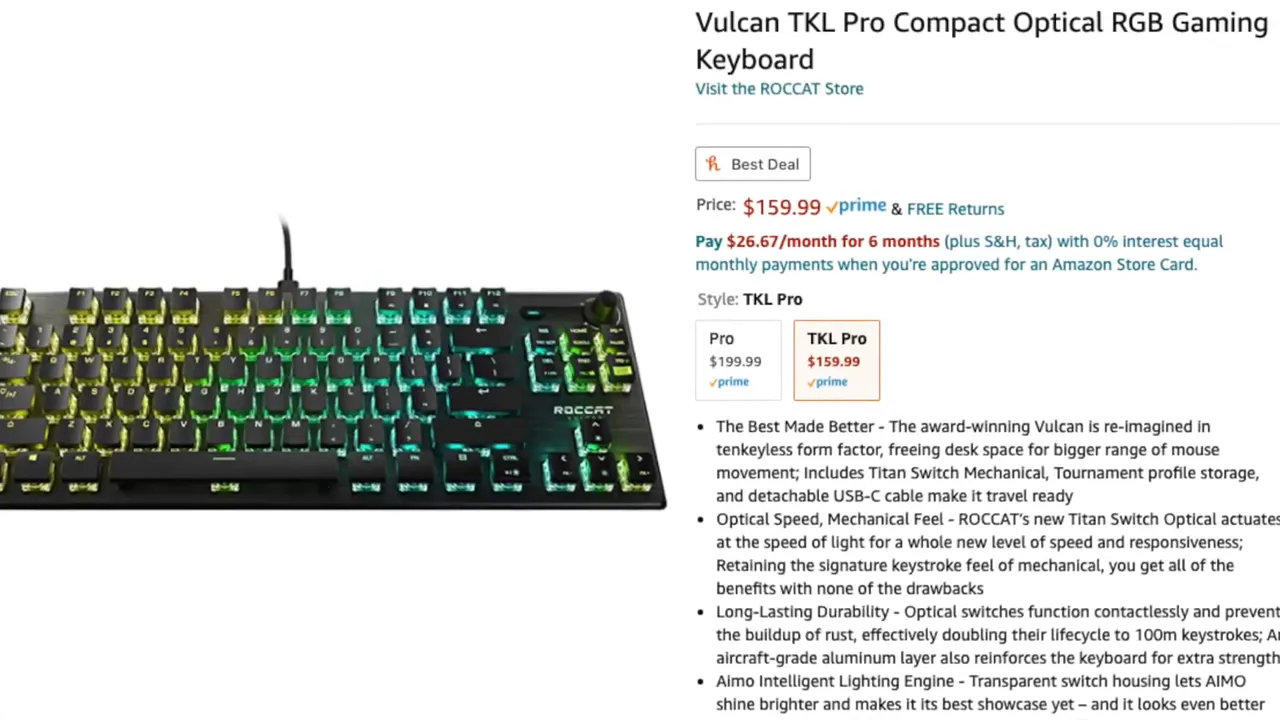
The Vulcan TKL Pro has built in RGB lighting, and it looks especially good here because of the transparent switch housings and low profile cap design. The lighting feels brighter and more visible than on many standard keyboards simply because more of it is exposed.
You can control a few lighting functions directly from the keyboard without software. That includes:
- Turning the lights on or off
- Adjusting brightness
- Switching between two onboard lighting profiles
These shortcuts are handled with the function key and arrow keys, and the icons printed on the keys make the commands easy enough to remember.
Roccat also promotes its AIMO lighting ecosystem, and if you use other compatible devices, that may be a plus. For general RGB context, it is worth checking how keyboard lighting setups have evolved across the industry, and Tom's Hardware regularly covers peripherals and switch technology in that space.
Software limitations you should know about
This is where things get a little narrower. The software support is Windows only. If you are on Mac or Linux, you can still use the keyboard, but you are not getting the full software side of the experience.
That means deeper customization is really aimed at Windows users. If you live entirely in that ecosystem, this probably is not a huge issue. If you move across platforms often, it is something to think about before spending premium money.
Build quality feels premium because it is premium priced
The Vulcan TKL Pro sits in the more premium part of the keyboard market, around the $160 range. That is not cheap, and Roccat is clearly positioning this as a higher end peripheral.
The good news is that it does feel like a premium product. Between the aluminum top plate, the clean construction, the stable key feel, the low profile styling, and the dedicated media controls, the price is backed up by real design and hardware choices.
You are paying for:
- Excellent overall construction
- A distinctive low profile design
- Stable mechanical typing feel
- Compact TKL footprint
- Detachable USB C cable
- Good looking RGB implementation
The main downside
The biggest drawback is simple. Switch choice is limited.
Out of the box, this board comes with red linear switches only. If reds are what you want, great. If you prefer tactile or clicky options, you do not really have a factory choice here. That is not a dealbreaker for everyone, but at this price, more switch variants would have made the keyboard much easier to recommend across the board.
There is also the Windows only software issue, which will matter depending on your setup.
So the cons are not about poor quality. They are mostly about flexibility.
Who this keyboard is best for
The Roccat Vulcan TKL Pro makes the most sense for a specific type of user:
- You want a compact mechanical keyboard without losing key functionality
- You care a lot about desk aesthetics
- You like low profile keyboard designs
- You want dedicated media controls on a TKL layout
- You prefer red linear switches
- You use Windows and may want software customization
If that sounds like you, this keyboard is a strong fit.
If you want something more ergonomic and non mechanical, the Logitech Wave Keys Ergo is a totally different kind of comfort first option. But in the gaming and premium mechanical space, the Vulcan TKL Pro stands out by not looking like every other slab of plastic on the market.
Final thoughts
I really like what Roccat did with the Vulcan TKL Pro. It looks sharp, feels premium, and delivers a typing experience that stays impressively tight and stable. The low profile design is the star here. It helps with comfort, gives the board a sleek identity, and makes the RGB lighting look better than usual.
It is not the most flexible keyboard in terms of switch options, and the software being Windows only is worth noting. But if you already know you like red switches and you want a premium tenkeyless mechanical keyboard with a modern design, this is an easy one to recommend.
For anyone chasing that combination of build quality, compact size, and standout styling, the Vulcan TKL Pro absolutely deserves a spot on the shortlist.
FAQ
Does the Roccat Vulcan TKL Pro come with a wrist rest?
No. This model does not include a wrist rest, but because it has a low profile design, it is comfortable enough that most people will not need one.
Can you swap the cable on the Vulcan TKL Pro?
Yes. It uses a detachable USB C cable, so you can replace the included braided cable with another one if you want a different look or length.
What switches does the Roccat Vulcan TKL Pro use?
It comes with Roccat Titan red linear switches by default. Out of the box, there are no blue or brown factory options mentioned for this model.
Is the Roccat Vulcan TKL Pro good for gaming?
Yes. The tenkeyless layout gives you more mouse room, the red linear switches feel fast and smooth, and the compact footprint works well for gaming focused setups.
Does the Roccat Vulcan TKL Pro software work on Mac?
No. The software support is limited to Windows, so Mac and Linux users will not get the same level of customization.
Is the volume knob clickable?
No. The knob rotates for volume adjustment, but it does not press down as a button.


