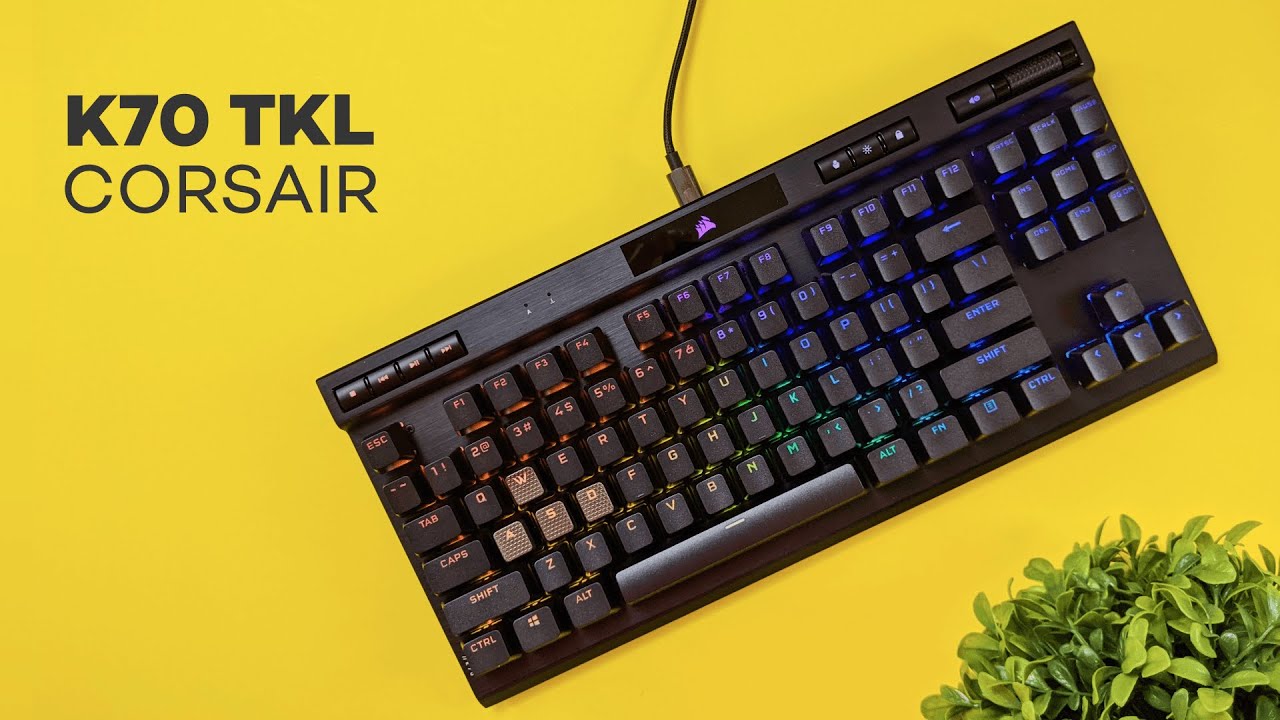
This review takes a close look at the CORSAIR K70 RGB TKL Champion Series — a tenkeyless mechanical keyboard that aims to blend competitive-grade performance with premium materials and gamer-friendly features. If you are considering a step up from entry-level boards, this review breaks down what comes in the box, the build and feel, the switches and keycaps, RGB and customization, tournament features, and whether the K70 TKL is worth the price.
Table of Contents
- Quick summary
- What you get in the box
- Design and build quality
- Top bar controls: media, volume, and quick access
- Wrist rest and typing height
- Keycaps: PBT double-shot and textured gamer caps
- Switch options and typing experience
- RGB lighting and on-the-fly customization
- Tournament mode and AXON hyper-processing
- Software: iCUE and onboard profiles
- Who should consider this keyboard?
- Pros and cons
- Price and value
- Final verdict
- FAQ
- Closing thoughts
Quick summary
- Form factor: Tenkeyless (TKL), space-saving and desk-friendly.
- Build: Aluminum top plate, plastic body, rubber feet, detachable USB-C cable.
- Switch options: Cherry MX Red or Cherry MX Speed (labeled as Corsair Speeds).
- Keycaps: PBT double-shot, textured WASD/QERF replacement keys included.
- Pro features: AXON hyper-processing up to 8000Hz, tournament switch, per-key RGB.
- Best for: Gamers and typists who want a compact, premium-feeling TKL with esports-oriented extras.
What you get in the box
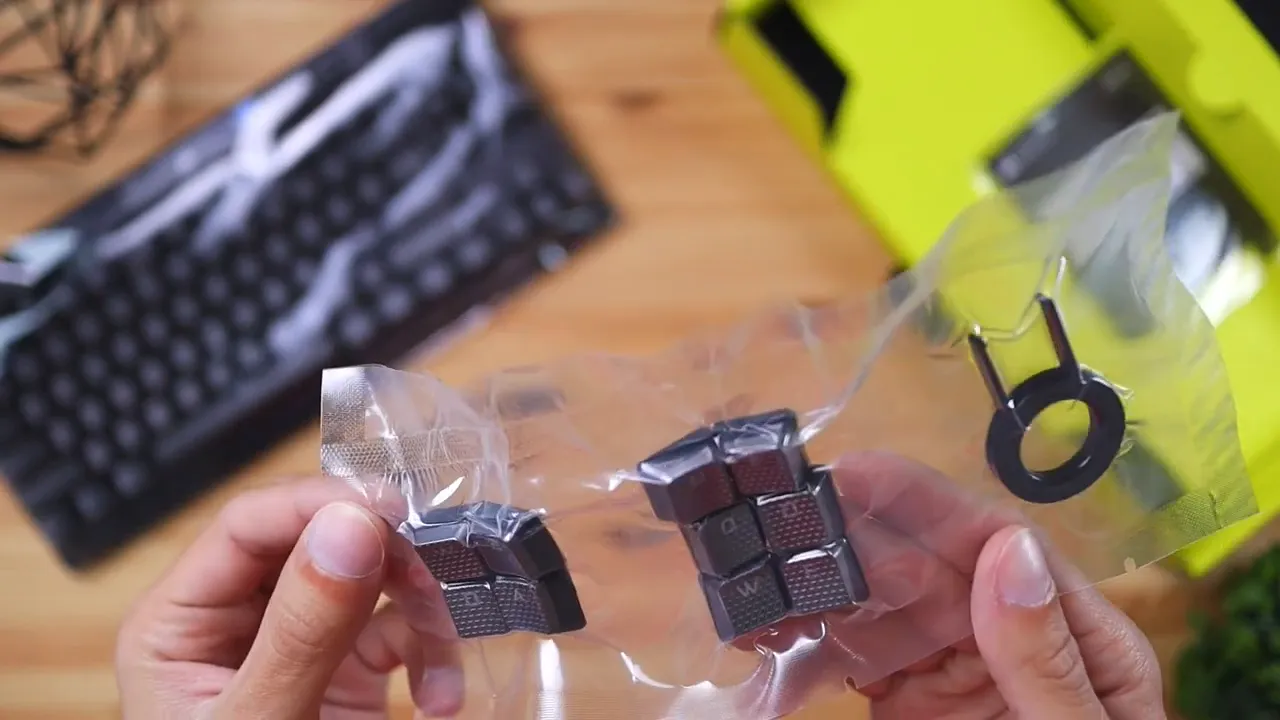
Right out of the box the K70 TKL Champion Series keeps things straightforward. The package includes:
- the keyboard itself
- a detachable USB-C cable
- additional textured keycaps (WASD and Q/E/R/F sets)
- a quick start guide
The extra keycaps are a welcome touch in this review because they’re aimed directly at gamers who value tactile distinction on movement and ability keys. The detachable USB-C also makes the keyboard easy to transport or swap cables.
Design and build quality
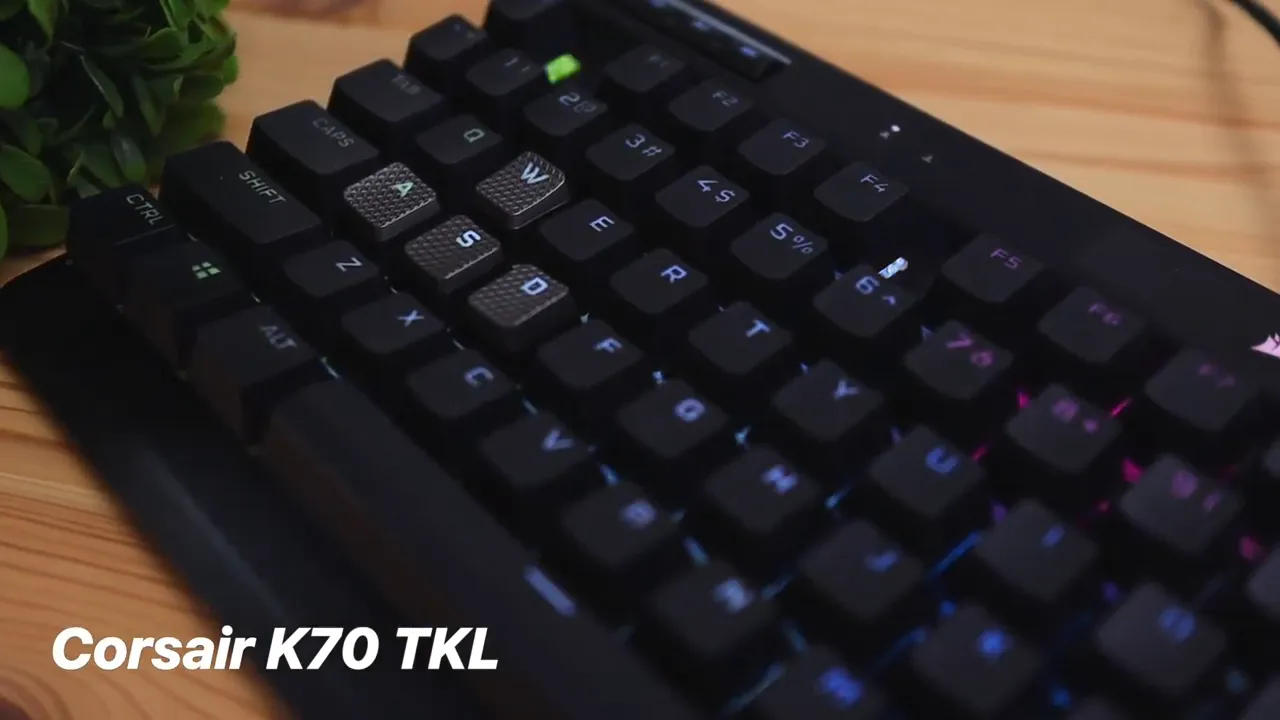
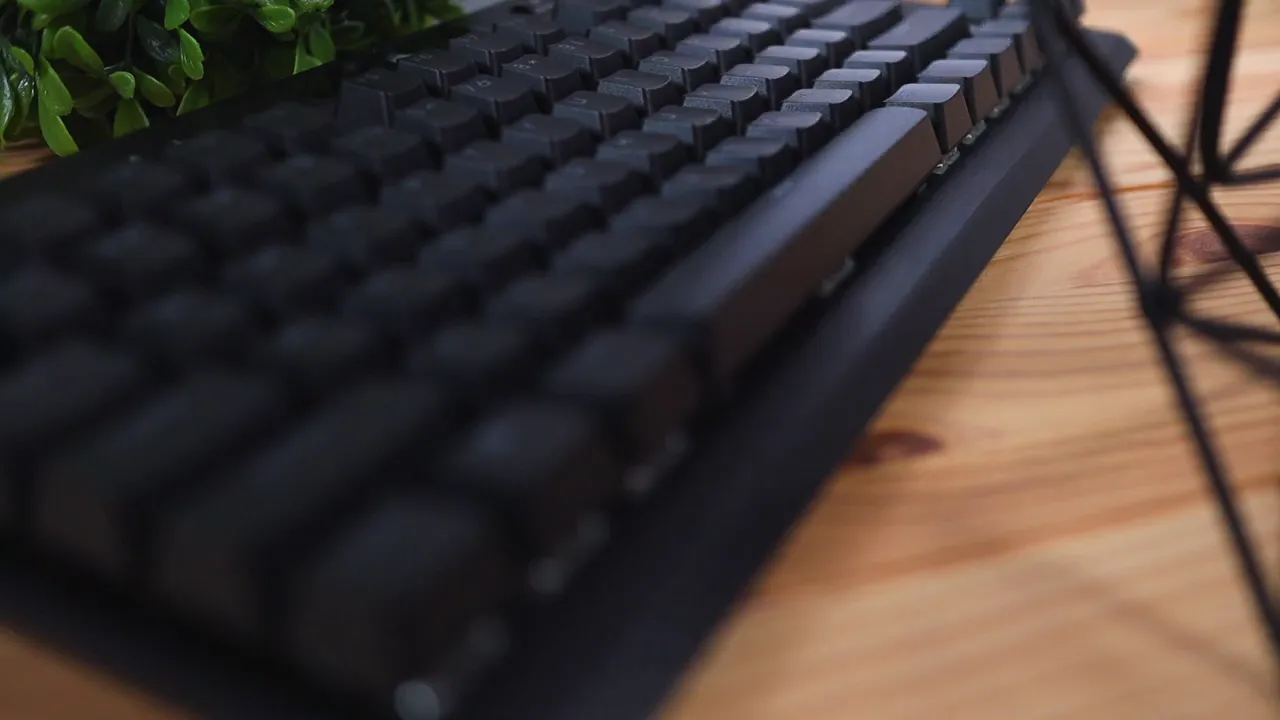
The K70 TKL has a mixed-material construction. The top surface and internal plate are aluminum, giving the keyboard a solid, premium feel and a satisfying weight on the desk. The back and lower shell are plastic, but Corsair keeps the keyboard stable using rubber feet on all corners and rubber on the extendable legs when raised. These grips matter — they keep the keyboard from drifting during intense sessions.
One small missed detail in this review is the lack of a cable-routing channel on the underside. Many keyboards in the same price bracket include a way to guide the cable left, right, or center depending on your desk layout. The K70 TKL routes from the center only, which isn’t a deal breaker but is something to note if tidy cable management is a priority.
Top bar controls: media, volume, and quick access
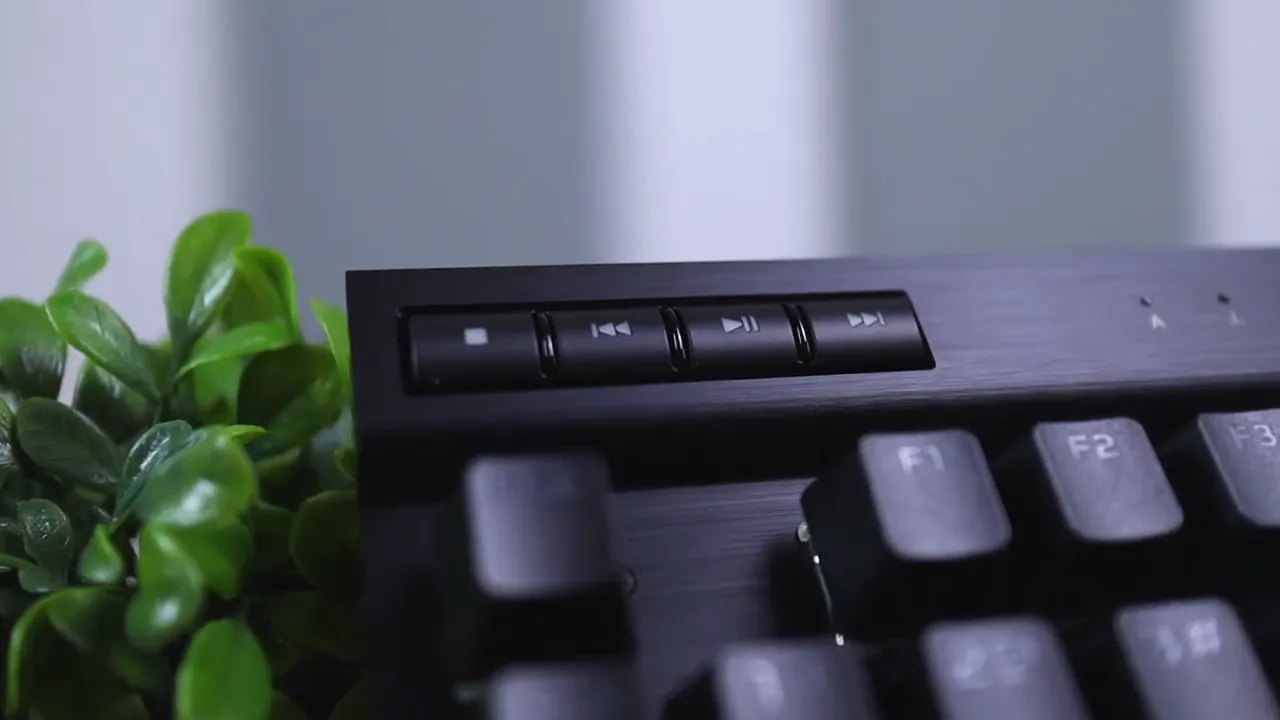
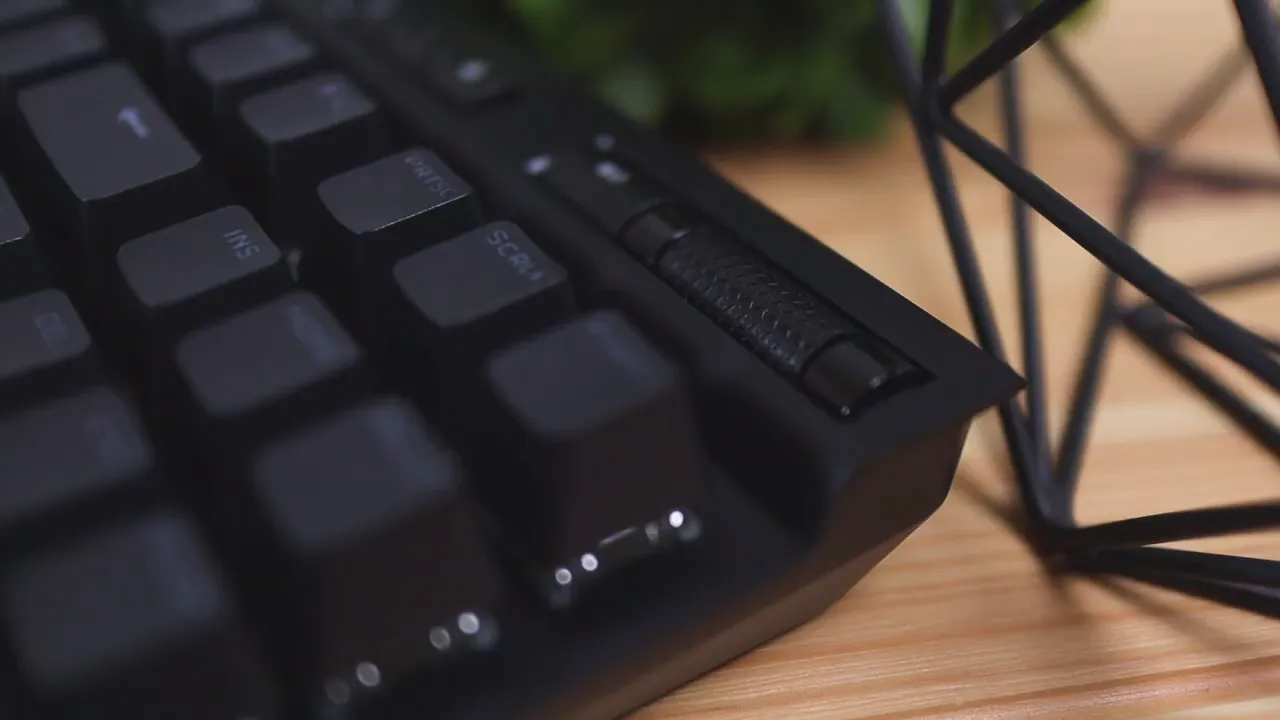
The top bar is where Corsair packs convenience. On the left you'll find dedicated media buttons for playback control so you can skip tracks, pause, or play without opening any software. On the right side there's a smooth, bearing-backed volume roller that feels high quality when you adjust levels, and a one-touch mute button beside it.
Next to the mute and roller are three small but useful buttons: a profile switcher for swapping onboard profiles, an LED brightness toggler, and a Windows lock key to prevent accidental presses during games. These hardware shortcuts are especially useful in a review of the K70 TKL because they demonstrate how Corsair focused on in-the-moment convenience rather than forcing everything through software.
Wrist rest and typing height
Unlike some earlier K70 variants, the Champion Series TKL does not include a wrist rest. That decision makes sense given its lower overall profile. Typing on the board feels natural; fingers sit at a comfortable height without needing a rest for short to moderate sessions. If you prefer long, cushioned typing sessions you may want to add a third-party wrist rest, but for many users the low stance is perfectly agreeable.
Keycaps: PBT double-shot and textured gamer caps
One of the most welcome features in this review is the use of PBT double-shot keycaps. Double-shot means the legends are molded as a separate piece of plastic rather than printed — so letters won’t wear off or go shiny over time. The keycaps are also 1.5mm thick for better rigidity and durability.
Corsair includes a set of textured, grippy replacement keycaps for WASD and Q/E/R/F. These keys are more aggressively scooped and have a rougher texture to help your fingers find anchors during fast gameplay. For competitive players, those textured caps are a practical addition that can improve accuracy and confidence during intense moments.
Switch options and typing experience
The keyboard is available with Cherry MX Red or Cherry MX Speed switches (the latter often referred to as white switches in Corsair marketing). The unit in this review has the Speed switches, which provide a linear, fast actuation ideal for gaming.
During typing tests the K70 TKL with Speed switches is not ultra-silent — you will hear a reasonable mechanical signature — but it is far from the loud click-clack of blue switches. The overall feel is polished, and the travel is predictable. One caveat: there is a slight wobble in the spacebar when moving it laterally. It’s noticeable if you fiddle with the key, but in everyday typing or gaming it’s not a major issue. Smaller keys feel firm and consistent.
RGB lighting and on-the-fly customization
RGB on the K70 TKL is bright and vivid. The per-key lighting can be configured in software, but you can also cycle through multiple lighting patterns without software using hardware shortcuts. Hold the function key and press numbers 1 through 9 to switch between effects. Use function + minus/plus to change speed, and a dedicated light button on the top bar toggles brightness presets.
This hardware-level control makes a strong point in this review: many useful features are accessible instantly, which is great for LANs or when you prefer not to install extra utilities.
Tournament mode and AXON hyper-processing
On the top edge of the keyboard there’s a toggle for Tournament Mode. When engaged, lighting is simplified to a single static color and macros are disabled. Tournament Mode is a straightforward, practical feature for competitive play — it reduces distractions and ensures a neutral configuration for matches.
Under the hood the Champion Series leverages Corsair’s AXON hyper-processing technology. That means input polling can go up to 8000Hz, significantly higher than conventional keyboards. For players chasing every millisecond of responsiveness in competitive games, that higher polling rate is a real selling point discussed often in this review.
Software: iCUE and onboard profiles
Most advanced customization — per-key macro assignments, lighting profiles, and advanced remapping — is done through Corsair iCUE. The keyboard supports onboard profiles, so once you configure a profile in iCUE you can save it to the keyboard and use the hardware profile button to switch without being tied to the software running.
If you prefer minimal software use, the included hardware shortcuts and profile storage let you make meaningful adjustments without installing anything. For those who want deeper control, iCUE offers almost limitless customization.
Who should consider this keyboard?
This review recommends the CORSAIR K70 RGB TKL Champion Series for several groups:
- Competitive gamers who value a compact layout and tournament-ready features.
- Users who want a premium aluminum-top keyboard with PBT double-shot caps for durability.
- People looking to upgrade from mid-range boards to a high-end TKL without paying for unnecessary extras.
If you spend a lot of time gaming and need the best in responsiveness and durability, the K70 TKL is a strong contender in this review. If you need a full-size keyboard with a number pad or you want a built-in wrist rest out of the box, this model may not be the right fit.
Pros and cons
- Pros: Solid aluminum top plate, bright per-key RGB, PBT double-shot keycaps, textured replacement keys, detachable USB-C, tournament mode, 8000Hz polling with AXON.
- Cons: No cable-routing channel on the underside, no included wrist rest, slight spacebar wobble on some units.
Price and value
In this review, the K70 TKL sits in the higher end of mainstream gaming keyboards. Its price reflects the use of better materials, premium switches, and esports-oriented technologies like AXON hyper-processing. For many users the combination of keyboard feel, build, and feature set justify the cost compared with cheaper plastic boards.
Final verdict
The CORSAIR K70 RGB TKL Champion Series is a convincing high-end TKL that balances competitive features and everyday usability. This review finds it particularly strong for gamers who prioritize speed, durability, and a compact footprint. Keycap quality, per-key RGB, on-the-fly hardware controls, and AXON polling make it a product that’s easy to recommend for anyone ready to move up from mid-tier keyboards.
FAQ
Is the K70 TKL worth it for competitive gamers?
Yes. The combination of AXON hyper-processing (up to 8000Hz), tournament mode, textured gamer keys, and a compact tenkeyless layout makes it a solid choice for competitive play.
What switch options are available?
The keyboard is available with Cherry MX Red or Cherry MX Speed switches. The Speed switches provide a linear, fast actuation favored in many esports settings.
Does it include a wrist rest?
No. The Champion Series TKL does not include a wrist rest. The keyboard has a relatively low profile, but users who want more wrist support should add a third-party rest.
Are the keycaps durable?
Yes. Keycaps are PBT double-shot, which resists shine and fading over time. The included textured replacement keys add tactile differentiation for key movement and ability keys.
Can I customize RGB without software?
Yes. Corsair includes hardware shortcuts to cycle lighting patterns (Fn + 1–9), adjust speed (Fn + -/+), and change brightness with the dedicated top-row light button.
Is there any notable downside?
Main downsides in this review are the lack of a cable-routing channel on the underside, absence of a stock wrist rest, and a slight spacebar wobble on some units. None are deal breakers but worth considering.
Closing thoughts
This review concludes that the CORSAIR K70 RGB TKL Champion Series is a robust pick for players who want a durable, competitive-focused TKL. It trades a few convenience niceties for core performance and build quality, which is the right choice for many focused users. If you want top-tier responsiveness, vivid RGB, and solid PBT keycaps in a compact format, the K70 TKL deserves serious consideration.


