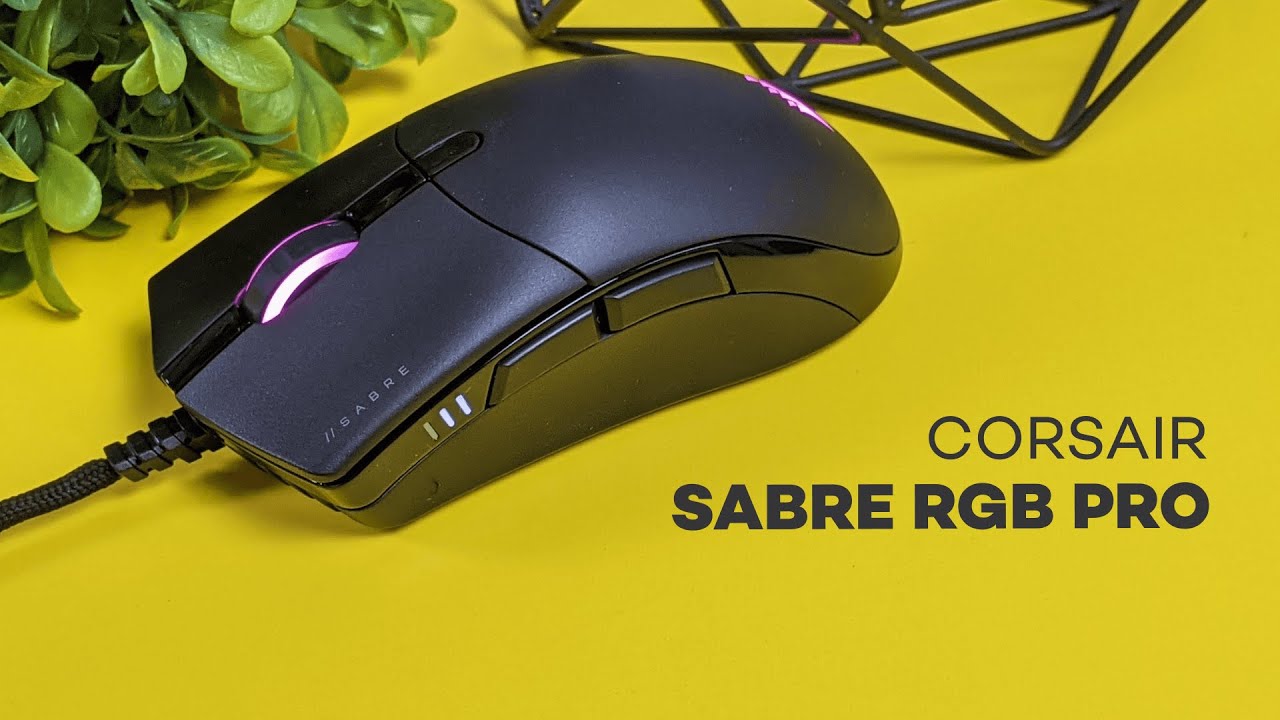
This review breaks down the Corsair Sabre RGB Pro Champion Series — a lightweight, tournament-grade mouse designed for competitive players. If you want a straightforward, performance-focused mouse with RGB flair, this review explains what you get, how it feels in hand, and whether it belongs on your desk.
Table of Contents
- Quick overview
- What’s in the box
- Design and build — simple, solid, matte
- Paracord cable — lightweight, flexible, less drag
- Weight and movement — 74 grams of speed
- Grip styles — palm and claw considerations
- Buttons and click feel — consistent and responsive
- Performance features — sensor, polling, and software
- RGB lighting — is it worth the extra cost?
- Real-world feel and playtest notes
- How it compares — where it stands among lightweight mice
- Who should buy this — buying guidance
- Pros and cons
- Purchase considerations and final verdict
- FAQ
- Final notes
Quick overview
The Sabre RGB Pro is the Champion Series update to Corsair’s previous Sabre Pro model. The headline difference is RGB lighting, and the price gap between the RGB and non-RGB editions is minimal. This review focuses on build quality, ergonomics, performance features, and real-world comfort — especially for palm and claw grip players.
What’s in the box
The unboxing is refreshingly minimal. Inside the packaging you’ll find the mouse and a quick start guide. No extra mouse feet, no carrying pouch — Corsair keeps the bundle lean and assumes you’re buying for raw performance rather than extras.
Design and build — simple, solid, matte
The Sabre RGB Pro sticks to a classic, ergonomic silhouette. It doesn’t chase odd shapes or gimmicks. The entire shell uses a matte-finish plastic that looks clean and feels durable. That matte top gives a uniform, low-profile look that complements the RGB accents on the sides.
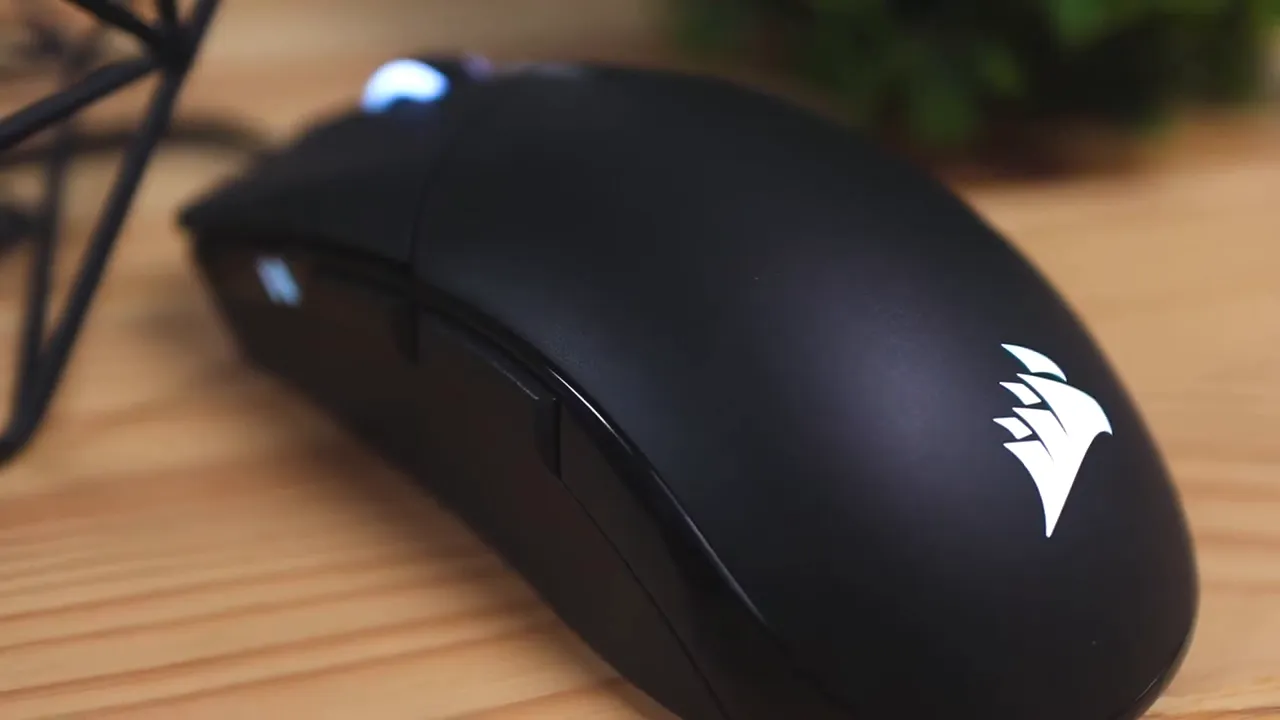
One thing to note for this review is how the matte top interacts with different grip styles. If your hands tend to be dry or you prefer resting your palm fully on the mouse, the matte surface offers minimal traction — which can let your hand drift toward the back of the mouse. For claw grip players who keep their hand slightly elevated, this matte finish feels perfectly fine.
Paracord cable — lightweight, flexible, less drag
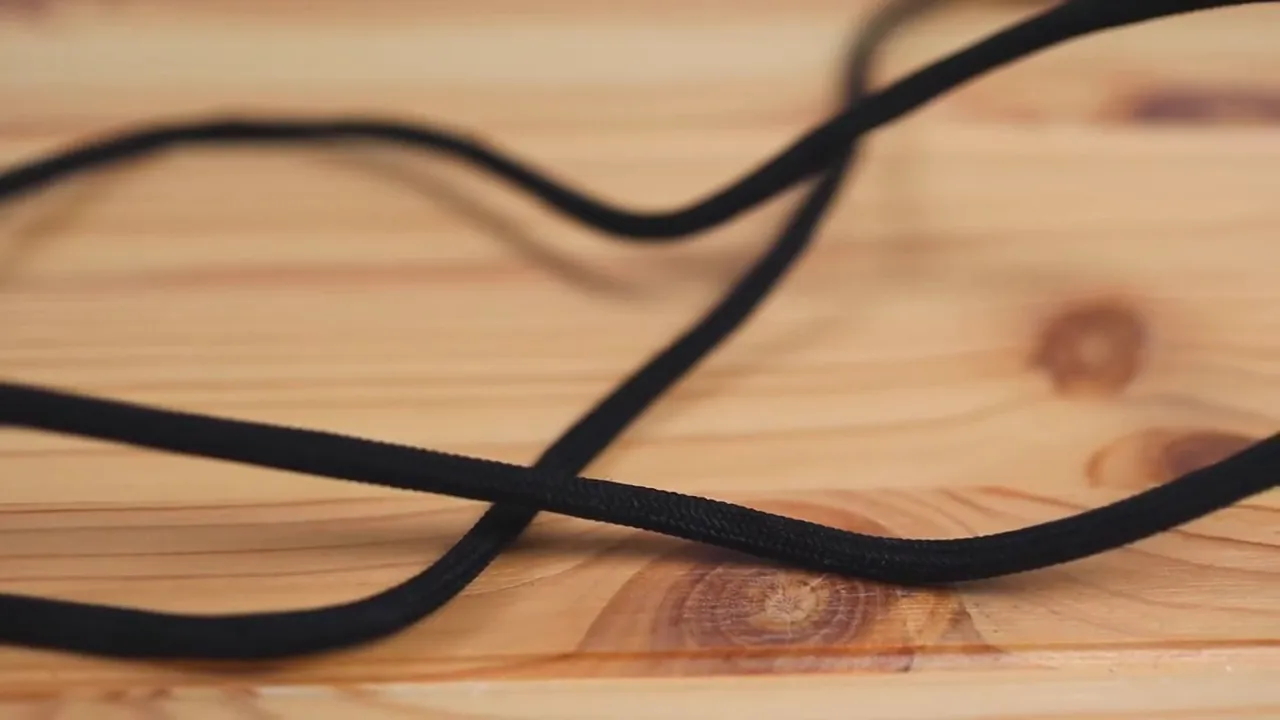
Corsair chose a paracord-style cable rather than a fully braided option. It feels similar to yarn and is noticeably more flexible and lighter than thicker braided cables. In practice that means the cable slides across the desk with less resistance, which is beneficial during quick flicks and rapid directional changes.
Weight and movement — 74 grams of speed
At just 74 grams, the Sabre RGB Pro is exceptionally light, especially for a mouse that’s a touch longer than some rivals. That low mass translates into sharper momentum transfer and easier wrist-based flicks. In a competitive setting, lighter mice let you respond faster to micro-adjustments and quick aiming corrections.
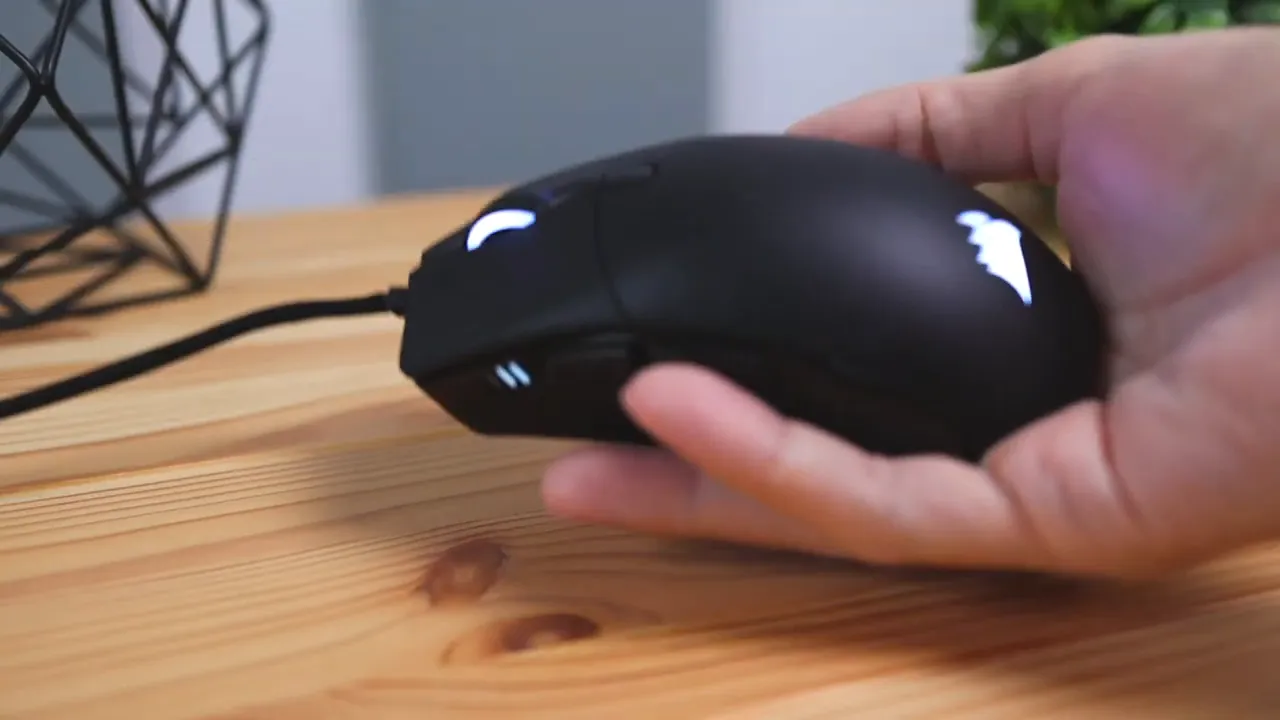
For readers scanning this review: if you favor high-sensitivity play or rapid aim adjustments, the weight here is a definite plus. The trade-off is a slightly less grounded feel for those who prefer heavy, anchored mice.
Grip styles — palm and claw considerations
Two primary grip styles work well with this shape: claw grip and palm grip. Claw grip users will likely appreciate the length and lightness, as well as the direct response of the buttons. I personally prefer palm grip. While the shape fits the hand comfortably, the matte top’s lack of grip meant my hand slid back during long sessions when my palms were dry. That forced me to rest part of my palm on the desk more often than I’d like.
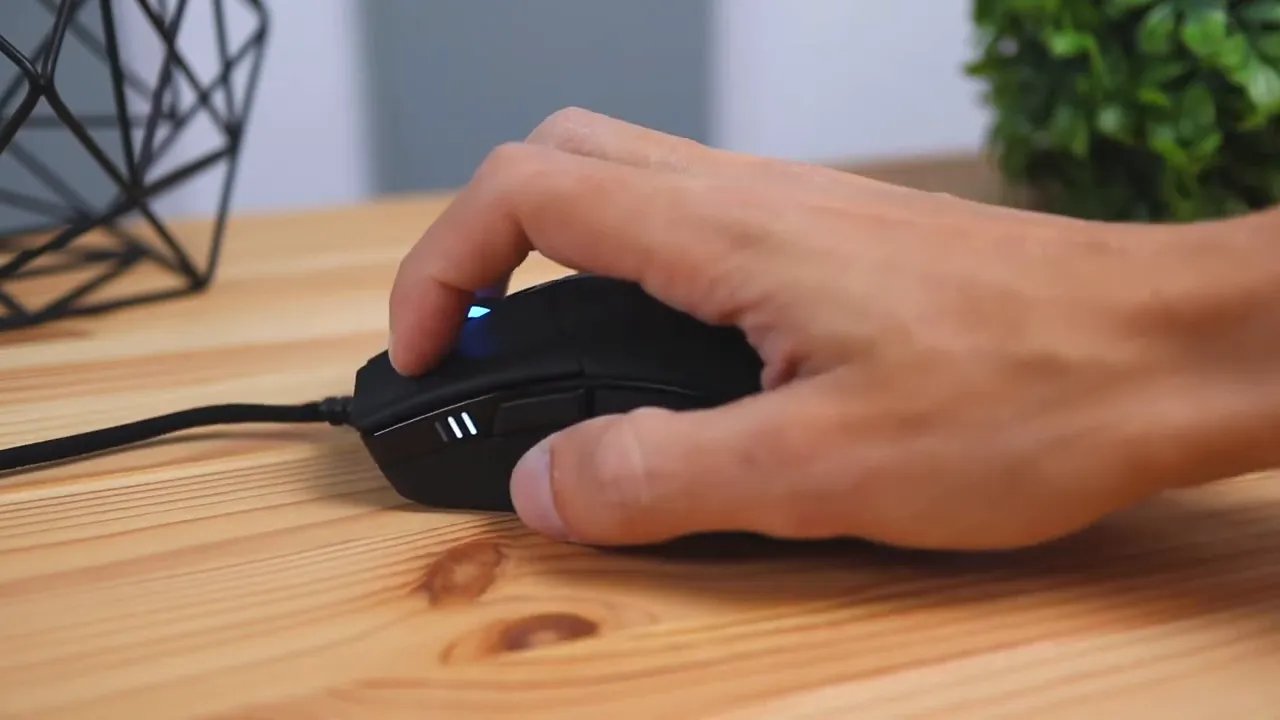
If your palms get sweaty or you like a textured grip, consider a mouse with rubberized side grips or a top texture that adds friction. For claw players or palm players who don’t need maximal surface traction, the Sabre RGB Pro remains a solid choice.
Buttons and click feel — consistent and responsive
The left and right clickers feel crisp and consistent. A highlight in this review is the even pressure distribution across the clickers. Whether you press near the front of the left button or closer to the hinge, the actuation pressure feels the same — a subtle but important point for competitive play where every millisecond counts.
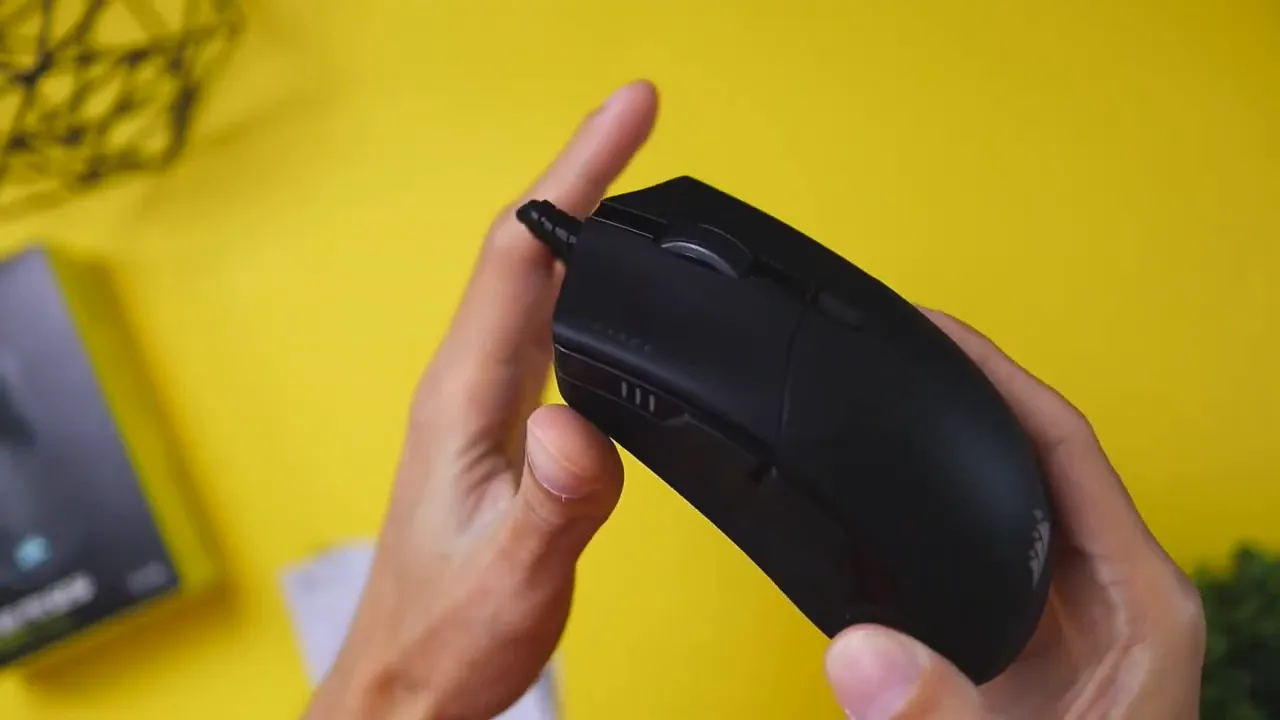
Additional controls include two side buttons set as forward and back by default, a center DPI switch, and a clickable scroll wheel. The DPI switch activates indicator lights on the side so you can see your current sensitivity at a glance.
The Sabre RGB Pro uses Corsair’s Quickstrike button system, which minimizes the gap between the primary buttons and their switches. That design reduces pre-travel and delivers a snappier, more immediate click.
Performance features — sensor, polling, and software
The Sabre RGB Pro is positioned as a pro-level gaming mouse, and that’s reflected in its feature set. Corsair’s AXON hyper-processing technology boosts responsiveness with high polling rates, enabling up to 8,000Hz hyper-polling. That means inputs are transmitted to the PC several times faster than conventional mice, which can provide a tangible advantage in fast-paced competitive games.
In the software, you can tweak DPI stages, remap buttons, customize RGB lighting per profile, and adjust the polling rate. The software lets you bind side buttons to complex actions, open apps, or trigger a sequence of keys — which is useful if you want to consolidate macro actions to the mouse.
The combination of a responsive sensor, high polling rates, and low weight is why many esports players choose this mouse. This review finds the Sabre RGB Pro consistent in both tracking and click registration — key areas where cheaper gaming mice sometimes disappoint.
RGB lighting — is it worth the extra cost?
The Champion Series RGB edition adds side lighting for visual flair. Practically speaking, the RGB version costs only a few dollars more than the non-RGB variant. If you like a bit of lighting to sync with your setup or just prefer the way a backlit mouse looks on stream, the small price bump is worth it. If you are strictly focused on performance and price, the non-RGB model keeps everything else intact.
Real-world feel and playtest notes
In everyday gameplay and quick aim tests, the Sabre RGB Pro feels immediate. Flicks, micro corrections, and rapid strafe-aiming all translate cleanly from wrist to cursor. The low inertia from the 74-gram chassis helps reduce overcompensation and allows for very predictable motion.
The main caveat in this review remains the top surface texture. During longer sessions my palm slipping required adjustments. Adding a thin grip tape or using a cloth mousepad with more friction helps counteract this tendency without altering the mouse’s handling characteristics.
How it compares — where it stands among lightweight mice
Compared to ultra-lightweight honeycomb designs, this mouse keeps a fully enclosed shell while still maintaining a featherweight profile. That’s an advantage for users who dislike exposed internals or who want a clean surface for palm stability. Feature-wise, it competes well: equal-click feedback, paracord cable, AXON processing, and competitive weight put it in the same conversation as more expensive tournament-grade mice.
Who should buy this — buying guidance
- Competitive players who want low latency and a lightweight chassis.
- Claw grip users who will benefit from the shape and low weight.
- Palm grip users who prefer a long, comfortable mouse but don’t need heavy surface traction.
- RGB fans who want a small visual upgrade for a minor price increase.
Pros and cons
- Pros: Lightweight at 74 grams, consistent clicks, paracord cable reduces drag, high polling rate and AXON tech, clean ergonomic shape.
- Cons: Matte top offers little grip for sweaty or dry palms, minimal included accessories, some users prefer textured sides for long sessions.
Purchase considerations and final verdict
This review concludes that the Corsair Sabre RGB Pro Champion Series delivers the essentials that matter for competitive play: responsiveness, consistent clicks, and a lightweight chassis that supports quick movement. If you prioritize performance and like the aesthetic of subtle RGB accents, this mouse makes sense. If you crave heavy mass, textured top grip, or a bundle full of accessories, you might look elsewhere.
For most gamers chasing lower input lag and fast aim transitions, the Sabre RGB Pro is a compelling pick for its price point. The small extra cost for RGB is a tasteful upgrade if aesthetics matter to you.
FAQ
Is the Corsair Sabre RGB Pro suitable for esports and competitive play?
Yes. The mouse is designed as a Champion Series product, used and tested by esports pros. Its low weight, consistent clicking, and AXON hyper-processing with high polling rates make it well suited to competitive titles such as first-person shooters and fast-paced MOBAs.
How heavy is the mouse and does its weight make a noticeable difference?
The Sabre RGB Pro weighs 74 grams. That is light enough to noticeably improve speed and flick accuracy compared with heavier mice. The lower mass makes quick wrist movements easier and allows for faster aim correction.
Does the matte finish provide enough grip for long sessions?
The matte top looks clean but offers limited traction. Palm grip users with dry hands may experience sliding toward the back of the mouse during extended sessions. Adding grip tape or using a less slippery mousepad can help mitigate this.
Can I remap buttons and change DPI settings?
Yes. The mouse supports configuration through Corsair’s software, where you can adjust DPI stages, reassign buttons, change RGB profiles, and tweak polling rates. The DPI switch on the mouse toggles preset stages and lights up to indicate the active level.
Is the RGB version worth paying extra for?
If you enjoy synchronized lighting or want a slightly more striking look, the RGB variant is worth the small price difference. If you only care about raw performance and price, the non-RGB version provides the same core features.
Does the paracord cable make a real difference?
Yes. The paracord cable is lightweight and more flexible than a typical braided cable, which reduces desk drag and helps maintain smooth mouse motion during quick directional changes.
Final notes
This review aimed to highlight the practical strengths and trade-offs of the Corsair Sabre RGB Pro Champion Series. It’s a strong contender in the lightweight, competitive mouse category — particularly if responsive clicks and fast movements are priorities. Minor gripes about top-surface grip can be solved with simple tweaks, leaving the core performance intact.


