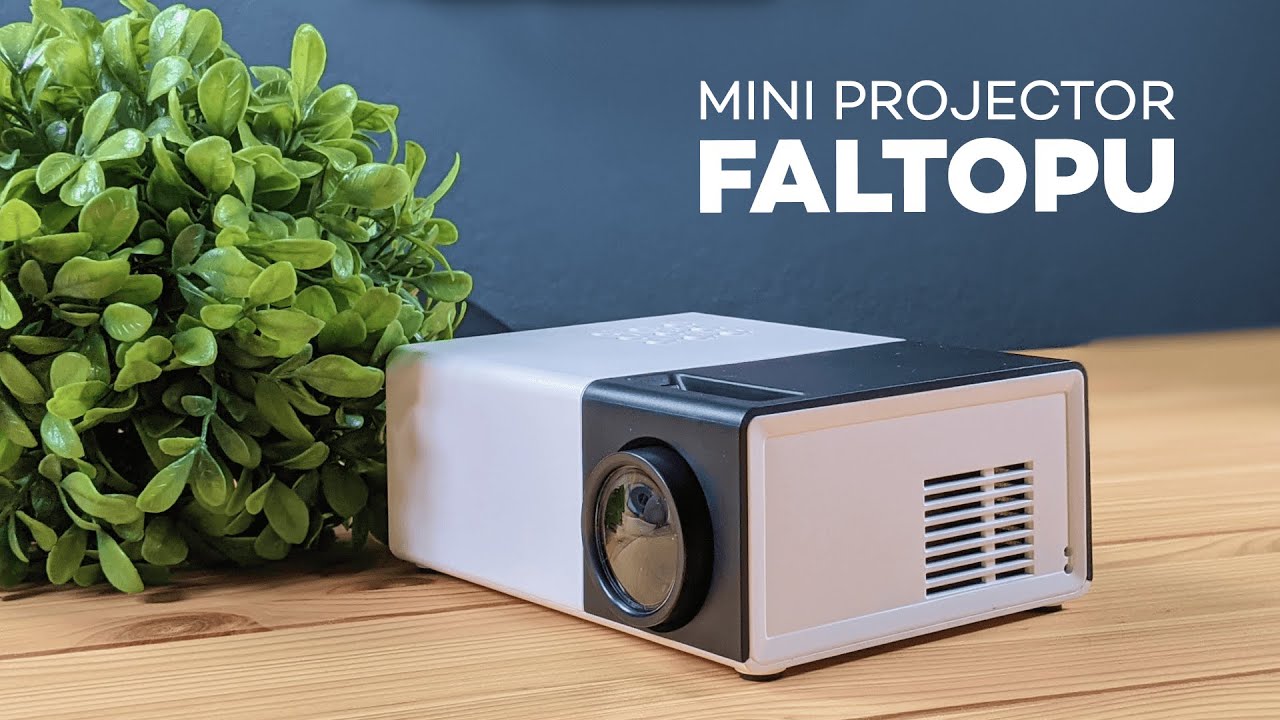
This Faltopu mini projector review walks through everything you need to know before buying a tiny, inexpensive projector for movie night, presentations, or travel. I put this pocket-sized unit through unboxing, setup, picture and sound tests, and practical tips so you can decide if it fits your needs. This review balances hands-on observations with straightforward recommendations.
Table of Contents
- Quick summary
- What’s in the box
- First impressions and build quality
- Setup and connections
- Image quality: what to expect
- Sound test and recommendations
- Practical usage tips
- Pros and cons
- Who should buy this? Who should not?
- Verdict
- FAQ
- Buying considerations and alternatives
- Final notes
Quick summary
If you want the short version of this review: the Faltopu mini projector is genuinely portable, simple to set up, and delivers a surprisingly good picture in a dark room. It struggles with brightness in lit spaces and the built-in speaker is basic, but with a small external speaker and the right placement it becomes a convenient, budget-friendly solution for casual viewing.
What’s in the box
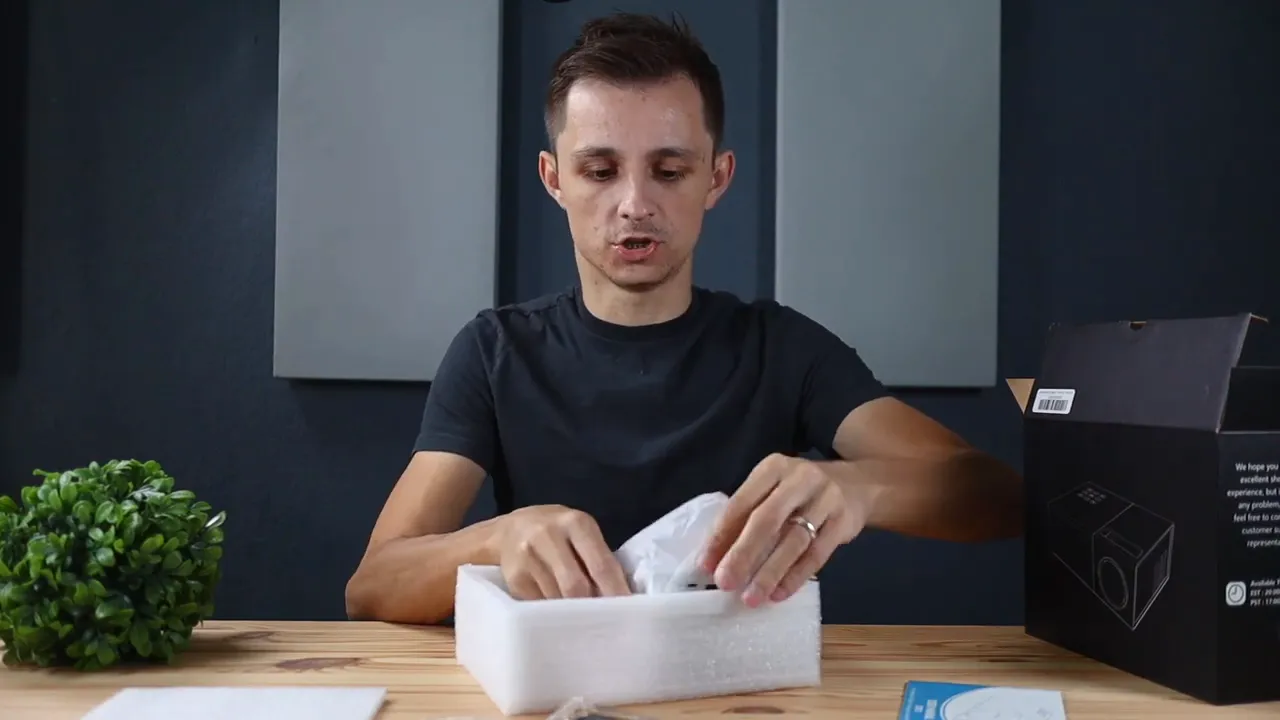
The unboxing is one of the first things I test in this review. The packaging is compact and padded, which protects the unit during shipping. Inside you’ll find:
- Faltopu mini projector
- Power cable and adapter
- HDMI cable and AV/video cable
- Audio cable for auxiliary speakers
- Remote control
- Instruction manual
Everything you need to get started is included, which is a nice touch for a device in this price range. The manual is short but useful because a few of the projector’s controls are tiny and you’ll want to know what each button does.
First impressions and build quality
In this review I paid close attention to size and build. The projector is about the size of a hand and fits easily into a backpack. That portability is its main selling point.
Despite the compact size, the unit has a number of physical controls and ports along the sides and back. You’ll find an HDMI input, USB-A, microSD (TF) slot, headphone jack, and the power input. There are nine buttons for menu navigation and source selection.
A small slider on top controls the lens movement for focusing. It’s manual, but effective for fine-tuning the image. The housing feels light but not flimsy. The one thing to note in this review is heat: the projector produces a noticeable amount of warmth during use, so place it on a hard surface and avoid soft, heat-trapping materials.
Setup and connections
Setup is intentionally simple—part of why I included a step-by-step portion in this review. Plug in the round power connector, attach an HDMI or plug a Chromecast/streaming stick directly into the HDMI port, and select the correct source with the S button or the remote's source key.
The projector supports multiple input types: HDMI for laptops and players, USB for media playback, AV for older devices, and TF cards for direct file playback. Using a Chromecast or similar device is a common setup and works smoothly—just remember that most streaming sticks need their own power adapter.
Image quality: what to expect
Image quality is the heart of any projector review. The Faltopu performs best in a dark room. When lights are off, colors pop and the picture looks sharp enough for casual viewing. In the test scene I used a royalty-free 4K clip streamed through Chromecast; the colors were surprisingly accurate given the price.
The projector is not ultra-bright. With lights on, the image becomes washed and hard to see. That means this model is ideal for bedrooms, dark living rooms, or outdoor nights after sunset. If you plan to use it in a lit conference room or as a daytime presentation tool, brighter models are a better choice.
Throw distance matters more than you might expect in this review. The lens is designed for short-to-moderate distances; pushing it too far back creates noticeable softness. For the cleanest image, keep the projector reasonably close to the screen or wall. That also helps keep the projected size manageable without losing sharpness.
Focus and keystone
The top-mounted slider handles focus; it mechanically moves the lens in and out. It’s a bit fiddly at first, but easy to use once you get a feel for it. There is limited keystone adjustment—so aim for a perpendicular placement to the wall to avoid distortion.
Sound test and recommendations
The built-in speaker is useful for quick setups and short videos, but it does not replace a proper speaker. In this review I ran a brief audio test using music and found the speaker adequate for low-volume background audio or a small room. Dialogue is intelligible but lacks depth.
For a movie night, pairing the projector with external speakers—either via the headphone jack or Bluetooth if your external device supports it—dramatically improves the experience. A small Bluetooth soundbar or portable speaker is an inexpensive upgrade that makes a big difference.
Practical usage tips
- Use in a dark room: Lights off yields the best colors and contrast.
- Keep it close: The lens favors shorter distances to maintain sharpness.
- Provide ventilation: Set it on a hard surface so heat can dissipate.
- Bring extra power: If using a streaming stick, bring its power adapter too.
- External audio: Plug in a speaker for movie nights or presentations.
- Remote convenience: The included remote is handy for volume and source changes from the couch.
Pros and cons
Pros
- Truly portable and lightweight
- Multiple inputs (HDMI, USB, TF, AV)
- User-friendly setup—no technical expertise required
- Includes remote and necessary cables
- Good picture in a dark environment
Cons
- Not very bright—struggles in well-lit rooms
- Built-in audio is basic and lacks bass
- Manual focus can be fiddly at larger screen sizes
- Generates heat; needs hard surface for placement
Who should buy this? Who should not?
This review recommends the Faltopu mini projector for casual users who want a low-cost, portable projector for movie nights, backyard evenings, or travel. It’s ideal for people who value convenience over top-tier performance.
Avoid this unit if you need a bright projector for daylight presentations, large venues, or critical home theater setups where color accuracy and high brightness are required.
Verdict
The Faltopu mini projector is a solid budget option. This review finds it reliable for dark-room entertainment and lightweight presentation tasks. It won’t replace a full-sized projector for serious home theater enthusiasts, but as a portable, plug-and-play device it delivers excellent value.
Final takeaway: if portability, price, and simplicity are your priority, this projector is worth considering. Add a small external speaker and keep the room dark—you’ll be surprised how much enjoyment you can get from a device this small.
FAQ
Does the Faltopu mini projector support Chromecast or streaming sticks?
Yes. The projector accepts HDMI input so you can plug in a Chromecast, Amazon Fire TV Stick, or other HDMI-based streaming devices. Remember that many streaming sticks require their own power source.
How big of a screen can I get and at what distance?
The manufacturer cites a large screen size potential, but this review found the best balance between size and sharpness at shorter distances. Placing the projector closer to the wall produces a sharper image; pushing it farther back increases size but softens the picture.
Is the built-in speaker good enough for movies?
The built-in speaker is serviceable for casual use, but it lacks depth and volume for a true cinematic experience. For movies, connect a small external speaker or soundbar.
Do I need a special surface or screen?
You can project onto a plain wall, but a neutral-colored projector screen or a white, smooth surface will improve contrast and color accuracy. Avoid textured or colored walls.
Does it get hot during use?
Yes. The unit produces heat. Place it on a hard, heat-resistant surface and ensure ventilation to prevent overheating.
Buying considerations and alternatives
If this review highlights the right balance for you—cost, portability, and convenience—then the Faltopu mini projector deserves consideration. If brightness or advanced features matter more, compare it against slightly higher-tier models that offer higher lumens and better optics.
When comparing alternatives, pay attention to:
- Lumens: Higher lumen counts perform better in ambient light.
- Resolution: Native resolution affects clarity at larger sizes.
- Audio output: Built-in speakers vs audio-out options.
- Portability vs performance: Smaller units trade brightness for size.
Final notes
This review covered setup, picture, and sound tests plus practical advice. The Faltopu mini projector is a budget-friendly, portable option that delivers enjoyable picture quality in the right conditions. If you decide to pick one up, plan on pairing it with a small speaker and using it in dim lighting for the best experience.
If you need a compact, grab-and-go projector for casual use, this model is a solid pick. For more demanding applications, consider stepping up to a model with higher brightness and more advanced optics.
Recommended accessories
To get the most from a Faltopu mini projector, consider a few inexpensive accessories that improve audio, lighting, and streaming quality.
Better audio: pair the projector with a portable speaker or a headset — see the Zone Learn headset review for ideas.
Improved on-camera lighting for backyard movie nights or streams: add a Litra Beam light bar.
Video calls or streaming alongside the projector? Check the Logitech Brio webcam review.
Need clearer voice capture for presentations or recordings? Consider the Alias Microphone.
For more reviews and accessory guides, visit Kova Tech.


