The HK Gaming Mira M is built around one big idea: make a gaming mouse so light that fast movements feel effortless without turning the whole thing into a gimmick. And honestly, that is exactly why this mouse stands out.
At just 63 grams, the Mira M lands in that sweet spot where it feels noticeably lighter than a lot of mainstream mice, especially if you are used to wireless models with batteries inside. The first thing that jumps out is how little resistance there is when moving it around. It feels featherlight, and that can make a real difference for both quick flicks and long sessions at the desk.
But a lightweight shell alone does not make a good mouse. Shape, clicks, cable feel, grip, software, and overall value matter just as much. The Mira M gets a lot right, and a few details are worth thinking about before picking one up.
Table of Contents
- What makes the Mira M different
- Lightweight design that actually feels different
- Materials, feet, and cable
- Size and shape
- Clicks, scroll wheel, and button feel
- Build quality and rattle
- RGB and onboard controls
- Software and customization
- Extra accessories in the box
- Right-handed design only
- How it stacks up on value
- Who should buy the HK Gaming Mira M
- Final thoughts
- FAQ
What makes the Mira M different
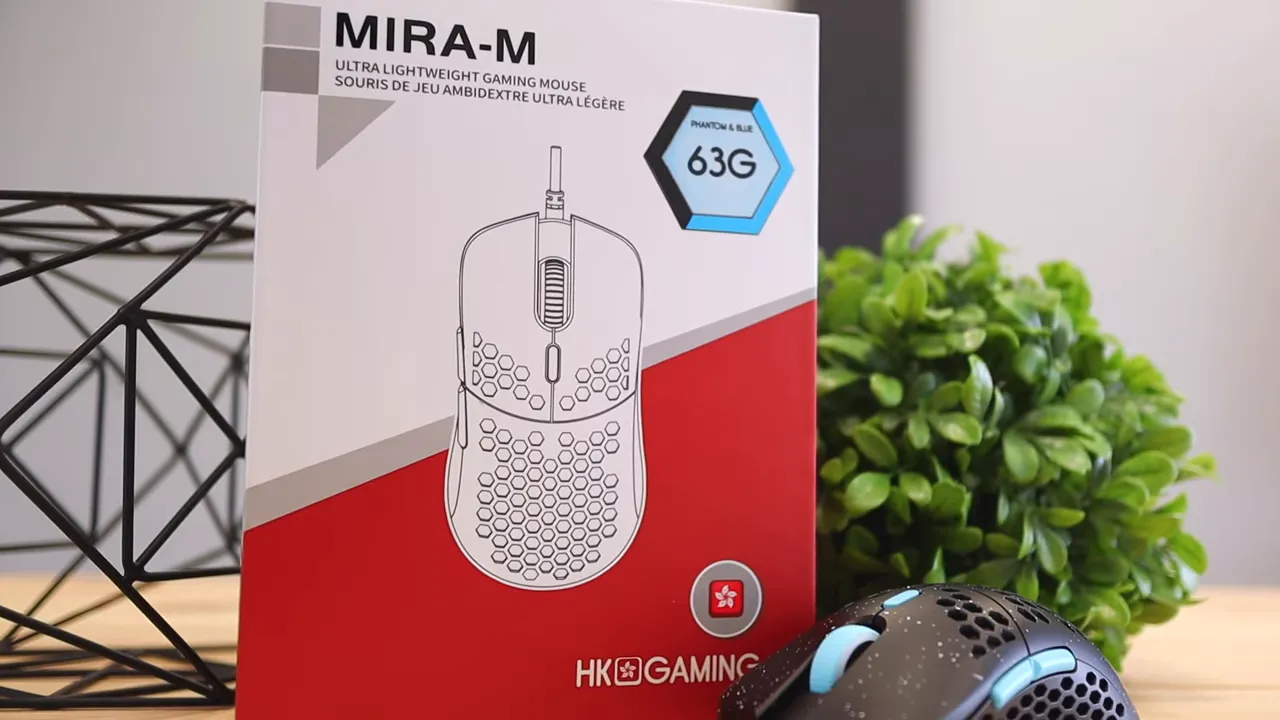
HK Gaming has a pretty broad lineup of accessories, and the Mira M fits right into the category of performance-focused gear with a clean, affordable approach. This mouse uses a honeycomb shell to cut weight, a flexible paracord-style cable, RGB lighting, six buttons, and an ergonomic shape aimed mostly at right-handed users.
One of the more fun things about it is the variety. Instead of offering one or two safe colorways and calling it a day, HK Gaming gives this mouse 10 different color variations. That is more than most brands bother with, and it gives you a better chance of matching your desk setup instead of settling for whatever happens to be in stock.
The version here is the Phantom Blue, which pairs a black shell with bright blue accents and a matching cable. It has a clean look without being boring.
Lightweight design that actually feels different
Some specs look nice on paper and disappear the second you start using the product. The Mira M's weight is not one of those specs. You feel it immediately.
If you are coming from something heavier, especially a wireless productivity mouse, the difference is huge. The Mira M almost disappears in your hand. That lower mass can help with:
- Faster directional changes
- Less fatigue during long gaming sessions
- Reduced hand strain from everyday use
- More effortless lift-off and repositioning
The honeycomb cutouts play a big role here. They remove material without making the mouse feel like a toy. If you like the trend toward ultralight mice, this is exactly the sort of design you would expect.
The included grip stickers add about 2 extra grams. That is basically nothing in normal use, so unless you are obsessing over every single gram, the added grip may be worth it.
Materials, feet, and cable
The Mira M is primarily made of plastic, which is not surprising for this class of mouse. The key question is whether the materials feel cheap, and for the most part they do not. The shell feels durable enough, and the weight savings are clearly intentional rather than sloppy.
Underneath, you get smooth glide feet, and the package includes extra skates as well. That is a nice bonus because mouse feet wear down over time, especially if you game heavily on rougher surfaces.
The cable is another strong point. HK Gaming uses a paracord-style nylon cable that feels softer and less stiff than a typical braided cable. Traditional braided cables often fight you a bit because they are tight and rigid. This one has a looser, more flexible feel, which helps reduce cable drag.
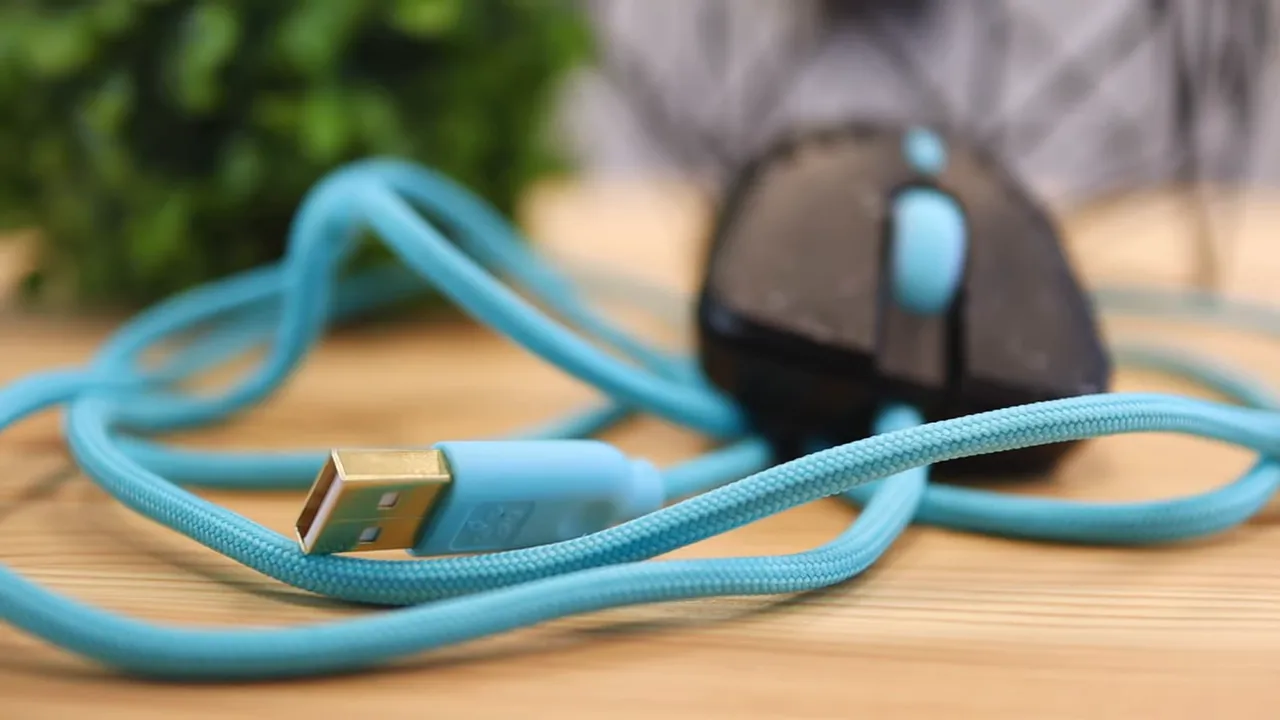
If you care a lot about cable feel, that detail matters more than it sounds. A flexible cable can make a wired mouse feel much closer to the freedom of a wireless one.
Size and shape
In terms of dimensions, the Mira M stays pretty standard:
- Length: 4.8 inches
- Width: 2.5 inches
- Height: 1.5 inches
So this is not some wildly oversized shell or a tiny fingertip-only mouse. It sits in familiar territory, which makes it easier to adapt to.
The shape is where things get more specific. While the shell supports multiple grip styles, it is most comfortable for a palm grip. That is where the hand rests naturally over the mouse and the shape fills the palm nicely.
The other common grip styles still work:
- Palm grip: best overall fit here
- Fingertip grip: definitely usable
- Claw grip: possible, but not really what this shape is optimized for
If you prefer a mouse that strongly supports a claw posture, you may want something with a different hump profile. But if palm grip is your go-to, the Mira M feels very natural.
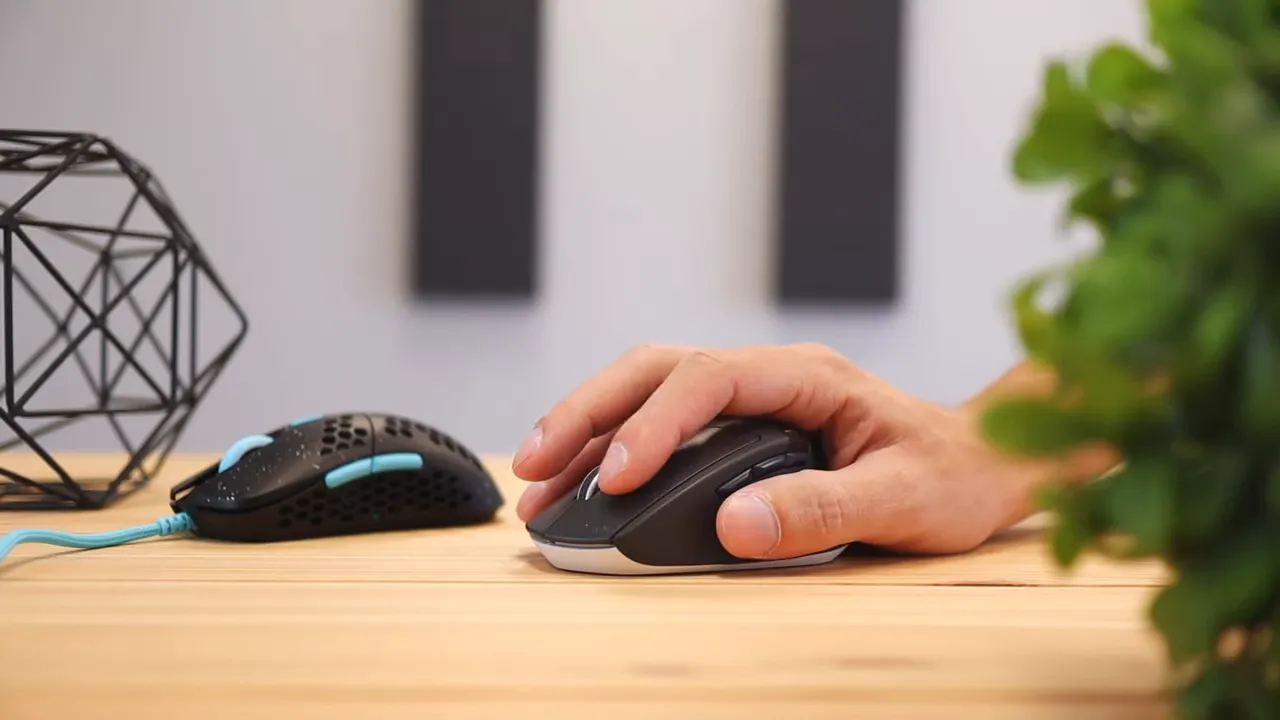
If you have been researching other shapes and comfort-focused designs, it is worth comparing this with some of the options covered in the mouse guides and reviews here.
Clicks, scroll wheel, and button feel
Click feel is one of those things that can make or break a mouse, even when the spec sheet looks great. The main buttons on the Mira M feel clear and direct. They do not need a ton of force to actuate, and in regular use they respond the way you want them to.
The side buttons are a little louder than the main clicks, and the scroll wheel is relatively quiet while scrolling but still audible. The middle click also has some sound to it, so this is not a silent office mouse by any stretch.
One small but important detail is where you press on the main buttons. If you click farther back, closer to the rear of the button area, it takes more force to actuate because of how the switch mechanism and leverage work. Press closer to the center where most fingers naturally land, and clicking becomes easier.
That is mostly a non-issue for average or larger hands. But it could matter if:
- You have very small hands
- You tend to choke way back on the mouse
- A child will be using it
In those cases, the finger position may end up too far back, which makes the clicks feel heavier than intended.
Build quality and rattle
With ultralight mice, build quality is always worth checking because shaving weight can sometimes introduce flex, noise, or looseness. The Mira M does have a slight bit of rattle, but it is very specific.
The only part that really rattles is the side buttons, and even then, you have to deliberately shake the mouse with some force to hear it. In normal day-to-day use, it is basically not an issue.
That is a much better outcome than a mouse that creaks or rattles constantly during gameplay. If you intentionally try to make it rattle, sure, you can get there. But during regular use, it stays composed.
RGB and onboard controls
A nice touch here is that you can change the lighting without even opening software. That is something I always appreciate because sometimes you just want to tweak the look and move on.
On the Mira M, you can:
- Change the RGB color by holding the forward side button and pressing the DPI button
- Adjust brightness by holding the forward side button and pressing the middle mouse button
That kind of onboard control makes quick changes easy, especially if you do not want extra software running all the time.
Software and customization
If you do want more control, HK Gaming also offers software for deeper customization. That includes things you would expect from a gaming mouse such as:
- DPI and polling rate adjustments
- Button remapping
- Macros
- Profile management
- RGB configuration
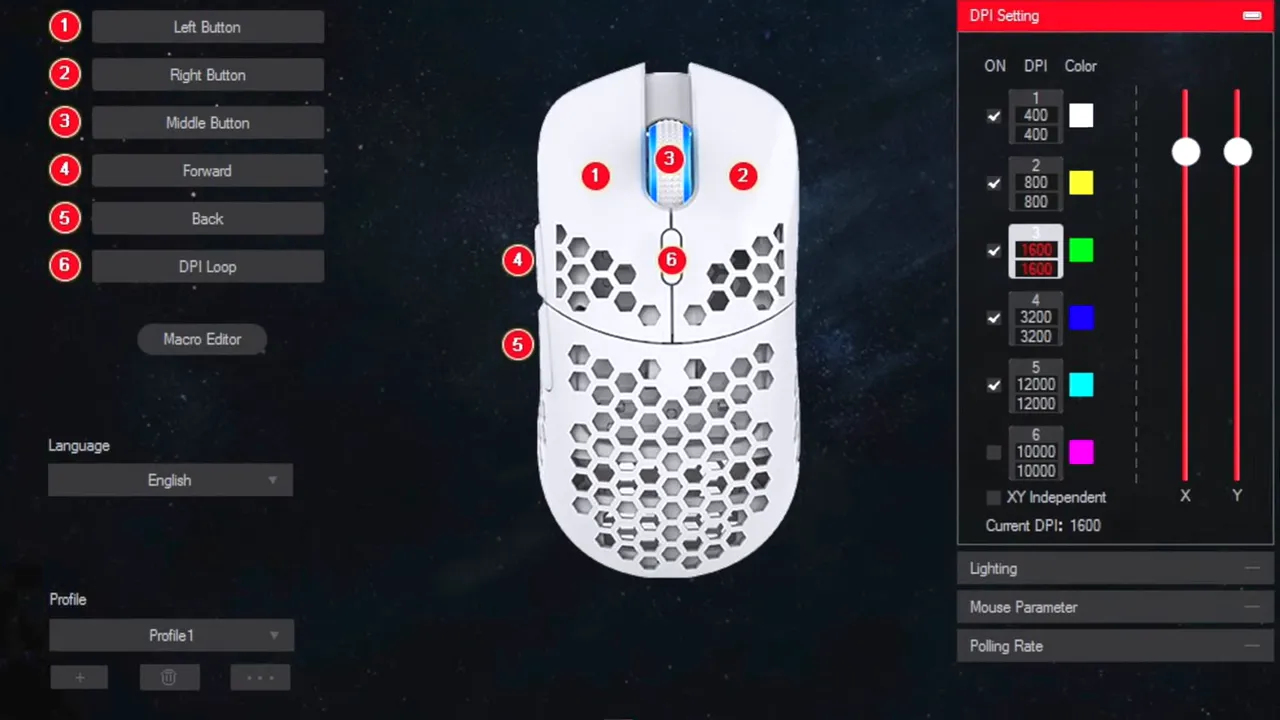
The Mira M is listed with a Pixart PMW3360 sensor, adjustable CPI up to 12000, 50G max acceleration, and 250 IPS max speed. Those are respectable gaming specs and put it comfortably in serious performance territory rather than budget throwaway territory.
If dialing in button actions and app-specific behavior matters to you, there are also productivity-oriented ecosystems worth comparing, like this breakdown of the Logitech MX Master 3S and Logi Options+, though that mouse obviously targets a very different use case.
Extra accessories in the box
HK Gaming includes more than just the mouse, and that helps the Mira M feel like a strong value package.
In the box, you get extras like:
- Anti-slip grip stickers
- Extra mouse skates
- Dust cover
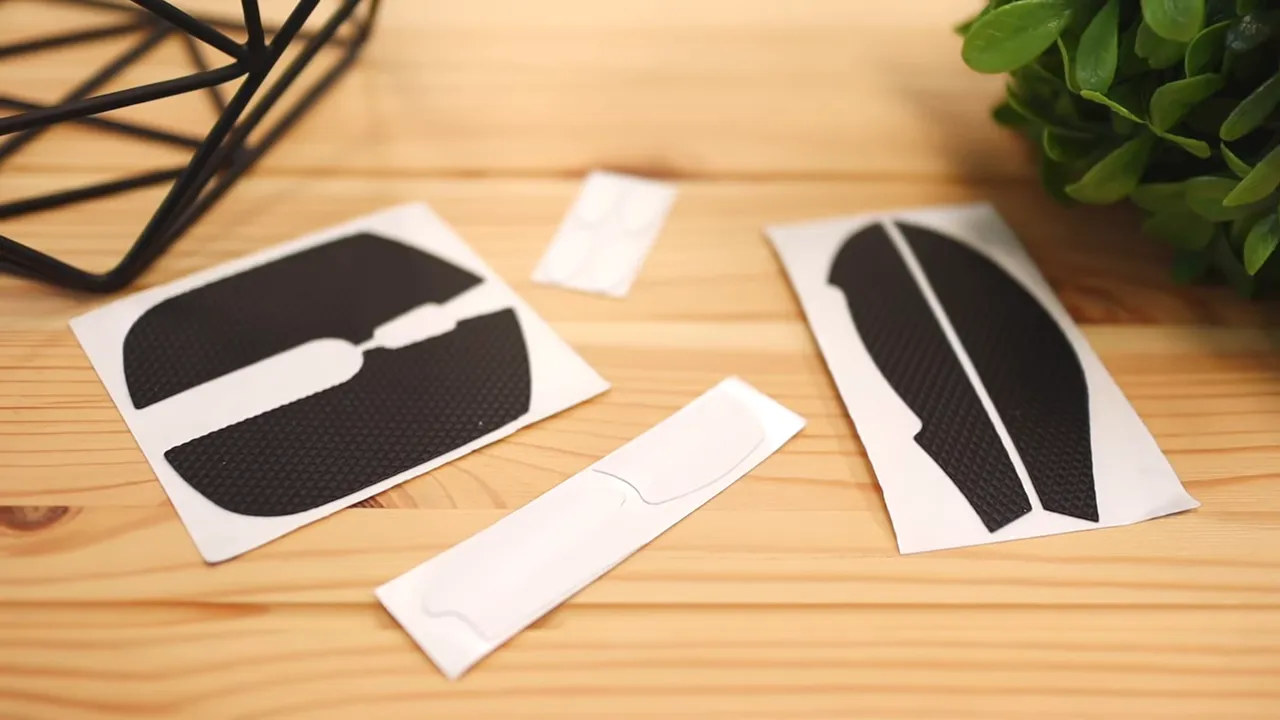
The grip stickers are especially useful if you like more texture on the sides or top of the shell. Since the weight penalty is only around 2 grams, adding them makes a lot of sense for many people.
Right-handed design only
The biggest downside here is pretty straightforward: this is not a true ambidextrous mouse.
Even though the product description references an ambidextrous shape, the practical reality is that the button placement and overall ergonomics are aimed at right-handed use. The side buttons are on the left side, and the body shape favors a right-handed grip.
So if you are left-handed, this probably is not the mouse to buy. For right-handed users, it is fine. For lefties, it is a meaningful limitation.
How it stacks up on value
This is where the Mira M gets especially interesting. At around $50, it undercuts a lot of gaming mice that play in the same performance conversation.
Plenty of lightweight or enthusiast-focused mice sit in the $60 to $80 range, and some push well over $100. The Mira M brings you:
- Ultralight 63g body
- Flexible paracord-style cable
- Gaming-grade sensor
- RGB lighting
- Extra grips and skates
- Software customization
That is a strong package for the money. If you want premium ultralight features without paying premium ultralight prices, this mouse makes a solid case for itself.
For shoppers comparing dedicated gaming mice, you may also want to look at something like the Razer DeathAdder V3 review to see how different ergonomic and weight philosophies stack up.
Who should buy the HK Gaming Mira M
This mouse makes the most sense if you want a lightweight wired gaming mouse that still feels feature-complete.
It is a strong fit for:
- Right-handed users
- Palm grip players especially
- Anyone coming from a heavier mouse and wanting less strain
- Gamers who want good specs without overspending
- People who like RGB and custom color options
It is less ideal for:
- Left-handed users
- Those who strongly prefer claw-grip-optimized shapes
- Users with very small hands who may click too far back on the buttons
Final thoughts
The HK Gaming Mira M keeps things pretty simple. It focuses on low weight, comfortable palm-friendly ergonomics, flexible cable feel, and solid gaming features, then wraps it all up at a price that is easier to justify than many competitors.
The slight side-button rattle is minor. The right-handed-only design is the one real drawback, and it is only a drawback if that applies to you. Outside of that, there is not much here to complain about.
If your goal is to get an ultralight honeycomb gaming mouse with good value, the Mira M absolutely deserves a look. You can check the current Mira M listing if you want to see the available colors and pricing.
FAQ
How much does the HK Gaming Mira M weigh?
The Mira M weighs about 63 grams without the included grip stickers. Adding the grips increases the weight by roughly 2 grams.
Is the Mira M good for palm grip?
Yes. Palm grip is the most natural fit for this mouse. Fingertip and claw grips are possible, but the shape feels most comfortable with a palm-style hold.
Can you change the RGB lighting without software?
Yes. You can change the light color by holding the forward side button and pressing the DPI button. You can also adjust brightness by holding the forward side button and pressing the middle mouse button.
Is the HK Gaming Mira M ambidextrous?
Not really in practical use. It is designed for right-handed users because of the side button placement and the overall shape.
Does the Mira M come with extra accessories?
Yes. It includes anti-slip grip stickers, extra mouse skates, and a dust cover.
What sensor does the Mira M use?
The Mira M uses a Pixart PMW3360 gaming sensor with adjustable CPI up to 12000 through HK Gaming software.
Is the cable stiff?
No. The paracord-style nylon cable is softer and more flexible than a typical braided cable, which helps reduce drag during use.


