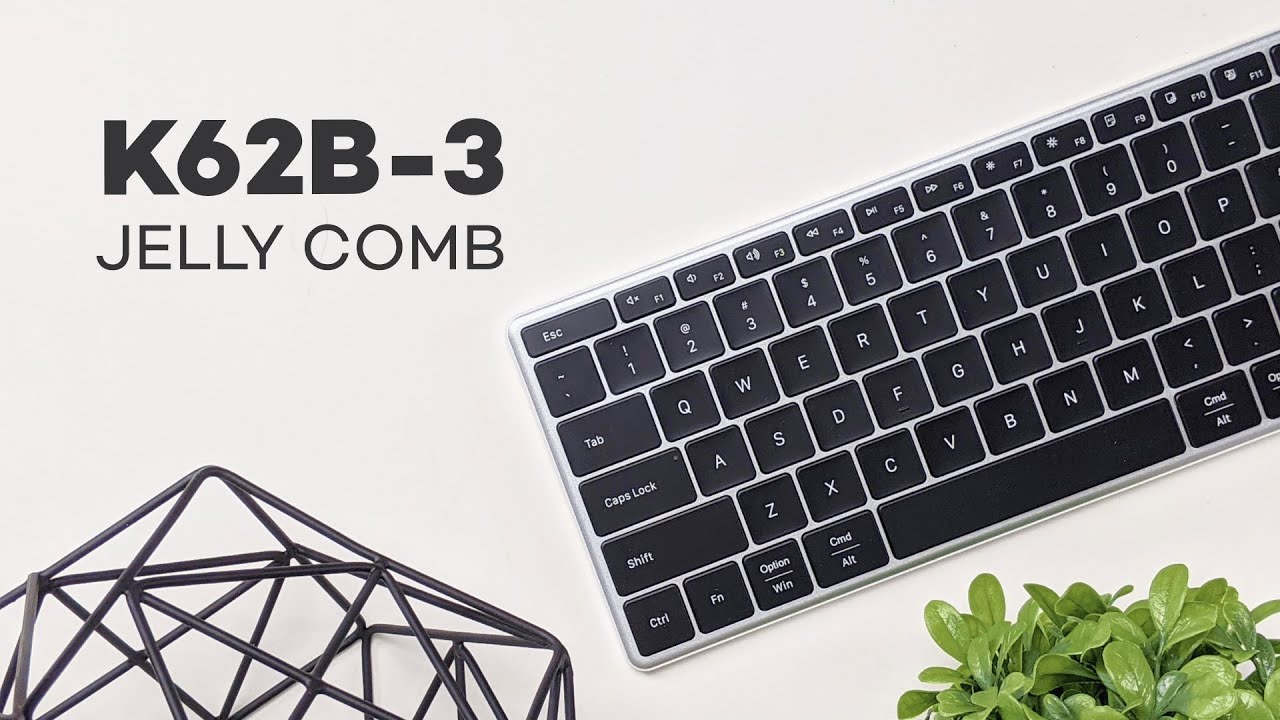
This review covers a budget-friendly Apple-style keyboard that aims to deliver the clean aluminum look, low-profile typing, and macOS-friendly layout without the Apple price tag. If you want a slim, space gray keyboard that pairs with multiple devices, has backlighting, and keeps battery anxiety to a minimum, this review walks through what you get, how it feels to type on, and whether it’s a smart buy.
Table of Contents
- What’s in the box
- Design and build: Apple vibes at a lower price
- Key features at a glance
- Battery life and charging
- Typing experience: sound and feel
- Compatibility and practicality
- Pros and cons (quick summary)
- Who should consider this keyboard
- How it stacks up against the official Apple keyboard
- Final verdict
- Alternatives worth checking
- Frequently asked questions
- Quick buying checklist
- Closing thoughts
What’s in the box
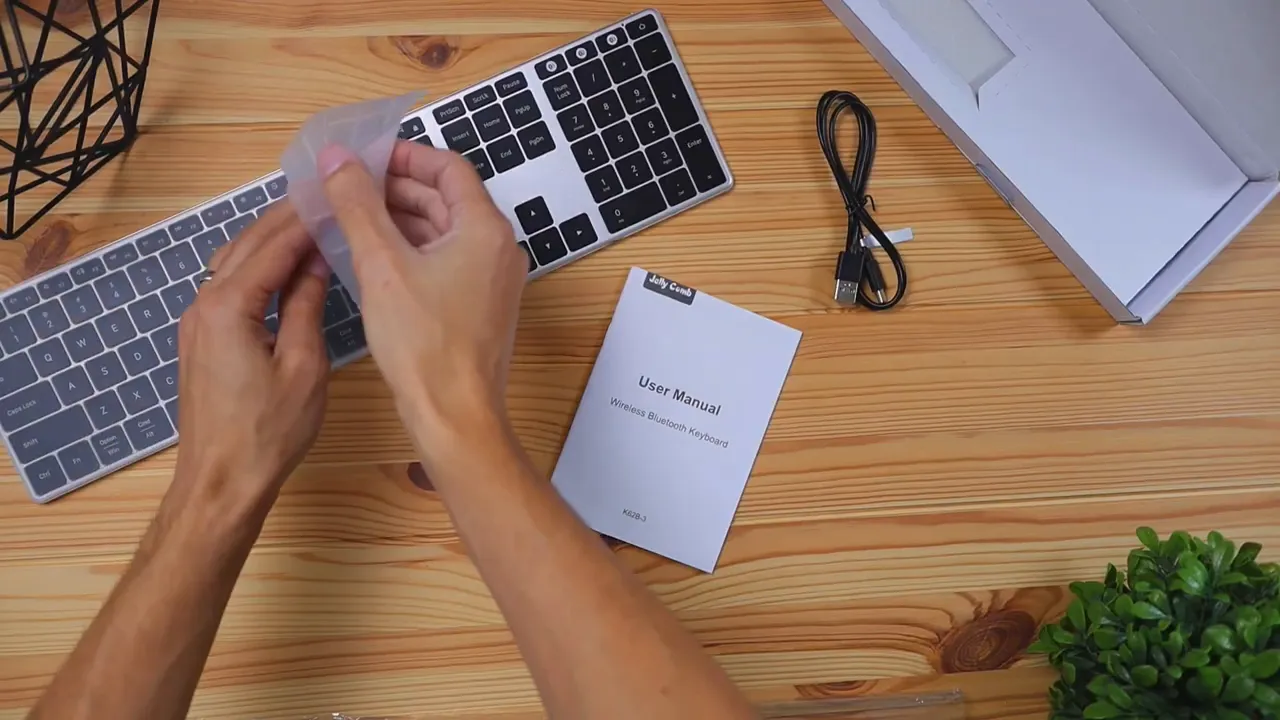
Right out of the box you get everything you need to start using the keyboard immediately. The essentials included are:
- The Jelly Comb K62BA-3 keyboard in a space gray aluminum finish.
- A silicone keyboard cover to protect against spills and dust.
- A USB-C charging cable for the built-in rechargeable battery.
- A quick start guide outlining pairing and the basic functions.
Design and build: Apple vibes at a lower price
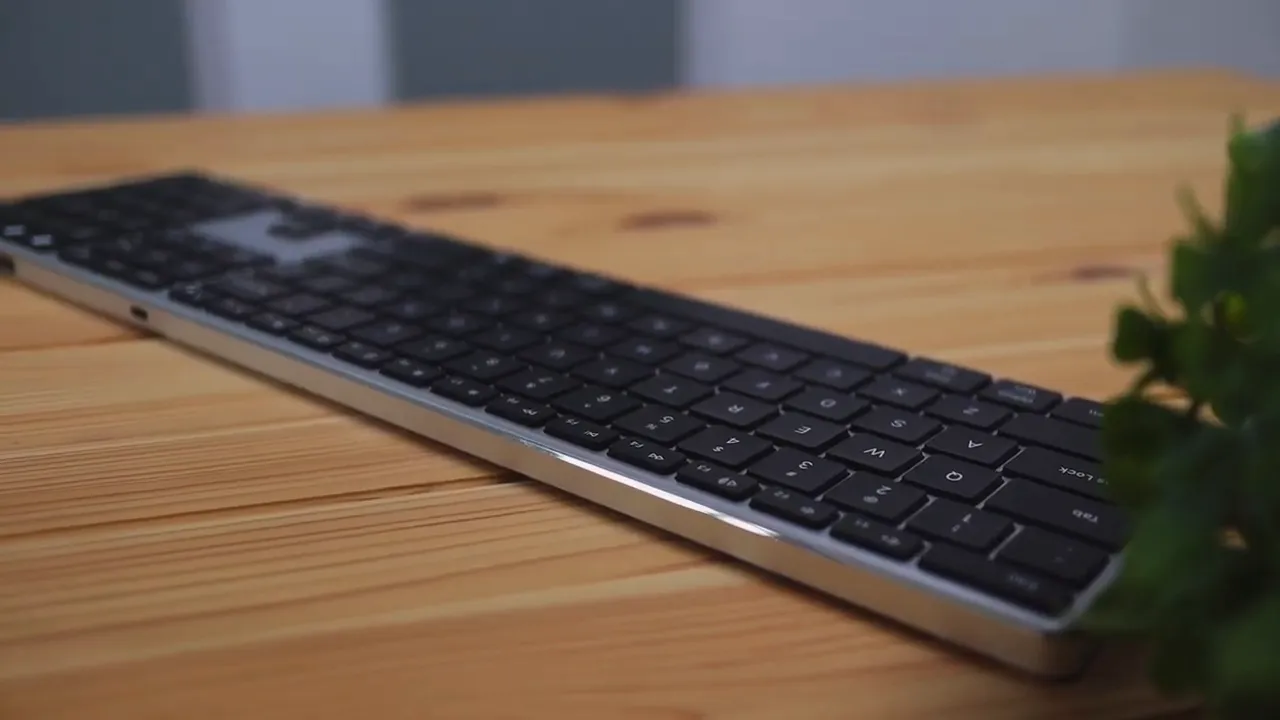
The first impression is the design. The keyboard uses an aluminum alloy top and a slim, low-profile layout that mirrors Apple’s design language. The space gray color blends well with MacBook Pros and desktop Macs, so it looks like it belongs on an Apple desk.
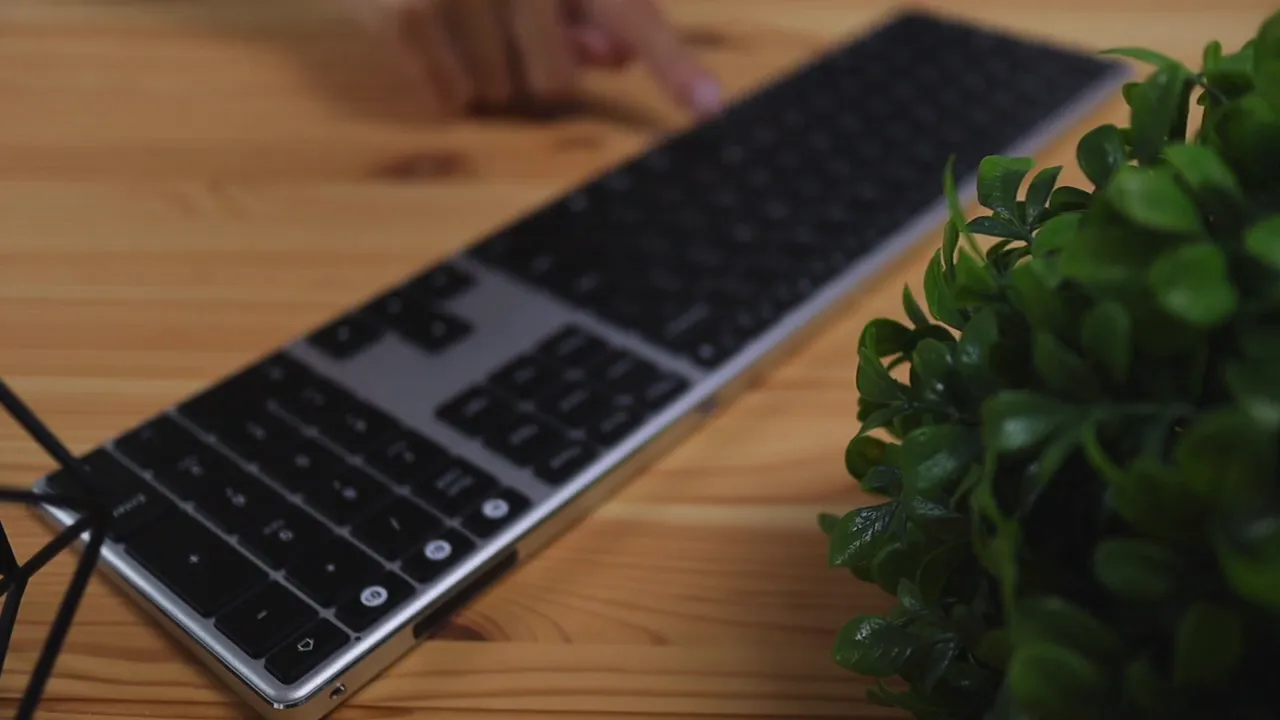
From the side you can see the keyboard’s thin profile. The keys are large and low-profile, and the overall build feels solid — far from cheap plastic. That’s an important detail for anyone looking for a macOS-style keyboard on a budget.
Key features at a glance
This review highlights the features that set the Jelly Comb K62BA-3 apart from a stock Apple keyboard:
- Backlit keys with three adjustable brightness levels.
- Bluetooth 4.2 with the ability to pair and switch between up to three devices instantly.
- Dedicated media controls and an on/off switch on the top edge.
- Rechargeable battery with long runtime and automatic sleep after 30 minutes of inactivity.
Backlighting
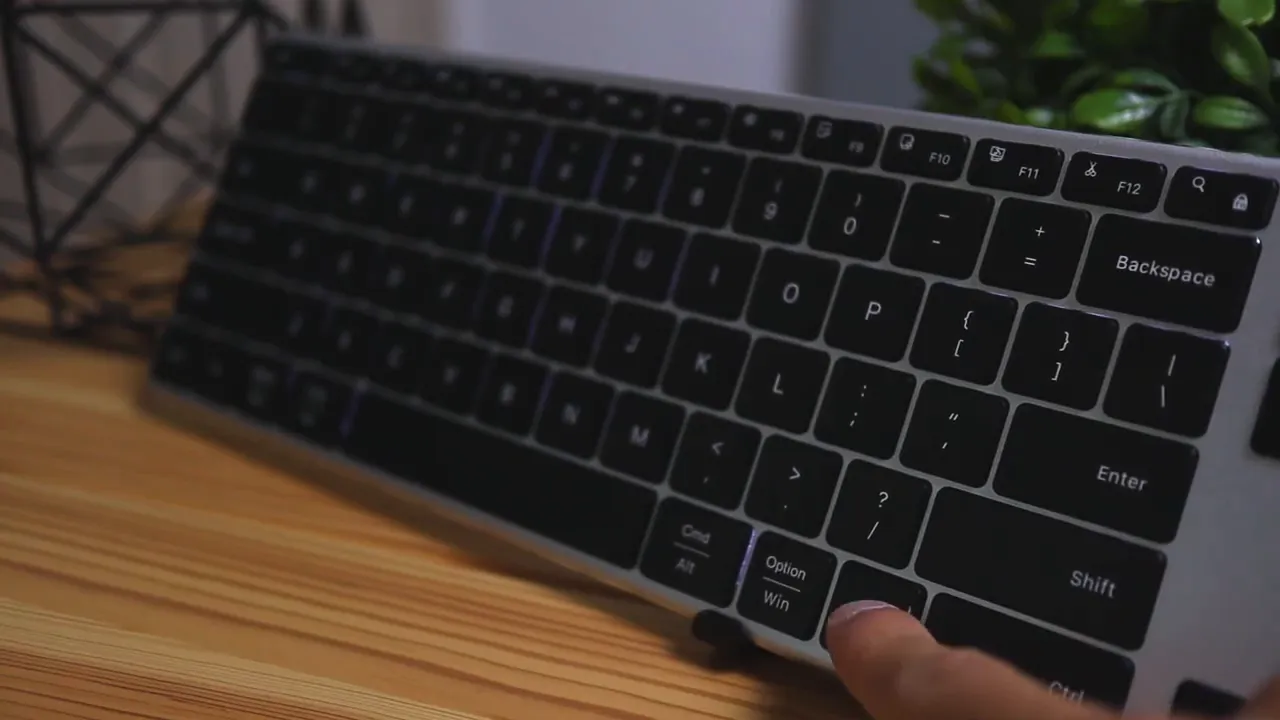
The keyboard includes white LED backlighting with low, medium, and high brightness settings. In practice the LEDs are subtle; they’re most noticeable in darker rooms. If you plan to use the keyboard in a bright home office or well-lit workspace, expect the backlight to be more of an accent than a spotlight.
Multi-device pairing
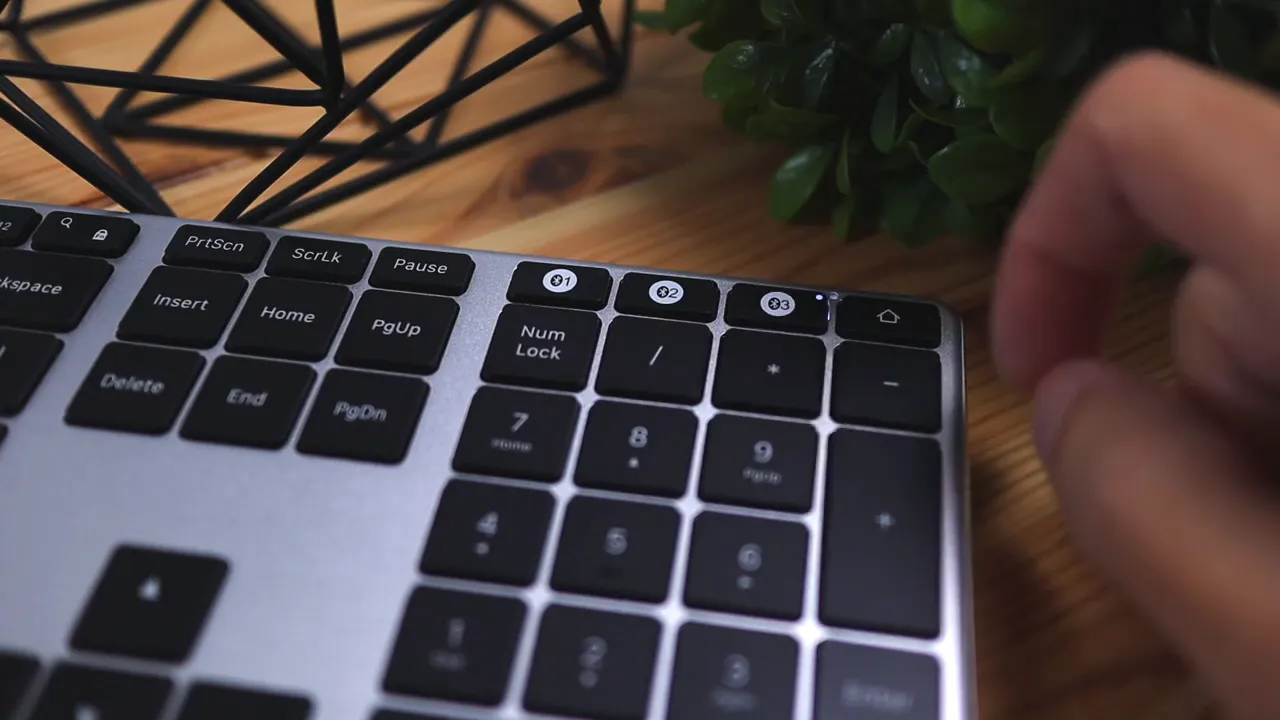
Where this keyboard exceeds the standard Apple offering is in device switching. You can pair three Bluetooth devices and toggle between them using dedicated Bluetooth buttons located above the numeric keypad. Switching is instantaneous and convenient when you work across a Mac, an iPad, and a phone or another laptop.
Media controls and power management
Media control keys let you play, pause, skip tracks, and adjust volume without fumbling for shortcuts. There’s also a physical on/off switch so the keyboard can be completely powered down when not in use, which helps save battery. The keyboard auto-sleeps after 30 minutes to further conserve power, and pressing any key wakes it instantly.
Battery life and charging
The K62BA-3 ships with a built-in 750mAh battery and uses USB-C for charging. The manufacturer claims up to 200 hours of runtime, and real-world use backs up that long runtime: you should expect to charge only once every few weeks or months depending on usage patterns and whether you keep the backlight on.
Typing experience: sound and feel
Typing on this keyboard is intentionally quiet. A short typing test reveals a muted, soft sound profile that’s suitable for offices and shared spaces. The keys use a membrane switch design that keeps noise down while delivering a stable feel.
One of the pleasantly surprising aspects is the minimal key wobble. The keycaps feel secure and centered, which produces a more refined and polished typing experience than many other budget keyboards. If you’re someone who types a lot and dislikes loose or mushy keys, this keyboard performs well for the price.
Compatibility and practicality
The keyboard targets Mac users but is broadly compatible with multiple operating systems. It’s designed to work with macOS, iOS, Android, Windows, and other Bluetooth-ready devices. macOS-specific layout tweaks make it friendly for Apple users, while the multi-device feature makes it a practical daily-driver for people who switch between machines.
Pros and cons (quick summary)
- Pros
- Aluminum build with a clean, Apple-like aesthetic.
- Multi-device Bluetooth pairing and instant switching.
- Quiet typing with low key wobble for a polished feel.
- Long battery life and USB-C charging.
- Backlight for low-light typing (three brightness levels).
- Includes a silicone cover for spill protection.
- Cons
- LED backlight is not very bright on the highest setting.
- Membrane keys may not satisfy mechanical keyboard fans.
- Not a perfect match for Apple scissor-switch feel or travel distance.
Who should consider this keyboard
This review recommends the Jelly Comb K62BA-3 for several types of users:
- People who want an Apple-style aesthetic without spending $100–$130.
- Anyone who needs to switch frequently between multiple Bluetooth devices.
- Users who prioritize quiet, unobtrusive typing in shared workspaces.
- Those who want a full-size keyboard with a numeric keypad and media controls.
If you demand an authentic Apple scissor-switch feel or prefer a mechanical keyboard, this might not be the replacement you’re after. But for the combination of price, looks, and features, it’s a strong contender.
How it stacks up against the official Apple keyboard
Compared with the Apple Magic Keyboard, the Jelly Comb is considerably cheaper. The tradeoffs are straightforward:
- Cost: The Jelly Comb is roughly half the price or less, making it attractive for budget-conscious buyers.
- Features: The Jelly Comb wins with backlighting and multi-device switching—both absent from the basic Apple keyboard.
- Typing feel: Apple’s scissor-switch keys have a unique travel and crispness that some typists prefer. The Jelly Comb’s membrane keys are quieter but feel different.
- Build: Both feel premium in their own ways, but Apple’s keyboard has that polished Apple fit and finish; Jelly Comb comes surprisingly close for the price.
Final verdict
This review concludes that the Jelly Comb K62BA-3 is a very compelling budget alternative to pricier Mac keyboards. It captures the visual language of Apple products while adding practical features such as multi-device pairing, backlighting, and long battery life. For someone who wants a low-profile, full-size keyboard that looks right at home next to a Macbook or iMac, this keyboard delivers most of what matters at a fraction of the cost.
If you want the exact Apple typing feel, the substitute is not perfect. But if you prioritize features and value, this keyboard is hard to beat in its price range.
Alternatives worth checking
There are other low-cost Apple-style keyboards on the market. If price is the top priority, explore equally budget-minded alternatives that sometimes sacrifice the aluminum top for plastic. If the backlight or multi-device switching is a must-have, prioritize models that advertise those features explicitly.
One other model I tested recently is the Cinder Apple-style keyboard, which is even cheaper but trades off some build quality and features. Comparing a few alternatives will help you pick the balance of feel, features, and price that suits your needs.
Frequently asked questions
Is the Jelly Comb K62BA-3 compatible with macOS and iPadOS?
Yes. It’s designed with macOS layout in mind and pairs easily with Macs and iPads via Bluetooth. It also works with other operating systems like Windows and Android, but macOS users will find the layout most familiar.
How long does the battery last on a single charge?
Battery life is advertised up to 200 hours. Real-world use depends on backlight usage and how often you switch devices, but expect weeks to months between charges under typical usage.
Are the keys loud?
No. The keyboard uses membrane-style switches and produces a fairly quiet sound profile that is office-friendly and unobtrusive.
Can it switch between three devices quickly?
Yes. The keyboard supports pairing with up to three Bluetooth devices and switching is handled by dedicated buttons above the numeric keypad.
Is the LED backlight bright?
The backlight is subtle. It offers three brightness levels but is most noticeable in darker environments. It’s more of a practical accent than a major feature for high-contrast typing in bright daylight.
Does this keyboard come with a number pad?
Yes. The reviewed model is a full-size keyboard with a numeric keypad, which is useful for spreadsheet work and number entry.
Quick buying checklist
- Want Apple-like design at a lower price — consider this keyboard.
- Need multi-device Bluetooth switching — a strong option here.
- Require loud mechanical feedback — consider a mechanical or Apple scissor-switch alternative instead.
- Prefer bright, feature-rich backlighting — review the light levels carefully; this keyboard’s LEDs are modest.
Closing thoughts
The Jelly Comb K62BA-3 is a practical, value-forward keyboard that brings a lot of macOS-friendly features to a budget price point. This review found it to be well-built, comfortable to type on, and feature-rich for people who work across devices. If you want that sleek space gray look and the convenience of switching between three devices without sacrificing battery life, this keyboard deserves serious consideration.


