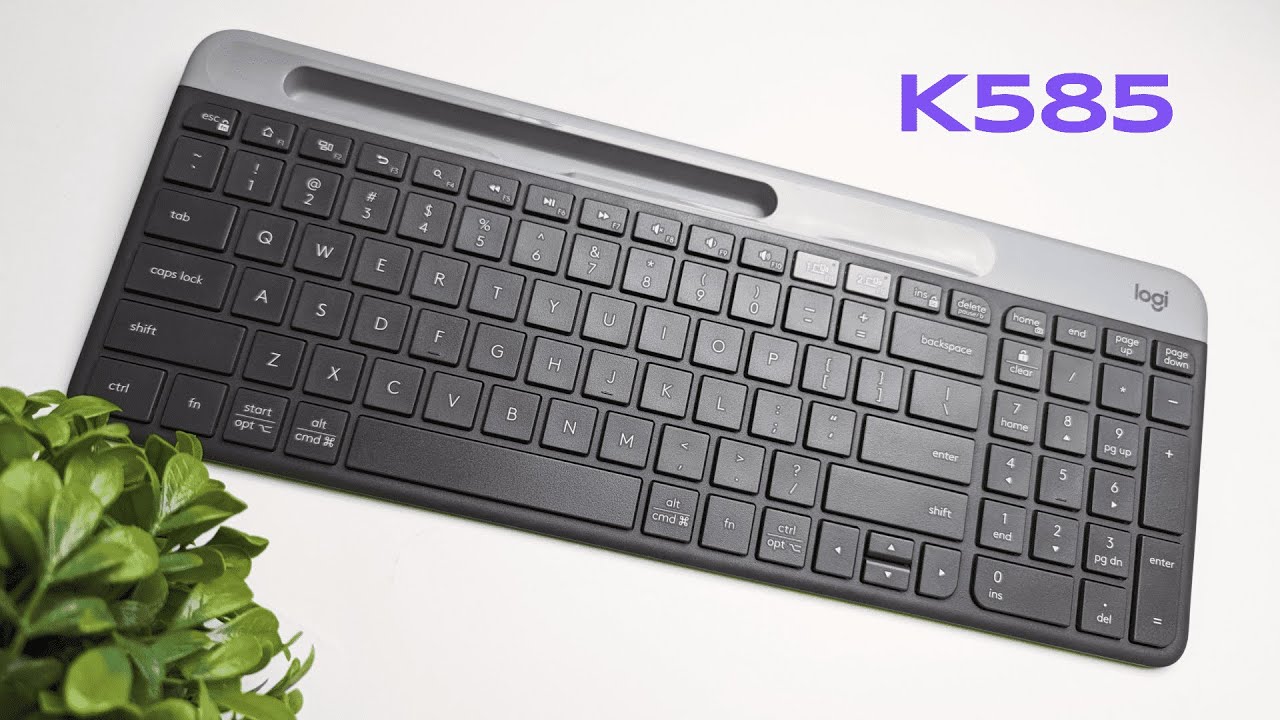
I picked up the Logitech K585 to see how well a slim, full size keyboard can balance comfort, portability, and productivity. If you want a keyboard that quietly types, switches between multiple devices, and even holds your phone without an extra stand, this might be worth a look. Below I break down everything I tested: unboxing, build, typing feel, special features like the built-in phone stand and easy-switch buttons, connectivity options, customization with Logi Options Plus, battery life, and who this keyboard is best suited for.
Table of Contents
- What's in the box and first impressions
- Design, colors, and materials
- Keycaps and typing feel
- Multimedia controls and productivity features
- Connectivity: Bluetooth and USB receiver
- Layout modes and switching between Windows, Mac, and mobile
- Customization with Logi Options Plus
- Battery life and power management
- Pros and cons at a glance
- Who should buy the Logitech K585?
- Final thoughts
- Frequently asked questions
What's in the box and first impressions
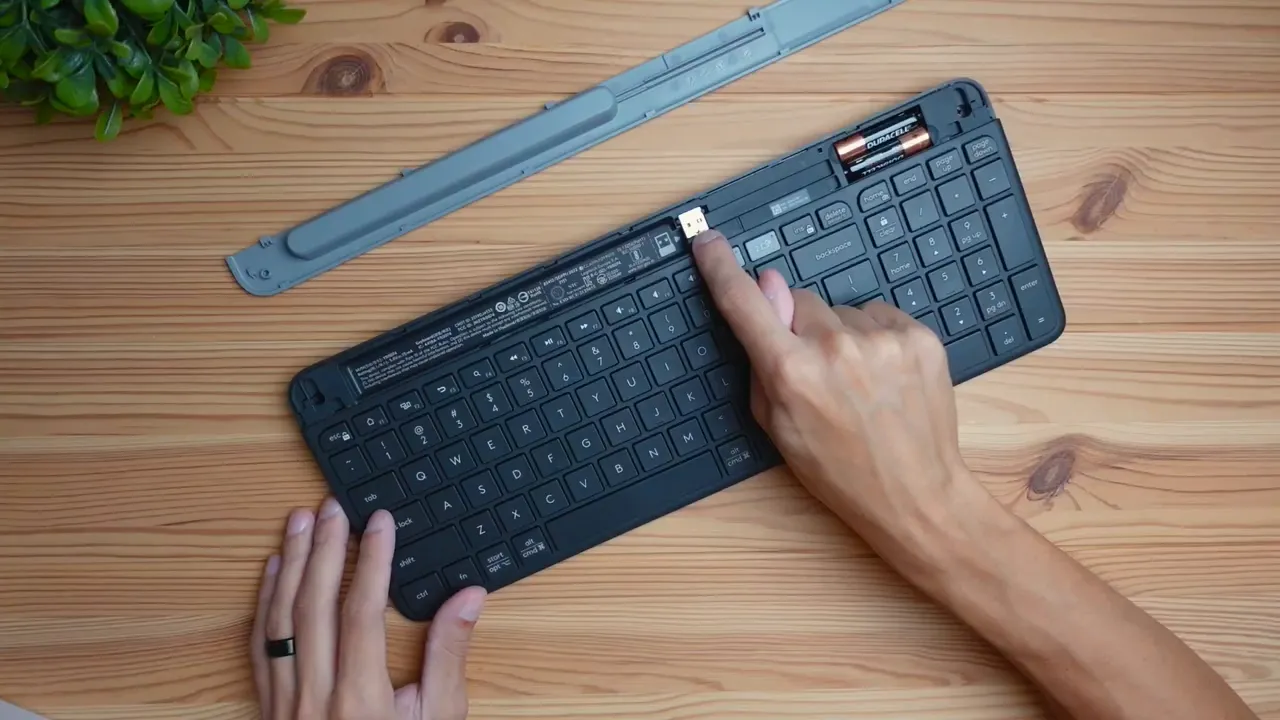
Out of the box you get the keyboard itself, a small compartment in the keyboard that holds the USB receiver, two AA batteries, and a removable gray insert that becomes the phone mount. The compartment is cleverly hidden behind a slide-open tab. That simple design keeps the receiver safe when you travel and gives you everything needed to start typing right away.
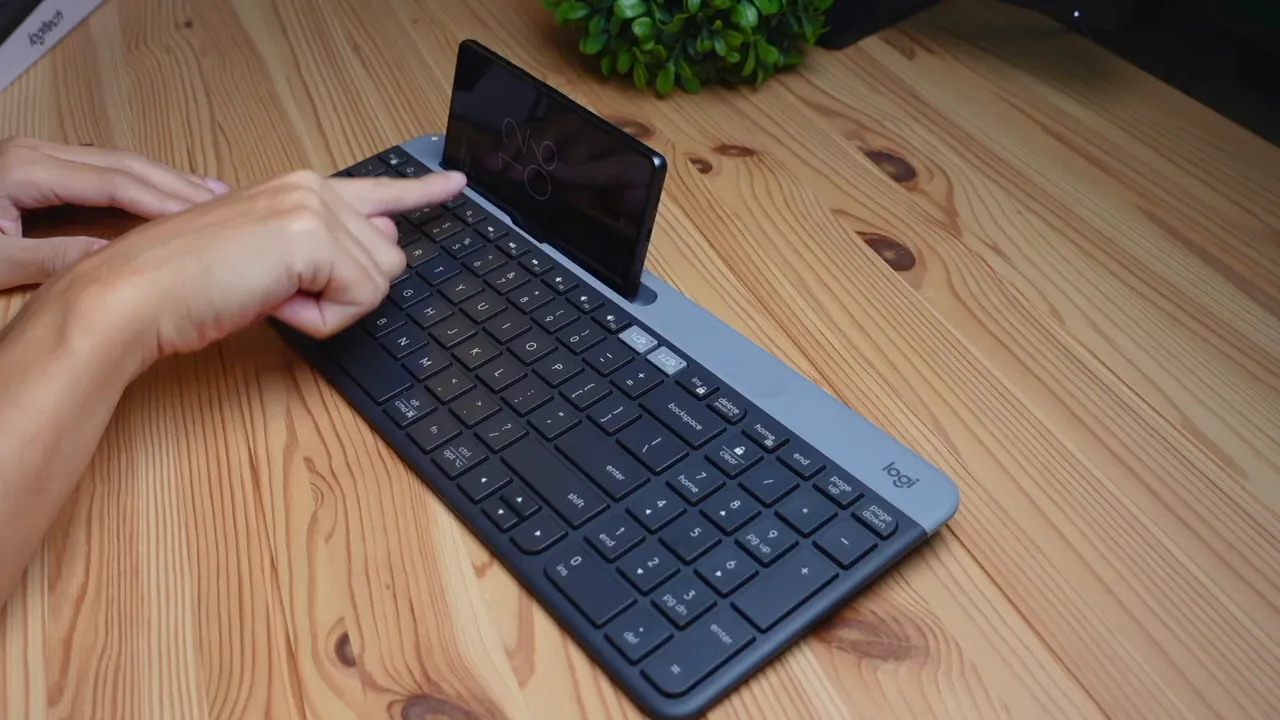
The built-in phone mount is one of the K585's standout convenience features. The gray insert plugs into the keyboard and lets you prop a phone either landscape or portrait. I tested with a Pixel 7 (a mid-to-large phone) and there was room to fit two full-size phones. If you frequently reference messages or use your phone for second-screen tasks while typing, having the mount integrated into the keyboard saves you from buying a separate stand.
Design, colors, and materials
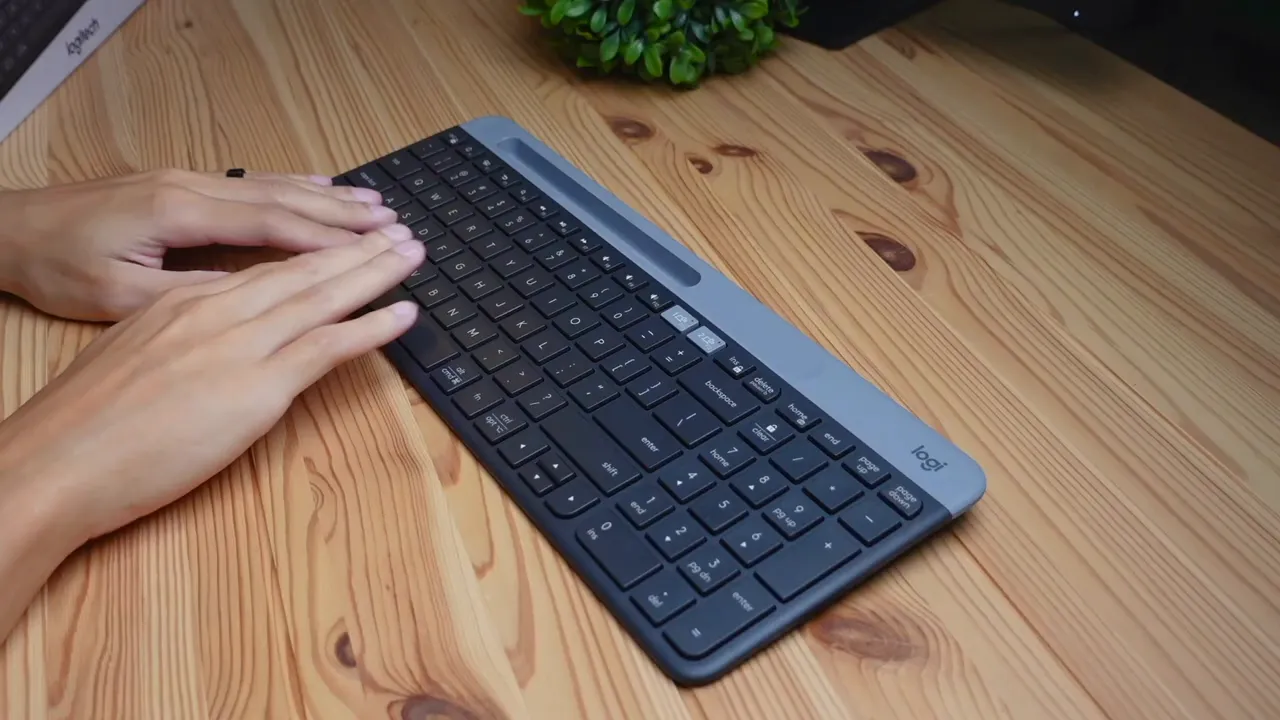
The K585 is a full size keyboard with a number pad, yet it keeps a slim profile that looks modern on a desk. Logitech offers it in several finishes including graphite (the unit I reviewed), an off-white, and a rose color. The entire keyboard is plastic, and while there is a little flex if you press on the surface, in normal typing position it feels secure and not cheap. The slim side profile gives it a contemporary design language that will blend into most setups.
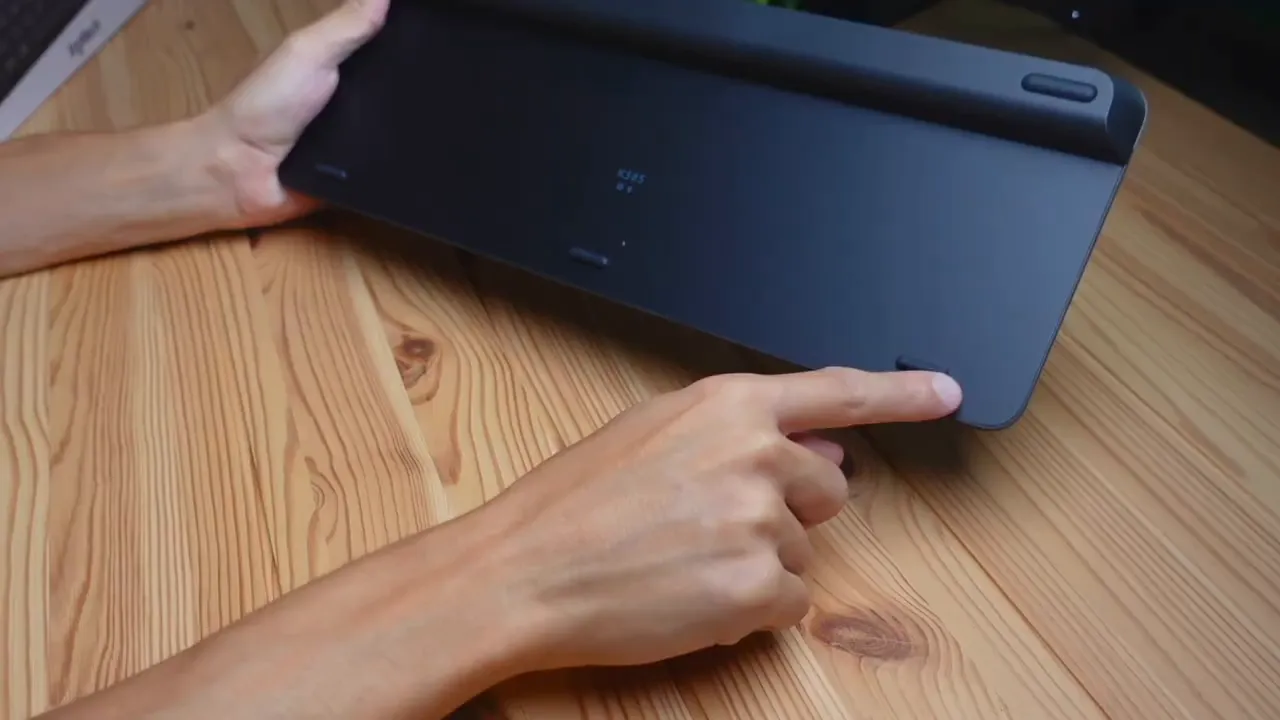
Flip the keyboard over and you get a small angled hump to provide a slightly elevated, ergonomic tilt. There are rubberized feet to reduce slippage on the desk. I did not find official information about spill resistance, so treat it like most budget/consumer keyboards: avoid liquids near the work area.
Keycaps and typing feel
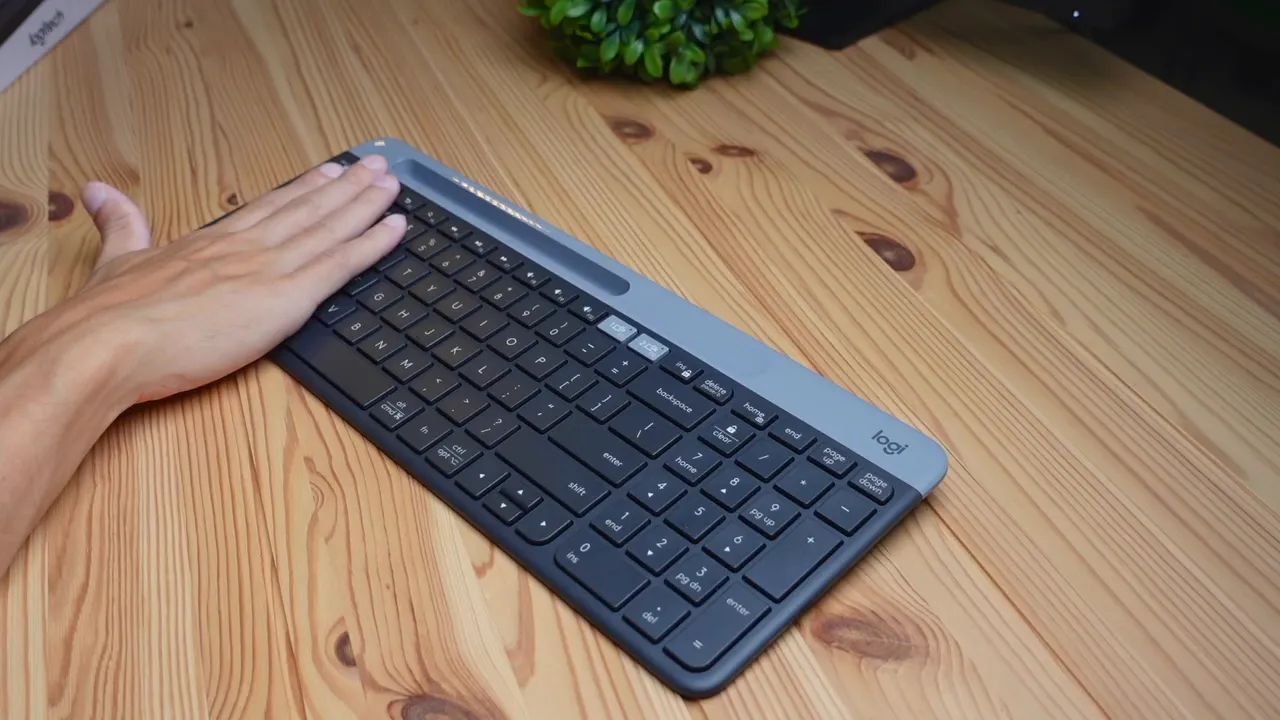
The K585 uses membrane switches and flat, squared-off keycaps. That means the caps are mostly flat across the top instead of having contoured or scooped centers. Some users prefer flat keys for a modern feel, while others like the tactile guidance of a concave key. For comparison I showed a mechanical Logitech keycap that has a small curve versus the flat profile of the K585.

On the sound and feel side this keyboard is ultra quiet. The membrane switches produce little to no click — no loud clack or mechanical snap — which makes it excellent for open offices, shared workspaces, or quiet rooms. The typing is soft and muted; if you want loud, tactile feedback, this is not the keyboard for that. But if silence and unobtrusiveness are priorities, the K585 excels.
Multimedia controls and productivity features
One thing I really like is that the K585 packs dedicated multimedia buttons: play/pause, next, mute, and volume controls. These are right where your fingers naturally land and make controlling audio or video quick without touching the mouse. More importantly for productivity are the Easy-Switch multi-device buttons. The keyboard can pair with up to three devices and you toggle between them by pressing a dedicated button. That is a huge time-saver compared to reaching for the mouse to switch active windows on different devices.
If you work across a laptop, tablet, and phone, being able to press a hardware button to jump between them is arguably the K585's best productivity feature. It keeps the flow going and reduces micromanagement of Bluetooth connections and window focus.
Connectivity: Bluetooth and USB receiver
Connecting the K585 is straightforward. Turn the keyboard on via the switch on the back (red for off, green for on), then pair via Bluetooth from your host device's Bluetooth settings. The keyboard will generate a number to type and confirm the pairing, just like many Bluetooth keyboards do. If you prefer a direct receiver connection, the tiny USB dongle stored in the keyboard can be plugged into a computer for a more stable link. So you get both wireless options: Bluetooth for flexibility, and the receiver for plug-and-play reliability.
Layout modes and switching between Windows, Mac, and mobile
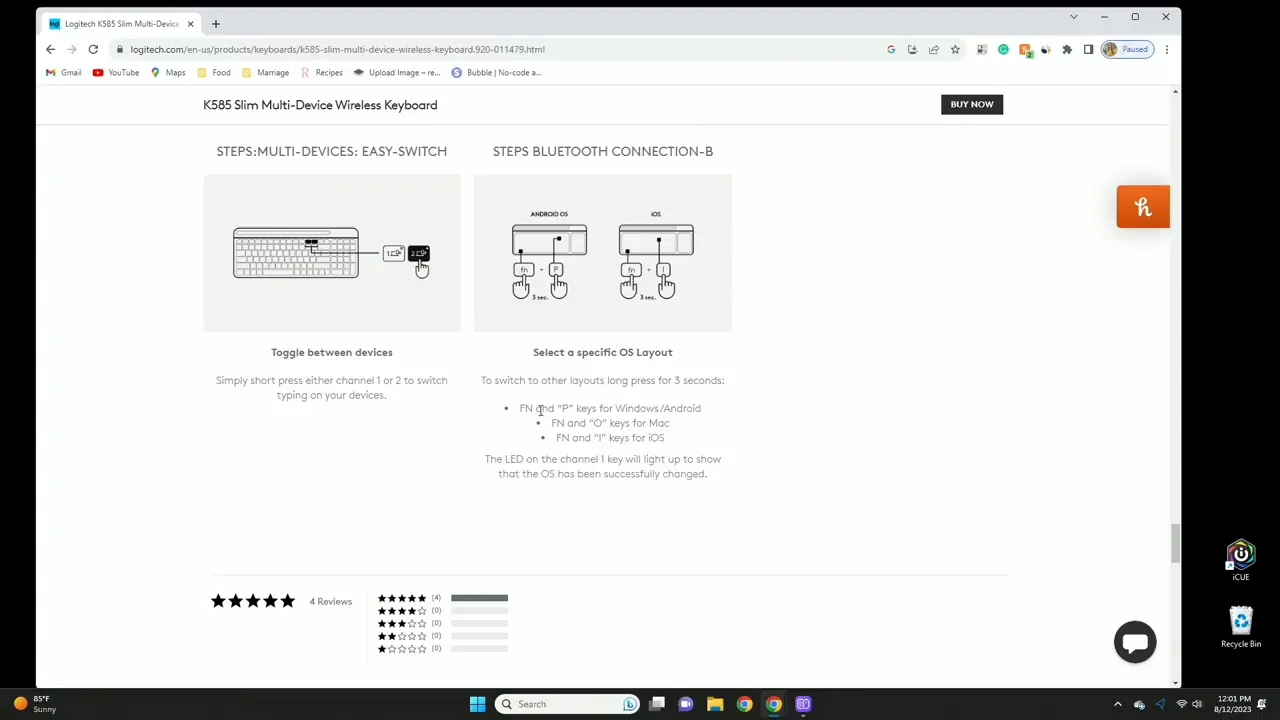
The K585 supports three layout modes: Windows/Android (default), Mac, and Mobile. You can toggle these directly from the keyboard:
- Hold Function + P for three seconds to switch to Windows/Android mode (default).
- Hold Function + O for three seconds to switch to Mac layout.
- Hold Function + I for three seconds for Mobile mode.
If you would rather not memorize shortcuts, Logitech's Logi Options Plus software provides an easy way to change layout and other settings from the desktop. More on that in the next section.
Customization with Logi Options Plus
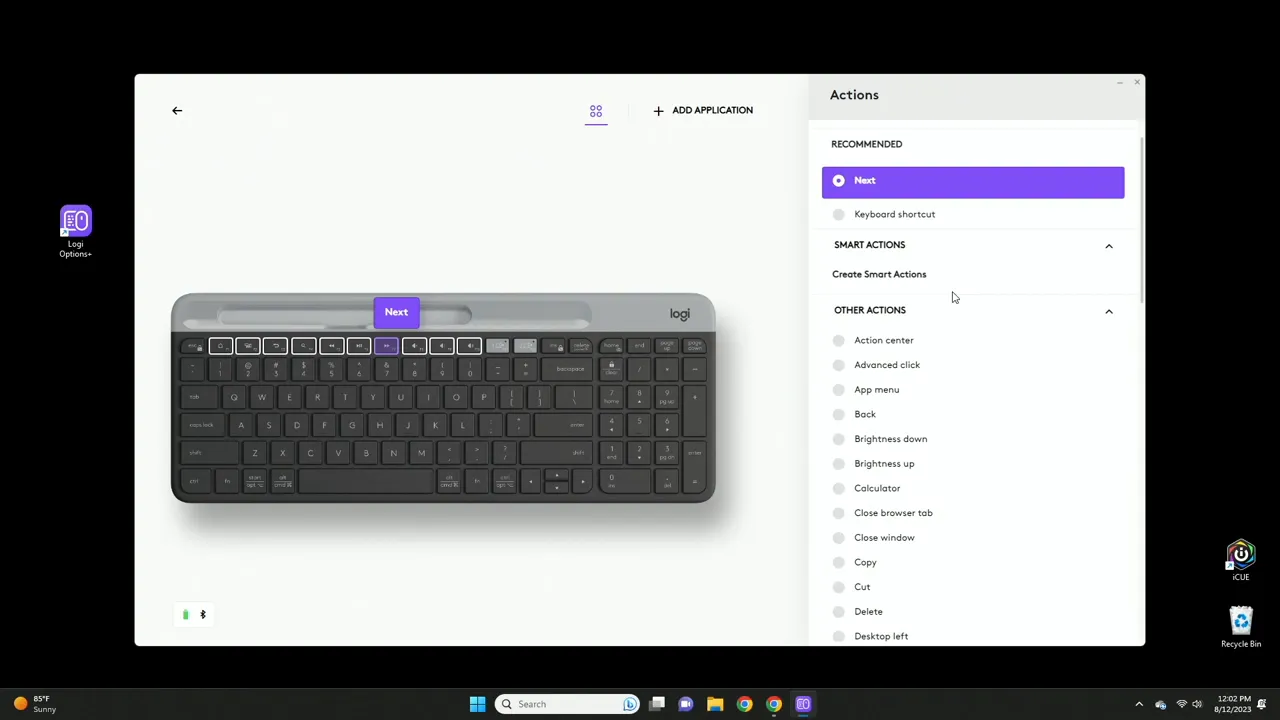
Logi Options Plus opens up useful customization. You can remap the multimedia keys, create application-specific profiles, and set whether the F-keys behave as standard function keys or require holding Function. The software also supports storing profiles to the cloud if you create a Logitech account, which is handy if you travel and use the keyboard on multiple machines. Easy-Switch can also be controlled from the desktop with the software so you can click to change the active device instead of using the keyboard shortcut.
Battery life and power management
One of the K585's headline specs is battery life: up to 24 months on two AA batteries under typical use. That kind of longevity means you are unlikely to be changing batteries frequently. The keyboard ships with batteries in the compartment, so you get started immediately. Combined with the low-power nature of the membrane switches and efficient wireless, battery life is one of the strong selling points of this model.
Pros and cons at a glance
- Pros
- Ultra quiet typing — great for shared spaces.
- Built-in phone stand eliminates need for a separate dock.
- Multi-device easy-switch buttons and both Bluetooth and USB receiver connectivity.
- Long battery life — up to 24 months.
- Compact, slim full size layout with numpad.
- Cons
- Plastic build with slight flex — not as premium as metal-framed keyboards.
- Flat keycaps may not suit everyone; some users prefer concave, tactile caps.
- No confirmed spill resistance — keep liquids away.
- Membrane switches lack the tactile feedback of mechanical switches.
Who should buy the Logitech K585?
The K585 is ideal if you prioritize silent typing, need to switch between devices frequently, and like the convenience of a built-in phone stand. Writers, remote workers, content creators who reference a phone while typing, and anyone working in shared or quiet environments will appreciate the quiet membrane action and compact full size layout.
If you are a heavy gamer seeking fast mechanical actuation or someone who wants a premium metal build, this keyboard is not targeted at those use cases. It is optimized for productivity and portability rather than mechanical feel or extreme durability.
Final thoughts
The Logitech K585 is a practical, well thought out keyboard that blends form and function. It solves everyday workflow problems: it reduces noise, keeps your phone visible, simplifies switching between devices, and lasts a long time on a set of batteries. For the price and feature set, it is an excellent choice for productivity-focused users who want a low-maintenance, quiet keyboard that works across phones, tablets, and computers.
Frequently asked questions
Does the Logitech K585 come with a USB receiver and batteries?
Yes. The K585 includes a tiny USB receiver stored in the keyboard compartment and ships with two AA batteries so you can start using it immediately.
Can the K585 connect to multiple devices at once?
The keyboard can pair with up to three devices and you can switch between them using the dedicated easy-switch buttons. You can also switch using the Logi Options Plus software on the desktop.
Is the K585 good for quiet environments?
Absolutely. The membrane switches are very quiet with minimal audible click or clack, making it ideal for offices and shared spaces.
Does the keyboard support Mac layout?
Yes. You can switch between Windows/Android, Mac, and Mobile layouts using keyboard shortcuts or via Logi Options Plus software.
Is the keyboard spill resistant?
There is no official claim of spill resistance for the K585, so it is best to avoid liquids near the keyboard.
How long does the battery last?
Logitech rates the K585 for up to 24 months of battery life under typical usage, making it very low maintenance when it comes to power.
Are the keys contoured or flat?
The K585 has flat, squared-off keycaps rather than contoured or concave caps. Some users prefer this modern flat profile while others prefer scooped keys for finger guidance.


