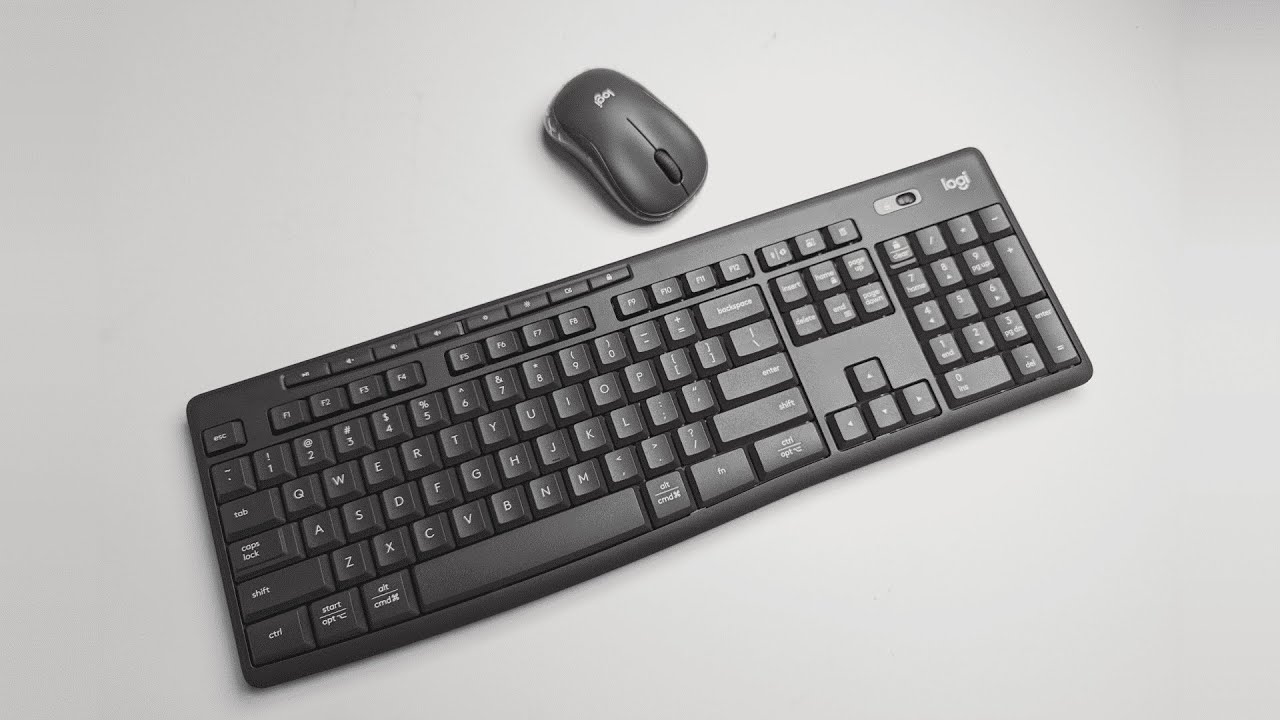
At about forty dollars for both a full-size keyboard and a compact mouse, the Logitech MK370 is aimed squarely at budget-conscious professionals who need a quiet, no-frills setup for day-to-day work. It combines a low-profile aesthetic, a surprisingly comprehensive top-row of media and shortcut keys, and a focus on silence with Logitech's silent touch design. If you want a practical, unobtrusive desktop pair for an office or home workspace, the MK370 is worth a close look.
Table of Contents
- What’s in the box and initial impressions
- Design, build, and ergonomics
- Quiet typing and silent clicks
- Productivity features and shortcuts
- Connectivity, software, and practical details
- Who this combo is best for
- Quick verdict
- FAQs
What’s in the box and initial impressions
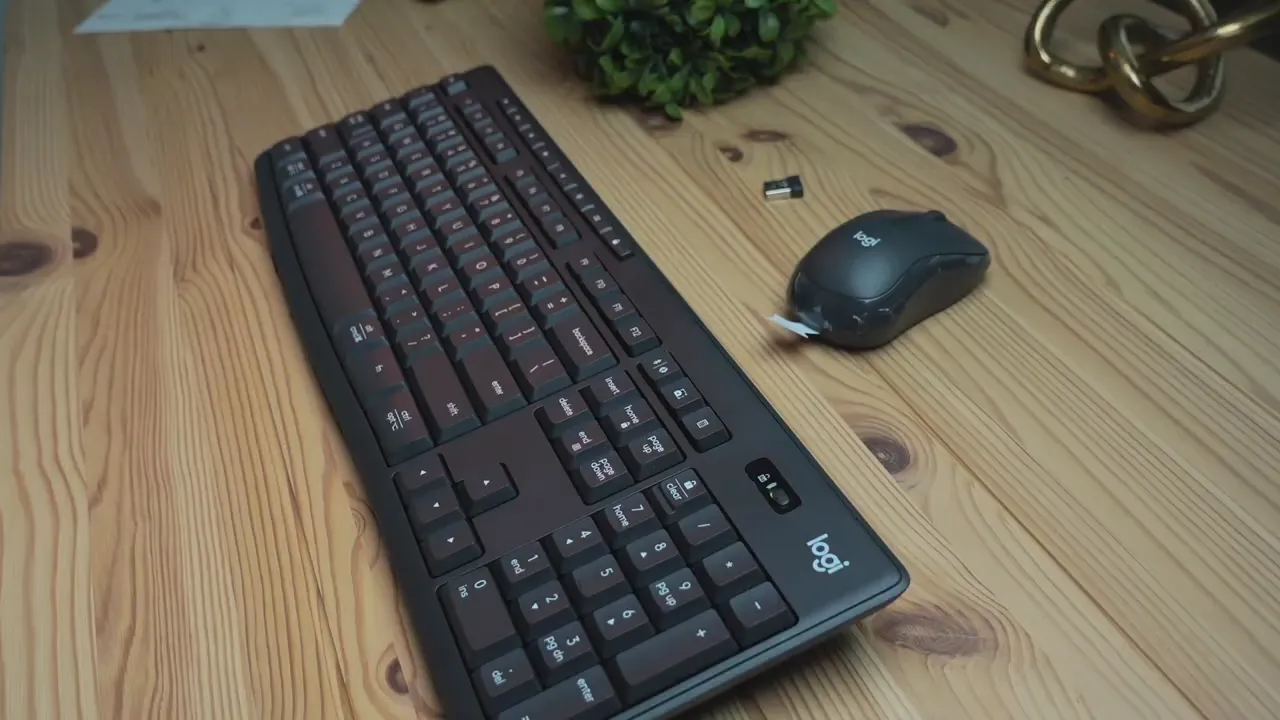
Unpacking the MK370 feels straightforward: keyboard, mouse, and a tiny USB receiver. The receiver is easy to miss when opening the packaging, so check every compartment before you toss the box. The mouse is compact and intentionally simple. It is small enough to be described as a "cute tiny mouse" while still being comfortable for everyday clicking.

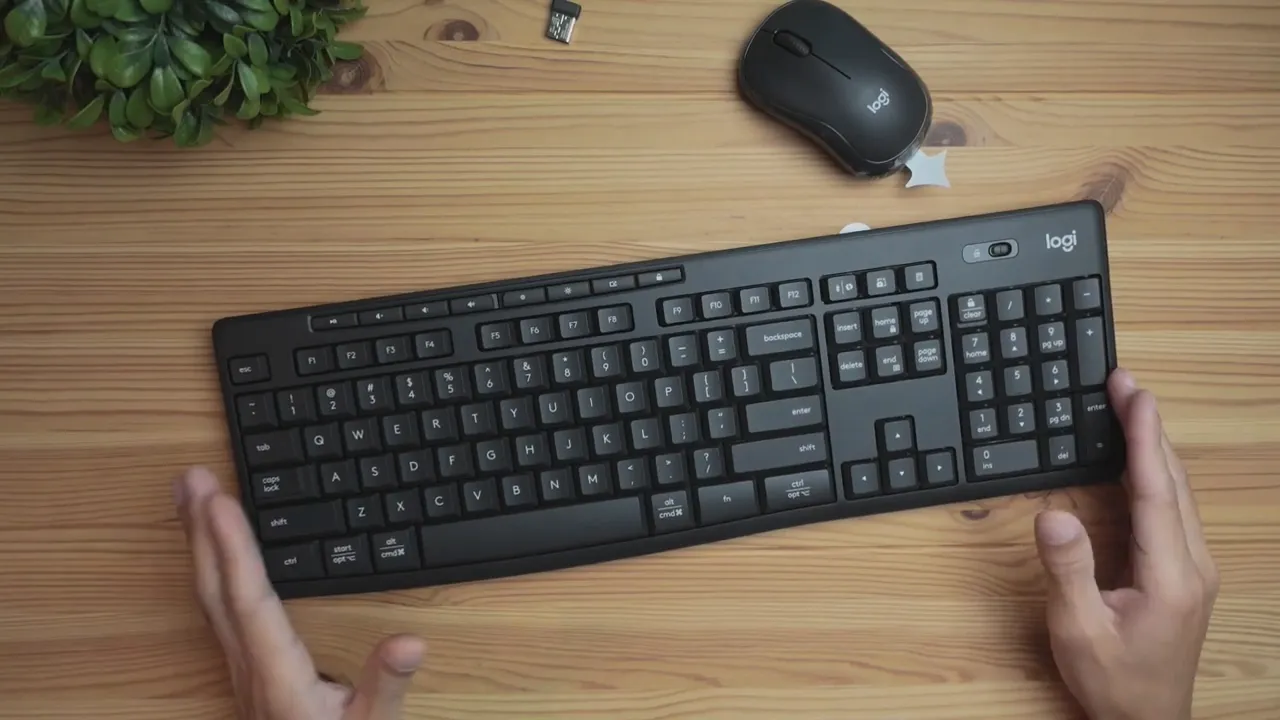
The keyboard arrives as a full-size layout, meaning you get the number pad, arrow keys, and the familiar typing area. The build leans inexpensive: the chassis is flexible and can bend if you grip it. That said, the price point—two devices for forty dollars—sets reasonable expectations. For many office users the trade-off between rigidity and cost will be acceptable.
Design, build, and ergonomics
Visually, the MK370 opts for a muted, corporate-friendly look. The keys sit low for a sleek profile, and the keyboard is slim enough to fit into a variety of desk setups without calling attention to itself.
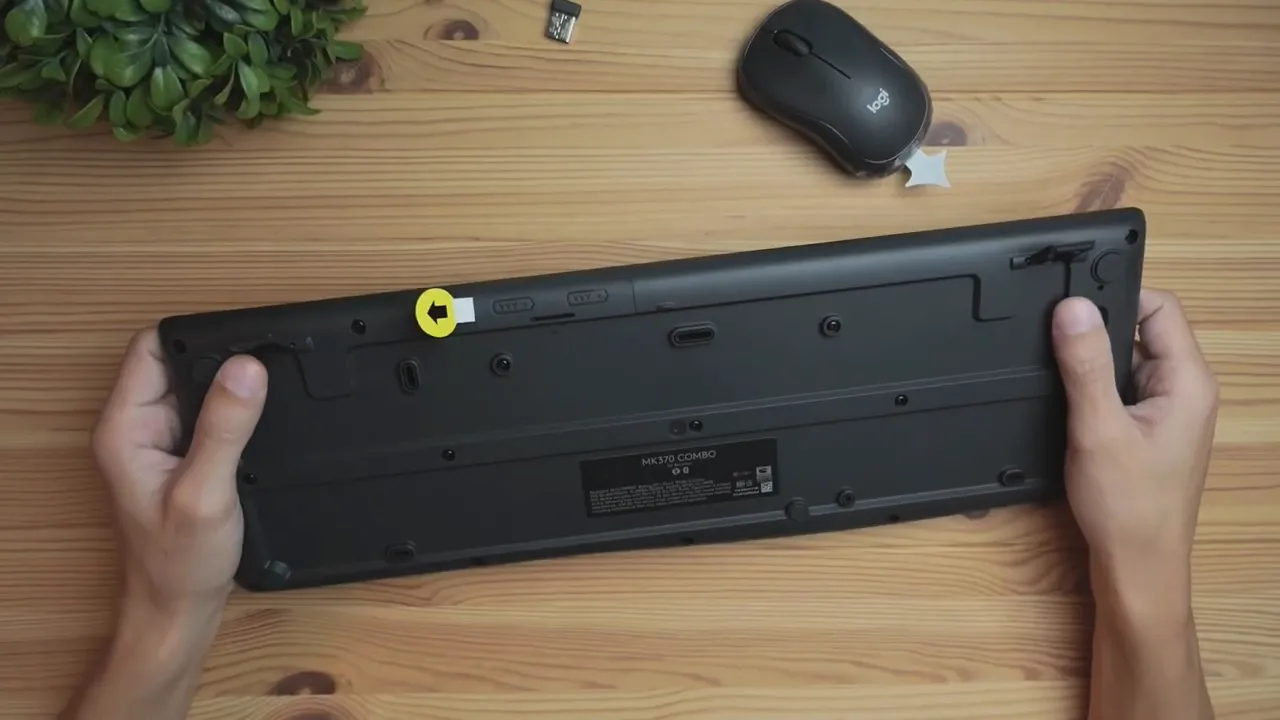
On the underside you’ll find adjustable tilt legs that add roughly a half inch to a bit over an inch of elevation. That small lift makes a noticeable difference in wrist comfort during typing sessions. For people who prefer a slightly angled board versus a flat one, those legs are a simple but welcome ergonomic touch.
Quiet typing and silent clicks
One of the MK370’s strongest selling points is how quiet it is. Both keyboard and mouse are engineered for minimal noise. Typing produces a low acoustic footprint, and mouse clicks are muted—ideal for shared office spaces, conference rooms, or late-night work sessions where you do not want to disturb others.
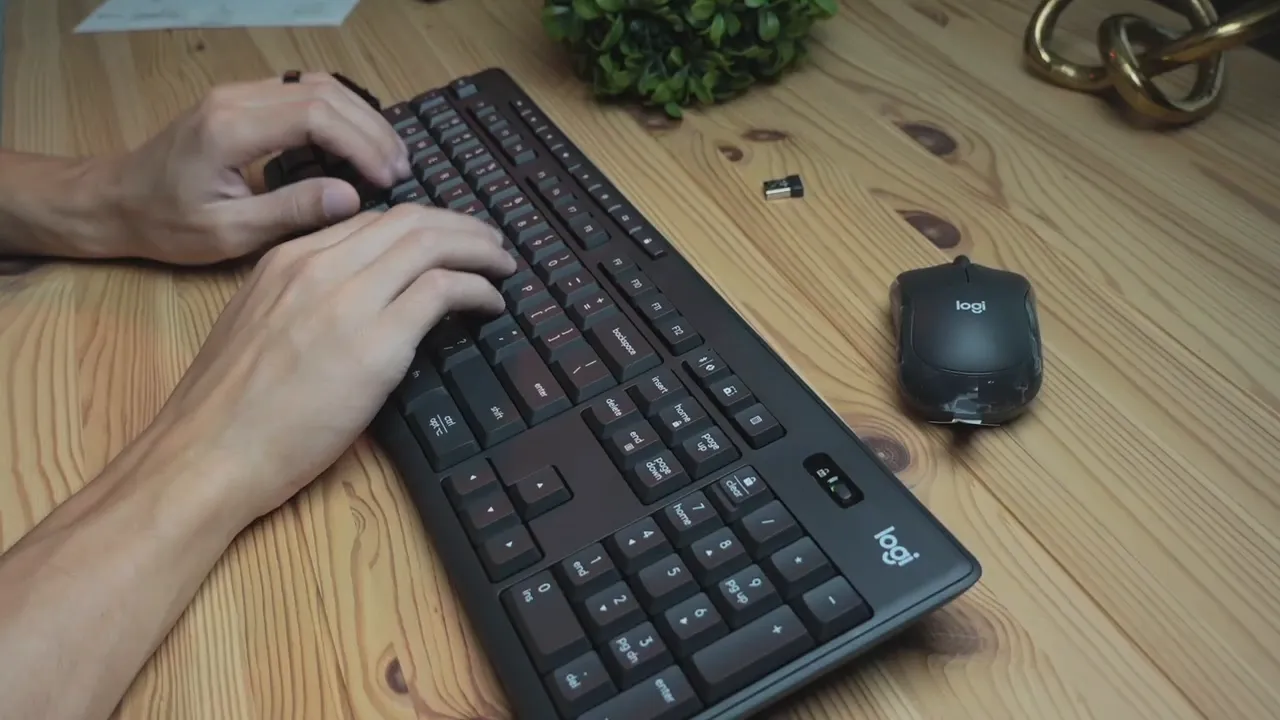
If silence is a priority, the MK370 delivers. The silent touch design helps reduce audible key noise while preserving the feel of a membrane keyboard. Expect a softer, less tactile response than mechanical switches, but a much more discreet typing experience.
Productivity features and shortcuts
The MK370 packs an impressive array of top-row keys that go beyond basic media control. These extra keys are convenient for navigating common tasks without reaching for the mouse or memorizing keyboard shortcuts.
- Play/Pause, Volume up/down
- Brightness controls
- Browser open and new tab keys
- Lock key
- Screenshot and calculator shortcuts
- Bluetooth connection key for pairing
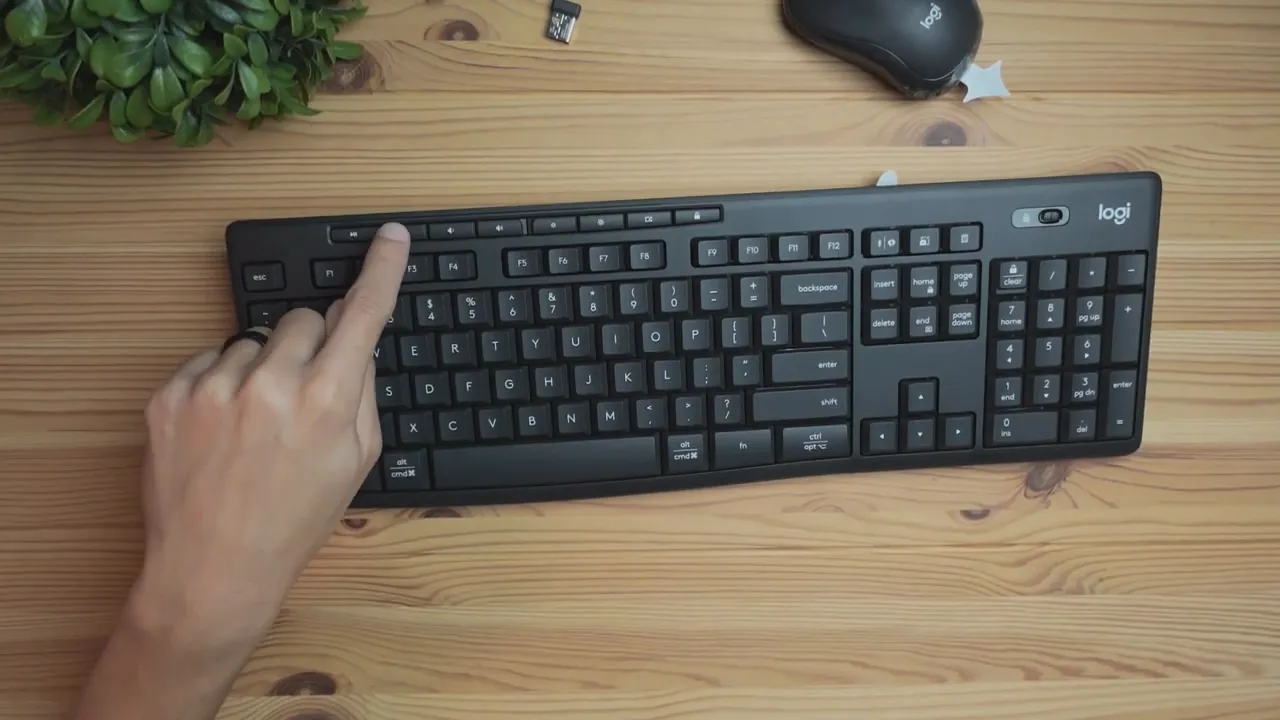
These keys give the keyboard a productivity edge for administrative tasks, research, and the kind of multitasking common in business environments. A dedicated power switch on the right-hand side toggles the keyboard on and off to conserve battery life when not in use.
Connectivity, software, and practical details
The MK370 uses Logitech Bolt technology and integrates with Logitech Options software for advanced configuration. On the box you’ll also see claims like spill resistant and easy setup—setup is simply plugging the USB receiver into a computer. Basic functionality works out of the box; Options unlocks additional shortcut customization if needed.
Because the wireless receiver is small, consider storing it in a dedicated compartment or using a USB extender to keep it safe. That tiny dongle is easy to misplace if it is simply left loose in a drawer.
Who this combo is best for
The MK370 is an attractive choice for:
- Office or corporate workers who prioritize quiet and efficiency over gaming performance
- Home office setups that need a full-size keyboard and a compact mouse without stretching the budget
- Shared environments where a low-noise typing experience is required
It is less well suited for heavy typists who prefer the feedback of mechanical switches or gamers who demand high polling rates and programmable macros. The construction is intentionally economical, so expect flexibility in the chassis and a straightforward, membrane-style key feel.
Quick verdict
The Logitech MK370 combo offers clear advantages for its price: strong silence, a full-size layout with lots of shortcut keys, and a compact mouse that does what it needs to do—without distractions. It is not a premium build, but it is a sensible, practical option for business environments and home offices where cost and quiet matter most.
- Pros: Extremely quiet, full-size keyboard, many media and shortcut keys, spill resistant, easy setup
- Cons: Lightweight, bendable chassis, not aimed at gamers or heavy typists, small dongle easy to misplace
FAQs
Does the MK370 require special drivers to work?
Basic functionality works immediately via the USB receiver without installing drivers. To customize keys and access advanced features, install Logitech Options or use Logi Bolt where supported.
Is the keyboard good for quiet office environments?
Yes. The keyboard and mouse are designed with silent touch technology, making both typing and clicking much quieter than typical membrane sets.
Will the keyboard survive accidental spills?
The keyboard is labeled as spill resistant, which offers some protection against minor accidents. It is not fully waterproof, so avoid heavy exposure to liquids.
Is the wireless receiver easy to lose?
The USB receiver is very small and can be easy to misplace if not stored carefully. Consider keeping it in a specific pocket or using a USB hub with a dedicated slot to protect it.
Who should consider this combo and who should not?
Consider the MK370 if you need an affordable, quiet, full-size keyboard and a compact mouse for typical office tasks. Avoid it if you need a rigid, premium-feeling keyboard for heavy typing or a mouse built for gaming responsiveness.


