When two mice cost the same, the real question is not which one looks newer or which brand has more hype. It is which one actually makes daily work better. That is exactly the situation here with the Logitech MX Master 3 and the Razer Pro Click. Both sit at the same $99 price point, both aim at productivity, and both offer more than a basic office mouse.
But they are coming from very different worlds.
Logitech has been doing productivity mice for a long time. The MX Master line is already a favorite for people who spend hours editing, designing, browsing, or managing a million tabs at once. Razer, on the other hand, is known much more for gaming gear. So the Pro Click is Razer stepping into a lane that Logitech already knows very well.
After comparing them side by side, the differences become pretty clear. Some are minor. Some matter a lot more than you would think. If you are deciding between these two, there are four big areas that really separate them: color options, build quality, ergonomics, and software features.
Table of Contents
- 1. Color options and overall look
- 2. Build quality feels very different in the hand
- 3. Ergonomics and grip are where the gap gets bigger
- 4. Software features are strong on both, but Logitech still wins
- Bonus differences that are worth knowing
- Where each mouse makes sense
- The final verdict
- FAQ
1. Color options and overall look
This is the easiest difference to spot right away.
The standard Logitech MX Master 3 comes in black, and there is also a silver version tied to the Mac model. The Razer Pro Click keeps it simple with one main look: a bright white shell with gray sides. I will give Razer credit here. The mouse looks super clean. It has a fresh, modern, almost minimalist vibe that stands out on a desk full of dark gear.
If aesthetics matter a lot, the Pro Click definitely has an appeal. It feels lighter visually and a bit more cheerful than the stealthy, all-business MX Master 3.
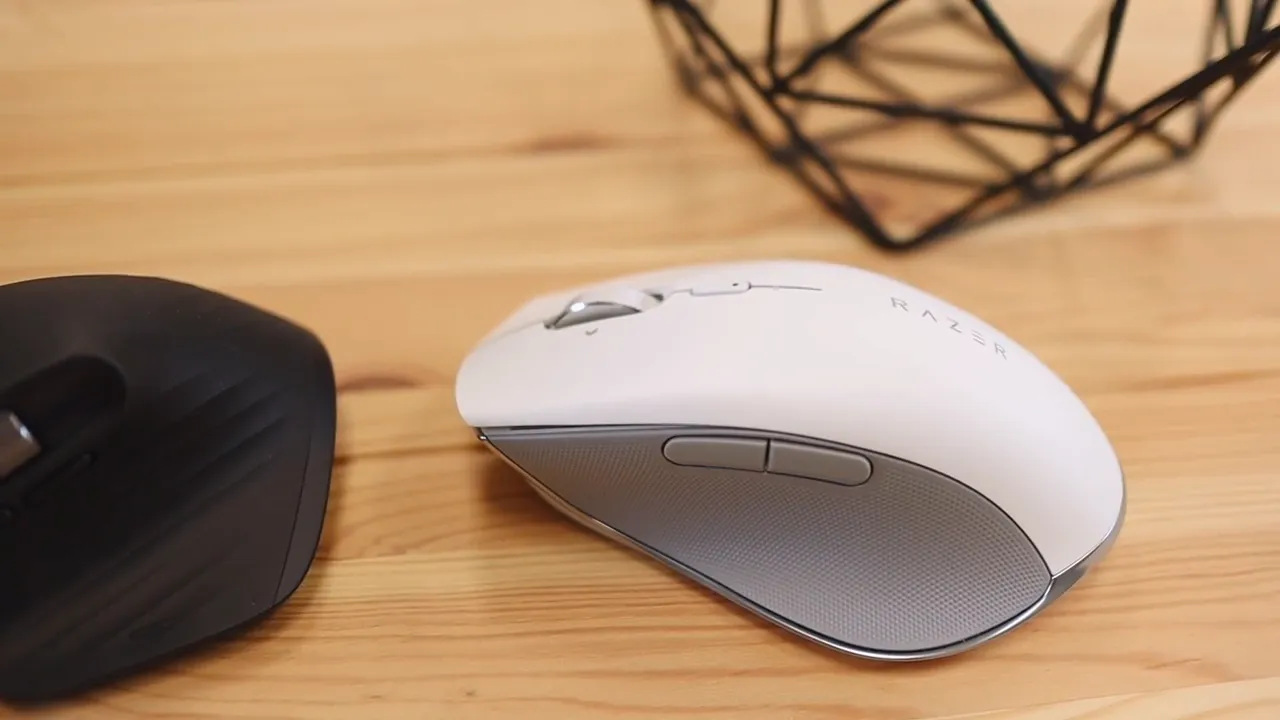
Still, this category is mostly about preference. A white mouse can look amazing, but looks alone do not make a better work tool. Once you get past the first impression, the more important differences start to show.
2. Build quality feels very different in the hand
Even though both mice are priced the same, they do not feel the same.
The MX Master 3 has more heft to it, and that extra weight actually works in its favor. It feels solid, planted, and premium. The material mix also helps. You get plastic buttons, rubberized surfaces around the center and rear, and metal scroll wheels on both the main wheel and thumb wheel. There is also a dedicated thumb gesture area that adds both function and a more complete feel.
The Razer Pro Click is lighter, and while lighter is not automatically worse, here it makes the mouse feel less substantial. The top shell is mostly smooth plastic, the scroll wheel is metal, and the sides have a rubberized grip texture. On paper that sounds close enough, but in practice the MX Master 3 simply feels better assembled and more premium.
The issue is not that the Pro Click feels bad. It does not. It just feels more fragile compared to the Logitech. When you pick them up back to back, the difference is immediate.
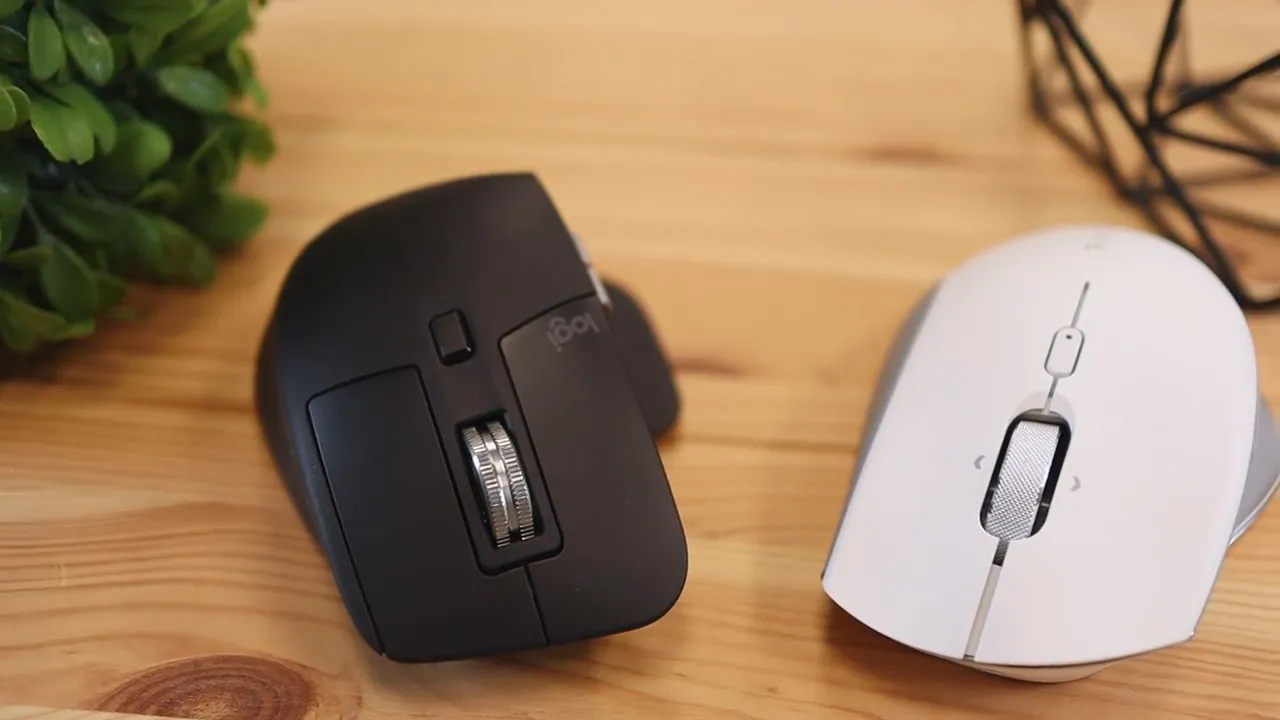
That matters more than it sounds. A productivity mouse is not something you use for ten minutes at a time. It is something you might hold for eight hours a day. If the build feels cheap, slippery, or hollow, that annoyance adds up fast.
If you want a deeper look at Logitech's customization features after the hardware side, this breakdown of the MX Master 3S and Logi Options+ is also worth checking out, since a lot of the workflow philosophy carries over.
3. Ergonomics and grip are where the gap gets bigger
This is the category that really separates these two.
The Razer Pro Click looks ergonomic, but the hand feel is not nearly as convincing. Because the top is smooth plastic and the shape is more rounded and oval-like, it can feel like your hand never truly locks in. Instead of giving your palm a secure resting point, it almost feels like your hand wants to slide backward off the mouse.
That is the best way to explain it. The mouse feels like it is trying to escape your hand.
That problem gets worse over longer sessions. Small comfort issues become much more obvious after an hour or two of real use. A surface that is a little too slippery, or a hump that does not support your palm quite right, can make the whole experience less relaxed.
The MX Master 3 does a much better job here. Its more aggressive hump gives your palm a place to sit, and the rubberized finish helps your hand stay planted. Instead of fighting for grip, you just rest your hand naturally and go. That is what you want from a productivity mouse. It should disappear into the workflow.
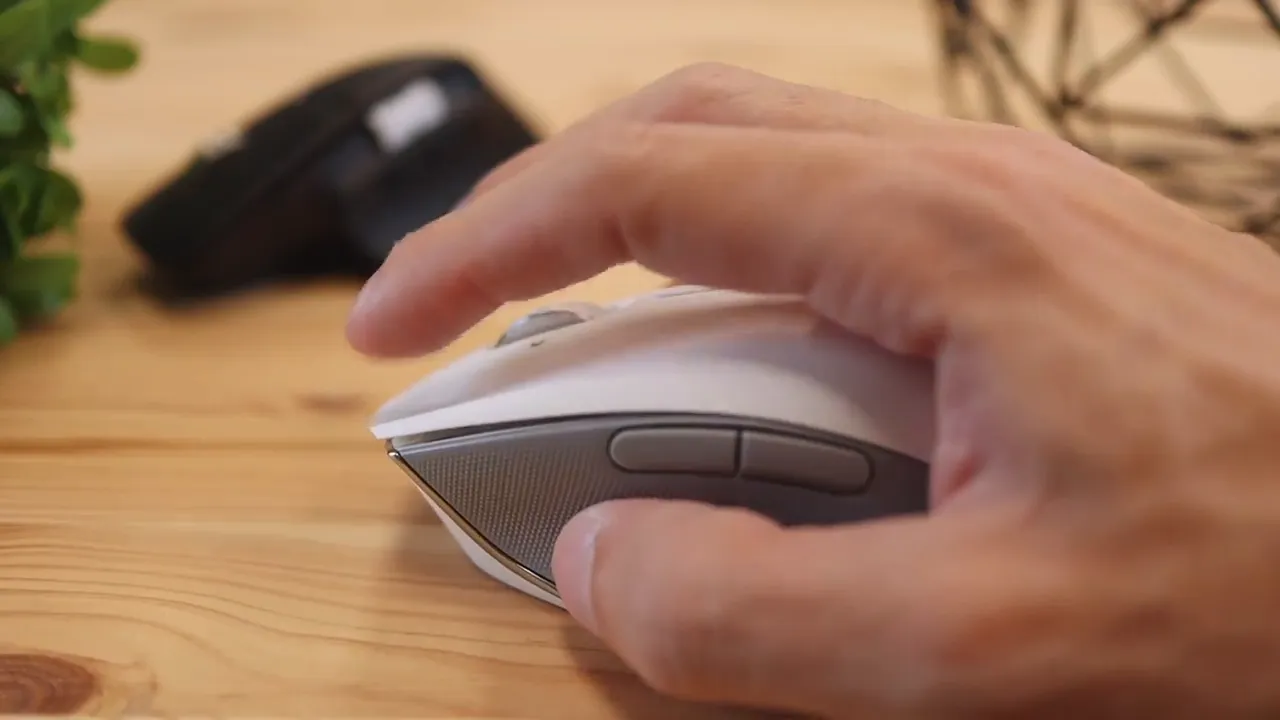
Logitech also shapes the mouse in a way that feels more intentional for long sessions. The thumb area, palm support, and tilt all work together better. That sculpted design is one of the reasons the MX Master line is so popular among power users.
If hand comfort is one of the main reasons you are upgrading from a basic mouse, the MX Master 3 is the easier recommendation.
For anyone comparing different mouse shapes in general, there are more options worth browsing in this collection of mouse reviews and comparisons, especially if comfort is the first thing you care about.
4. Software features are strong on both, but Logitech still wins
Software can completely change how useful a mouse is, especially in productivity work. A mouse with extra buttons is only as good as the actions you can map to them.
Both of these mice have advanced software that lets you customize buttons, assign shortcuts, build macros, create app-specific actions, and fine tune how the mouse behaves. That is a big plus for both.
You can set them up to open apps, trigger custom commands, run workflows inside specific software, and generally become much more than simple point-and-click devices.
But Logitech has two important advantages here.
- More programmable controls: MX Master 3 gives you 11 programmable buttons, while the Razer Pro Click gives you 8.
- Better operating system support: Logitech software works across Windows, Mac, and Linux. Razer's software support here is limited to Windows.
That second point is a big one.
You can still use the Razer Pro Click on a Mac, but you lose the software layer that makes a productivity mouse really shine. If you are switching between operating systems or use a Mac as part of your setup, that limitation hurts the value of the Pro Click pretty badly.
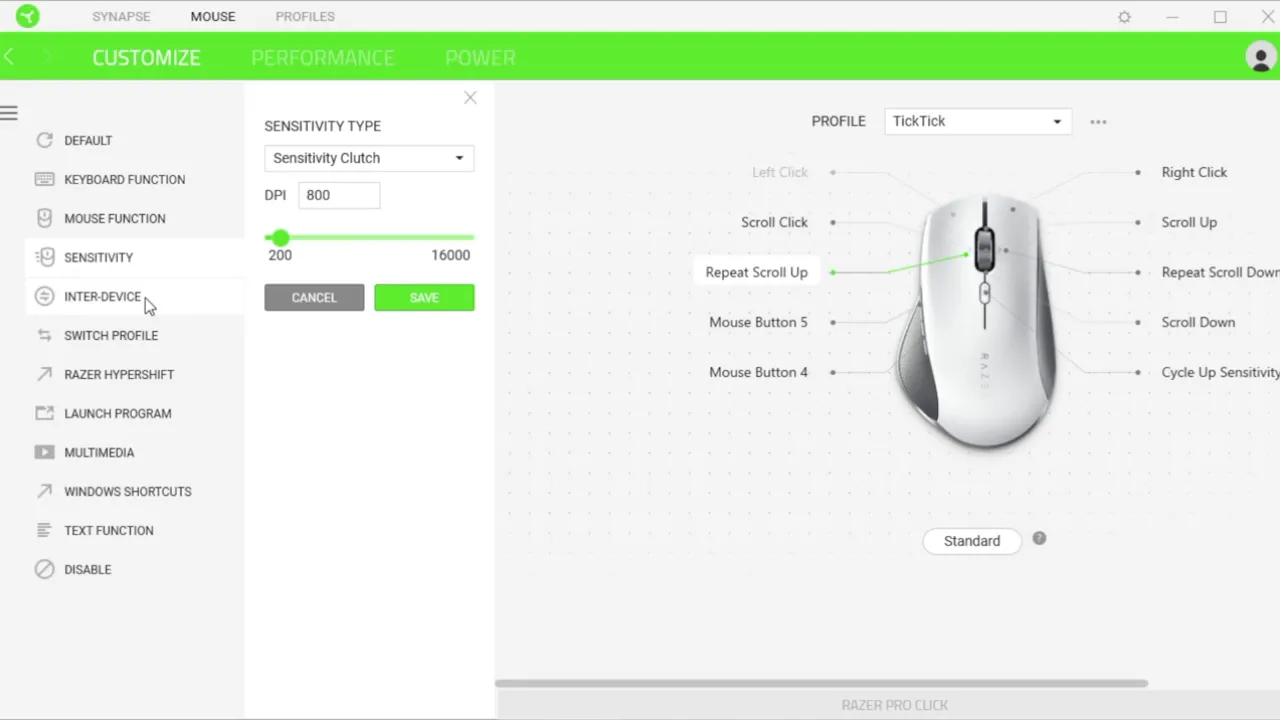
Logitech's wider software compatibility makes the MX Master 3 much easier to recommend for multi-platform users. That is especially important if you rely on one mouse across a desktop, a laptop, and maybe a second machine running a different operating system.
For background on why cross-platform workflow tools matter so much, Logitech's own Options software ecosystem and support for app profiles have helped set the standard in this category.
Bonus differences that are worth knowing
The four main categories already make the decision easier, but there are a few smaller differences that still deserve attention.
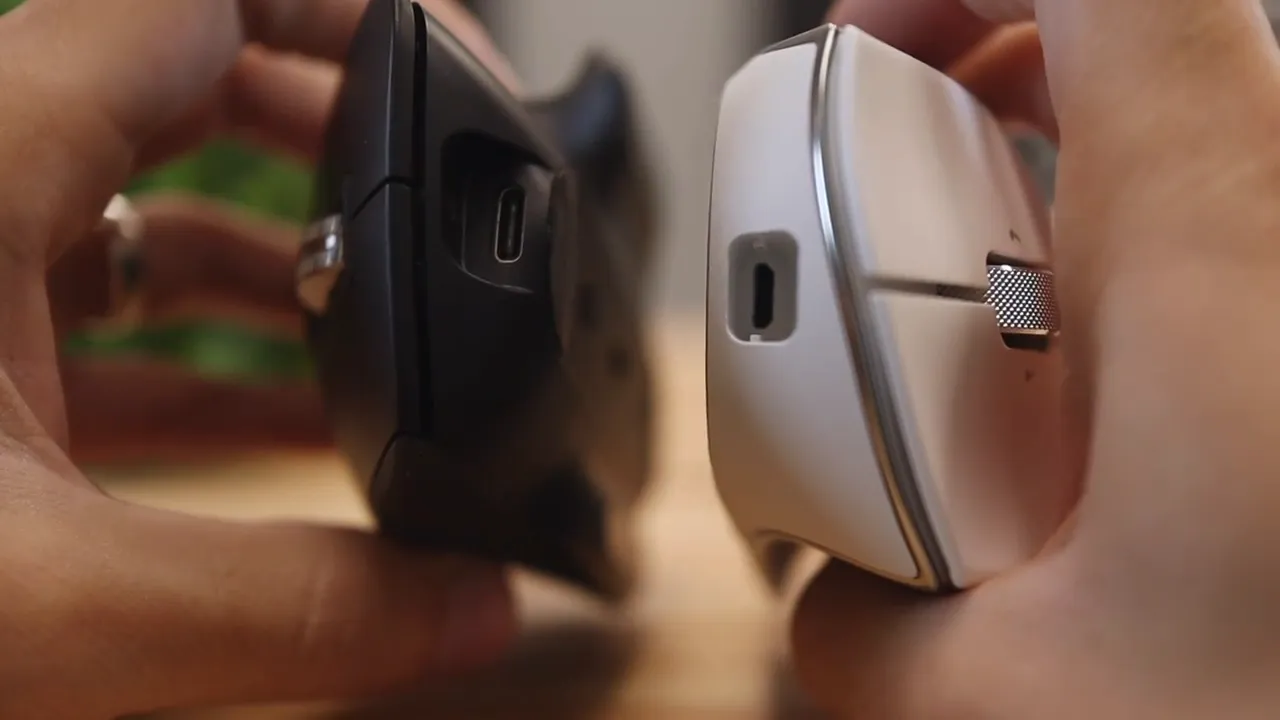
Charging connector
This one is simple, and honestly, it is a bit annoying on Razer's side.
The Logitech MX Master 3 uses USB-C. The Razer Pro Click uses micro-USB.
That is a noticeable downgrade in convenience. USB-C is easier, more current, and much more likely to match the cables already sitting on a desk. Micro-USB is not the end of the world, but it definitely feels outdated, especially on a mouse at this price.
Multi-device connectivity
Both mice support connecting to multiple devices, which is great for anyone bouncing between workstations.
The MX Master 3 can connect to up to three devices and switch between them quickly. The Razer Pro Click can connect to up to four, with three over Bluetooth and one through the included USB dongle.
So technically, Razer wins here on total device count.
If your setup regularly includes several machines, that might matter. Logitech also offers cross-computer features in the MX ecosystem that appeal to advanced users, and the company highlights that kind of workflow integration heavily in its product lineup.
Battery life
Battery life is strong on both, so this is not a category where either one becomes a deal breaker.
- Logitech MX Master 3: around 500 hours of use
- Razer Pro Click: around 400 hours of use
That is plenty either way. You are not going to be constantly charging either of these mice. Logitech has the edge on paper, but both are comfortably in the long-lasting category.
Where each mouse makes sense
Even though the Logitech wins overall, that does not mean the Razer Pro Click has no audience.
The Razer Pro Click makes sense if:
- You really prefer the cleaner white design
- You mainly use Windows
- You want multi-device support with up to four connections
- You do not mind the lighter, smoother feel
The Logitech MX Master 3 makes more sense if:
- You care about comfort during long work sessions
- You want the more premium build
- You need broad software support across Windows, Mac, and Linux
- You want more programmable controls
- You prefer USB-C charging
If you are also curious how Razer approaches mouse design from a more performance-driven angle, this review of the Razer Basilisk V3 X HyperSpeed shows how different its gaming-first design priorities can be.
The final verdict
At the same price, the Logitech MX Master 3 is the stronger buy in almost every practical scenario.
It feels better built, it is more comfortable, it supports more operating systems, it offers more programmable controls, and it uses USB-C instead of micro-USB. Those are not tiny details. Those are the exact things that shape day-to-day experience.
The Razer Pro Click is not a bad mouse. It looks nice, the software is capable on Windows, and the battery life is still excellent. But it feels like a first serious attempt at a productivity mouse from a company that is still figuring out the category.
Logitech feels more mature here. More polished. More intentional.
So if the goal is to buy one mouse and use it as a main productivity tool, the MX Master 3 is the one I would choose without hesitation.
FAQ
Is the Logitech MX Master 3 better than the Razer Pro Click for productivity?
Yes. It offers better comfort, a more premium build, more programmable controls, wider software support, and a more practical USB-C charging port.
Does the Razer Pro Click work on Mac?
It can be used on a Mac as a mouse, but its software customization features are limited because the software support is Windows-only.
Which mouse is more comfortable for long hours?
The Logitech MX Master 3 is more comfortable for longer sessions thanks to its grippier surface, stronger palm support, and more sculpted ergonomic shape.
Which mouse has more buttons?
The MX Master 3 has 11 programmable buttons, while the Razer Pro Click has 8.
Which mouse has better battery life?
The MX Master 3 has the edge with about 500 hours of use, compared to roughly 400 hours on the Razer Pro Click.
Is micro-USB on the Razer Pro Click a big drawback?
It is not a deal breaker, but it does feel outdated at this price. USB-C on the Logitech is more convenient and better aligned with modern desk setups.


