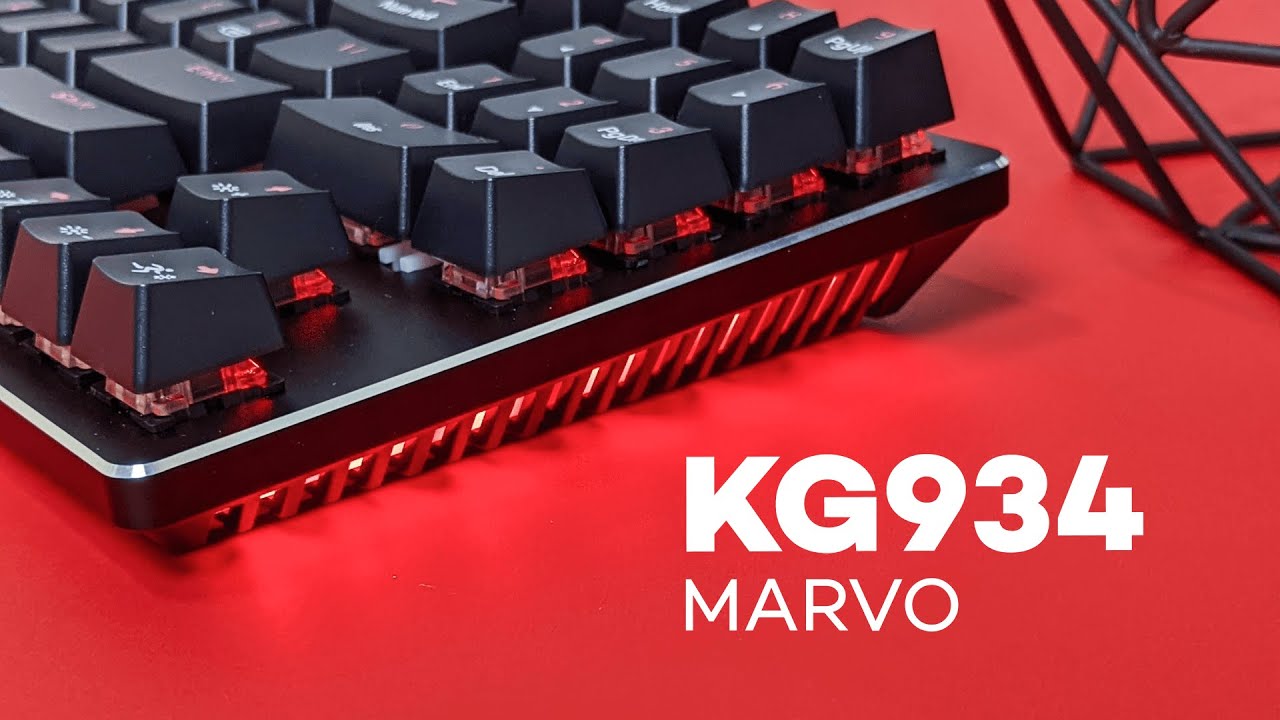
The Marvo KG934 is one of those keyboards that immediately stands out because it breaks the usual layout rules in a pretty smart way. It has a tenkeyless style footprint, but it still manages to give you a number pad.
That is the whole appeal here. Normally, if you want a numpad, you are stuck with a full-size board that takes up a lot of desk space. If you want something more compact, the numpad is usually the first thing to go. The KG934 tries to sit right in the middle, and for a lot of people, that is going to make this keyboard a genuinely interesting option.
A compact keyboard that still keeps the number pad
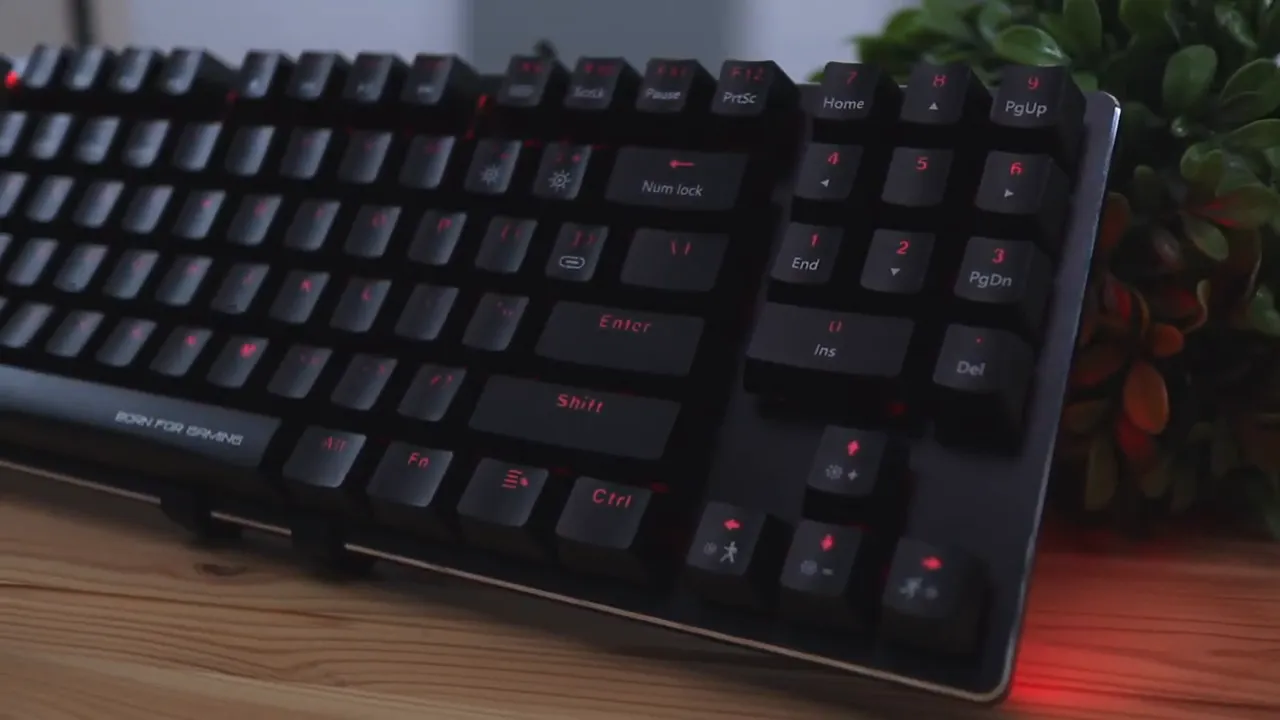
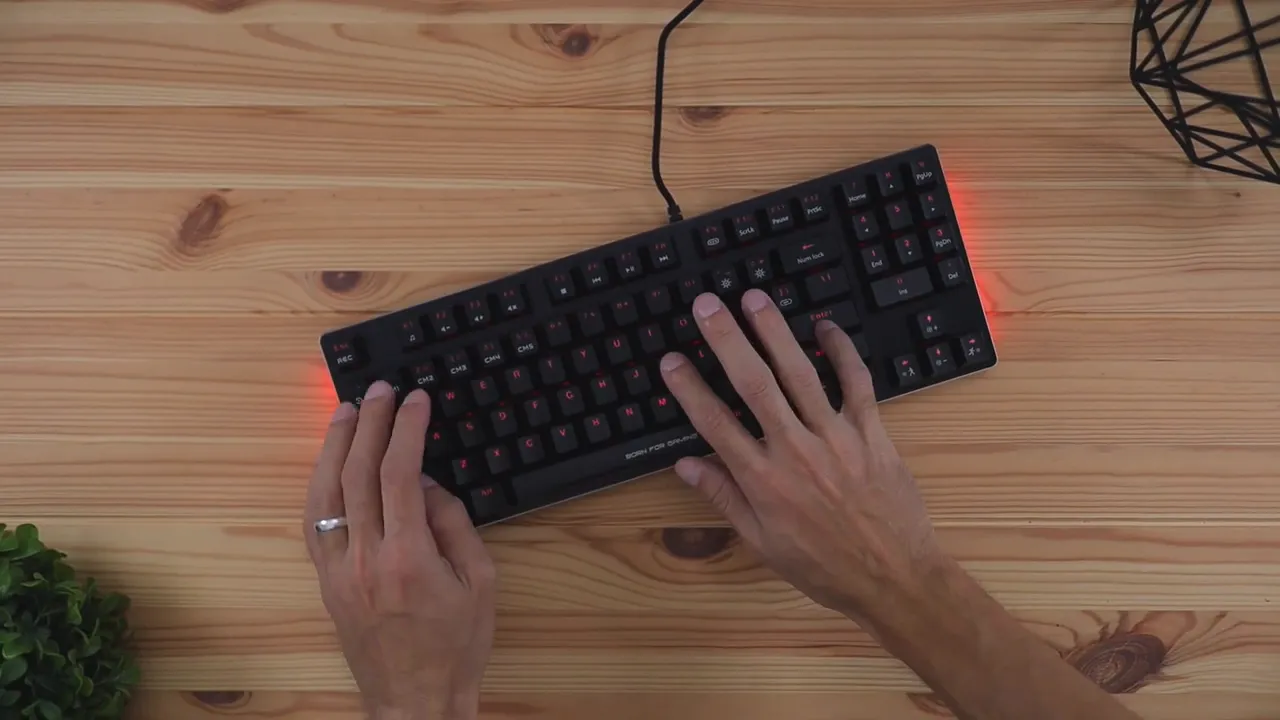
The biggest feature of the KG934 is its layout. Marvo removed the usual cluster of side keys you often see on larger keyboards, like some of the navigation keys, and used that space for a numpad instead.
So if you are someone who likes a full-size keyboard mainly because of the number pad, but you hate how wide full-size boards can feel when you are trying to use your mouse comfortably, this design makes a lot of sense.
It is a niche layout, but honestly, it is a practical one. You get a more compact setup without fully giving up number entry convenience.
What comes in the box
The package is pretty straightforward. Inside, you get:
- The Marvo KG934 keyboard
- A keycap puller
- A quick start guide
The quick start guide is actually worth keeping around. It shows how to use the keyboard’s built-in functions, especially for lighting controls and macros. That is useful because a lot of the shortcuts rely on function key combinations, and it is not the kind of thing most people are going to memorize right away.
Design and first impressions
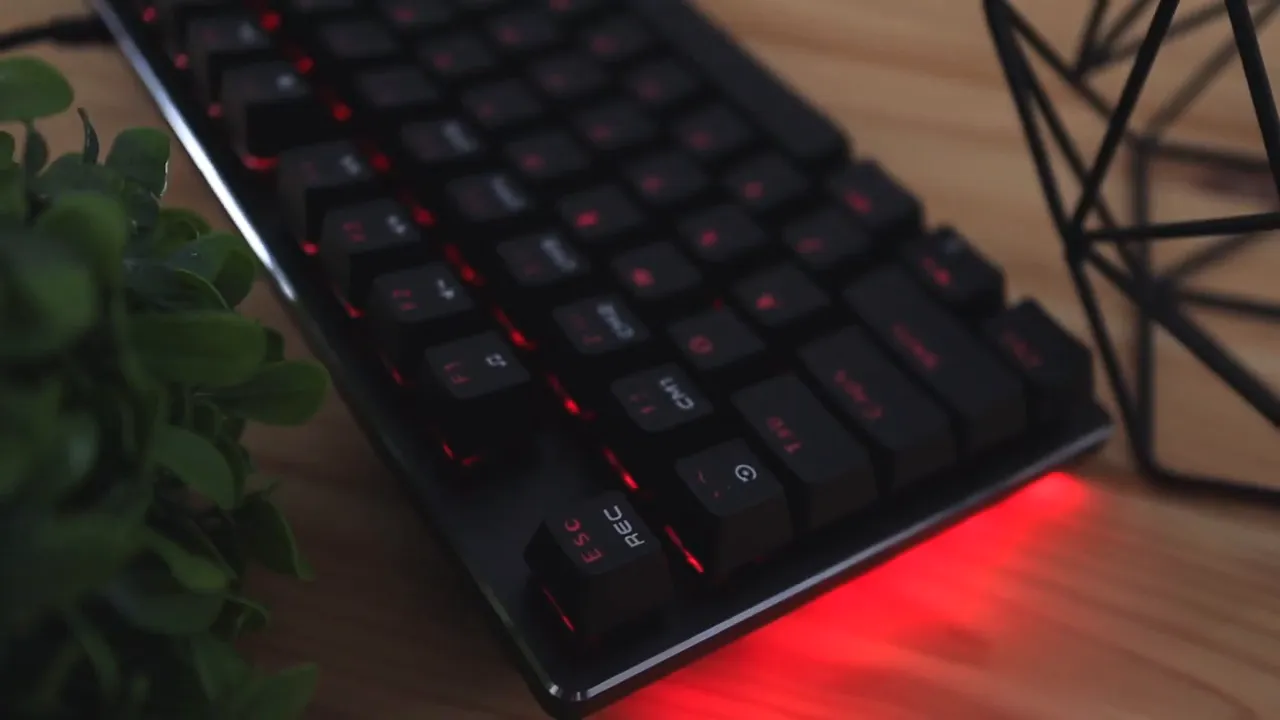
Right away, the KG934 has a more aggressive, gamer-style look than a typical mechanical keyboard. It only comes in a dark color option, so there is no white version here if that is what you usually prefer.
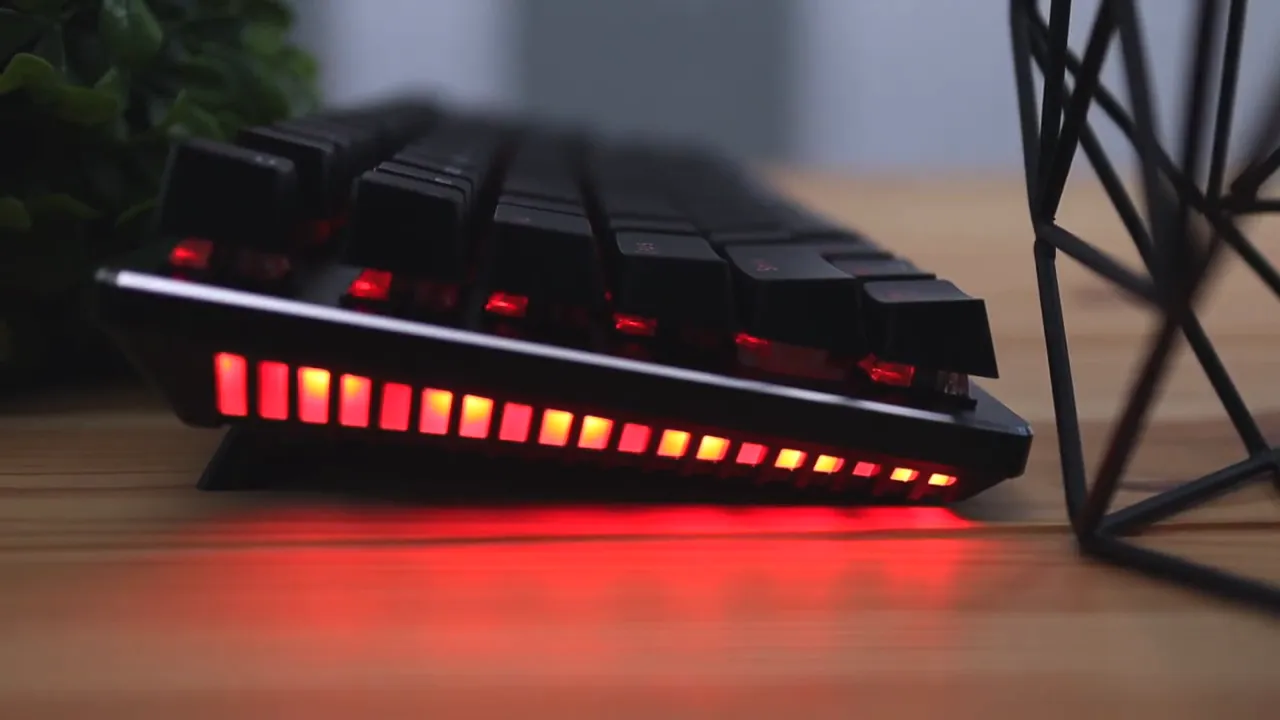
The most unique design element is the side grille. RGB light shines through that section, which gives the board a more dramatic look than keyboards that only light up under the keys. Combined with the silver metal trim wrapping around the outside, it gives off a kind of futuristic, almost Terminator-style vibe.
That does not mean it looks overdone, but it definitely is not trying to be minimalist. If you want something plain and understated, this probably is not the keyboard for you. If you like a little extra personality on your desk, this is where the KG934 starts to earn points.
Build quality and materials
Most of the keyboard is made from durable plastic. That includes the top, the underside, and the keycaps. The parts that stand out are:
- Silver outer trim, which feels metallic and cool to the touch
- A braided cable, which is 6 feet long
The cable feels good and does not come across as cheap. That matters more than people think, because a flimsy cable can make a wired keyboard feel low-end immediately. Here, that is not really an issue.
For a mid-range mechanical keyboard, the overall construction is solid. It does not pretend to be an ultra-premium aluminum tank, but it does feel appropriately sturdy for the price.
Keycaps and typing comfort
The keycaps are concave, which means the tops are slightly curved rather than flat. That shape helps keep your fingers centered on each key and makes typing feel a little more natural and controlled.
That may sound minor, but small details like this can make a keyboard easier to use over long sessions, especially if you type quickly. You are less likely to slide off a key or mis-hit as your hands move around the board.
The keyboard also has adjustable rear legs and rubber grips on the bottom corners, so it stays planted on the desk during use.
Blue switches only, and yes, they are clicky
At least at the time of this review, the KG934 only comes with blue switches. So if you already know you prefer reds, browns, or some quieter switch type, that is something to keep in mind right away.
Blue switches are known for two things:
- A tactile bump when the key actuates
- A louder, clickier sound
That means this keyboard is going to feel satisfying for people who enjoy that classic mechanical click, but it may not be the best choice for shared spaces or for anyone sensitive to keyboard noise.
As far as the actual typing experience goes, it is comfortable and solid overall. The keycaps feel firm and stable, and they do not tilt around too much under your fingers.
One small issue is the space bar. It has a bit of rattle and wobble if you press on it or rest your thumb there. It is not extreme, and in normal use it is not a major annoyance, but it is noticeable if you are the kind of person who pays close attention to stabilizers.
RGB lighting and customization
The RGB setup on the KG934 is more interesting than average because the lighting comes from two places:
- The side grille
- The keycaps themselves
The side grille is one of the cooler visual touches on the board. You can cycle it between solid colors, a rainbow-style effect, or turn it off entirely. The keyboard shortcuts for this use the function key and the close bracket key.
The key lighting has even more options. Using function key combinations tied to the icons printed on certain keys, you can adjust:
- Color modes
- Lighting patterns
- Effect speed
- Brightness
- On or off state
That gives you a decent amount of control without needing software right away.
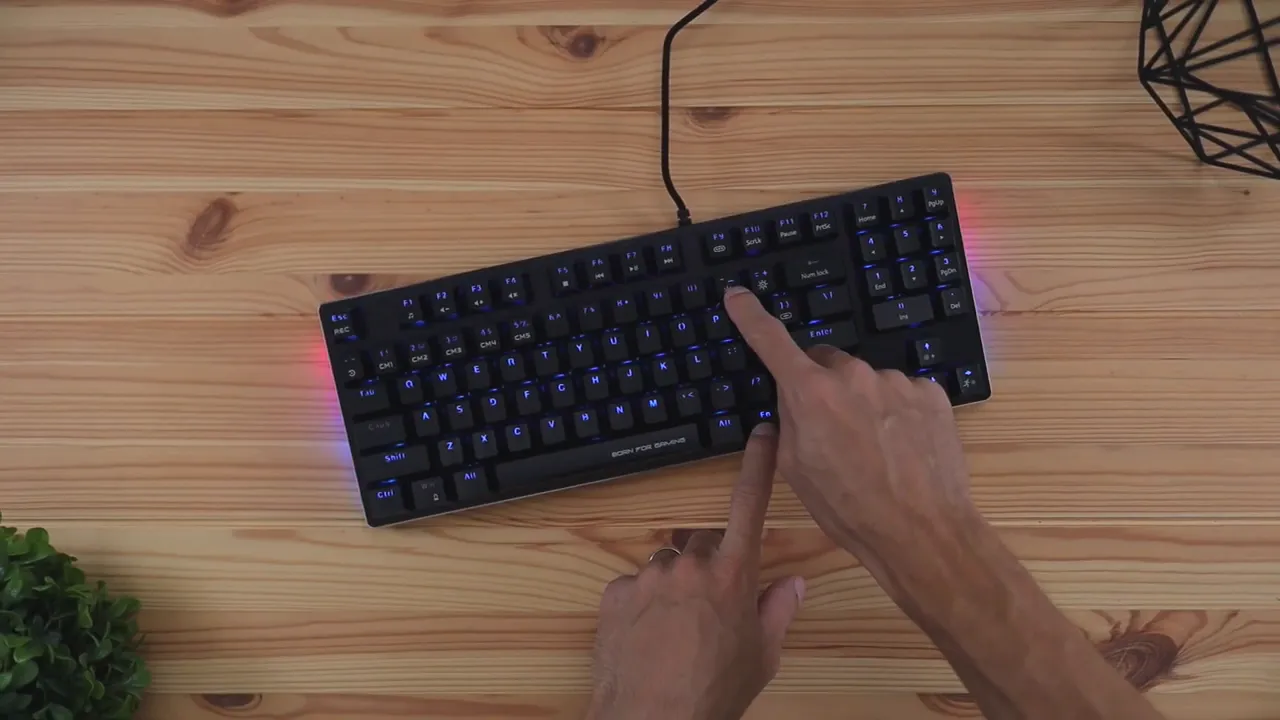
If you want deeper customization, you can install the keyboard software from the manufacturer’s website. That software is available for Windows only and lets you go further with lighting, macros, shortcuts, and profiles.
That makes the KG934 more flexible than a basic plug-and-play board. It is still simple enough to use casually, but there is room to tweak things if that matters to you.
If you are comparing different boards with customizable RGB and gaming-focused features, the broader keyboard review section here is a good place to browse similar options.
Extra features worth noting
Beyond the layout and RGB, the listed feature set includes a few things mechanical keyboard buyers usually look for:
- Full anti-ghosting with N-key rollover support
- Raised key design for easier cleaning and a more stylized look
- Multimedia functions
- Windows key lock for gaming sessions
- Macro and profile support through software
If you are unfamiliar with anti-ghosting and rollover, PCGamingWiki has a useful explanation of N-key rollover and why it matters for gaming and fast typing.
How it compares at the price
The KG934 lands around the $60 mark, and that is really the key to understanding this keyboard.
It is not trying to compete with premium enthusiast boards that cost well over $100 and use aluminum bodies, higher-end stabilizers, or hot-swappable switch sockets. At the same time, it is clearly a step above the cheapest mechanical keyboards floating around in the $20 to $30 range.
It sits right in that middle ground, and for that price, it does a lot well:
- Interesting compact-plus-numpad layout
- Solid overall build
- Distinctive RGB side lighting
- Good typing feel if you like blue switches
- Useful software support for Windows
That is why there are not many real complaints here. For what you are paying, the keyboard feels appropriately built and thoughtfully designed.
Who this keyboard is best for
The Marvo KG934 makes the most sense for a pretty specific type of user:
- You want a more compact desk setup
- You still need or strongly prefer a numpad
- You like clicky blue switches
- You want RGB lighting with a little more flair than the usual under-key glow
- You are shopping in the mid-range mechanical keyboard category
If that sounds like you, the KG934 is a genuinely compelling option.
If you want something more premium in a similarly compact width, it may be worth comparing it against a more enthusiast-leaning board like the Corsair K70 CORE, especially if build materials and refinement matter more than saving desk space with a numpad-specific layout.
Final thoughts
The Marvo KG934 is a clever keyboard. Its biggest win is simple: it gives you a numpad without forcing you into the full footprint of a traditional full-size board.
That alone makes it interesting, but it also helps that the keyboard looks unique, feels solid for the money, and offers enough RGB and macro customization to satisfy most people shopping in this category.
No, it is not a luxury mechanical keyboard. The space bar has a little rattle, the switch choice is limited to blue switches, and the software is Windows-only. But at around $60, those trade-offs feel reasonable.
For anyone looking for a mechanical gaming keyboard with a compact layout, full anti-ghosting, customizable RGB backlighting, and a design that is a little more aggressive than usual, the KG934 is easy to recommend.
If you want to check current pricing or availability, you can find the keyboard on Amazon here.


