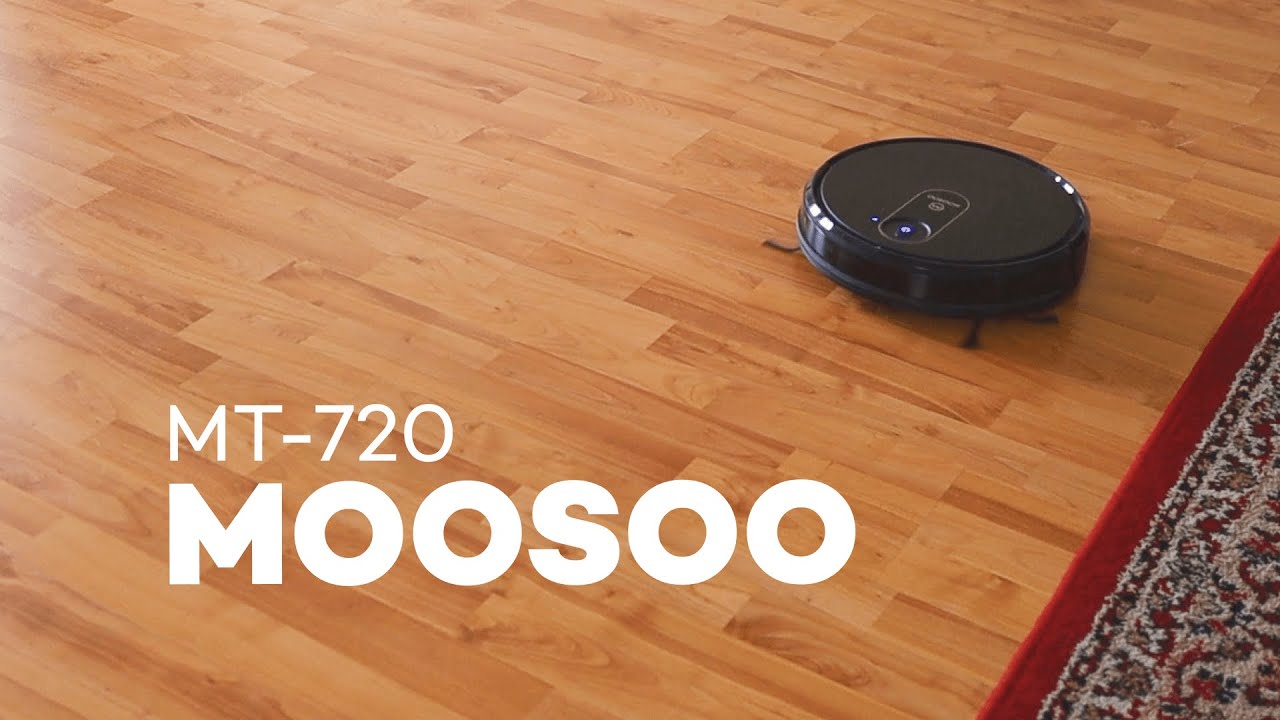
This review walks through the MooSoo MT-720 smart vacuum and what it actually delivers for the price. I tested setup, controls, cleaning modes, maintenance, and everyday performance so you can decide if this is the hands-off vacuum solution your home needs. The focus here is practical: how easy is it to get running, how well does it clean carpets and hard floors, and what quirks should you expect from a budget-friendly robot vacuum.
Table of Contents
- Quick summary — what this review covers
- What’s in the box and first impressions
- App, mapping, and the 2.4 GHz gotcha
- Cleaning modes explained
- Cleaning performance: suction, brushes, and coverage
- Battery life and return-to-dock behavior
- Maintenance: what to clean and how often
- Everyday use: where it shines and where it struggles
- Smart home integration and app extras
- Price and how it compares
- Limitations and practical tips
- Verdict — is the MT-720 worth it?
- FAQ
- Final notes from this review
Quick summary — what this review covers
The short take: the MT-720 is a compact, slim robot with decent suction, a smartphone app with mapping, and a surprisingly complete feature set for about $160. It is not perfect—expect occasional snags with loose cables and a need to clear hair from the brush regularly—but for the price it outperforms what you might expect from a non-name-brand model.
What’s in the box and first impressions
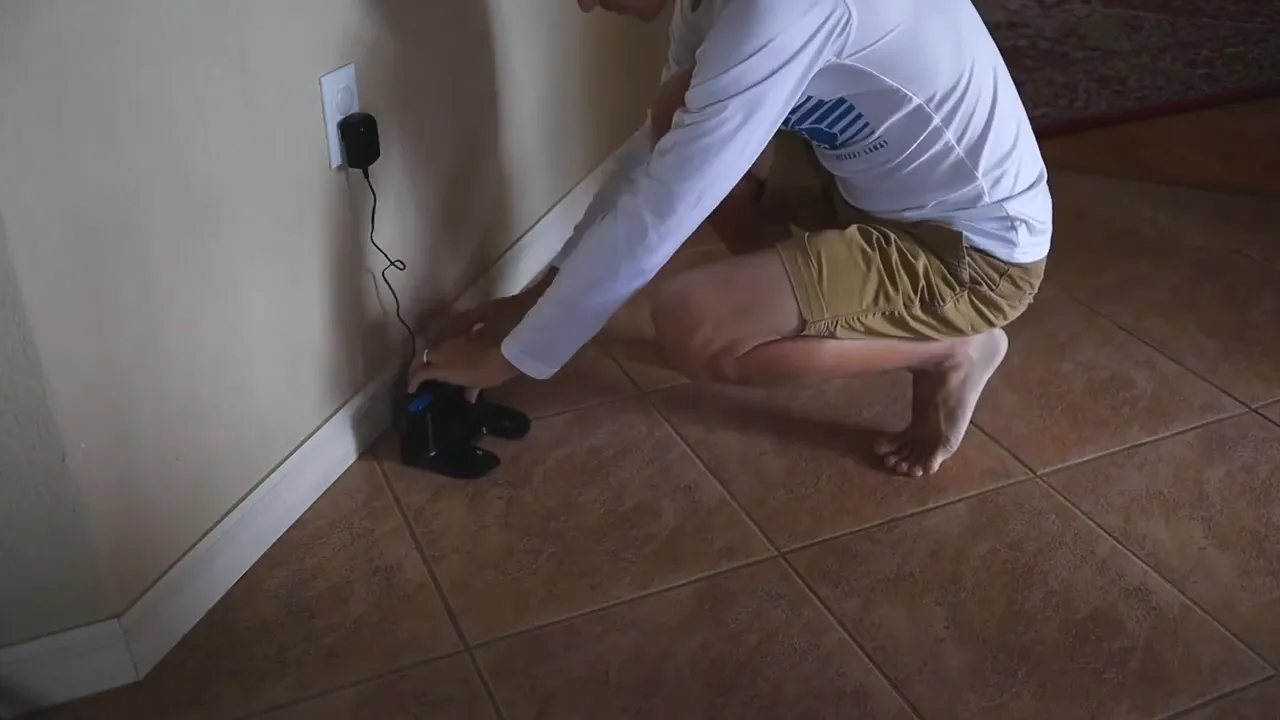
Out of the box you get the MT-720 robot, a charging dock, a power cable, and a simple remote control. Setup is intentionally basic: plug the dock into an outlet, place the vacuum on it, and it will charge and wake up ready to run. Because setup is straightforward, this review focuses quickly shifts from unboxing to actual use.
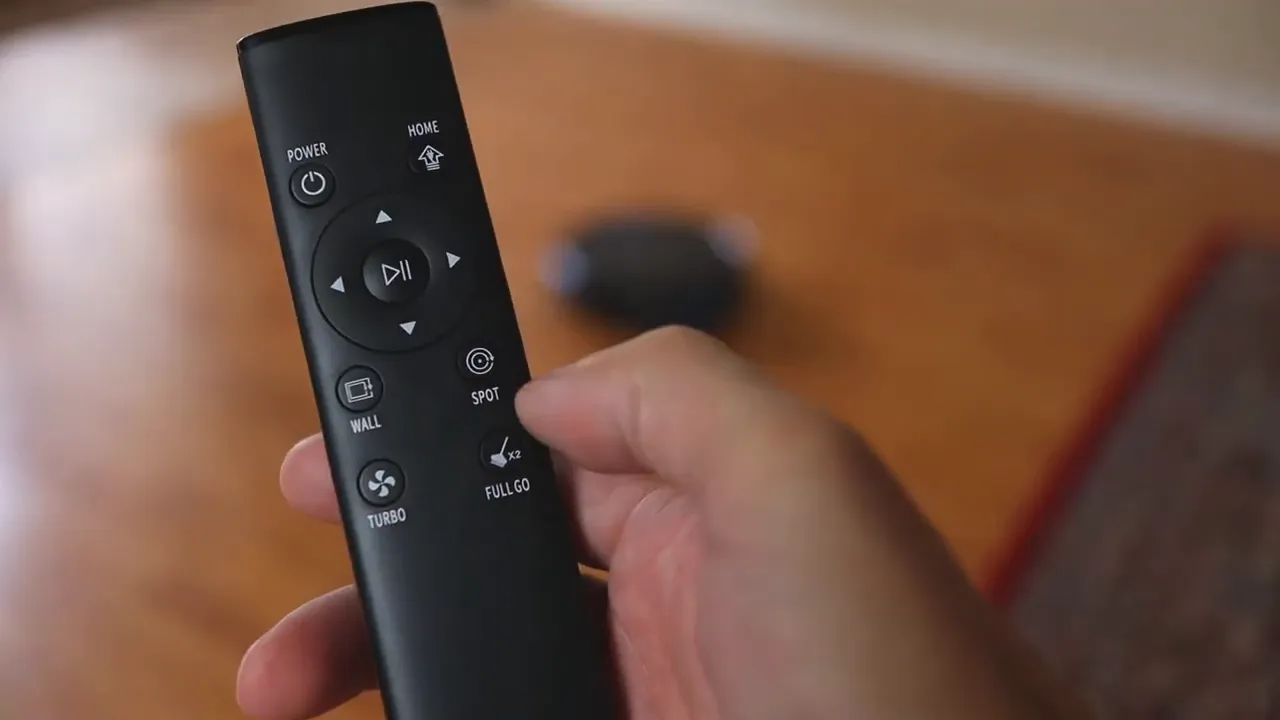
If you prefer physical controls, the included remote lets you start, stop, change cleaning patterns, and adjust suction strength. The remote is simple and reliable for quick use, but the phone app unlocks the full experience.
App, mapping, and the 2.4 GHz gotcha
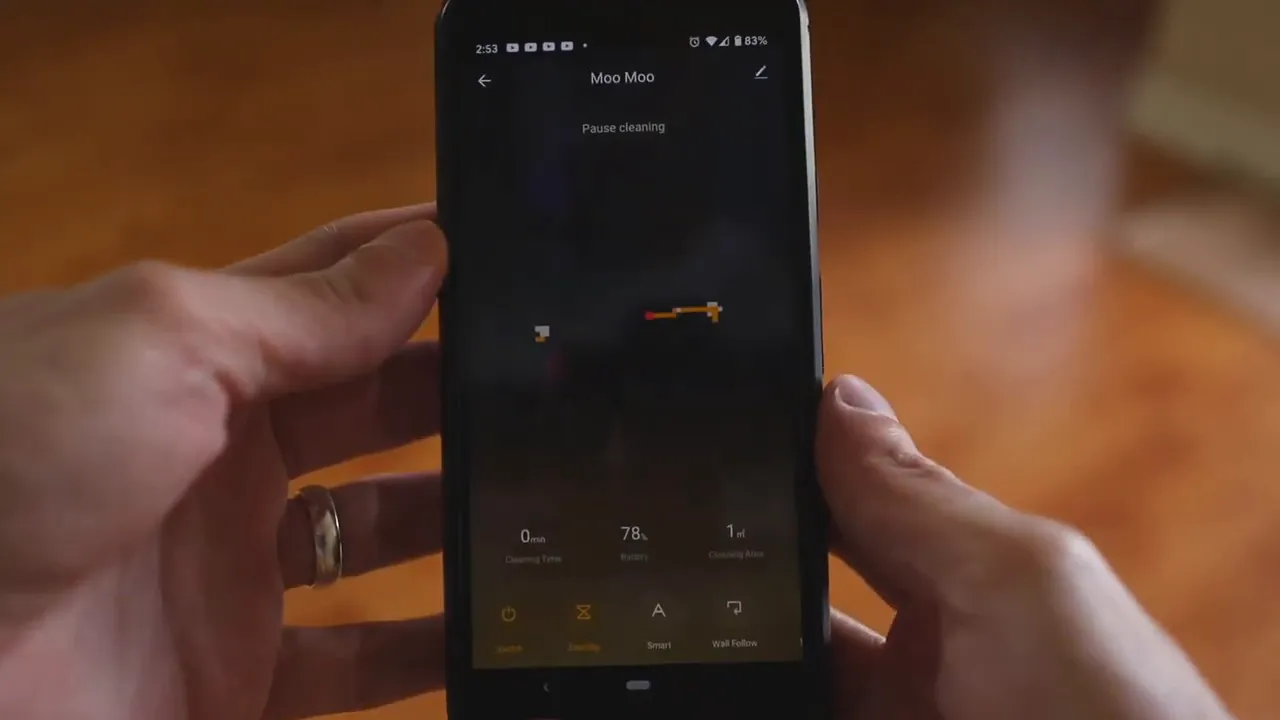
The MT-720 connects to your network and exposes more features through the app. App features include a map that visualizes where the vacuum has cleaned, scheduling for automatic runs, and manual control of cleaning direction. A note that comes up repeatedly in this review: the robot requires a 2.4 GHz Wi-Fi connection. It will not pair with a 5 GHz-only SSID.
If your router defaults to 5 GHz or hides the 2.4 GHz band, you will need to enable 2.4 GHz in your router’s settings or create a separate 2.4 GHz SSID. Most modern routers provide both bands; enabling the correct one is usually a two-minute change if you know how to log into the router. Once connected, the app gives reliable scheduling and monitorability.

Cleaning modes explained
This review covers three main modes you will use daily: spot, edge (wall), and smart (auto) mode. Each has a clear purpose.
- Spot cleaning: Drop the vacuum near a spill and it circles to clean a focused area. Good for cereal, crumbs, or a quick kitchen cleanup.
- Edge/wall cleaning: The robot runs along walls and baseboards to handle corners and edges that often collect debris.
- Smart/auto mode: Recommended as the default. In this mode the robot maps the layout and attempts to methodically cover open areas and edges. It balances coverage and efficiency so the whole room gets attention.
In my testing, smart mode produced the best results for everyday use. It avoids obsessively repeating the same spot and instead builds up a mental map of the space. If you want to target a specific mess, spot mode is there; for routine cleaning leave it on smart.
Cleaning performance: suction, brushes, and coverage
The MT-720 advertises 1800 Pa of suction and uses a dual multi-surface brush system plus edge-sweeping brushes. For hard floors and low-pile carpets it did a solid job pulling dirt, crumbs, and pet hair into the dustbin. In this review I found that the vacuum noticeably reduced the need for manual vacuuming in high-traffic areas.
The slim design is a standout feature. It slips under beds and baby cribs with ease, reaching areas where an upright or stick vacuum requires awkward maneuvering. That slim profile alone can be a strong reason to pick a robot for regular maintenance.
Battery life and return-to-dock behavior
The MT-720 has a 2500 mAh battery rated for up to around 120 minutes on low suction mode. In real use your runtime will vary based on suction level and the area covered, but the vacuum typically runs long enough to clean many single-floor homes or at least large sections of an apartment.
A practical point covered in this review: the robot tends to return to dock proactively when the battery dips to roughly 30 percent. That margin gives it extra power to find the charger reliably, even if navigating a complex path. If the robot wanders into odd corners while returning, don’t panic—it’s usually working out the path back.
Maintenance: what to clean and how often
No robot vacuum is maintenance-free. The main items to keep an eye on are the main brush and the dustbin.
- Main brush: Hair and threads will wrap around the brush. In this review I recommend checking the brush weekly if you have pets or long hair. Regular cleaning preserves suction and prevents jams.
- Dustbin: The bin is easy to remove and dump. Expect to empty it every two to four cleaning sessions depending on how messy your home is. Pop it out, open it, and dump the contents—simple maintenance that keeps performance consistent.
Everyday use: where it shines and where it struggles
Where the MT-720 shines is consistent, low-effort maintenance. It handles daily dust, crumbs, and light debris so that manual vacuum sessions become less frequent. In my experience this review found that most of the household vacuuming was taken over by the robot—only occasional deep cleans with a traditional vacuum were needed.
The robot struggles sometimes with loose cables. It occasionally snags on power cords and charging cables and can get temporarily stuck. It usually frees itself, but if your space has lots of loose cords the robot may spend extra time dealing with them. A practical tip from this review: tuck away cables, use cord management, or apply boundary tape (sold separately) to keep the robot out of problem areas.
Smart home integration and app extras
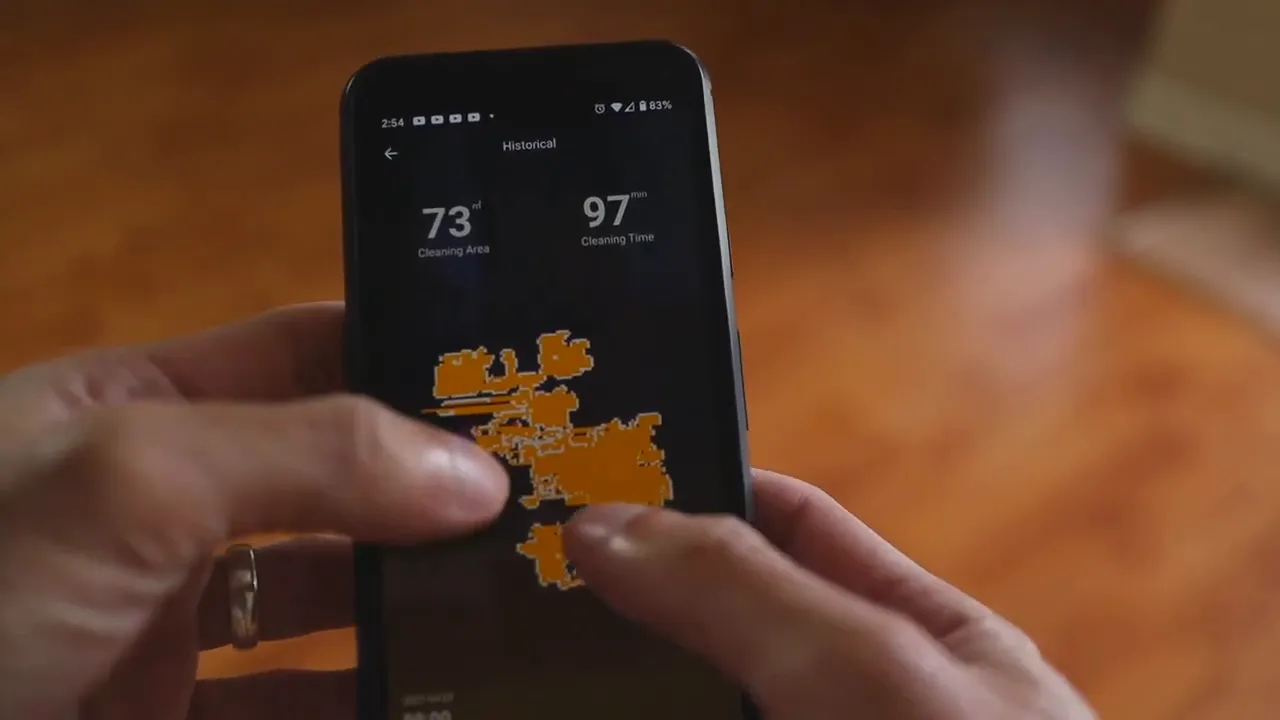
Once connected to 2.4 GHz Wi-Fi the vacuum can integrate with Alexa or Google Assistant, enabling basic voice commands like start and stop. The app also provides scheduling and mapping so you can set cleaning routines for times when you’re away or asleep.
The mapping feature is especially useful. After a few runs the robot builds an internal representation of cleaned areas, which the app displays. That map gives confidence that rooms are being covered rather than relying on random bump-and-turn behavior.
Price and how it compares
Price is a core theme of this review. The MT-720 sits around the $160 mark, which is roughly half the cost of many name-brand competitors that top $300. That pricing makes it an attractive option for anyone wanting the convenience of a robot vacuum without the premium price tag.
Competitors like Shark and Roomba generally offer more refined navigation, slightly better build quality, and more polished apps, but they come with significantly higher price tags. This review concludes that for routine maintenance and an affordable entry into robot vacuums the MT-720 represents strong value.
Limitations and practical tips
This review highlights a few limitations you should consider before buying:
- 2.4 GHz Wi-Fi required: Many modern routers separate bands. Make sure a 2.4 GHz network is available or enabled.
- Cable management: Tuck away loose cords or use simple cable channels to prevent snags.
- Not a deep-clean substitute: Expect to still do occasional manual vacuuming for deep cleans, thick carpets, and stubborn debris.
- Maintenance: Check the brush weekly and empty the dustbin regularly to maintain performance.
Verdict — is the MT-720 worth it?
This review finds the MooSoo MT-720 to be an excellent budget-friendly robot vacuum for everyday maintenance. Its slim profile, strong suction for its class, and app-based mapping make routine cleaning easy. If you want a device to reduce the regular manual vacuum workload and keep floors tidy between deep cleans, this model delivers real value for about $160.
It is not the top-tier navigational system or the quietest option on the market, but for households that value affordability and basic smart features, the MT-720 is a compelling pick.
FAQ
Does the MT-720 require a 2.4 GHz Wi-Fi connection?
Yes. The robot connects only to 2.4 GHz networks. If your router defaults to 5 GHz or hides the 2.4 GHz band, enable the 2.4 GHz SSID in the router settings or create a separate 2.4 GHz network to pair the vacuum.
How often should I clean the brush and empty the dustbin?
Check the brush about once a week if you have pets or long hair to prevent tangles. Empty the dustbin every two to four sessions, depending on how much debris your home produces.
What runtime can I expect per charge?
Expect roughly 90 to 120 minutes on low suction mode in real-world conditions, depending on suction level and how much area it covers. It will return to the dock proactively when the battery gets low.
Will it get stuck on cables or rugs?
It can snag on loose cables occasionally. Use cord management or boundary tape to keep the robot away from areas with many cords. Low-pile rugs are usually fine; very high-pile carpets may be a challenge.
Does it support voice assistants?
Yes. After connecting to your 2.4 GHz network and setup with the app, the vacuum is compatible with Alexa and Google Assistant for basic voice control.
Final notes from this review
The MT-720 brings together convenience and affordability in a small package. If your priority is reliable daily upkeep rather than deep cleaning, it’s a smart choice that reduces the frequency of manual vacuuming. Expect to spend a few minutes a week on maintenance, and invest a little time tucking away cables to minimize hiccups.
If you want a dependable, budget-minded robot that hits the key boxes—suction, app control, mapping, and self-charging—the MT-720 is worth a close look in this review.
Follow the reviewer
For hands-on updates and photos, follow on Twitter and Instagram.
Find current pricing and offers: Product link.


