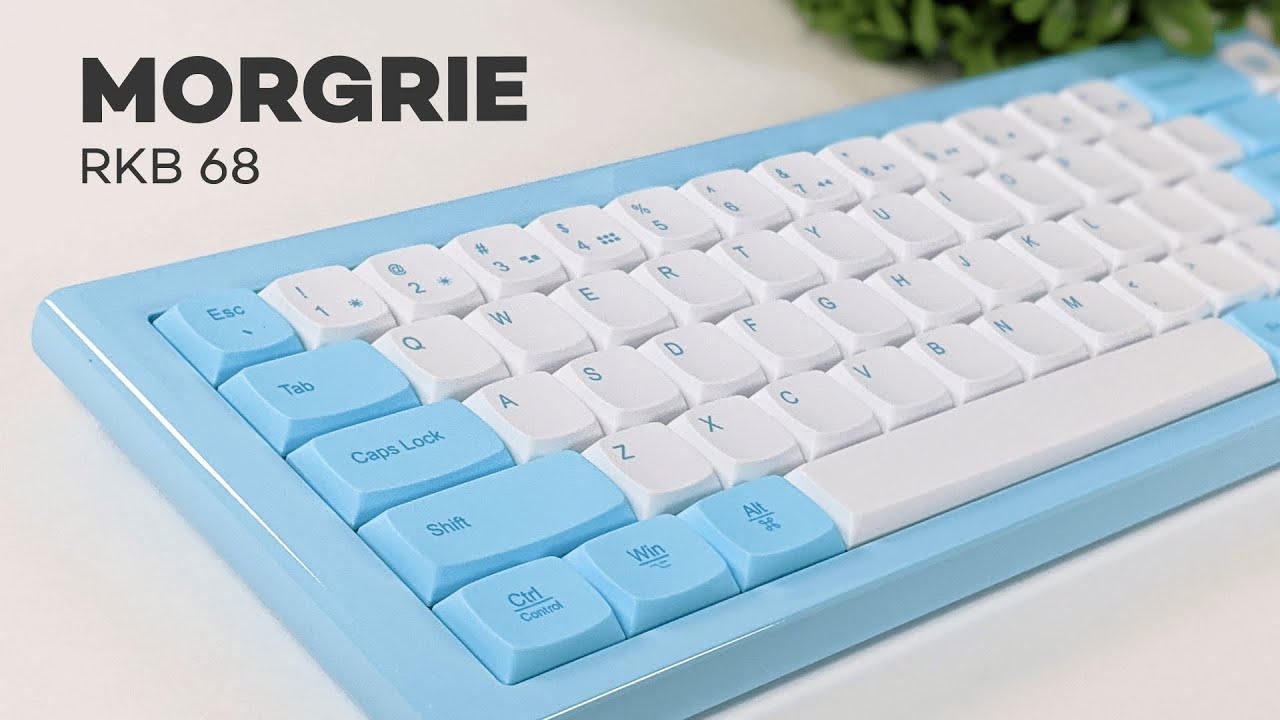
The Morgrie RKB 68 is one of those keyboards that immediately stands out, not because it looks aggressive or packed with gamer flair, but because it goes in the complete opposite direction. It has a slim, low-profile footprint, rounded keycaps, and a soft baby blue color that gives it a friendly, almost cotton-candy look.
If you want a mechanical keyboard that feels premium, stays minimal, and works across both Windows and Mac, this one has a lot going for it. It also supports Bluetooth, can connect to multiple devices, and keeps a clean desk setup whether you use it wired or wireless.
What comes in the box
The package is pretty straightforward. Inside, you get:
- The Morgrie RKB 68 keyboard
- A detachable USB-C to USB-A cable
- A quick start guide
The quick start guide is actually worth keeping nearby, especially at first. Since this keyboard relies on shortcut combinations for things like media controls, layout switching, and device pairing, the guide makes setup easier than trying to memorize everything right away.
Design and build quality
The design language is the first thing that makes this keyboard memorable. Right now, it comes in a baby blue finish that leans into a soft, playful aesthetic rather than the sharp, industrial styling a lot of mechanical keyboards go for.
That softer look is reinforced by the rounded keycaps. Most keyboards use more squared-off caps with sharper corners. Here, everything feels smoother and less aggressive. The result is a keyboard that looks modern and unique without trying too hard.
Build quality is where the Morgrie RKB 68 really starts to justify itself. The keyboard is made from aluminum alloy and finished with a glossy coating. That gives it a few immediate advantages:
- It feels rigid, not bendy or cheap
- It feels cool to the touch, which adds to the premium feel
- It has a solid weight and structure that makes it feel well built
Even the back continues that premium construction. It uses the same alloy material and adds rubber grip bars along the top and bottom so the keyboard stays planted on the desk while typing.
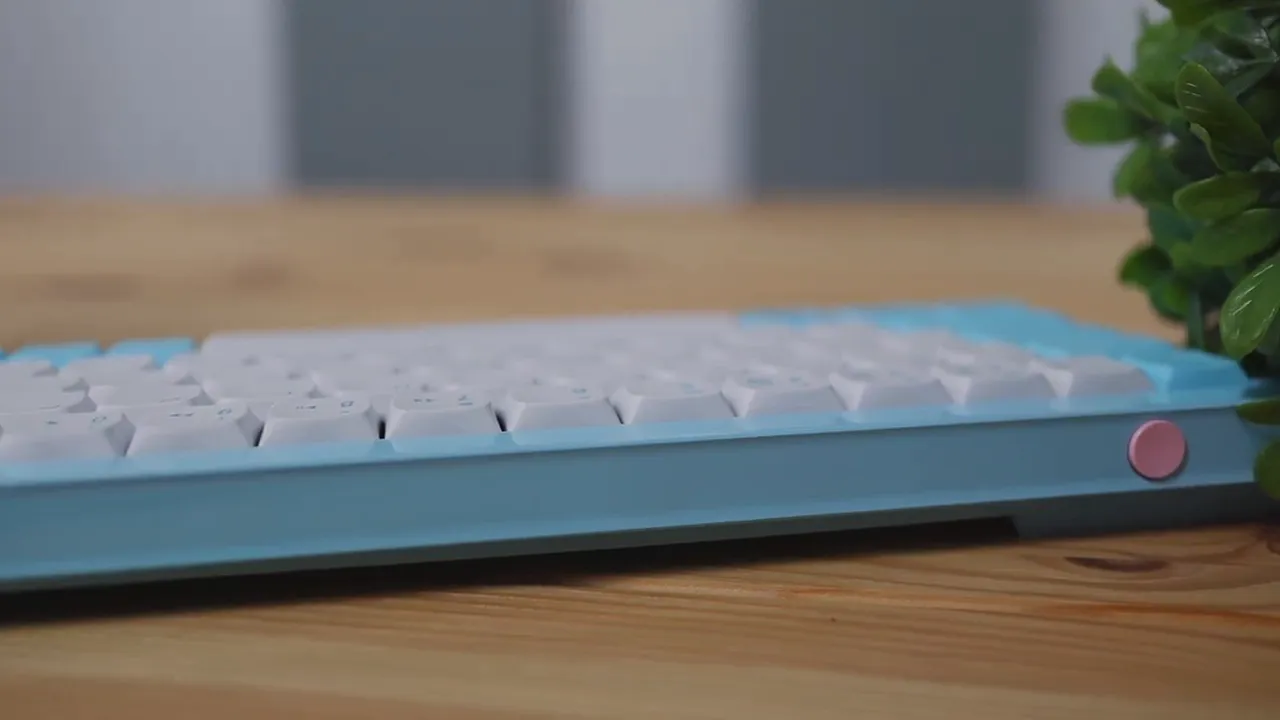
For anyone who cares about desk aesthetics, this is one of the cleaner-looking aluminum keyboards in its category. It feels more like a thoughtfully designed office or productivity keyboard than a flashy gaming accessory.
If you like comparing different layouts and styles before buying, the broader collection of keyboard reviews here is a useful place to cross-shop other options.
Low-profile layout and 68-key form factor
The Morgrie RKB 68 is a slim mechanical keyboard with 68 keys. It lands in that compact zone many people prefer for productivity and everyday use because it keeps the typing area tight without going too minimal.
It also avoids a full number pad, which is a big plus if you like keeping your mouse close to the keyboard. A lot of full-size boards push the mouse hand farther out than necessary. This layout leaves more room and tends to feel more comfortable on smaller desks.
If you already know you do not need a numpad, this size makes a lot of sense. It keeps the board compact while still feeling practical for normal daily work.
Wireless, wired, and multi-device support
On the top of the keyboard, there is a pink power button, and the Morgrie RKB 68 can be used in either wired or wireless mode.
Wireless mode works over Bluetooth, and one of the best features here is the ability to pair up to three devices and switch between them on the fly using the dedicated buttons on the side. That makes this keyboard especially useful for people who bounce between different devices throughout the day.
Compatible devices include:
- Desktop computers
- Laptops
- Tablets
- Phones
The product listing also highlights Bluetooth 5.0 and claims up to five months of wireless battery life, which is a strong fit for office and mobile use if you prefer a cable-free setup.
When you want to use it wired, the included detachable USB-C to USB-A cable handles the connection. Since the cable is removable, you can easily swap in a custom cable if you want to dress up your desk setup with a different color or even a coiled cable.
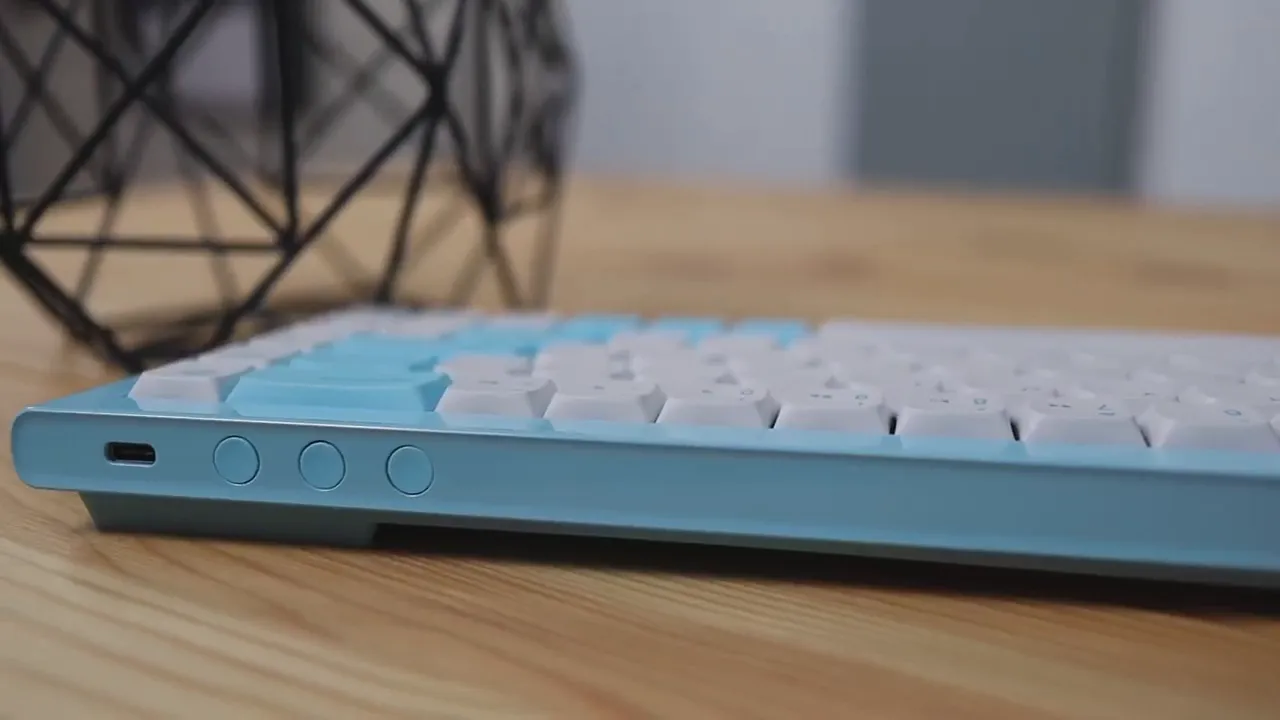
That flexibility is nice because it gives the keyboard a little extra room for personalization without requiring any major modifications.
PBT keycaps and the overall feel
The keycaps are made from PBT, which is a material many keyboard enthusiasts prefer because it tends to feel better and wear more gracefully than cheaper alternatives. On this keyboard, the caps have a lightly textured surface that feels soft and pleasant under the fingers.
The product notes also mention heat-sublimated PBT keycaps, which is a popular process for creating durable legends that resist fading over time.
More than anything, the shape of the keycaps changes the personality of the keyboard. The rounded profile makes it feel approachable and distinctive. Combined with the slim layout, the typing surface looks clean without feeling sterile.
Switches and typing sound
Under the keycaps, the Morgrie RKB 68 uses mechanical switches, and the unit reviewed here came with blue switches. If you are familiar with switch types, blue switches are the clicky ones. They are known for producing a more noticeable tactile bump and a louder sound on each press.
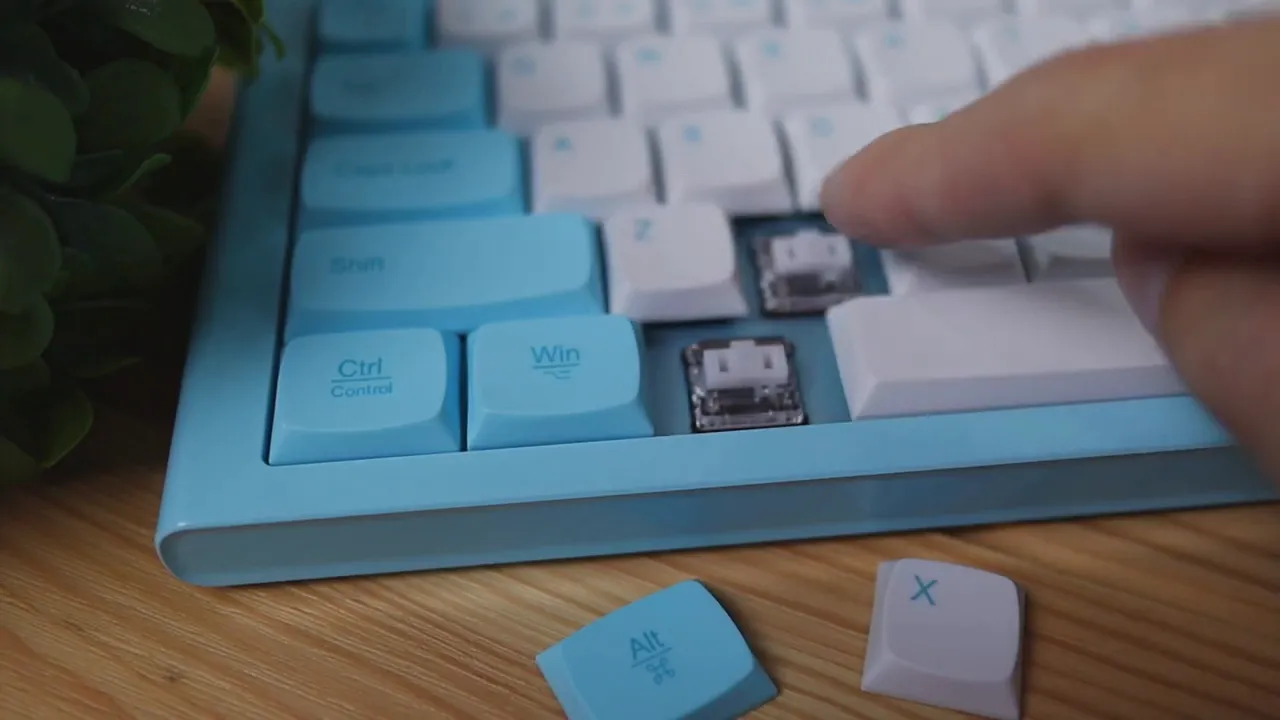
So yes, this keyboard is on the louder side. If you enjoy that classic clicky mechanical sound, that is part of the appeal. If you need something especially quiet for a shared office or late-night use around other people, that is worth keeping in mind.
What makes the typing experience stand out, though, is not just the switch sound. It is how stable everything feels.
A common issue with many mechanical keyboards is key wobble or rattle, especially on larger keys like the spacebar. Here, the keys feel firm and planted. Pressing around on them does not bring out that loose, shaky feeling that can make a keyboard feel cheaper than it looks.
That stability gives the whole board a more refined typing feel. The keyboard feels tightly assembled, and that translates directly into a nicer day-to-day experience.
Media controls and shortcuts
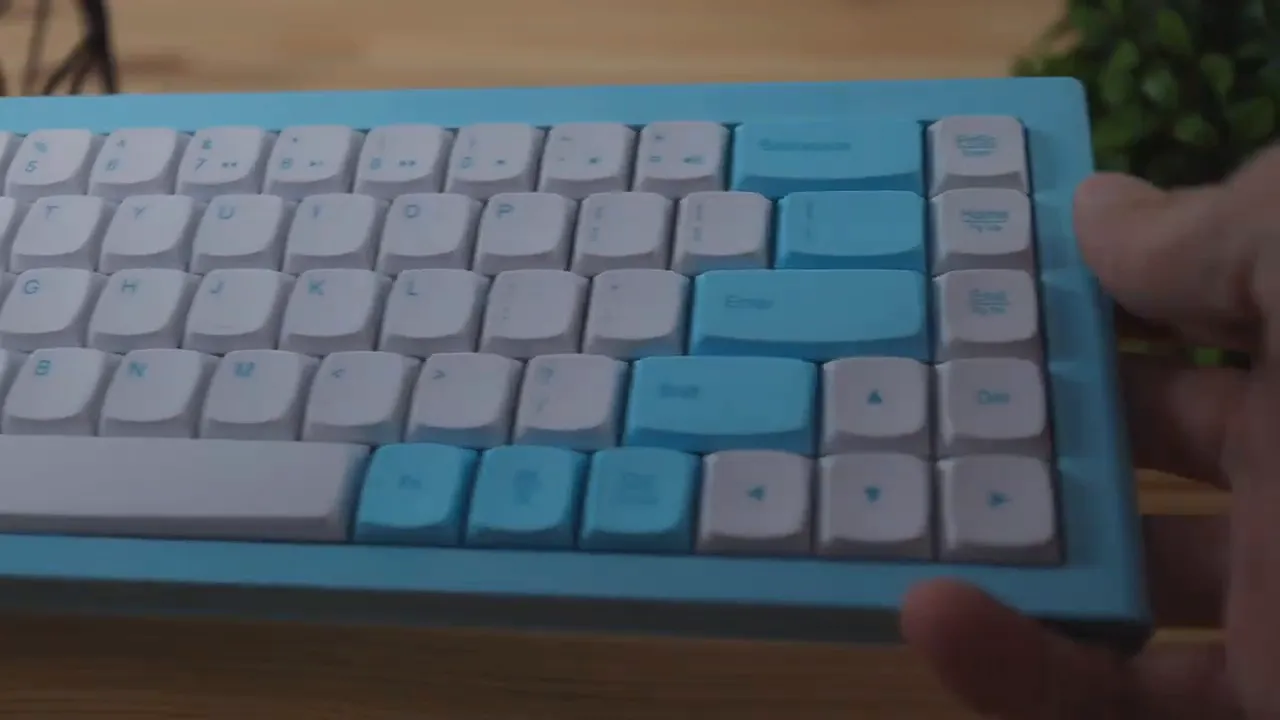
The Morgrie RKB 68 does not include dedicated media buttons. There are no separate keys for play, pause, next track, or volume control.
Instead, those functions are built into the number row and accessed using the function key. That means the controls are still there, just not broken out into their own dedicated section.
This approach fits the keyboard’s minimal design philosophy. It keeps the board compact and uncluttered, though it does mean there is a small learning curve at first.
Windows and Mac compatibility
One of the more useful practical features here is support for both Windows and Mac layouts. You can switch how the keyboard functions directly from the board itself:
- Function + Z switches to the Windows layout
- Function + X switches to the Mac layout
That makes the Morgrie RKB 68 a good fit for mixed-device setups, especially if you move between a Windows desktop and a MacBook or iPad.
If cross-platform Bluetooth use is your main priority and you want something more budget-friendly, the Logitech K380 review is another useful comparison point, though it targets a very different audience than this premium mechanical option.
No RGB, no software, and that is the point
This keyboard does not have RGB lighting. There are no glowing keys, animated light effects, or gaming-style illumination options.
It also does not come with companion software for macros or deep customization.
For some people, those will be obvious drawbacks. If RGB lighting and software control are high on your list, this probably will not be the keyboard for you. But if you want something slim, clean, and distraction-free, the lack of software and lighting actually supports the overall design goal.
This is a minimal mechanical keyboard, not a feature-packed gaming centerpiece.
Pros and cons
What I liked
- Excellent build quality with aluminum alloy construction
- Premium feel that comes through immediately when typing
- Stable keys with little to no wobble or rattle
- Compact 68-key layout that saves desk space
- Soft, rounded design language that stands out from typical boards
- Bluetooth multi-device pairing for up to three devices
- Windows and Mac support built directly into the keyboard
- Detachable USB-C cable for wired use or cable customization
Potential downsides
- No RGB lighting
- No software support for macros or advanced customization
- Blue switches are loud, which will not suit every environment
- Price is on the higher side at around $140

Is the $140 price fair?
At around $140, the Morgrie RKB 68 is not cheap. But based on the build quality, the premium materials, and the overall typing stability, the pricing makes sense.
This is one of those keyboards where the quality is easier to appreciate in person than in photos. The aluminum chassis, the rigidity, the key stability, and the finish all work together to make it feel like a premium product rather than an overpriced novelty.
If your priority is maximum features per dollar, there are certainly other keyboards that offer more lighting or software customization. But if the goal is to get a high-quality slim mechanical keyboard with a unique design and multi-device Bluetooth support, the price feels justified.
For anyone looking for a more gaming-focused alternative with a different visual style, the Corsair K70 CORE review is worth checking out since it leans much harder into RGB and enthusiast gaming features.
Who this keyboard is for
The Morgrie RKB 68 makes the most sense for someone who wants:
- A slim mechanical keyboard
- A compact layout without a number pad
- Bluetooth support for multiple devices
- Windows and Mac compatibility
- A clean, minimal aesthetic instead of a gamer look
- Strong build quality and a premium typing feel
It is especially appealing for office setups, home workstations, and anyone who values a keyboard that looks calm and polished on the desk.
If that sounds like what you are after, you can check the current price of the Morgrie keyboard here.
Final thoughts
The Morgrie RKB 68 does not try to be everything for everyone, and that is exactly why it works.
It skips RGB, avoids gimmicks, and focuses on solid materials, a compact layout, smooth multi-device usability, and a typing experience that feels impressively tight and well assembled. The rounded keycaps and baby blue finish give it a personality that is genuinely different from most mechanical keyboards on the market.
For people who want a slim, premium mechanical keyboard with a soft design language and practical Bluetooth features, this is a very strong option. And if build quality matters most, this easily lands among the better keyboards in its class.


