If you are trying to decide between the Logitech MX Anywhere 3 and the MX Anywhere 3 for Mac, the short version is simple: these mice are far more alike than different.
Both are compact premium productivity mice built for people who move around, work across multiple devices, and want a portable mouse that still feels polished. Both use Logitech's MagSpeed scroll wheel, both can track on nearly any surface including glass, both charge over USB C, and both are designed around the same low profile shape.
The real differences come down to connectivity, included accessories, color, platform focus, and value. Those details matter more than the marketing names suggest.
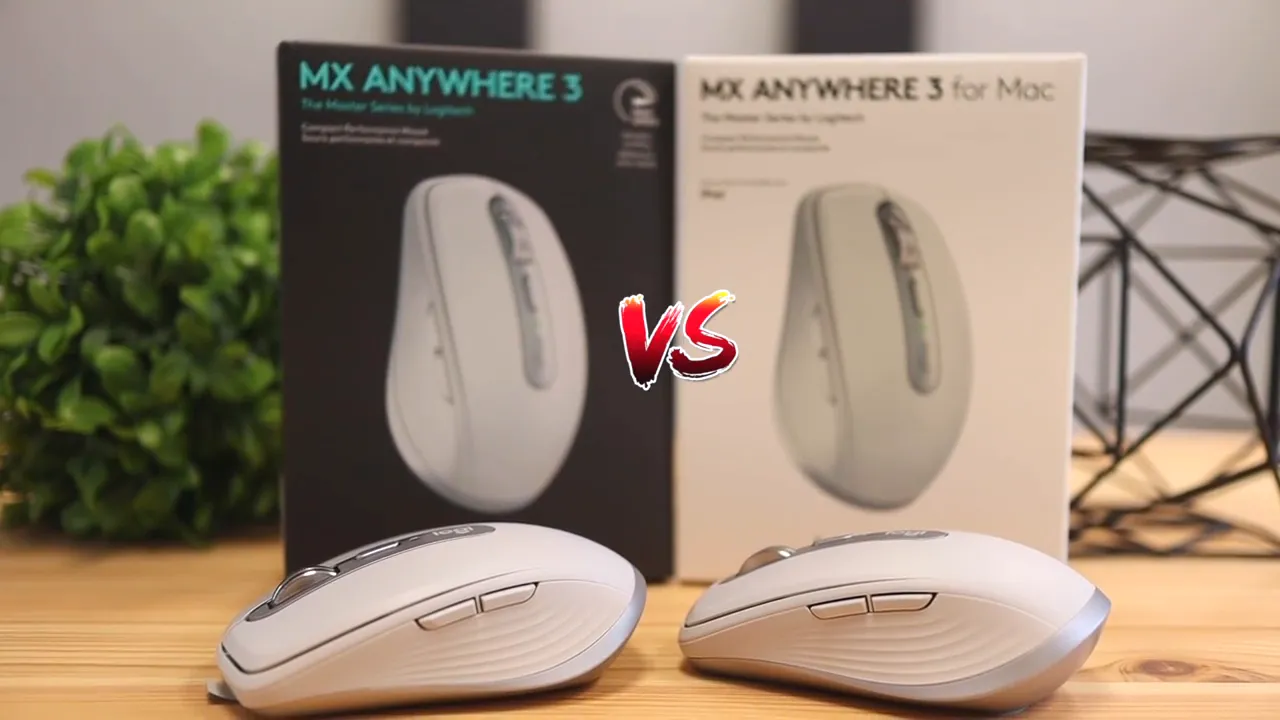
Table of Contents
- What stays the same on both mice
- Design and shape
- Color and appearance
- The biggest practical difference: connectivity
- Included cable and what comes in the box
- Software and customization
- Performance in real use
- Mac optimization: what it really means
- Packaging differences
- Which one is the better buy?
- Price can change the recommendation
- Final verdict
- FAQ
What stays the same on both mice
Before getting into differences, it helps to clear up what you are not giving up with either choice.
The MX Anywhere 3 and MX Anywhere 3 for Mac share the same core hardware design. You get:
- The same compact body shape
- The same side buttons and top button layout
- The same steel MagSpeed scroll wheel
- The same rechargeable battery approach
- The same multi device switching support
- The same tracking capability on difficult surfaces such as glass
- The same general productivity focus
That is the biggest takeaway. This is not a redesign. Logitech did not make the Mac version feel dramatically different in the hand, faster, more precise, or more premium. The everyday experience is extremely close.
If you want a broader look at similar office and travel mice, the mouse roundup here can help compare where this model sits in the bigger picture.
Design and shape
Physically, these mice are essentially the same. The shell shape, side contour, button placement, and low profile silhouette all line up. This is the kind of mouse made for backpacks, small desks, coffee shop tables, and travel setups where you do not want to carry a full size ergonomic mouse.
The side grips use the same ribbed texture, and the body keeps that familiar MX Anywhere look that balances comfort with portability. It is not trying to be an ultra ergonomic hand-filling mouse. It is trying to be a capable compact mouse that still feels premium.
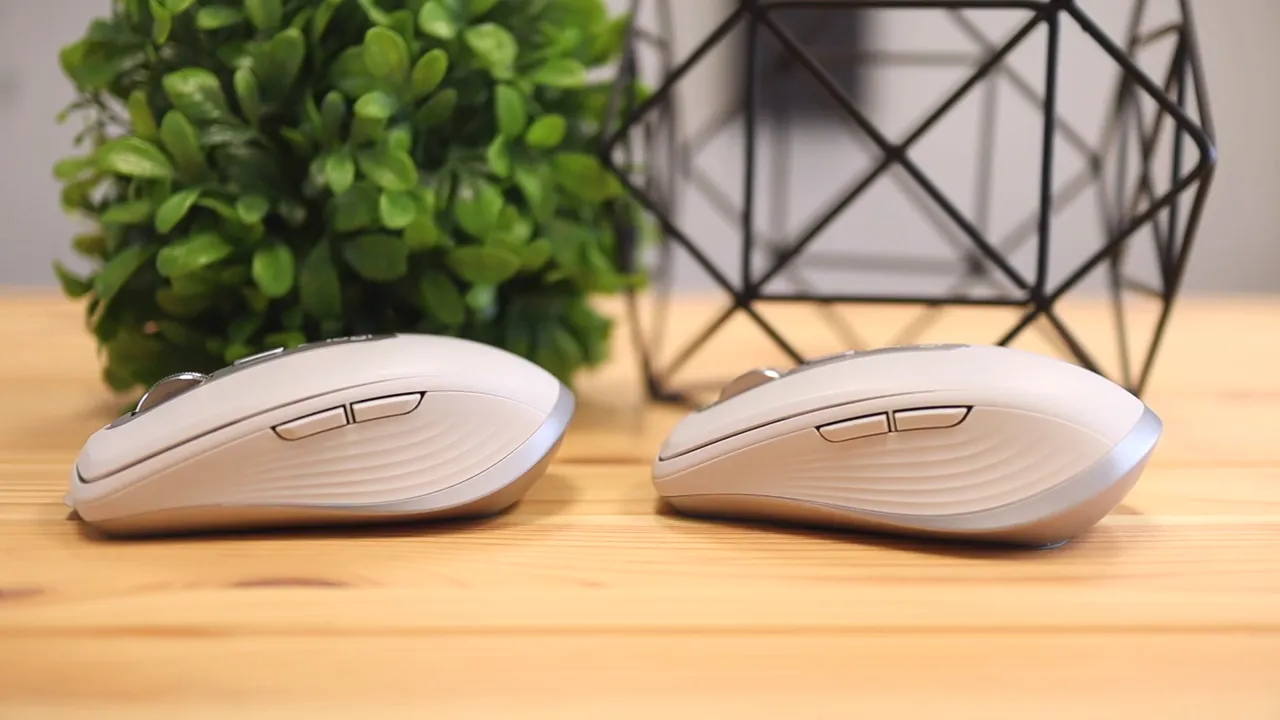
That means your decision should not really hinge on comfort differences, because there are not meaningful comfort differences here. If one fits your hand, the other should too.
Color and appearance
One of the most obvious differences is cosmetic.
The regular MX Anywhere 3 is sold as the standard cross platform version and is typically available in multiple colors depending on the market. The MX Anywhere 3 for Mac is positioned more specifically for Apple users and usually comes in a finish that blends better with Mac hardware, especially the pale gray look.
So if you care about your desk setup looking consistent with a MacBook, iMac, or iPad, the Mac version has a cleaner aesthetic fit. That does not make it better functionally, but it does make it more appealing for people who like their accessories to visually match the rest of their gear.
The biggest practical difference: connectivity
This is where things actually start to matter.
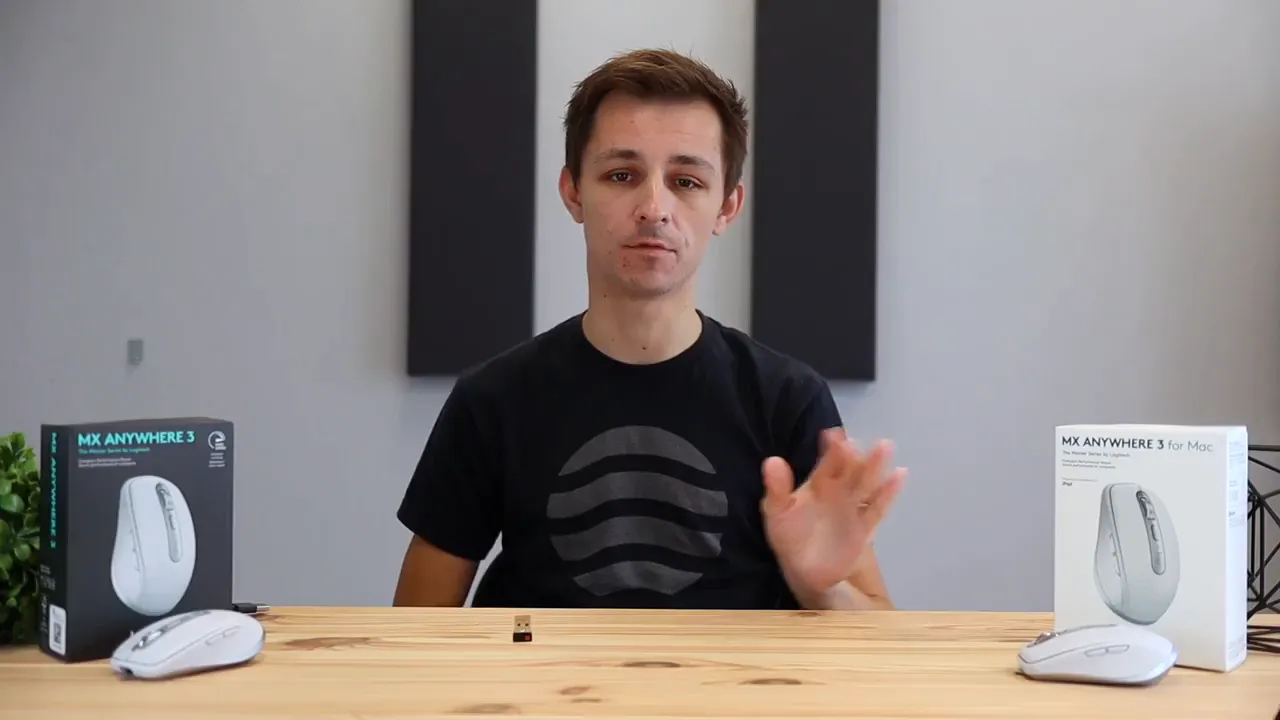
The regular MX Anywhere 3 includes support for Logitech's USB receiver ecosystem, while the MX Anywhere 3 for Mac focuses on Bluetooth and Apple friendly pairing. In practice, that means the standard version gives you more flexibility if you switch between different systems or simply prefer the reliability and convenience of a USB dongle.
The Mac version leans into a cable free Apple style setup. That is great if you are all in on recent Macs and iPads and do not care about a receiver. But if you use a Windows PC, an older machine, or just like having that receiver option in the box, the regular version has the edge.
This matters more than many people expect because connectivity affects setup speed, compatibility, and convenience across workstations.
Both versions can switch between up to three devices using the Easy Switch button on the bottom. That makes them useful if your day moves between a laptop, desktop, and tablet. Logitech also supports cross computer workflows through Logi Options+ and Flow, which can be handy if you move files and cursors between machines.
Included cable and what comes in the box
Another difference shows up in the accessories.
The standard MX Anywhere 3 and the MX Anywhere 3 for Mac both charge over USB C, but the included charging cable can differ. The regular version generally includes a USB A to USB C cable, while the Mac version is more likely to include a USB C to USB C cable.
That sounds minor, but it actually makes sense when you think about who each product is aimed at.
- Regular MX Anywhere 3: better fit for mixed setups and older USB A machines
- MX Anywhere 3 for Mac: better fit for newer Mac hardware with USB C ports
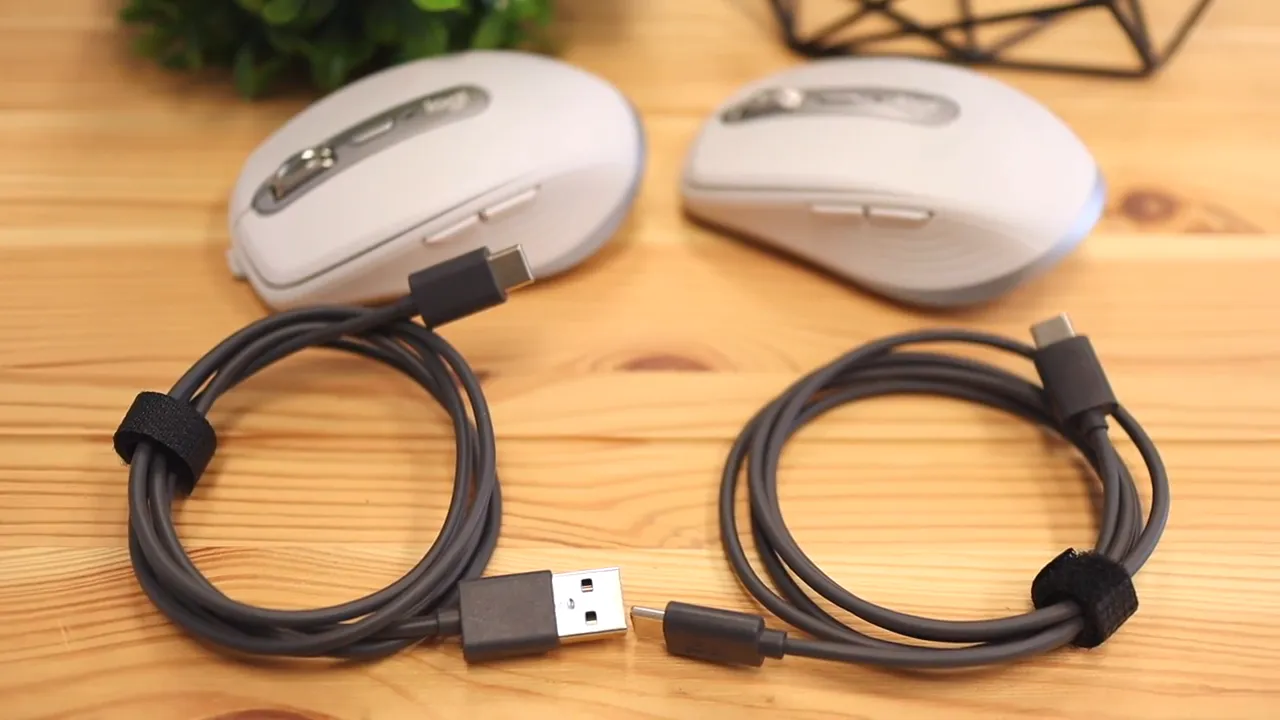
If all your ports are USB C, the Mac version feels a little cleaner out of the box. If you still rely on USB A somewhere in your setup, the regular version can be more convenient from day one.
Software and customization
Software support is another area where the two versions overlap heavily. These mice are designed to work with Logitech's customization software, letting you assign functions to buttons, adjust scroll behavior, and apply app specific controls.
That means you can tailor the mouse for productivity apps like browsers, word processors, spreadsheets, creative software, and more. Logitech highlights predefined profiles for apps such as Adobe Photoshop, Adobe Premiere Pro, Final Cut Pro, Safari, Chrome, Word, Excel, and PowerPoint.
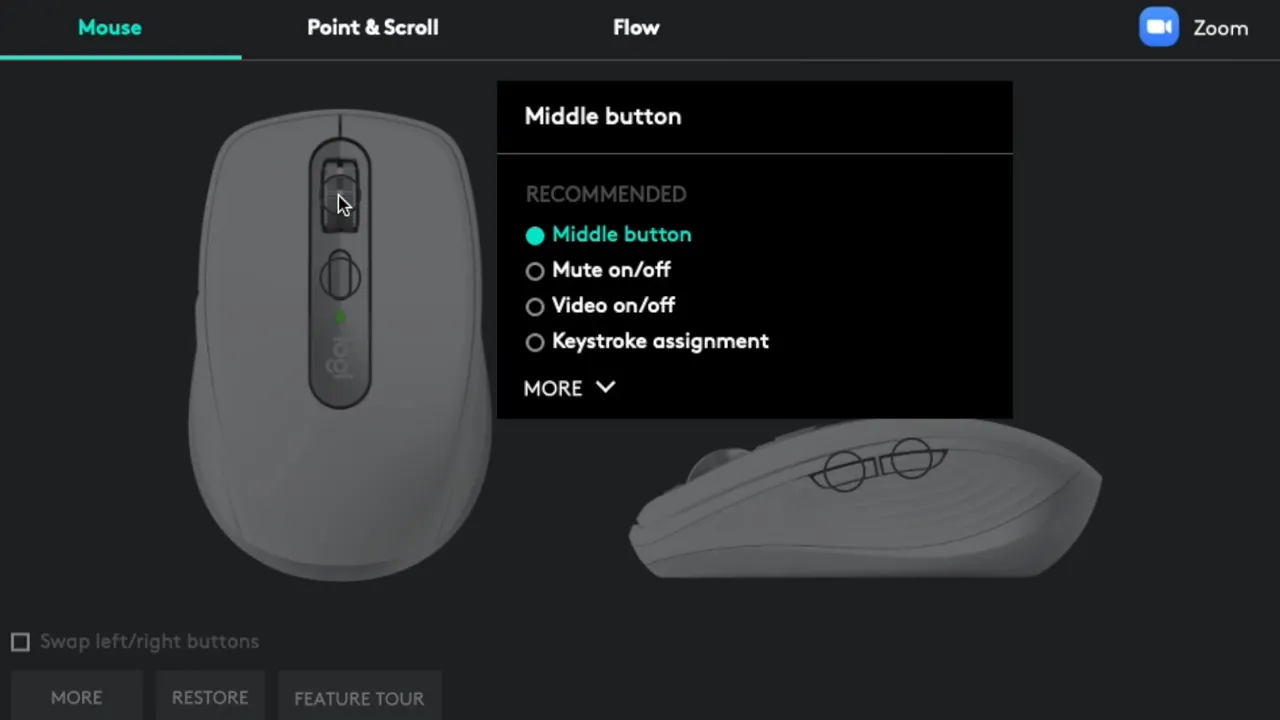
So if you were worried that choosing the Mac version would unlock some exclusive productivity feature, or that choosing the regular version would somehow give you deeper controls, that is not really the story. The software experience is broadly similar.
If you want a deeper breakdown of the customization side, this guide on Logi Options+ features covers the wider Logitech workflow pretty well.
Performance in real use
Both versions deliver the same kind of real world performance that makes the MX Anywhere line popular.
The standout feature is still the MagSpeed scroll wheel. It can move with precision when you need controlled scrolling and shift into very fast scrolling when you need to fly through long documents, timelines, or pages. Logitech describes it as capable of scrolling through thousands of lines quickly while still stopping accurately.
That combination of speed and control is one of the main reasons these mice feel more premium than cheaper portable options.
Tracking is another strong point. These are built to work on more surfaces than a typical budget mouse, including glass. For people who work in different places throughout the day, that flexibility is not just nice to have. It is one of the core reasons to buy this mouse at all.
Battery life is also the same general story on both: long lasting use with quick charging over USB C. Logitech rates the battery for up to 70 days on a full charge, with short charge bursts providing useful runtime when needed.
Mac optimization: what it really means
The phrase for Mac can make a product seem more specialized than it really is.
Here, it mostly means Logitech packaged and marketed this version with Apple users in mind. The color matches Apple hardware better. The cable is more Mac friendly. The pairing experience centers around Bluetooth. And the product is presented as optimized for macOS and compatible with iPad.
But that does not mean the regular MX Anywhere 3 is somehow bad for Mac users. In many cases, it is actually the more flexible choice because it adds the receiver option while still working with Mac over Bluetooth.
That is the important distinction. The Mac version is more curated. The regular version is more universal.
Packaging differences
The packaging itself also reflects the split between the two products.
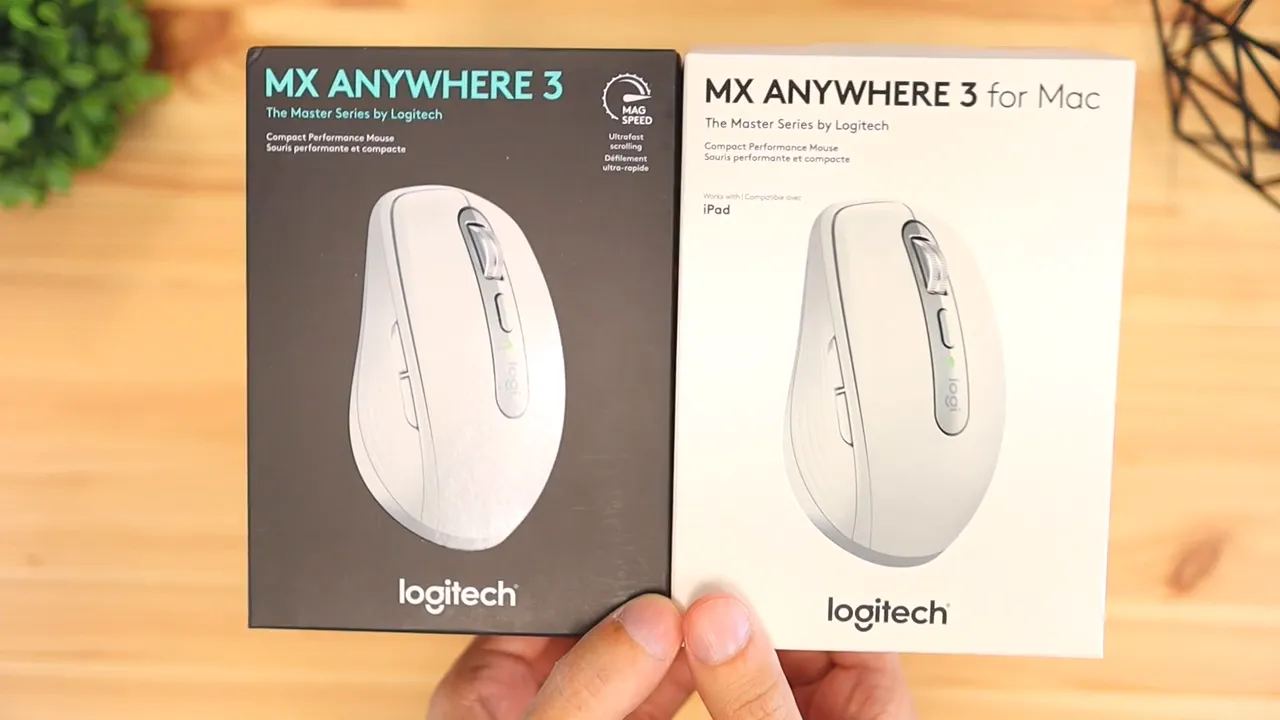
The regular version uses Logitech's darker standard retail look, while the Mac version uses lighter packaging that lines up with Apple's cleaner visual style. It is not a functional difference, but it reinforces the same message seen throughout the product: one is the general model, the other is the Apple themed version.
Which one is the better buy?
For most people, the regular Logitech MX Anywhere 3 is the better value.
Why? Because it usually gives you the broadest compatibility. You are not really sacrificing the core experience, and you may gain the USB receiver option depending on the exact package. If pricing is equal or close, the regular version is typically the safer pick for mixed device households, office setups, and anyone who does not live entirely inside Apple's ecosystem.
The MX Anywhere 3 for Mac makes the most sense if these points describe you:
- You use a Mac or iPad almost exclusively
- You prefer Bluetooth only and do not need a receiver
- You want the pale gray finish to match Apple hardware
- You would rather have a USB C to USB C cable in the box
In other words, the Mac version is the more lifestyle specific choice. The regular version is the more practical all around choice.
Price can change the recommendation
There is one thing that can flip the decision instantly: sale pricing.
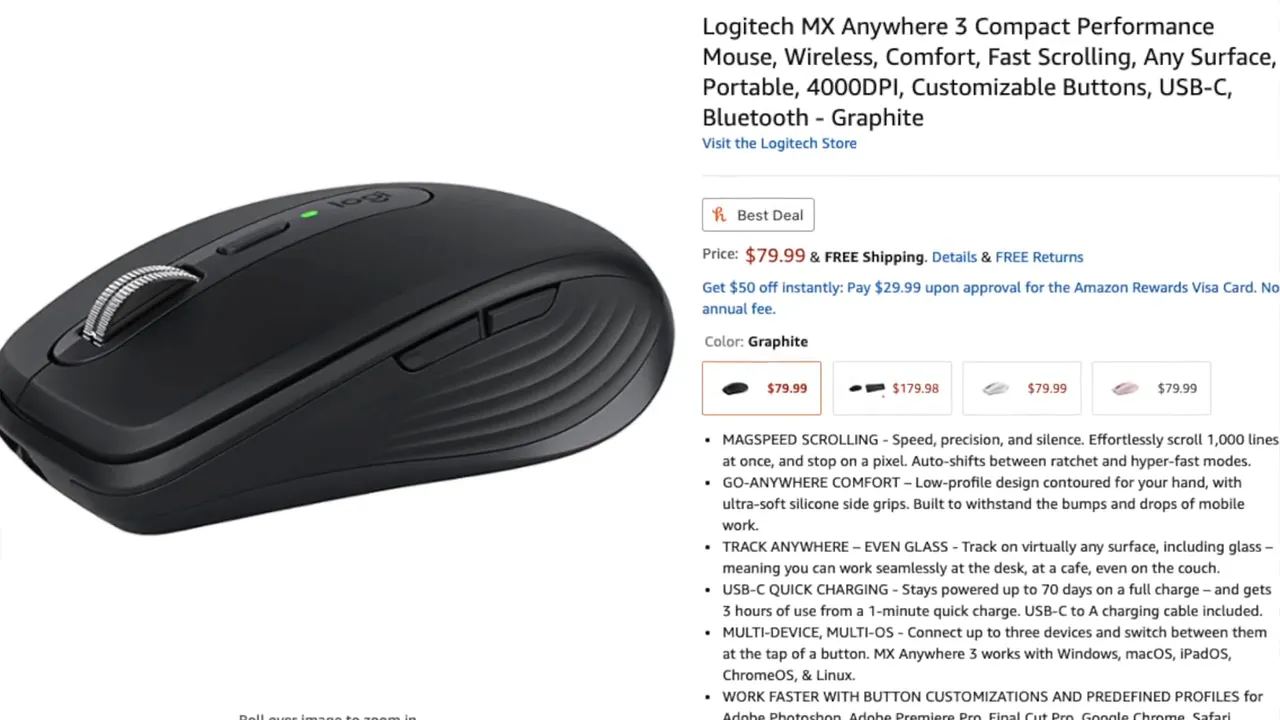
If one version is noticeably cheaper than the other, that can matter more than the naming. Since the core mouse is so similar, getting the lower priced option is often the smartest move unless you specifically need the different cable or connectivity setup.
If you want to check the current options, here are the two product pages:
If you are also considering the updated 3S model, this comparison of the MX Anywhere 3 vs 3S is worth checking before buying.
Final verdict
The Logitech MX Anywhere 3 and MX Anywhere 3 for Mac are not two wildly different mice. They are basically the same excellent compact productivity mouse presented for two slightly different buyers.
Choose the MX Anywhere 3 if you want the most flexibility, the most universal compatibility, and usually the best overall value.
Choose the MX Anywhere 3 for Mac if you want the Apple friendly finish, the USB C to USB C cable, and a more Mac centered out of box experience.
That is really what this comes down to. Not performance. Not comfort. Not software. Just ecosystem fit and practical extras.
FAQ
Is the MX Anywhere 3 for Mac better than the regular MX Anywhere 3?
Not in overall performance. They are extremely similar. The Mac version mainly changes the packaging, color, cable, and platform focus.
Can the regular MX Anywhere 3 work with a Mac?
Yes. The regular version can still work very well with a Mac, which is why it is often the more flexible option for many people.
What is the main advantage of the MX Anywhere 3 for Mac?
Its main advantages are the Apple matching finish, Mac oriented packaging, Bluetooth focused setup, and the USB C to USB C charging cable.
Do both mice support multiple devices?
Yes. Both support connecting to up to three devices and switching between them with the Easy Switch button.
Do both versions have the same MagSpeed scroll wheel and glass tracking?
Yes. Those headline features carry across both models, which is why the actual user experience is so close.
Which version should most people buy?
Most people should buy whichever one is cheaper, unless they specifically want the Mac styling and cable setup. If prices are similar, the regular MX Anywhere 3 is usually the smarter all around pick.


