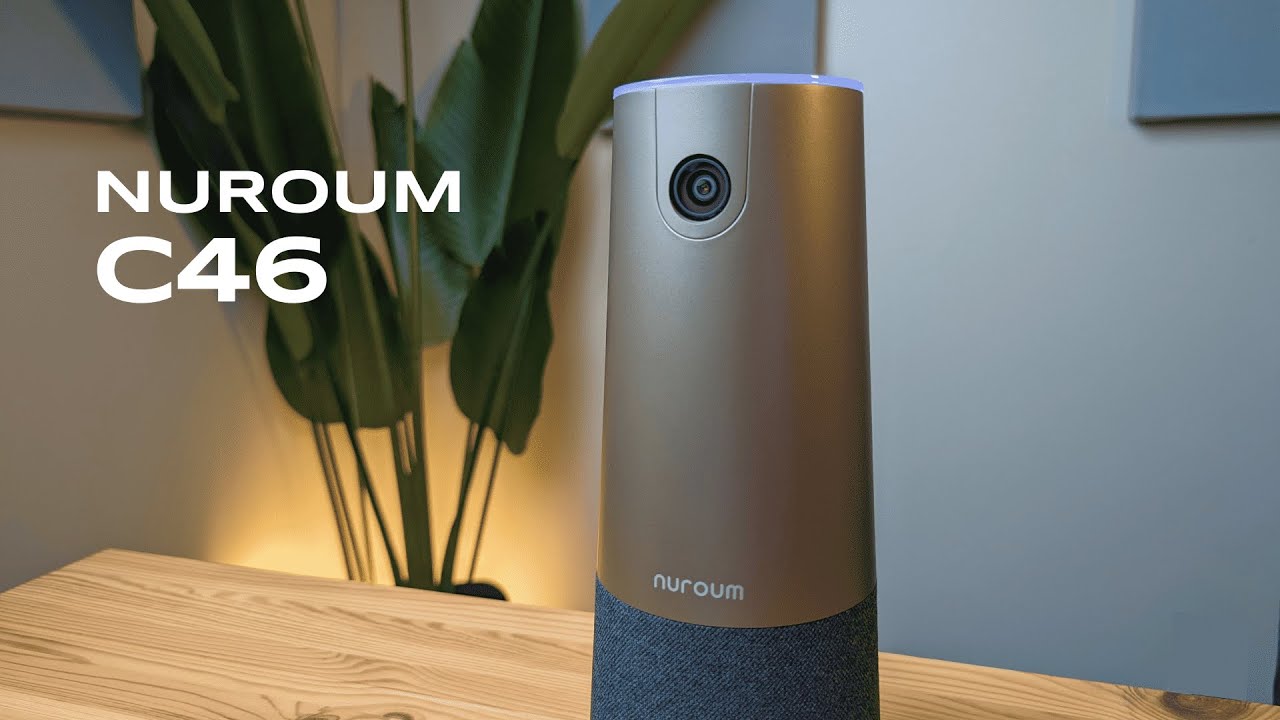
I'm Kova Tech, and I spent time with the Nuroum C46 conference webcam to see whether it really delivers the crisp video, smart framing, and reliable conference features it promises. In this hands-on review I'll walk you through what's in the box, how it feels and connects, the control options and LED feedback, real-world 4K video quality, and whether this is a good fit for your meeting room or home office. If you want a quick verdict up front: this is a solid, premium-feeling conference camera with excellent 4K output and smart features that make group meetings feel more natural.
Table of Contents
- What’s in the Box
- First Impressions: Design and Build
- Physical Controls and Ports
- LED Indicators and Ease of Use
- Video Quality — 4K HDR at 30FPS
- Audio and Conferencing Features
- Setup and Compatibility
- Who Should Consider the Nuroum C46?
- Pros and Cons
- Final Verdict
- FAQ
- Where to Find It
What’s in the Box
The C46 ships with the essentials you need to get started, and nothing surprising. In the package you'll find:
- Nuroum C46 conference cam body
- Power adapter with a US plug attachment
- USB-A to USB-C cable to carry the video signal
- Remote control for camera functions (battery not included)
- User manual with useful set-up and feature tips
- Warranty card
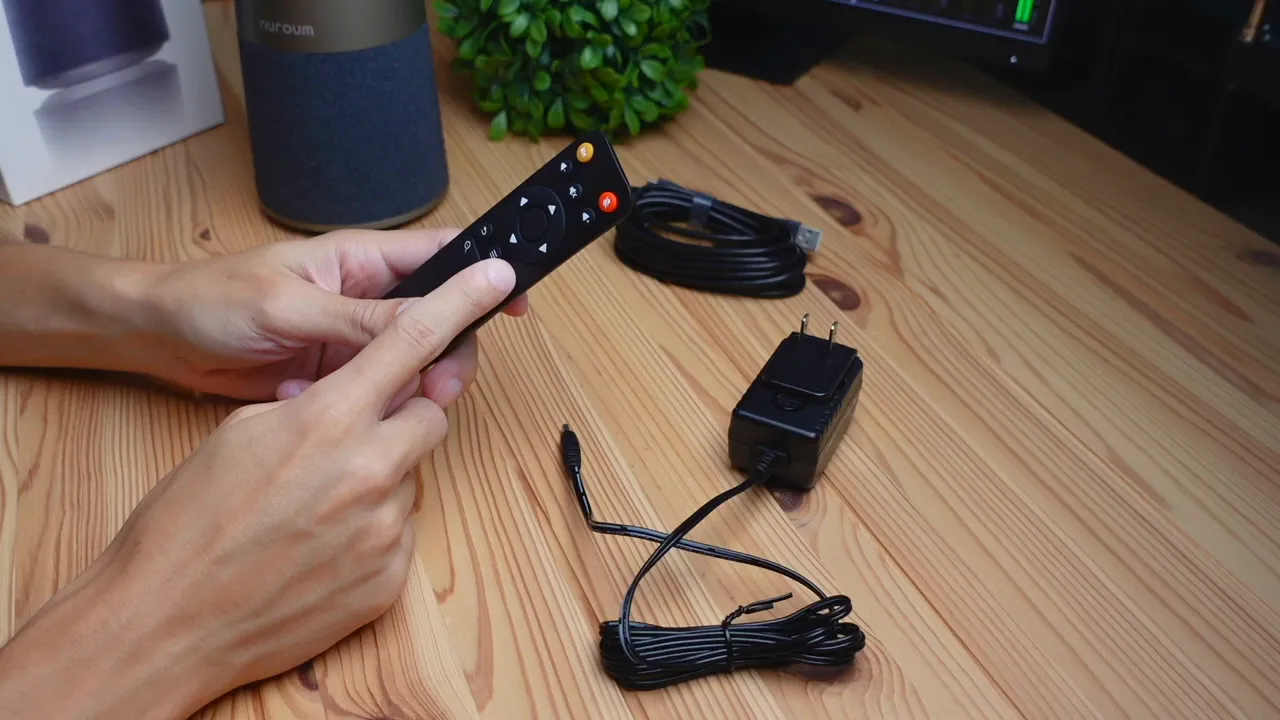
Having a dedicated power adapter and a separate USB-A to USB-C video cable is convenient for setups where power and data might be routed differently. The remote is a nice touch for conference rooms where you don't want to be constantly touching the camera body.
First Impressions: Design and Build
My immediate reaction was to the size — the C46 is noticeably large. When placed next to my head it stands taller than me, so plan where you put it. This is a conference device, not a compact desktop webcam.
Build quality feels premium. The plastic finish has a warm, coffee-ish brown tone that looks modern and avoids the typical glossy plastic look. The speaker grill is wrapped in cloth, which adds to a refined aesthetic you usually see on higher-end audio or speaker products.
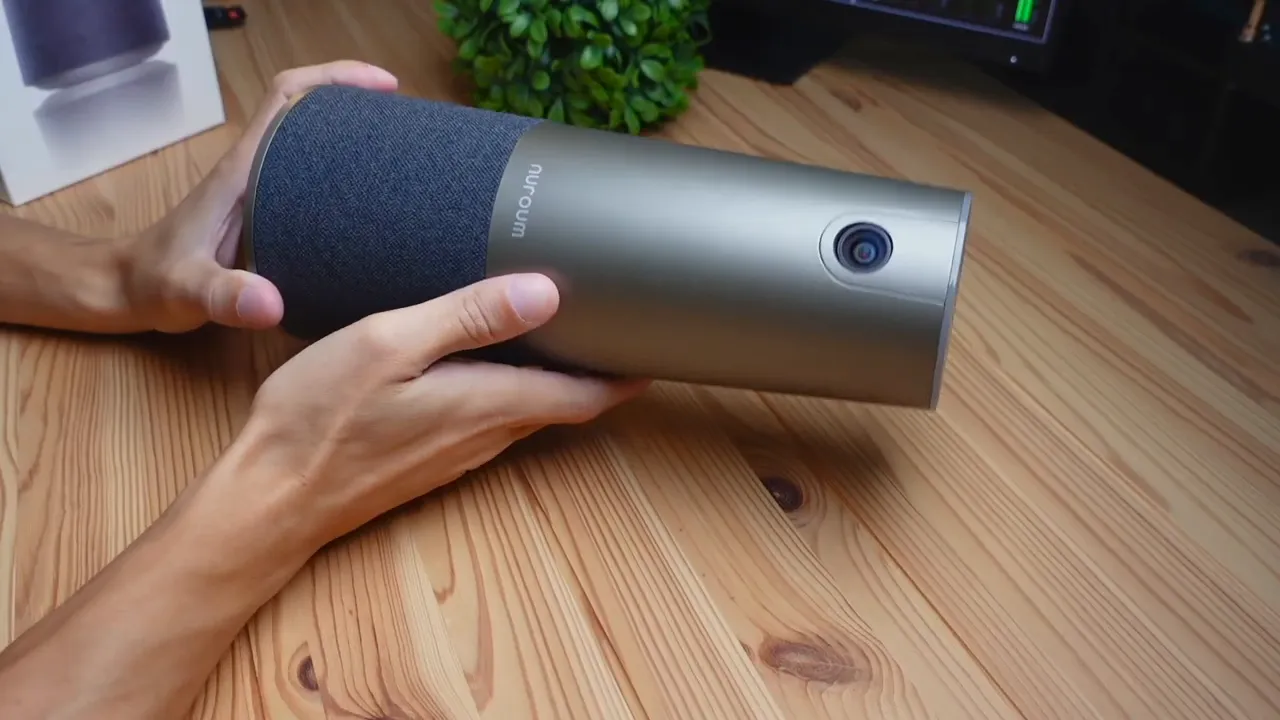
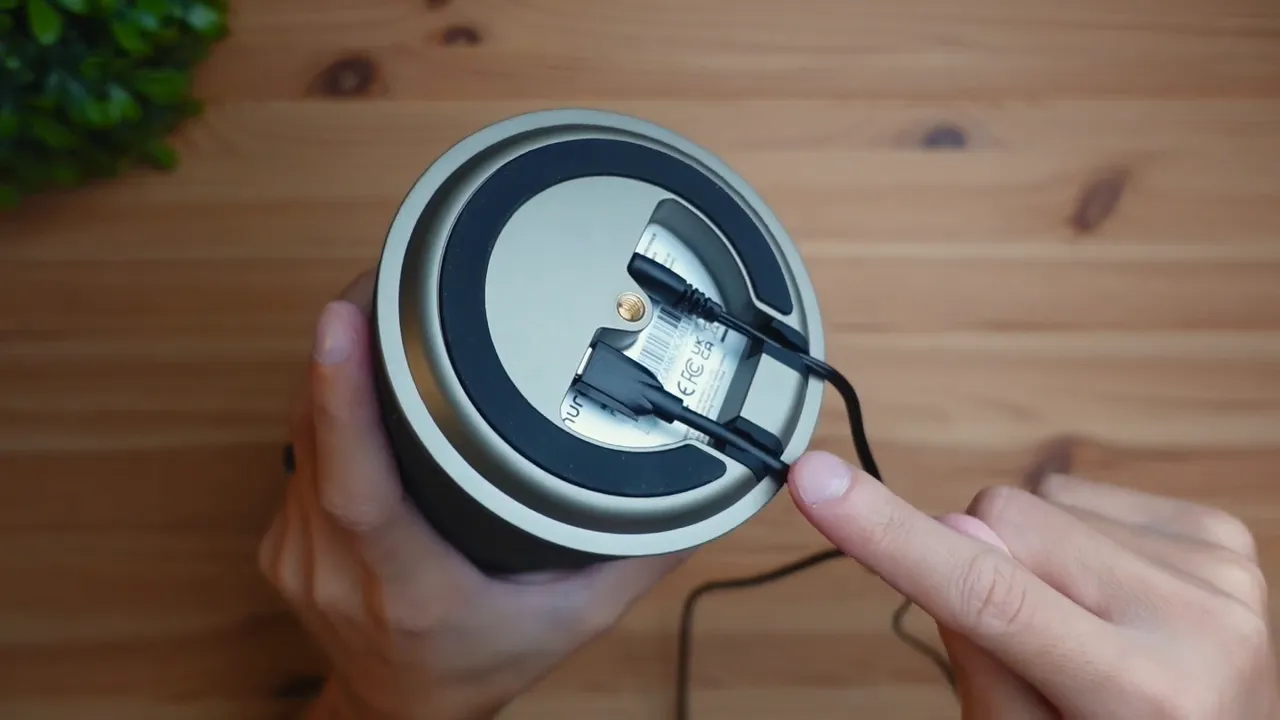
On the bottom you'll find large rubberized grips to keep the unit stable on a table, and there's a 3mm threaded mount if you want to mount it on a tripod or wall bracket for a more permanent installation.
Physical Controls and Ports
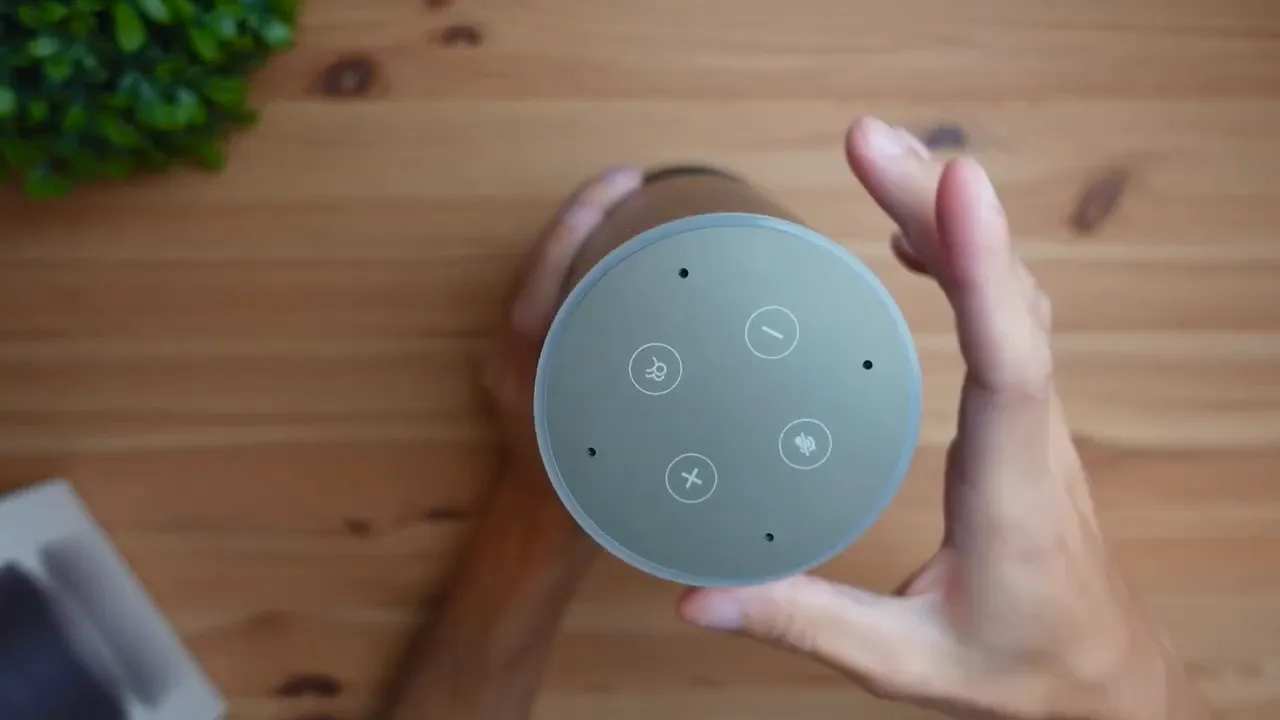
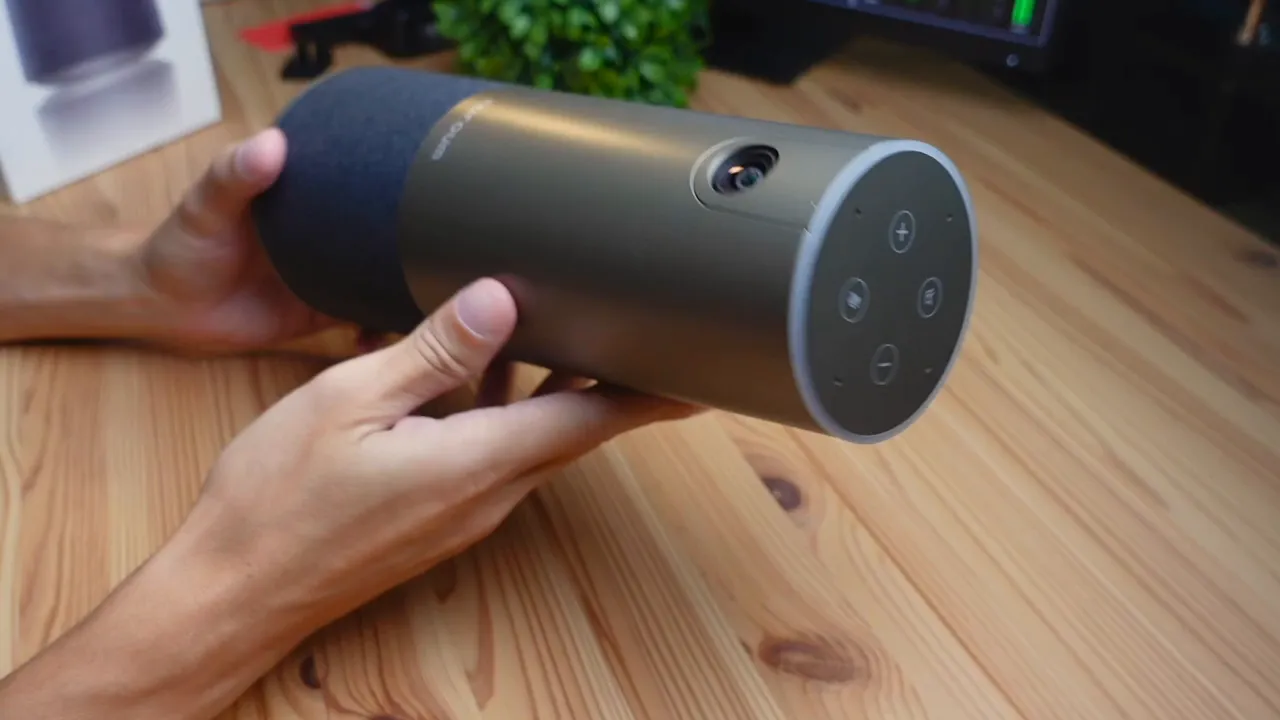
The top of the unit houses four physical controls that are easy to reach:
- Mute button — instant mic mute with visual indicator
- Volume down
- Volume up
- Mode switch button — toggles AI-driven camera angles and framing modes
Cable routing is well thought-out: there are channels to feed the power and data cables underneath so they don't interfere with the balance of the camera. The USB-C port is easily accessible for connection to your PC or a hub, and the power plug sits cleanly into its own socket.
LED Indicators and Ease of Use
Small but useful: the C46 uses color-coded LED feedback. When powered on the LED glows blue. Press the mute button and the LED changes to red with an audible volume signal to confirm mute. Little details like this make a big difference in live meetings where you want clear feedback without fumbling through software menus.
Video Quality — 4K HDR at 30FPS
The C46 records in 4K at 30 frames per second with HDR support via a CMOS sensor. In real-world testing the image looked crisp and well-lit for a conference camera. Colors held up and the HDR helped balance tricky lighting situations where windows or bright monitors might otherwise wash out faces.
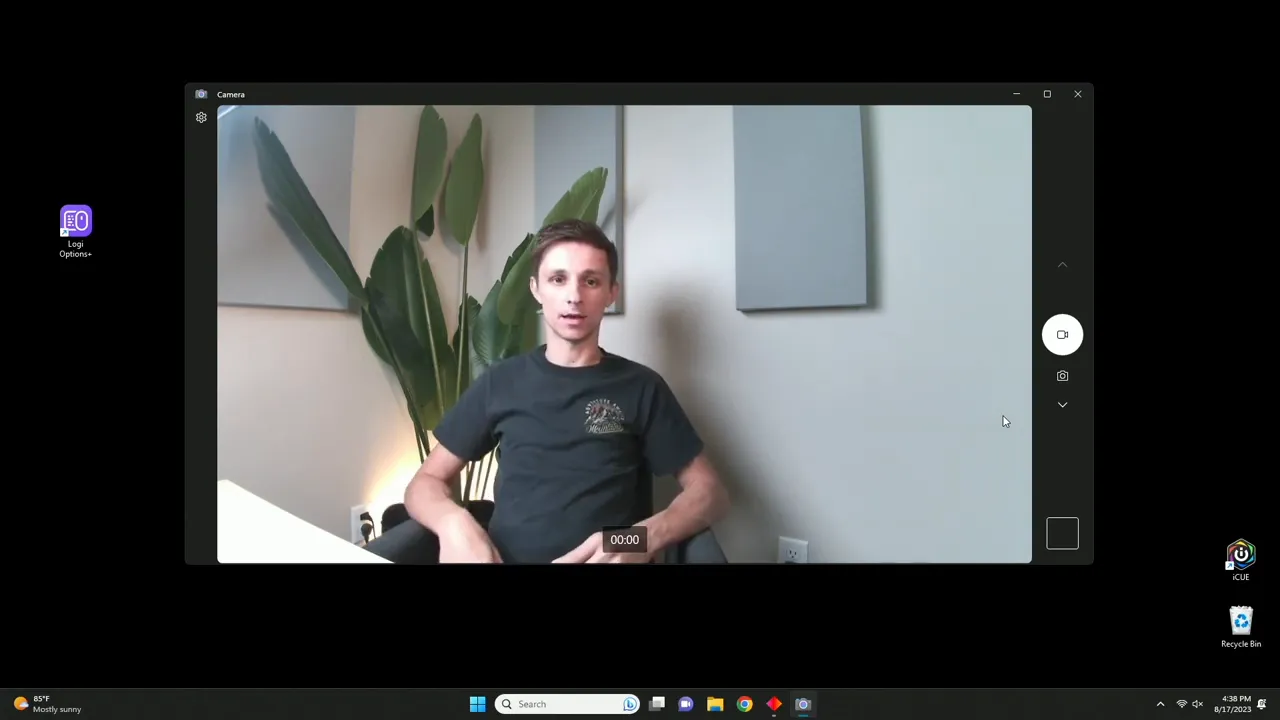
Wide-angle coverage (advertised at 120°) means the camera can capture multiple participants without feeling cramped. Where the C46 really stands out is in how it handles multiple faces: the auto-framing intelligently changes the angle and zooms in or out to keep the active speakers in comfortable framing. This creates a natural feel to group conversations rather than a static wide shot where people can feel distant.
Key video takeaways
- Excellent sharpness for a conference cam — 4K makes a visible difference
- HDR helps in mixed lighting environments
- Auto-framing provides a more dynamic meeting experience with multiple participants
- 5x digital zoom (per product specs) gives added flexibility for larger rooms
Audio and Conferencing Features
Although the unboxing and my quick hands-on focused primarily on the physical unit and video feed, the C46 also advertises a 4-microphone array with coverage up to 16 feet, AI noise reduction, and echo cancellation. Those features are designed to keep voices clear in a room with up to 15 participants — excellent for small-to-medium conference rooms.
In practice, the physical mute button combined with the LED alert makes it easy to manage audio during calls. The remote control (battery not included) allows quick muting or mode changes from anywhere in the room.
Setup and Compatibility
Setup is plug-and-play. Connect the USB-C to your computer via the provided USB-A/USB-C cable, plug in power, and you’re ready to go. No complex driver installation was required during my testing on a typical desktop setup.
The manual contains helpful tips on switching camera modes and using the remote. If you’re using a conferencing platform like Zoom, Teams, or Google Meet, the C46 worked seamlessly as a selectable camera and microphone source.
Who Should Consider the Nuroum C46?
The C46 is aimed at the small conference room market and serious remote workers who want better-than-average video and room audio. It’s a good fit if:
- You host group calls and want everyone clearly visible without crowding
- You need plug-and-play simplicity with intelligent auto-framing
- You want premium build quality and a device that looks presentable in meeting rooms
- You value integrated audio features (mic array, noise reduction) to reduce reliance on separate mics
If you only need a webcam for one-on-one calls from a desktop, a smaller, less expensive USB webcam might be more practical. The C46’s size and presence make it best for shared spaces or a professional background in a home office.

Pros and Cons
- Pros: True 4K HDR, premium build, cloth-covered speaker, large coverage angle, AI auto-framing, easy cable management, intuitive LED feedback
- Cons: Size requires permanent or secure placement, remote battery not included, may be overkill for single-person desktop use
Final Verdict
The Nuroum C46 Conference Webcam makes a strong case for anyone who runs multi-person video meetings and wants crisp 4K video plus intelligent framing. It feels premium, offers thoughtful physical controls and LED feedback, and the auto-framing gives group calls a more engaging, human feel. If you have the space and need a reliable all-in-one conference camera, the C46 is worth a look.
FAQ
What video resolution and frame rate does the C46 support?
The Nuroum C46 records in 4K at 30 frames per second and supports HDR, providing crisp detail and better dynamic range for varying lighting conditions.
Does the camera support auto-framing and zoom?
Yes. The C46 uses AI-driven auto-framing to adjust angle and zoom based on the number and position of participants. It also offers up to 5x zoom (digital), useful for larger rooms.
How easy is it to set up?
Setup is plug-and-play. Connect the power adapter and the USB-C cable to your computer, select the C46 as your camera and microphone in your conferencing app, and you’re ready to go. No complicated drivers were necessary in my testing.
Can the C46 handle multiple participants?
Yes. With its wide 120° lens and auto-framing, the C46 is designed to manage group calls, intelligently framing active speakers and adjusting zoom to keep everyone comfortably visible.
Is the remote included and does it need batteries?
A remote is included in the box, but batteries are not included. The remote allows you to control many features from across the room.
Where to Find It
If you want to learn more or pick up the Nuroum C46, check product listings from major retailers and the manufacturer’s store. For full specs and purchase options, search for the Nuroum C46 4K HDR Conference Webcam and look for details on mic array specs, zoom range, and supported platforms.
Thanks for reading — if you’re weighing conference camera options and want one that prioritizes image quality and smart framing, the C46 is a compelling choice. If you have questions about setup or real-world use cases, drop a comment and I’ll share what I learned during testing.


