Razer usually lives in the gaming lane, so when it puts out something aimed at productivity, I pay attention. The Razer Pro Type is one of those keyboards that immediately stands out because it looks nothing like the aggressive black RGB gear the brand is known for. This thing is clean, white, office friendly, and clearly trying to compete with productivity favorites from Logitech.
After spending time with it, I came away impressed in some areas and a little frustrated in others. There is a lot to like here, especially if you want a full-size wireless mechanical keyboard with multi-device support. At the same time, a couple of design choices keep it from being an easy recommendation for everyone.
If you are also comparing options in this category, it is worth checking out my thoughts on the Logitech MX Keys S and the broader lineup of productivity keyboards, since that is really the crowd this board is trying to go after.
Table of Contents
- What the Razer Pro Type is trying to be
- Design and build quality
- Connectivity and included accessories
- Battery life
- Typing experience and switches
- Ergonomics and comfort
- Backlighting and controls
- Where it stands against Logitech-style productivity keyboards
- Pros and cons
- Should you buy the Razer Pro Type?
- FAQ
What the Razer Pro Type is trying to be
The Pro Type is a 100 percent full-size wireless mechanical keyboard. That means you get the whole layout: function row, navigation cluster, arrow keys, and a dedicated number pad.
For anyone who works with spreadsheets, accounting software, data entry, or anything number heavy, that numpad matters. A lot of modern productivity boards trim the layout down to save desk space, but Razer went the other direction here and kept everything intact.
That full-size layout is paired with a more work-focused feature set, including:
- Razer Orange mechanical switches
- White LED backlighting
- Wireless connectivity
- Support for up to four paired devices
- Programmable keys and macro support
So on paper, this is not a gaming keyboard wearing a suit. It is actually designed to function as a productivity-first board.
Design and build quality
One of the first things I noticed was the build. Razer did a solid job here.
The top plate has an aluminum finish that feels cool to the touch and gives the board a more premium vibe. It reminds me of the sort of material choice you usually see on cleaner minimalist keyboards, especially the ones aimed at office setups. Around the sides and back, you get a matte white plastic shell that keeps the overall look simple and polished.

That contrast between the metal top and white body works really well. This is easily one of the better-looking Razer keyboards if your goal is a cleaner desk setup instead of a gamer aesthetic.
Razer also added rubber grips on the bottom corners and on the adjustable feet, which helps keep the board from sliding around while typing. That sounds minor, but it matters. A keyboard that shifts during long typing sessions gets annoying fast.
Keycap feel
The keycaps are interesting. At a glance they look fairly standard, but when you actually touch them, they have a soft-touch texture with a bit of grip. Razer does not really spell out what that coating is, but it feels good under the fingers. It gives the board a slightly more refined typing feel than plain hard plastic keycaps.
That texture is one of the little details that makes the keyboard stand out. It is subtle, but it adds to the premium impression.
Connectivity and included accessories
The Pro Type includes a detachable USB-C to USB-A cable, but here is something important: the cable is only for charging. You cannot use this keyboard as a wired keyboard with your computer.
Your actual connection options are:
- Bluetooth
- The included 2.4GHz USB dongle
The dongle stores on the underside of the keyboard, and the storage slot is magnetic, which is a nice touch. That makes it easy to keep track of when traveling or moving between setups.
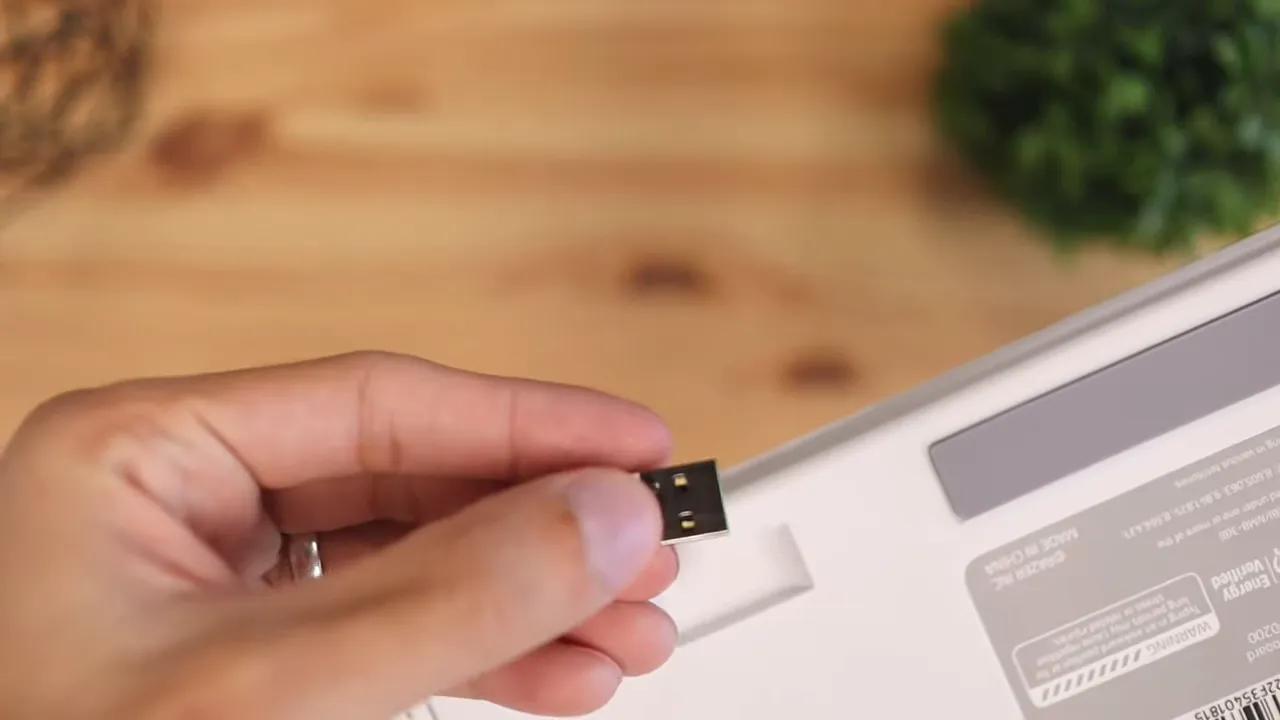
Razer also lets you pair the keyboard with up to four devices and switch between them on the fly. You do that with the function key plus 1, 2, 3, or 4. If you jump between a desktop, laptop, tablet, or phone throughout the day, that is one of the keyboard's best features.
That kind of device switching has become a big deal in the productivity space, and it is part of why Logitech keyboards are so popular. Razer absolutely needed it here, and I am glad they included it.
Battery life
Battery life is a mixed bag.
Razer rates the keyboard at about 12 hours with the backlight on and up to 84 hours with the backlight off. A full charge takes roughly two hours.
If you plan to keep the white LED lighting on all the time, 12 hours is not especially impressive. That is basically enough for a day or a day and a half before you are thinking about charging again. In real use, that means you will probably want to keep the charging cable nearby.
If you turn the lighting off, the battery life becomes much more practical. So whether this is good or bad depends heavily on how important the backlighting is to you.
If long battery life is a top priority, lower-profile productivity keyboards often do better here. For example, boards discussed in my Logitech Wave Keys customization guide focus a lot more on comfort and efficiency over illuminated mechanical flair.
Typing experience and switches
The Pro Type uses Razer Orange mechanical switches, which are basically in the tactile-but-not-too-loud camp. If you are familiar with brown switches, the experience is pretty similar.
You get a little resistance and tactile feedback as the key actuates, but without the sharp clickiness of a blue-style switch. For office use, that is the right call. It keeps the keyboard mechanical and satisfying without becoming obnoxious.
Overall, the typing feel is pretty fluid. Presses feel responsive, and the board is comfortable to type on from a switch standpoint. If all you care about is whether the Orange switches feel pleasant for everyday work, I would say yes.
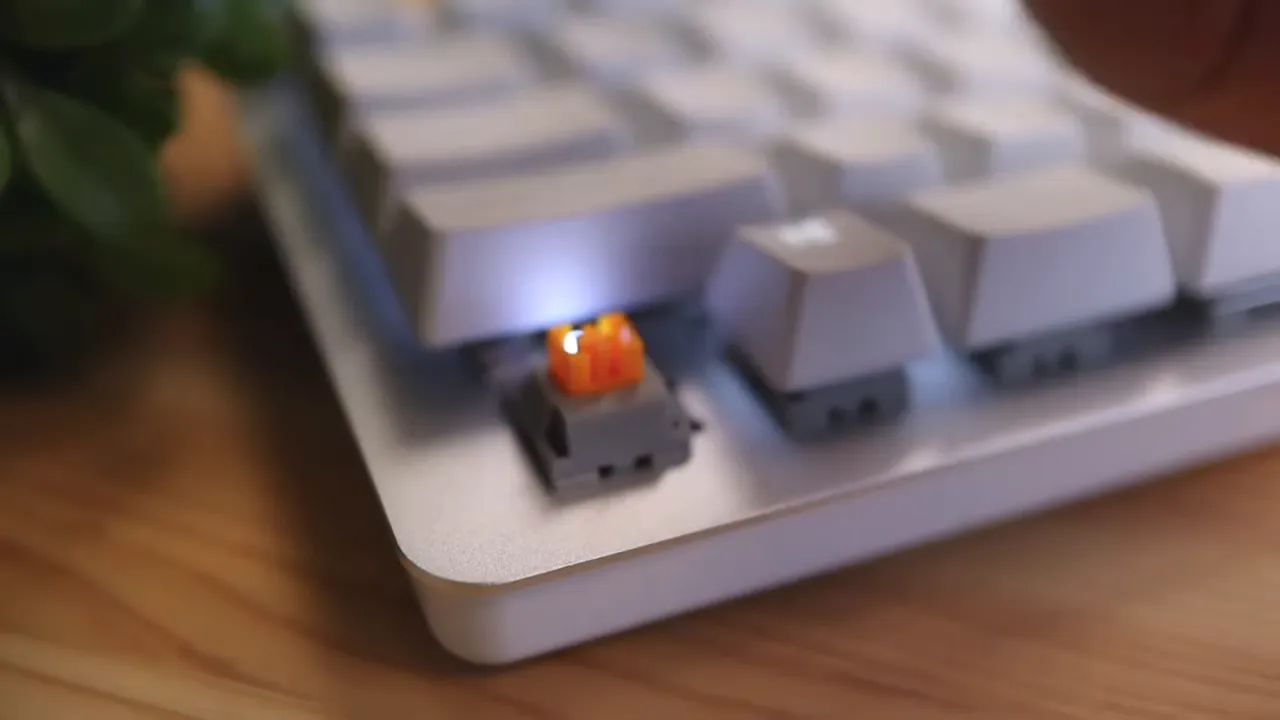
There is just one problem, and it is the main thing holding the board back.
The wobble issue
The keys are a little too wobbly, especially the space bar.
When you lightly tap or nudge the keys, they move around more than I would like at this price point. The space bar is the most obvious example. It does not feel as stable or polished as it should on a keyboard in this range.
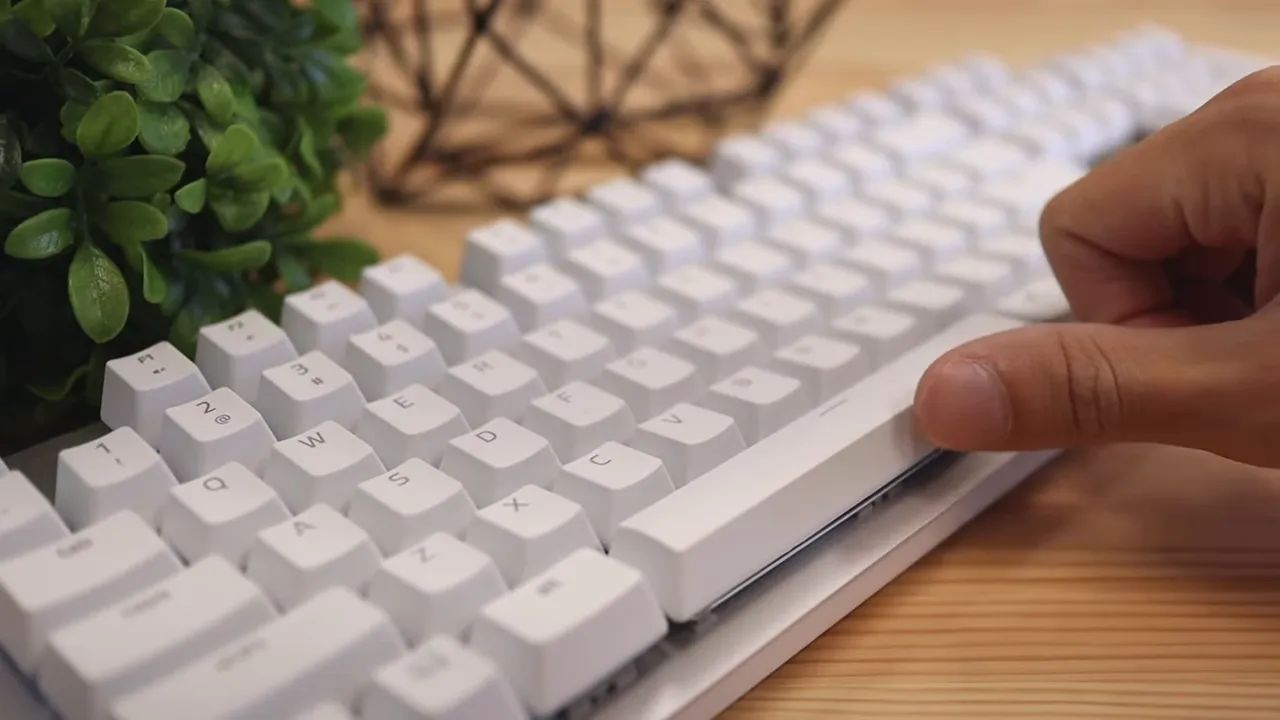
Now to be fair, when you type normally, the board still feels good. The switches themselves are pleasant. The problem is that the looseness makes the keyboard feel less premium than its materials and design suggest.
That is frustrating because this keyboard gets so many other things right. Tighten up the key stability and it would make a much stronger impression.
Ergonomics and comfort
Razer markets this as ergonomic, but I think that needs some context.
Because this is a standard-height mechanical keyboard, it sits fairly tall off the desk. That means your fingers and wrists have to angle upward more than they would on a low-profile board. If you are used to flatter keyboards, especially something like the MX Keys line, this can feel like more work over longer sessions.
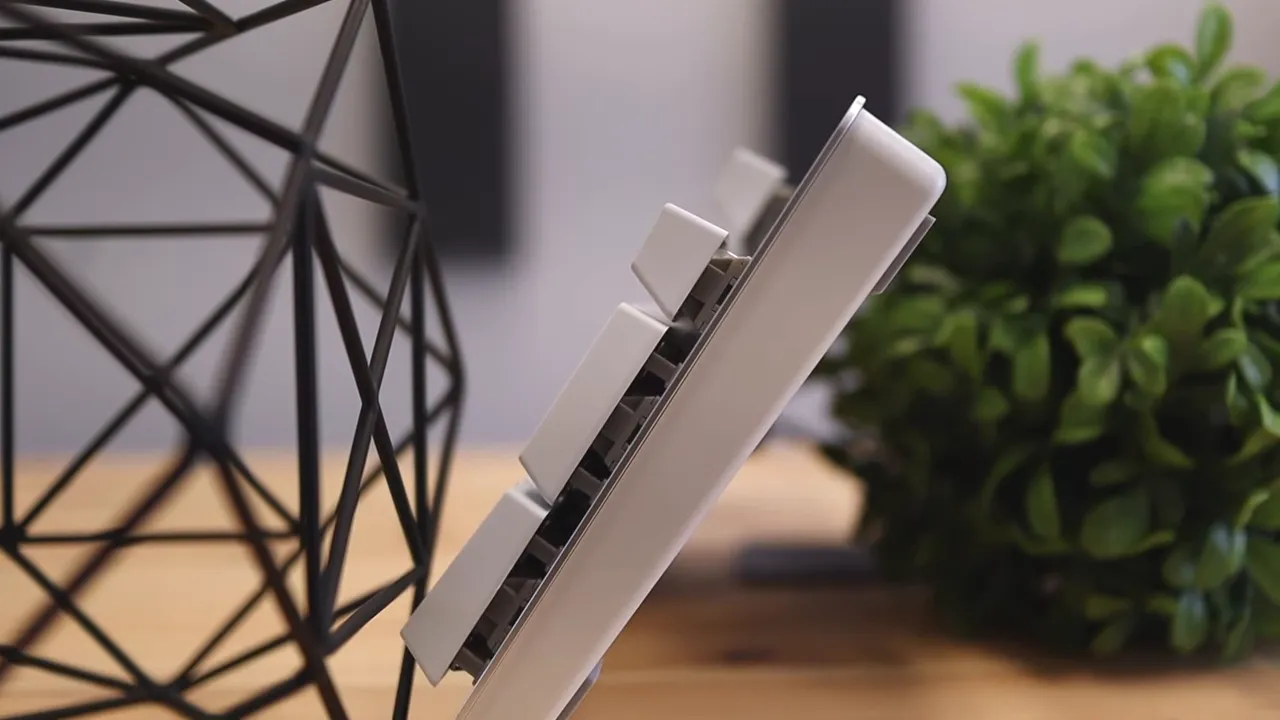
That is why I really wish Razer had included a wrist rest. A wrist rest would have made a big difference here, especially given the board's height. Without one, the typing posture is less natural than it could be.
So while the keyboard can be comfortable in short and medium sessions, I would not call it the most ergonomic option in the productivity category. If ergonomics are your top concern, a lower-profile design or something purpose-built around hand positioning may be a better fit. The Logitech Wave Keys Ergo, for example, goes much more directly after comfort.
Backlighting and controls
The Pro Type uses white LED backlighting rather than RGB, and that fits the whole office-first design language nicely.
You can adjust brightness directly from the keyboard using the function key with F11 and F12. That is convenient and keeps things simple.
Razer did not add any flashy dedicated media buttons, but the board does include the essentials through the function row. You can control volume, pause and play, and skip tracks without needing extra controls cluttering up the design.
That matches the overall philosophy of this keyboard. It is trying to stay clean and understated rather than overloaded.
Where it stands against Logitech-style productivity keyboards
This is the real conversation. The Pro Type is clearly aimed at the same kind of buyer looking at Logitech productivity gear.
What Razer does well is bring a mechanical typing experience into that cleaner office-oriented space. A lot of productivity keyboards lean low-profile, softer, and quieter. The Pro Type says, fine, but what if you still want tactile mechanical switches, full-size layout, and multi-device convenience?
That is the niche this board fills.
At the same time, Logitech still has some advantages in ergonomics and polish, especially with low-profile designs. If you prefer flatter key travel, better wrist comfort, and more mature office-focused design decisions, Logitech remains hard to beat. If you want the mechanical feel and the cleaner white aesthetic, the Pro Type has a stronger case.
Pros and cons
What I liked
- Great materials with an aluminum top plate and solid plastics
- Clean design that looks right at home in an office or minimalist desk setup
- Soft-touch keycaps that feel grippy and pleasant
- Orange switches provide a quiet tactile typing experience
- Support for up to four devices is genuinely useful for multitasking
- Full-size layout is ideal for number-heavy work
What I did not like
- Wobbly keys, especially the space bar, hurt the premium feel
- No wrist rest on a fairly tall mechanical keyboard
- No wired data mode, since the cable only charges the keyboard
- Backlit battery life is not very strong at around 12 hours
Should you buy the Razer Pro Type?
If you are a Razer fan who wants something more office friendly, this keyboard makes a lot of sense. It looks great, feels good in many ways, and offers practical features like multi-device pairing and a full-size layout.
If you specifically want a wireless mechanical productivity keyboard with tactile switches and a cleaner white design, the Pro Type is a strong option.
But if you are picky about key stability, long-session ergonomics, or battery life with backlighting enabled, there are some tradeoffs you need to be aware of. Those issues do not ruin the keyboard, but they stop it from being a slam dunk.
For pricing and current availability, you can check the Razer Pro Type listing or the official Razer product page. If you want a broader technical look at wireless and Bluetooth behavior in peripherals, Bluetooth SIG is also a useful reference.
My bottom line is simple: the Razer Pro Type is a stylish and capable productivity keyboard with a very good mechanical typing foundation, but it falls just short of greatness because of its wobble and comfort compromises.
FAQ
Is the Razer Pro Type a gaming keyboard?
Not really. It comes from a gaming brand, but this model is designed more for productivity with a clean office-friendly look, white backlighting, and multi-device wireless support.
Can the Razer Pro Type connect to multiple devices?
Yes. It can pair with up to four devices and switch between them using the function key plus the number keys.
Can you use the Razer Pro Type as a wired keyboard?
No. The included USB-C cable is for charging only. Actual connectivity happens through Bluetooth or the included USB wireless dongle.
What switches does the Razer Pro Type use?
It uses Razer Orange mechanical switches, which offer a tactile feel similar to brown switches while staying quieter than clicky options.
Is the Razer Pro Type good for office work?
Yes, especially if you want a full-size layout with a numpad and a mechanical typing experience. Its clean design also fits well in professional setups. Just keep in mind the keyboard is fairly tall and does not include a wrist rest.
What is the biggest downside of the Razer Pro Type?
The main downside is key wobble, especially on the space bar. The switches feel good, but the looseness takes away from the premium feel.


