When two keyboards sit at the same price point, the real question is not which one has the longer feature list. It is which one actually feels better to live with every day.
That is exactly where the SteelSeries Apex 5 and Razer Ornata V2 get interesting. Both are hybrid mechanical keyboards. Both aim to blend the clicky feel people want from mechanical switches with a smoother, more approachable typing experience. And both try to justify their price with RGB lighting, wrist rests, media features, and software customization.
But they do not feel the same at all.
One leans harder into premium materials and a sturdier overall design. The other leans into comfort, brighter RGB, and a typing feel that is honestly more unique than I expected. If you are trying to choose between them, the differences start showing up fast once you look past the spec sheet.
Table of Contents
- Build quality and materials
- Wrist rests and long-session comfort
- Cables and desk setup details
- RGB lighting and visual impact
- Keycaps, profile, and typing feel
- Sound profile and spacebar rattle
- Extra features and media controls
- Software and customization
- Which keyboard is better for typing?
- Which keyboard feels more premium?
- My final recommendation
- Quick verdict
- FAQ
Build quality and materials
The first thing that separates these two is build quality.
The SteelSeries Apex 5 uses an aluminum top plate with smooth plastic on the back. It comes across as more refined and more solid right away. It has that reassuring feel you expect when you spend good money on a keyboard. Nothing about it feels cheap, and the material choices make the whole board look cleaner and more premium on a desk.
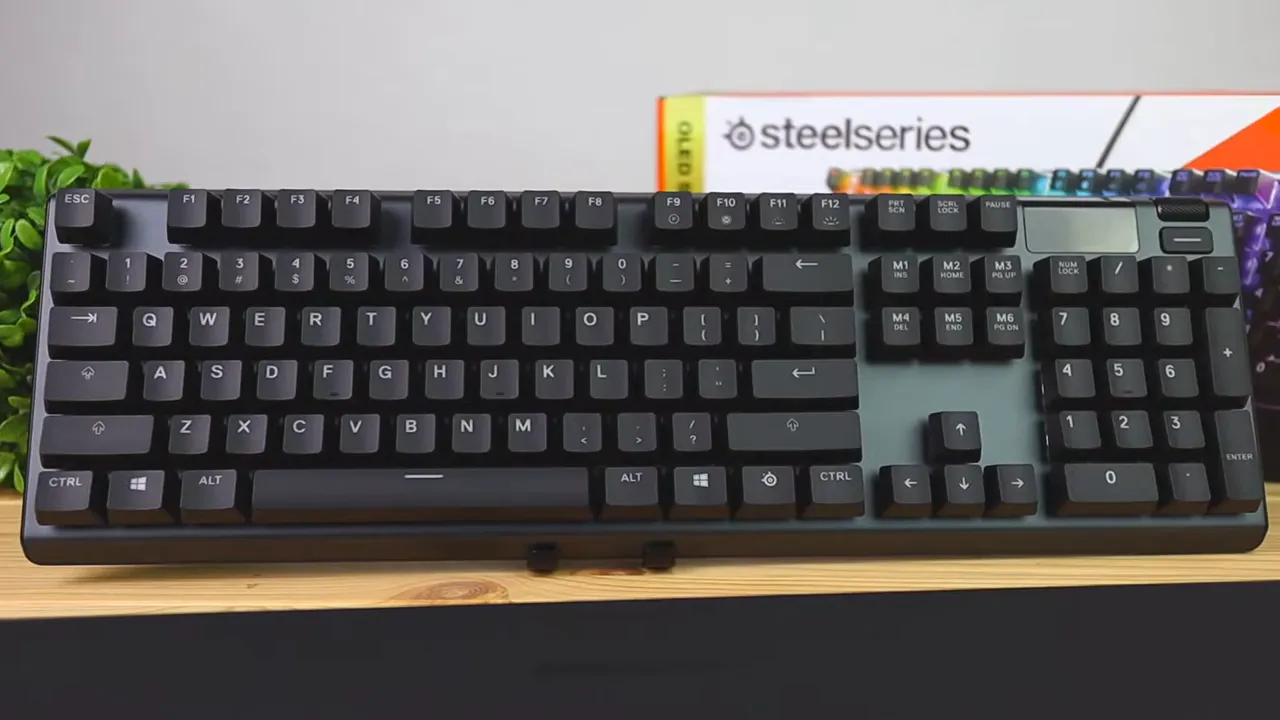
The Razer Ornata V2 goes in a different direction. Its body is plastic all around, and not the kind of plastic that tricks you into thinking it is metal from a distance. It has a grainier texture and a less polished feel. It is not flimsy, but next to the Apex 5 it definitely feels like the less expensive product, even though they are priced in the same range.
If build quality is high on your priority list, the SteelSeries gets the edge without much debate.
Wrist rests and long-session comfort
Both keyboards include a magnetic wrist rest, which is great because that is one of those things that can make a full size keyboard a lot more enjoyable over time.
Still, the wrist rests are very different.
The SteelSeries wrist rest uses a firmer rubberized plastic material. It is not plush, but it feels practical. It avoids the issues softer materials often run into after months of use, and it seems like it will hold up better over time.
The Razer wrist rest uses a pleather surface, which sounds nicer on paper and may even feel more comfortable at first touch. The downside is the long term experience. Pleather tends to wear down, and it can start looking rough after regular use. It can also make your wrists feel warm and sweaty during longer sessions, which is not something I love on a keyboard I plan to use daily.
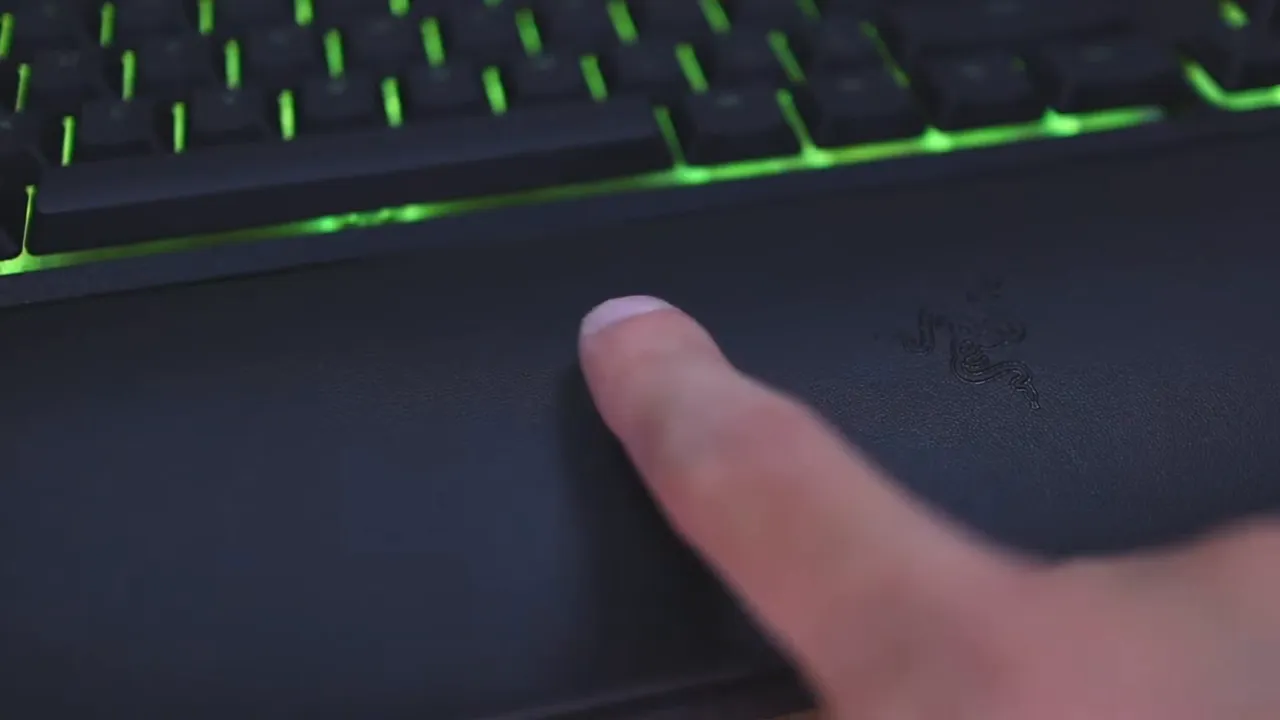
So if your definition of comfort is soft padding out of the box, Razer may appeal more. If your definition of comfort includes durability and lower maintenance, SteelSeries makes the stronger case.
Cables and desk setup details
This is a smaller category, but it matters if you care about cable management.
The Apex 5 uses a standard silicone cable. The Ornata V2 uses a braided cable, and that is simply the nicer cable of the two. It feels a bit more premium and looks better running across a desk.
That said, both keyboards do something useful on the underside. Each one includes three-way cable routing, so you can run the cable out the left, center, or right side depending on your setup. That helps keep your desk cleaner and reduces awkward cable drag.
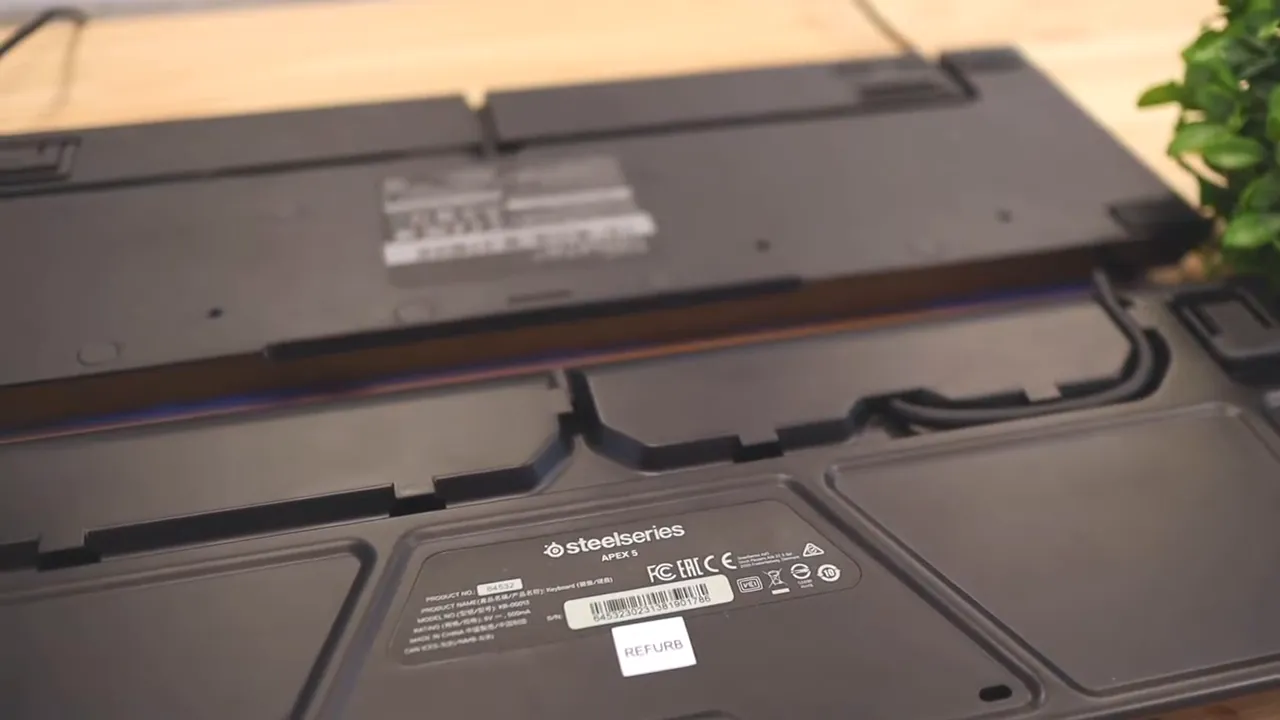
Neither keyboard wins big here overall. Razer has the better cable. Both handle routing well.
RGB lighting and visual impact
If you care about RGB, the Ornata V2 is the stronger performer.
The difference is not just color tuning. The Razer appears brighter because of the white plastic under each key area, which helps reflect and spread the light. The result is a more vivid, punchier glow that stands out more on a desk.
The Apex 5 does not have bad lighting at all. In fact, compared to plenty of mechanical keyboards, its RGB is still very good. But side by side, the Razer simply looks brighter and more alive.
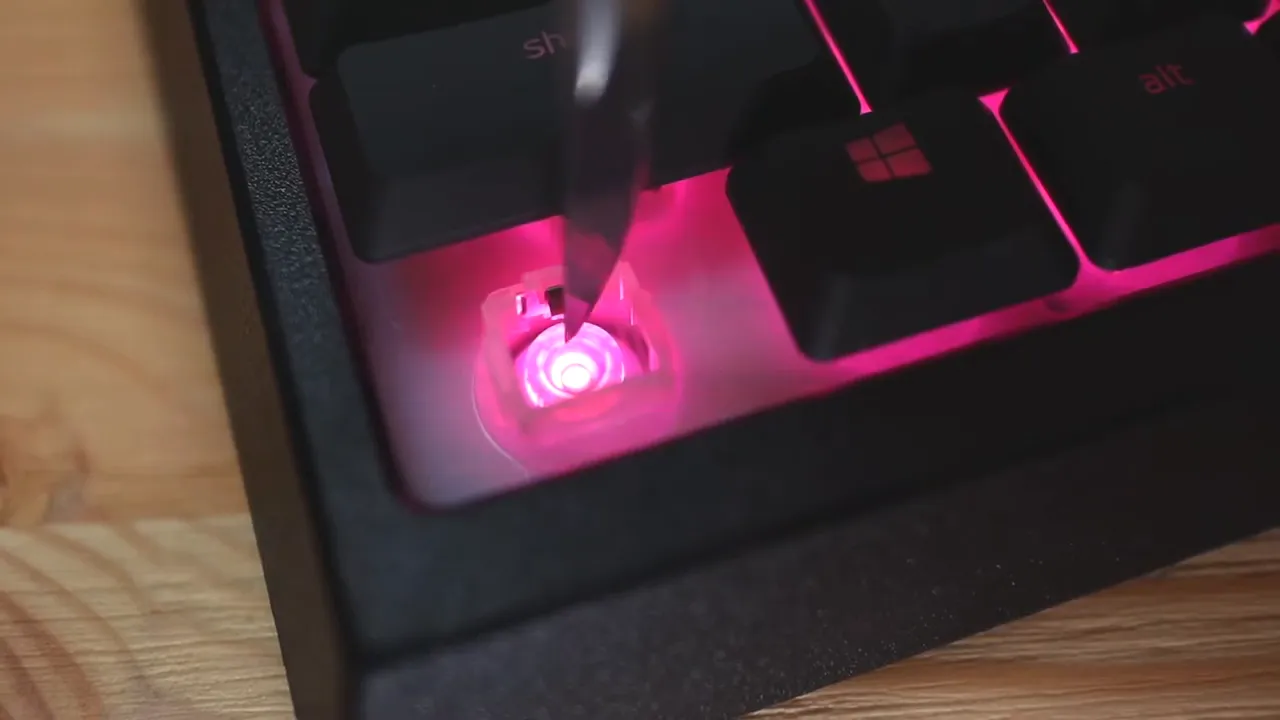
So for pure RGB presence, I would give this round to Razer.
Keycaps, profile, and typing feel
This is where the comparison gets more personal, because the typing experience is going to matter more than almost anything else.
The SteelSeries Apex 5 uses more traditional full size keycaps. It looks and feels closer to a regular mechanical keyboard. If you like that taller key style, the Apex 5 will feel familiar.
The Razer Ornata V2 uses lower profile keycaps. They sit shorter, which means your fingers do not have to travel as far up and down to move across the board. I personally find that more comfortable, and it also gives the keyboard a sleeker appearance on the desk.
Now for the switches.
The Apex 5 in this comparison uses SteelSeries Hybrid Blue switches. They deliver a clicky mechanical style feel, but with a slightly softer keypress than a typical blue switch. So instead of feeling harsh and jagged at bottom out, they feel a bit smoothed over.
The Ornata V2 also has a hybrid mechanical switch design, and this is where things get interesting. It has click and tactility, but the keypress feels softer and more polished. It almost has a cushioned feel at first, then gives you that tactile click as you press through. It is a weird combination in the best way.
I came away more impressed by the Ornata V2's typing feel. It feels softer, quieter, and more refined under the fingers.
Sound profile and spacebar rattle
Sound matters, especially if the keyboard is going to be used in a shared room or for long work sessions.
The Apex 5 is noticeably louder. That makes sense because it behaves much closer to a blue style switch keyboard. If you like a crisp, louder mechanical sound, you may actually enjoy it more.
The Ornata V2 is quieter. It still has clickiness, but the overall tone is less aggressive. For my taste, it sounds better and feels better because it balances feedback without becoming obnoxious.
There is one drawback both keyboards share, though: spacebar rattle.
Neither one does a great job controlling it. If you are sensitive to stabilizer noise, you will notice it on both boards. This is not a minor nitpick if that sort of thing drives you crazy, because it is present enough to matter.
Extra features and media controls
Both keyboards try to offer more than just typing, but they go about it differently.
The Apex 5 includes a dedicated volume roller and a play or pause button. It also has a small OLED smart display in the top right corner.
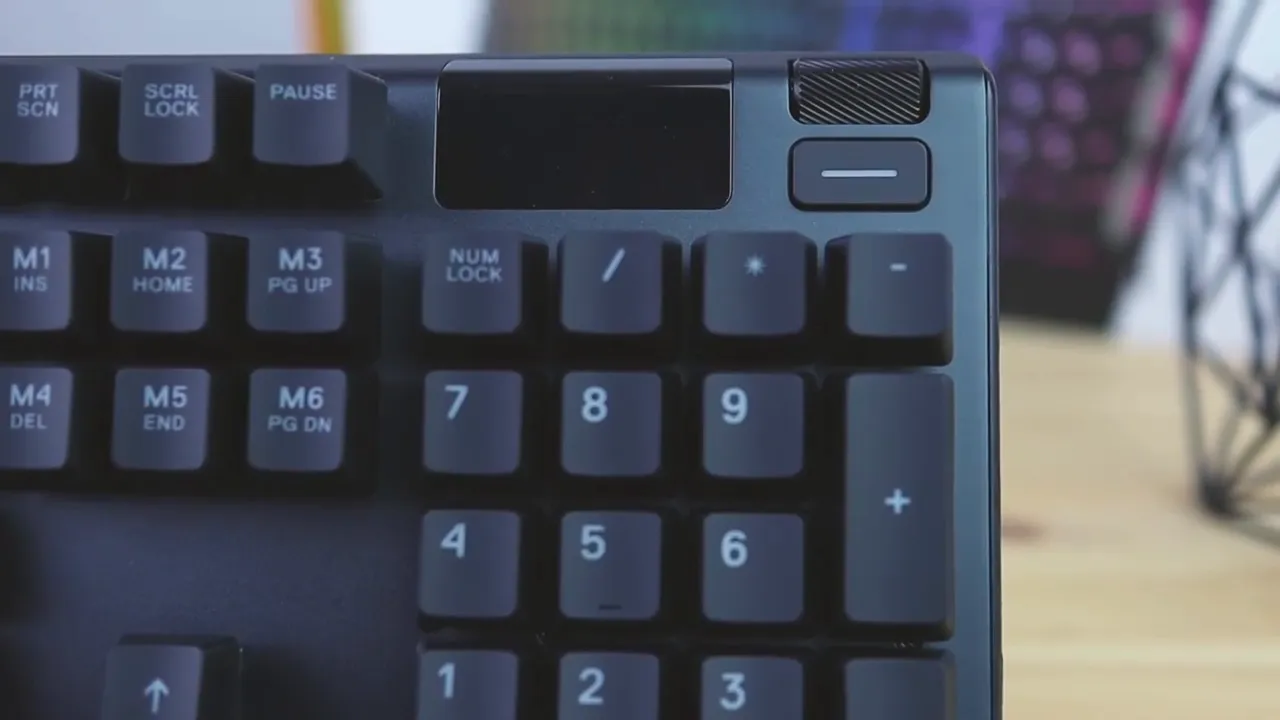
That display can show images, logos, the time, and even message previews. It is a neat idea, and SteelSeries deserves credit for trying something different. But for me, it lands more as a gimmick than a must-have feature. I would honestly rather trade that screen for more dedicated media controls.
The Ornata V2 has a volume wheel too, and while it does not have the same kind of dedicated special button layout as the Apex 5, it still gives you media shortcuts including play or pause and track controls. They are just integrated in a more subtle way rather than standing out as separate premium buttons.
So if you want the more distinctive hardware feature, SteelSeries has it with the OLED display. If you want a more practical balance of media functionality, Razer does a solid job too.
Software and customization
On the software side, neither keyboard is boxed into one platform. Both support Mac and Windows, which is a nice bonus if you switch systems or use more than one computer.
Both let you customize RGB lighting, assign macros, and remap keys. That means the essentials are covered either way.
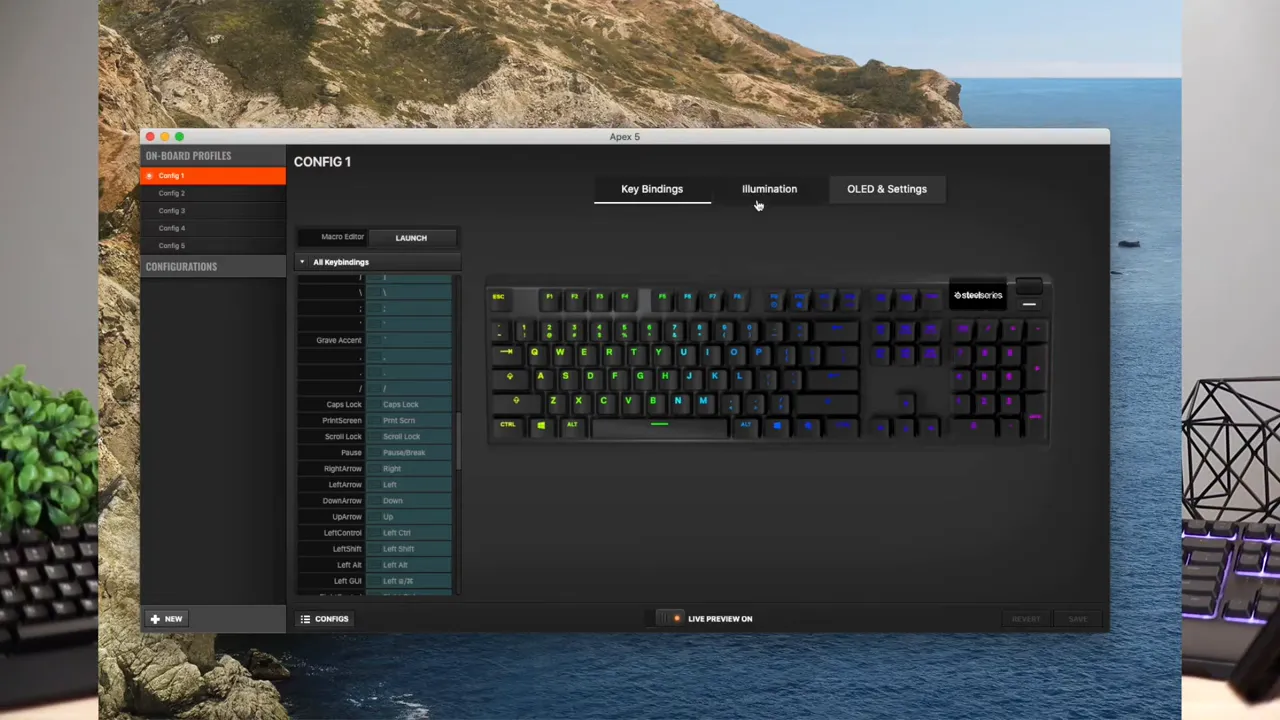
If software depth matters to you, both ecosystems are mature enough to handle the basics and then some. For broader context on keyboard software and typing-focused designs, it can also help to compare how different brands approach usability in something like this Logitech Wave Keys Ergo Keyboard review, where comfort and customization are judged very differently than on gaming boards.
If you want to look at the individual product pages, you can check the SteelSeries Apex 5 listing and the Razer Ornata V2 listing.
Which keyboard is better for typing?
If the main goal is a pleasant typing experience with brighter RGB, I would lean toward the Razer Ornata V2.
Its lower profile keys feel easier to move across, the switches feel more polished, and the sound is quieter without losing that clicky tactile character. It is the keyboard here that surprised me more when it came to actual day to day feel.
For anyone comparing hybrid designs to other models in the same category, my broader keyboard coverage may help if you want to look beyond these two and compare other switch styles, layouts, and comfort tradeoffs.
Which keyboard feels more premium?
If your focus is build quality, materials, and overall solidity, the SteelSeries Apex 5 is the clear winner.
It looks nicer, feels sturdier, and gives off a more premium impression from the moment you put your hands on it. The aluminum top plate carries a lot of weight here, and the wrist rest material feels more durable long term.
The Razer is not bad, but next to the Apex 5 it feels cheaper than it should for the price.
My final recommendation
Here is the simplest way I can break it down:
- Choose the Razer Ornata V2 if you want the better typing experience, brighter RGB, and a quieter overall sound.
- Choose the SteelSeries Apex 5 if you want better build quality, stronger materials, and a keyboard that feels more premium and solid.
If I could only keep one, I would personally keep the SteelSeries Apex 5.
That might sound a little odd since I genuinely like typing on the Razer more, but the SteelSeries wins me over with its sturdier construction and nicer materials. The Razer wrist rest is the biggest issue for me. It feels okay at first, but I do not trust the pleather to age well, and I am not a fan of the warm, sweaty feel it can create over time.
The Apex 5 just feels like the more complete product physically. The Ornata V2 wins important categories, but the SteelSeries feels like the one I would rather own long term.
If you want another perspective on premium keyboard construction and media control design, this Corsair K70 CORE review is a useful reference point, especially for understanding how much material quality changes the daily experience.
Quick verdict
- Best typing feel: Razer Ornata V2
- Best RGB brightness: Razer Ornata V2
- Best build quality: SteelSeries Apex 5
- Best long term material confidence: SteelSeries Apex 5
- Best unique feature: SteelSeries Apex 5 OLED display
- My overall pick: SteelSeries Apex 5
FAQ
Is the SteelSeries Apex 5 mechanical?
It uses hybrid mechanical switches rather than a traditional full mechanical switch set. The feel is closer to a clicky mechanical keyboard, but the keypress has a softer finish than a standard blue switch board.
Is the Razer Ornata V2 quieter than the Apex 5?
Yes. The Ornata V2 is noticeably quieter while still keeping a clicky, tactile character. The Apex 5 sounds more like a louder blue switch style keyboard.
Which keyboard has better RGB lighting?
The Razer Ornata V2 has brighter and more vivid RGB lighting. Its internal design helps reflect more light around each key, so the overall effect stands out more.
Do both keyboards have wrist rests?
Yes. Both include magnetic wrist rests, but they use different materials. SteelSeries uses a firmer rubberized surface, while Razer uses a softer pleather finish.
Which keyboard is better for long term durability?
The SteelSeries Apex 5 feels more durable overall because of its aluminum top plate, smoother finish, and wrist rest material that should age better than pleather.
Do both keyboards support customization software on Mac and Windows?
Yes. Both keyboards support software customization on Mac and Windows for lighting, macros, shortcuts, and key behavior.


