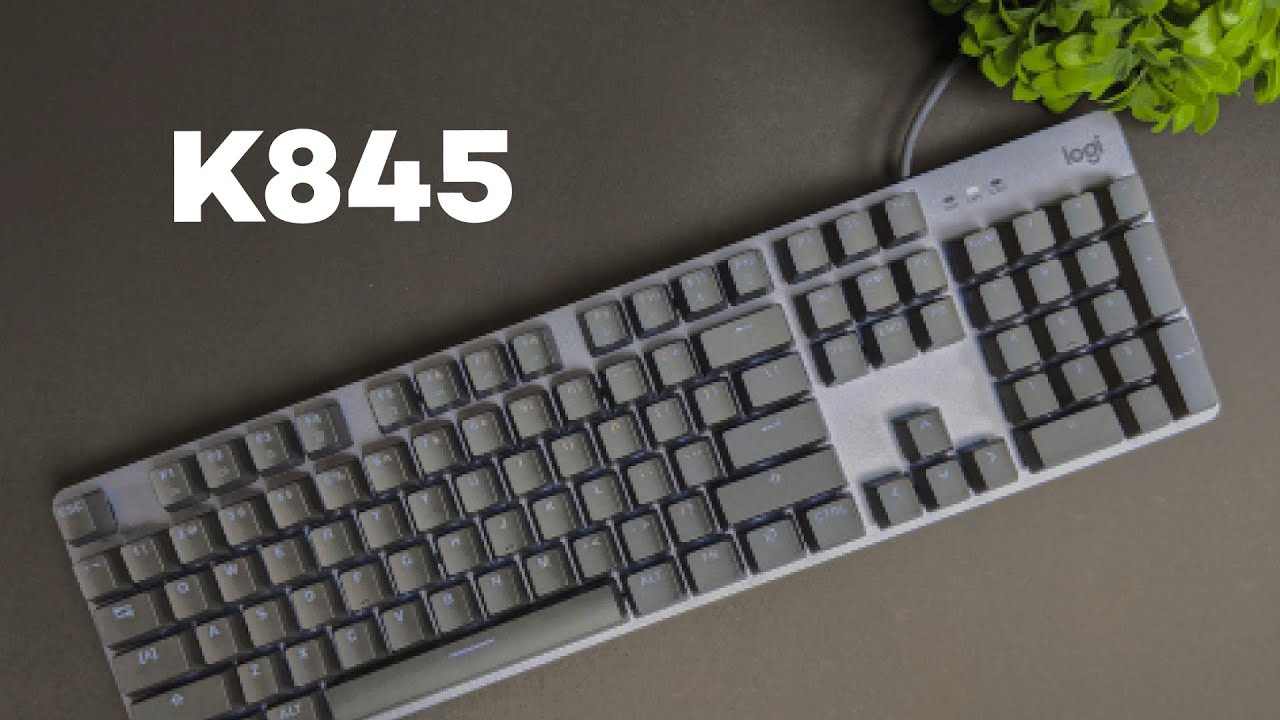
This review examines the Logitech K845, a full-size mechanical keyboard that trades flashy gamer aesthetics for a restrained, professional look while keeping the satisfying feel of mechanical switches and a useful backlight. If you want the tactile or linear feedback of gaming-grade switches without the gamer styling, this review explains why the K845 is worth a close look.
Table of Contents
- Quick summary
- What you get in the box
- Design and build quality
- Layout and keycaps
- Switch choices and what they mean
- Typing experience and sound
- Backlighting and lighting modes
- Software and customization
- Who should buy this keyboard?
- Pros and cons — a concise review verdict
- How it compares to other keyboards
- Practical tips before buying
- Final thoughts in this review
- FAQ
- Where to go from here
Quick summary
The K845 is a straightforward mechanical keyboard built with a metal top plate, a full-size layout with a number pad, a fixed USB-C cable, and white LED backlighting with a handful of lighting patterns. It is available with five switch options, including Cherry MX Red and Cherry MX Blue, and targets users who prefer a clean, minimal desk setup without sacrificing mechanical key feel. This review covers build, switches, backlight behavior, typing experience, and where the keyboard fits best.
What you get in the box
The unboxing is intentionally minimal. Inside you will find the keyboard itself and a compact instruction guide printed on the cardboard sleeve that stores the unit. No extra keycap puller, no palm rest, and no fancy accessories. The simplicity speaks to the design intent: a no-fuss mechanical keyboard that looks at home on a professional desk.
Design and build quality
The K845 stands out for marrying a premium material up front with a practical, cost-conscious back. The top plate is aluminum, cold to the touch, and finished in matte gray. That metal surface gives the keyboard a solid, premium feel and a subdued look that avoids gamer clichés.
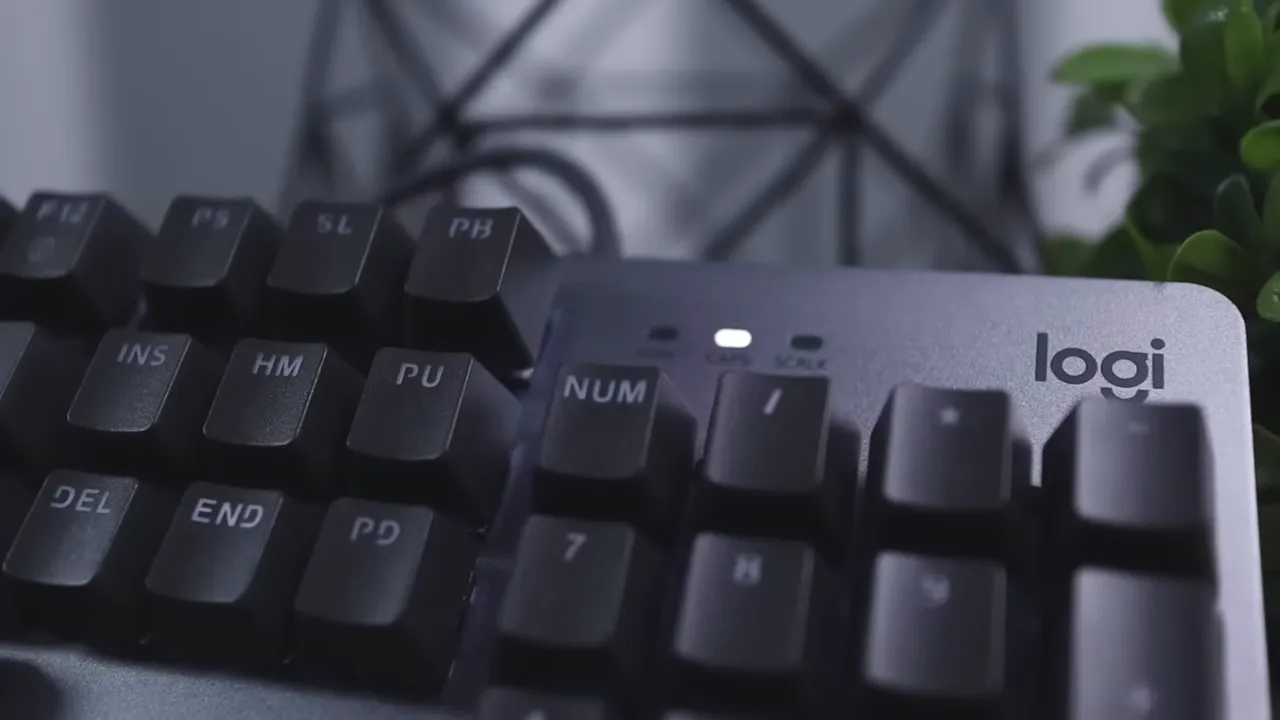
The underside and surrounding structure are made of durable matte black plastic. Logitech added rubber feet at the corners and along the center edge to keep the board from sliding. Two adjustable feet raise the back to create an ergonomic tilt. With the feet down the keyboard lies at about a four degree angle, and with the feet extended it tilts to roughly eight degrees. The cable is a soft silicone, permanently attached, and connects via USB-C. There is no wireless option with this model.
Layout and keycaps
This is a full-size keyboard, so you get the number pad, arrows, and dedicated media-friendly function keys. For many people that physical number pad and dedicated keys are part of what makes a keyboard comfortable for day-to-day work, accounting, or data entry. The K845 keeps those elements without adding bulk elsewhere.

Keycaps are plastic with the legends embedded so the white backlight travels through each key. The keys are slightly concave, a subtle arc that helps fingers settle into place and improves accuracy and speed. The overall effect is refined and unobtrusive, a keyboard that looks like office equipment but feels like a mechanical board under your hands.
Switch choices and what they mean
One of the K845's strengths is a broad set of switch choices. The keyboard comes in five different switch types: Red, Blue, Brown, Cherry MX Red, and Cherry MX Blue. If you choose the Cherry MX variants expect to pay roughly fifteen dollars more. The Cherry switches are the more polished, factory-matched option and deliver a slightly smoother, more consistent typing feel compared with the non-Cherry versions.
A quick primer on switch personalities: Red and Cherry MX Red are linear, quiet when compared with clicky switches, and great for smooth typing and gaming. Brown switches offer a gentle tactile bump without a click. Blue and Cherry MX Blue are tactile and clicky, louder, and favored by people who want clear audio feedback with each keystroke.
Typing experience and sound
The typing experience on the Cherry MX Red version is smooth and engaging. This review unit used Cherry MX Reds and delivered fast, low-friction key travel that suits both long typing sessions and quick gaming bursts. It is not an ultra-silent keyboard. If you need whisper-quiet operation for a studio or shared office, you will want to look for a keyboard marketed as silent or use specialized dampening mods.

Compared with typical clicky blue switches, the red options are much quieter. Key wobble is well controlled for most of the keys; the smaller keys show practically no wobble. The space bar has a small degree of side-to-side movement, but it is minor and unlikely to bother most users. Overall, keystability is above average for a stock board at this price and class.
Backlighting and lighting modes
The keyboard uses white backlighting that shines through the embedded legends, which keeps the look tasteful compared with RGB setups. There are five lighting modes to choose from, which is a pleasant balance between functionality and simplicity.
- Static mode, where all keys glow at a constant brightness.
- Reactive mode, where keys light briefly when pressed and then dim.
- Random mode, which randomly lights different keys for a busier visual effect.
- Other available patterns include subtle wave and breathing styles depending on firmware.
- Brightness is adjustable via the function keys, so you can fine tune the glow for different lighting conditions.
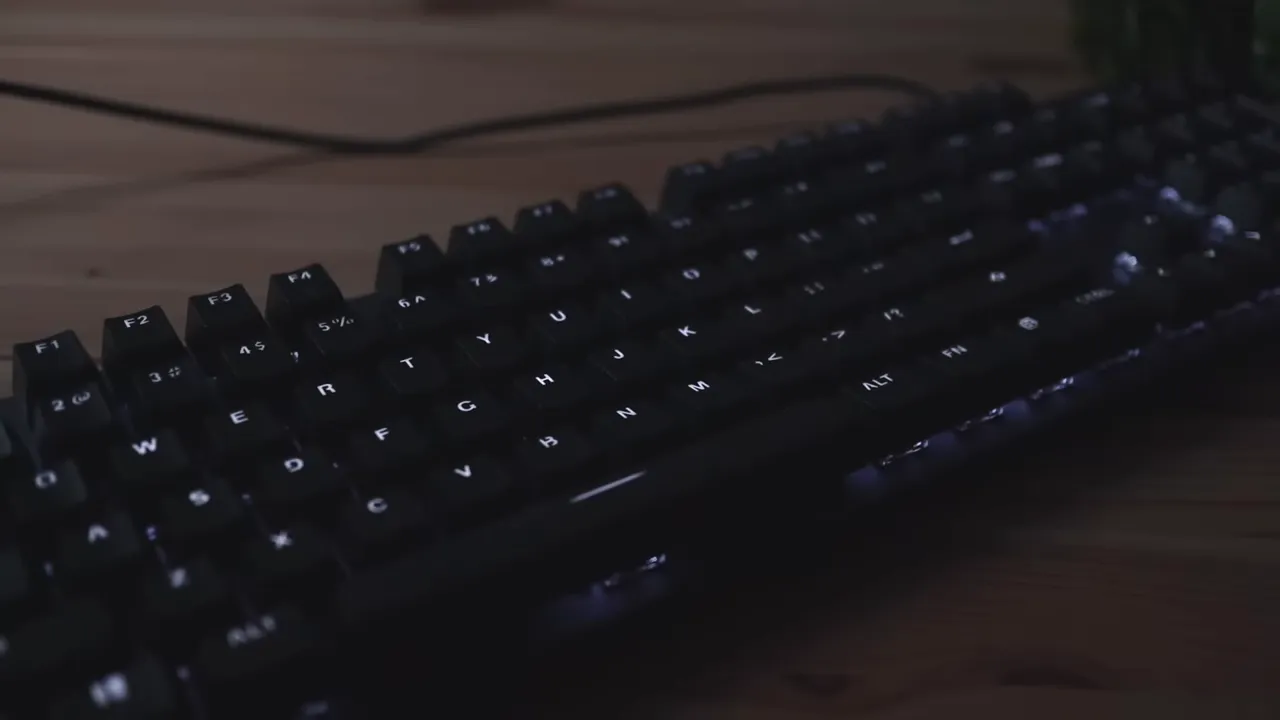
The white-only approach works well for professionals who want visibility in low light without the distraction of multicolor effects. Reactive mode is particularly neat if you like seeing the keys light up as you type, giving both a practical and slightly playful feel.
Software and customization
This is an important point in this review: the K845 does not currently work with Logitech software. There is no official companion application to remap keys, set macros, or customize per-key lighting. Everything is controlled through the keyboard itself and the fixed set of lighting modes.
If deep customization, per-key RGB, or software macros are critical to your workflow or gaming setup, the K845 is not the right pick. On the other hand, if you prefer a reliable plug-and-play keyboard that just works across multiple systems without software, this design choice simplifies life and avoids driver bloat.

Who should buy this keyboard?
This review recommends the K845 for a handful of user types:
- Professionals who want a clean desk, especially those who dislike gamer aesthetics but still want mechanical switches.
- Office users who need a full-size layout with number pad and media-friendly function keys.
- Writers and programmers who favor linear or tactile switches and want a durable aluminum top plate.
- People who prefer plug and play, with no need for macros or deep software customization.
This review does not recommend the K845 for:
- Users who require programmable macros or per-key customization through software.
- Those who want wireless connectivity or a hot-swappable cable.
- Users who need an ultra-quiet keyboard for noise-sensitive environments.
Pros and cons — a concise review verdict
After using the keyboard, here is a compact review-style verdict that highlights the main trade-offs.
- Pros: Solid aluminum top plate, minimal and professional design, multiple switch options including Cherry MX, pleasant typing feel (especially with Cherry switches), full-size layout with number pad, practical white backlighting, rubber feet and flip legs for ergonomics.
- Cons: No software for macros or remapping, detachable cable not available, not the quietest mechanical option, minor space bar wobble, limited lighting customization compared with RGB boards.
How it compares to other keyboards
Compared with Logitech's G-series gaming keyboards, the K845 is intentionally toned down. It keeps mechanical switches and a robust build but removes aggressive styling and multicolor RGB. Against consumer-grade mechanical keyboards from competitors, the K845 stands out for its aluminum top plate and the Cherry switch option at a relatively accessible price point.
If you need macro layers and software integration, the G-series or other enthusiast boards with companion apps will serve better. If you value a refined, simple appearance and prefer hardware-based controls, the K845 competes strongly.
Practical tips before buying
- Decide on the switch type before buying. If you want a smoother, polished feel, opt for the Cherry MX variants even if they cost slightly more.
- Plan for a wired setup. The K845 does not offer wireless connectivity, so ensure a convenient cable route on your desk.
- Consider whether you need macros or software customization. If so, choose a different model with companion software.
- Pay attention to typing noise. Blue switches are clicky and loud; Red switches are much quieter and better for shared spaces.
Final thoughts in this review
The Logitech K845 hits a useful niche. It is a mechanical keyboard in a professional package, ideal for people who want the satisfying feel of mechanical switches without the gaming look. The build quality is reassuring, the typing experience is enjoyable, and the lighting is tasteful. The biggest limitations are the lack of software customization and a fixed cable, which will steer some buyers toward other options.
For a practical, dependable mechanical keyboard with a minimal aesthetic, this review concludes the K845 is a strong contender, especially when equipped with Cherry switches for those who want the extra polish.
FAQ
Does the K845 support wireless connectivity?
No, the K845 is wired only. It uses a non-detachable silicone USB-C cable and has no Bluetooth or wireless mode.
Are the key switches hot-swappable?
No, the switches are not hot-swappable. You must choose the desired switch type when purchasing. Options include Red, Blue, Brown, Cherry MX Red, and Cherry MX Blue.
Can I remap keys or create macros with software?
There is no official software for the K845 at the moment. Customization is limited to prespecified hardware shortcuts and the built-in lighting modes.
How loud is the keyboard?
Loudness depends on the chosen switch. Cherry MX Red and non-clicky red switches are relatively quiet. Blue switches are clicky and significantly louder. Overall, the K845 is quieter than typical blue-switch mechanical keyboards but not ultra-silent.
Is the keyboard durable?
Yes, the aluminum top plate and quality construction make the K845 feel durable. The plastic base is sturdy, and friction-reducing rubber feet add stability.
Who is the K845 best suited for?
The K845 is ideal for professionals and users who want mechanical key feel without gaming styling, people who need a full-size layout, and anyone who prefers plug-and-play keyboards without extra software.
Where to go from here
If this review helped clarify whether the K845 fits your needs, consider which switch type matches your typing style and whether you need software customization. This keyboard works well as a daily driver for office work, programming, and casual gaming when you want a restrained, professional look on your desk.
If you prefer deeper customization, wireless options, or hot-swappable switches, the market has plenty of alternatives, including Logitech's own gaming line and several enthusiast brands that focus on modularity and software.


