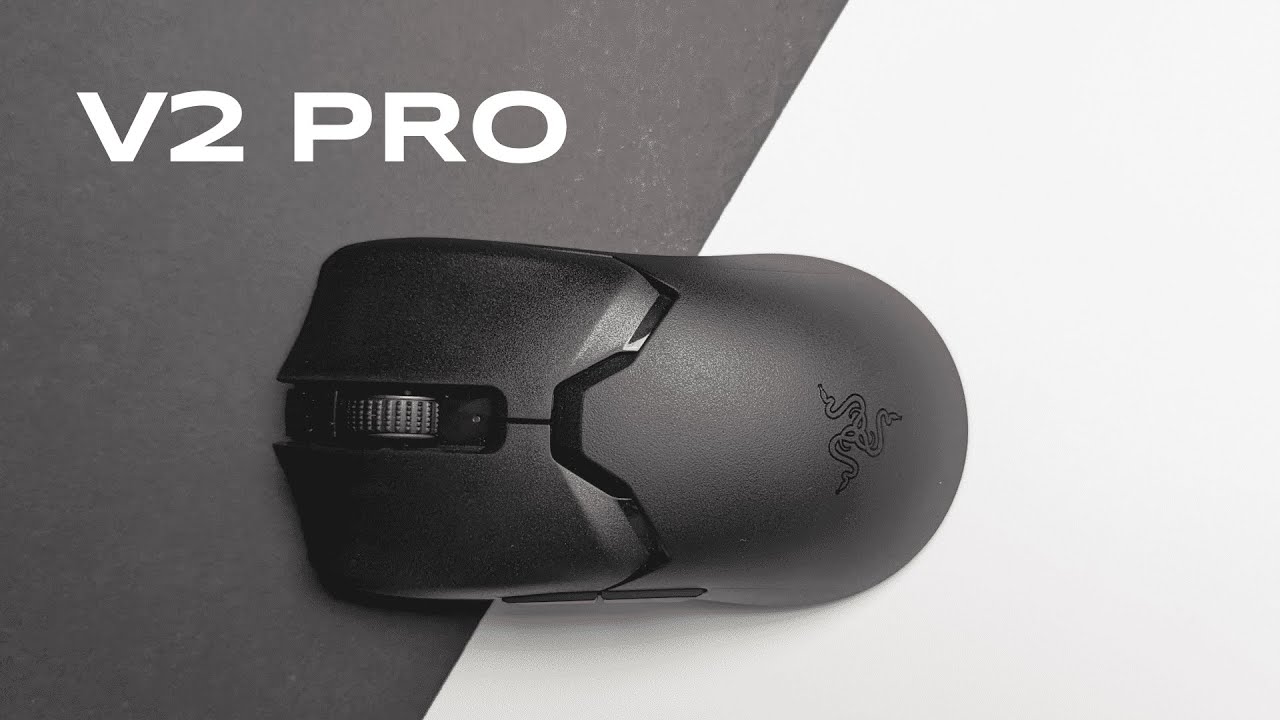
I'm Kova Tech, and in this in-depth review I put the Razer Viper V2 Pro through everything you'd expect from a top-tier esports mouse: unboxing, feel, performance, battery life, ergonomics, and the software that ties it all together. If you're shopping for a pro-grade wireless mouse that prioritizes raw performance and minimal latency, here's everything you need to know about the Viper V2 Pro.
What’s in the box
Out of the box you get the essentials (and a few extras worth noting): the Viper V2 Pro mouse, Razer HyperSpeed receiver and a USB dongle that can plug into the receiver or directly into your PC, a USB-A to USB-C braided cable made from Razer’s flexible material, a set of sticky side grips for added traction, an instruction manual, and some stickers.
Razer keeps the bundle simple and focused on performance — no RGB junk or extravagant extras that add weight or power draw. The included receiver and dongle arrangement is designed to keep latency as low as possible when you want a wireless experience that feels wired.
Build quality and finish
The Viper V2 Pro has a clean, understated look. The top shell and click buttons use a matte finish that provides a grippy texture. The scroll wheel is rubberized and feels firm with almost no rattle. Side buttons are plastic and slightly smoother than the top, so they’re not as grippy — something to be aware of if you heavily rely on side buttons during play.
Flip it over and the underside is minimal: three PTFE skates for smooth gliding, the Focus Pro 30K optical sensor, and a combined power/DPI switch. The overall construction feels very solid — no loose parts or wobble. I did a quick shake test to listen for rattling and came up empty; the mouse exhibits the kind of tight, premium fit you want in a competitive peripheral.
Sensors, tracking, and performance
At the heart of the Viper V2 Pro is Razer’s Focus Pro 30K Optical Sensor. This sensor is marketed as capable of tracking up to 30,000 DPI and is highly accurate across different surfaces — from cloth pads to glass or even wood. In practice, the sensor tracks precisely with no noticeable skipping or jitter on standard gaming surfaces.
For competitive players, reliable tracking is non-negotiable. The 30K sensor delivers excellent precision. You can also run surface calibration from the software if you want to fine-tune performance for a specific mouse pad or desk surface.
Connectivity: HyperSpeed receiver vs wired
This mouse is designed around Razer HyperSpeed Wireless. The included receiver uses a small dongle that you can plug into the receiver hub or directly into your machine. If you use the receiver hub, plug the braided cable into one end and put the hub as close to your mouse as possible — this reduces signal attenuation and maintains the lowest possible latency.
Razer intentionally excluded Bluetooth to keep the connection optimized for esports performance. Bluetooth adds latency and unpredictability; HyperSpeed aims to deliver ultra-low-latency wireless that feels as responsive as wired. If you prefer wired, the braided flex cable plugs into the front USB-C port and the mouse works perfectly in wired mode too.
Battery life and power considerations
One of the most impressive claims here is up to 80 hours of battery life when using the HyperSpeed receiver — significant for a lightweight wireless mouse. That runtime will vary with usage patterns (button actuation frequency, DPI settings, use of receiver hub), but 80 hours is realistic for many players and means fewer interruptions for charging during long gaming sessions.
There are also power saving settings in the software if you want to extend battery life further by adjusting idle timeouts and other behaviors. If you're in a tournament environment, the wired passthrough via the braided cable gives you the safety of a wired connection without needing to rely on battery mid-match.
Weight: ultra-light at 58 grams
At 58 grams, the Viper V2 Pro is an ultra-light wireless mouse. Razer achieved this by removing Bluetooth, RGB lighting, and trimming weight through other optimizations. For players who favor quick flicks, fast aim adjustments, and minimal wrist fatigue, the low weight is a major advantage. It makes tracking and rapid movement feel almost effortless compared to heavier wireless mice that still include non-essential features.
Ergonomics and grip styles
This mouse is a right-handed model (it’s not ambidextrous — there are two side buttons on the right side only). The shape and length make it friendly to multiple grip types. I tested palm, claw, and fingertip grips and found the V2 Pro comfortable across all of them.
- Palm grip: The mouse supports mid-sized hands well — your palm settles onto the top comfortably without excessive overhang. - Claw grip: Knuckles have room to sit on the back, fingers rest naturally on the left/right clickers. - Fingertip grip: The shorter footprint works well for floating, fingertip-style control.
If you have very small hands (for example, children), the Viper V2 Pro might feel large — the Viper Mini is the better alternative for smaller users. For most adult gamers with small-to-large hands, this mouse hits a sweet spot.
Switches and click feel
The Viper V2 Pro uses Razer Optical Gen-3 switches. These deliver a tactile, satisfying click and are rated at a 90-million click lifespan, which should outlast the majority of users' needs. The switches are responsive and provide that quick actuation you want in a competitive setting.
Click volume is average — not ultra-quiet but not obnoxiously loud either. You'll get a tactile “snap” that makes each click feel deliberate, which I prefer over muted mushy clicks in many competitors.
Software: customization in Razer Synapse
Razer Synapse lets you customize practically every button and performance parameter. On the buttons tab you can remap the left/right clicks, side buttons, scroll wheel click, DPI button, and assign Hypershift layers for secondary functions.
Performance settings let you set DPI stages (on-mouse DPI switching supports up to five stages), adjust X/Y sensitivity independently, tweak polling rate (I recommend maxing it out for top performance), and calibrate tracking for your specific surface. Lift-off distance adjustment and surface calibration give you fine control over how the sensor behaves in real-world use. There are also power-saving options to extend battery life when idle.
Who is the Viper V2 Pro for?
This mouse is aimed at competitive and professional gamers who want the best possible wireless performance without compromises in latency or tracking. If you value:
- Ultra-lightweight design (58g)
- Top-tier sensor performance (Focus Pro 30K)
- Low-latency HyperSpeed wireless
- Long battery life (up to ~80 hours)
- High-quality switches with a long lifespan
...then the Viper V2 Pro deserves serious consideration. Casual users who want RGB bling, Bluetooth multi-device pairing, or extra side buttons may prefer other models, but those features intentionally aren’t part of the Viper V2 Pro’s focused design.
Pros and cons (at a glance)
- Pros: Featherweight 58g wireless, exceptional sensor tracking, HyperSpeed wireless with low latency, comfortable shape for multiple grip types, long battery life, high-quality optical switches.
- Cons: Right-handed only, side buttons are smooth (less grippy), no Bluetooth or RGB (by design), might be large for small hands/children.
Final thoughts
The Razer Viper V2 Pro is a focused esports mouse that pares away non-essential features to deliver exceptional performance where it matters most: weight, sensor accuracy, and wireless responsiveness. The feel is premium, the sensor is outstanding across surfaces, and the included HyperSpeed receiver ensures minimal latency. If you’re a competitive or professional gamer who prioritizes performance over flashy extras, the Viper V2 Pro is a top contender.
Frequently Asked Questions
Is the Razer Viper V2 Pro ambidextrous?
No. The Viper V2 Pro is a right-handed mouse because it has two side buttons on the right side only. If you need an ambidextrous shape, look at other models in Razer’s lineup.
How long does the battery last?
Razer rates the mouse for up to 80 hours of battery life when using the HyperSpeed receiver. Actual runtime varies with settings and usage, but 80 hours is a realistic estimate for many gamers.
Does it support Bluetooth?
No. Razer excluded Bluetooth on the Viper V2 Pro to ensure the lowest possible latency via HyperSpeed wireless. If you need Bluetooth multi-device support, you’ll want a different model.
Can I use the mouse wired?
Yes. You can unplug the receiver and plug the included braided cable directly into the front USB-C port to use the mouse in wired mode.
Is the Viper V2 Pro good for small hands?
It’s comfortable for many hand sizes (small to large) in my testing, especially if you have mid-sized hands. However, for very small hands or children, the Viper Mini may be a better fit.
How noisy are the clicks?
The Razer Optical Gen-3 switches provide a tactile and satisfying click. They’re not ultra-quiet but fall into an average noise level — noticeable but not disruptive for most gaming setups.
Where to learn more
If you want a deeper dive into the Synapse software or a focused software walkthrough for DPI stages, calibration, and Hypershift, I have a dedicated software review available that walks through those settings step by step.
Thanks for reading this review of the Razer Viper V2 Pro. If you’re after a no-compromise wireless mouse for competitive play, this one is definitely worth testing firsthand.


